

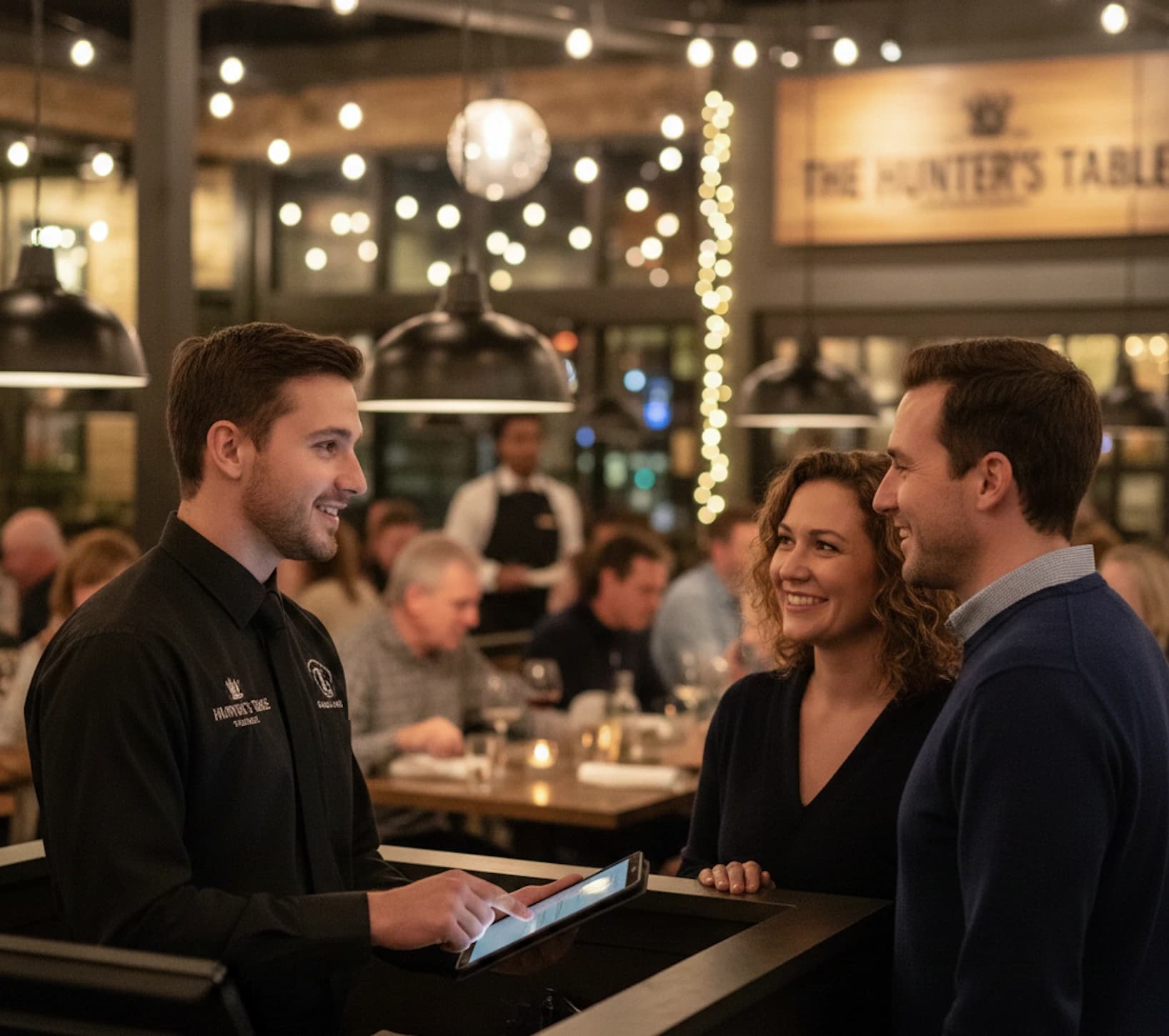
A packed lobby and a short-staffed team is one of the most stressful combinations in hospitality. Every minute a guest waits without updates is a minute they're reconsidering whether to stay. According to Zendesk CX Trends, 73% of customers say waiting is the most frustrating part of visiting a business.
The fix isn't always more people. It's better systems. According to Deloitte Digital Consumer Trends Report, customer satisfaction scores are 22% higher when businesses offer mobile queue options. It's the difference between a one-time visit and a repeat guest.
This guide covers the tools, workflows, and tactics that help restaurants reduce wait times using the team they already have.
Why do long wait times cost restaurants customers and revenue?
Long waits hit your bottom line in ways that aren't always obvious. Guests who leave before being seated take their money elsewhere, and they rarely come back. Worse, they often leave a negative review or warn friends about the experience.
Research puts the average customer's patience at around 14 minutes before they consider leaving. That's not much runway during a dinner rush.
Perceived wait time affects guest satisfaction more than the food itself. Someone who waits too long arrives at the table already frustrated. That frustration shapes everything that follows: how they rate the service, whether they tip well, and whether they come back.
What causes long wait times in restaurants?
Fixing wait times starts with understanding where the slowdowns actually happen. Most restaurants share a few common bottlenecks that compound during busy periods.
- Host stand bottlenecks. The traditional host stand creates a single chokepoint. One person handles names, answers the phone, and manages the floor at the same time. During a rush, every task competes for attention, and the line at the door grows.
- Manual waitlist management. Paper lists make this worse. Crossed-out names, illegible handwriting, and constant page shuffling slow everything down. Guests stack up at the entrance wondering if anyone noticed them.
- Inaccurate wait estimates. Guessing wait times almost never works. When you tell a party "about 20 minutes" and it stretches to 45, trust disappears. Guests feel misled even when the delay was unavoidable. Without real data on table turnover and current queue depth, accurate estimates become nearly impossible.
- Poor visibility into the queue. When staff can't see the full picture of who's waiting, confusion follows. Which party arrived first? Who stepped outside? Did that group of four already leave? Answering these questions eats time and leads to seating mistakes.
- Constant guest interruptions. Every time someone asks "how much longer?", your host loses focus. Individually, interruptions seem minor. Collectively, they add up fast during peak hours, pulling staff away from managing the waitlist itself.
Strategies to reduce restaurant wait times
We'll be looking at three different strategies to cut restaurant wait times and improving waiting experience.
- Self check-in
- Use text notifications
- Manage customer expectations
How does a digital waitlist reduce wait times?
A digital waitlist system replaces paper with a real-time queue that updates automatically. Staff see exactly who's waiting, how long they've been there, and who's next, all in one view. No misheard names, no crossed-out entries, no guessing. It's one of the must-have tools on a modern restaurant tech stack.
Key benefits from a digital queue include:
| Feature | What it does |
| Tap-to-seat workflow | Move guests from waiting to seated with a single tap |
| Automatic time tracking | Logs wait times without manual calculations |
| Fewer errors | No illegible handwriting or mishearing names |
| Staff mobility | Update the queue from anywhere in the restaurant, not just the host stand |
For a deeper look at how restaurants are managing their waitlists today, the restaurant waitlist management best practices guide covers the full workflow.
See what your queue is costing you
Estimate the walk-away revenue you lose when customers give up and leave.
Does self check-in actually remove the host stand bottleneck?
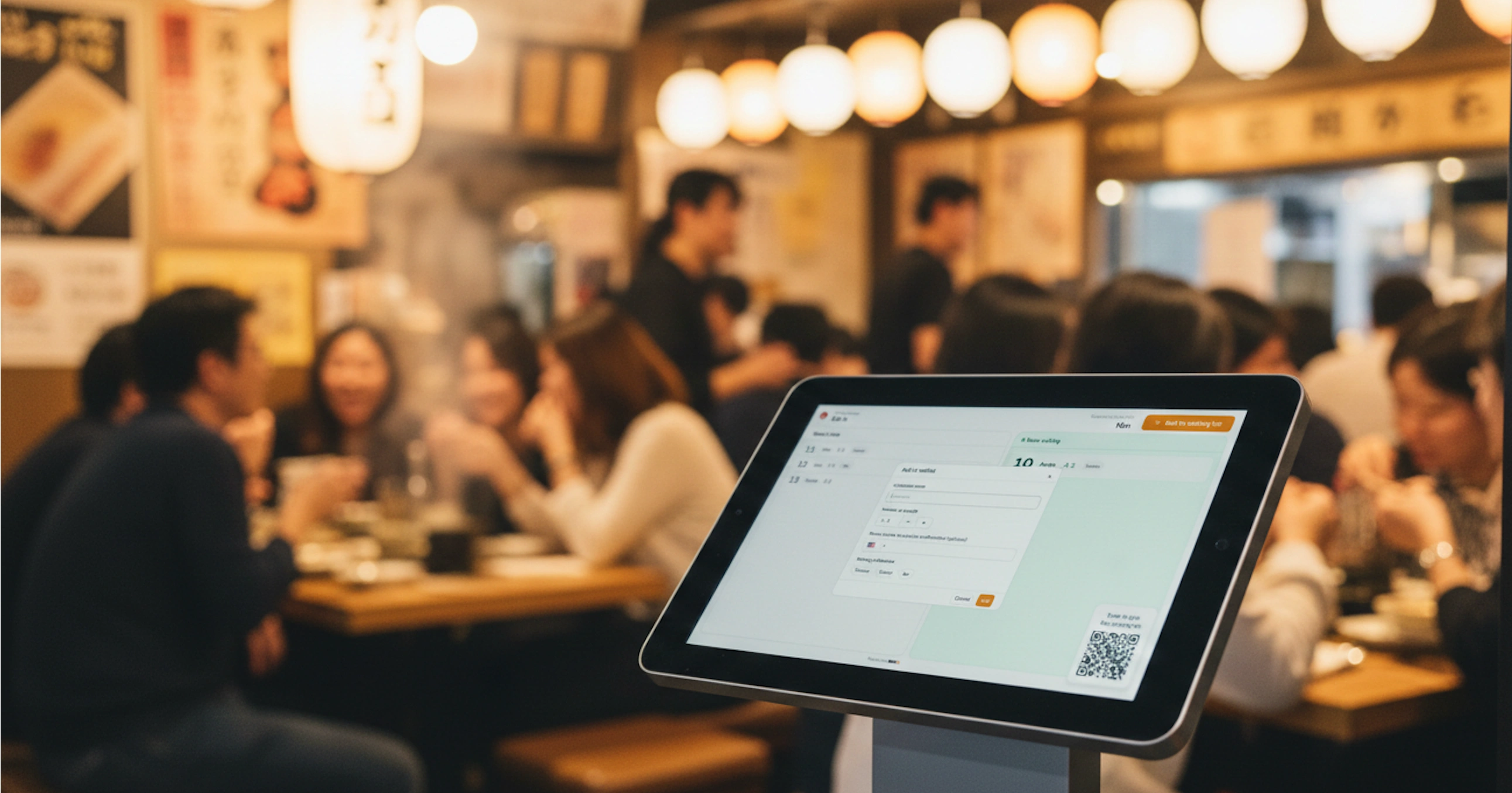
Yes. Self check-in removes the biggest single cause of lobby congestion. When guests add themselves to the waitlist, your host focuses entirely on seating rather than intake. The queue fills itself.
Guests can join in a few different ways:
- QR code. A code at the entrance lets guests join from their own phone. They scan, enter their group size and name, and they're in the queue. No app download required.
- Kiosk or tablet. An on-site tablet serves as a self-service kiosk. Guests tap to add their party, select preferences, and get confirmation on screen. Works well for restaurants with steady walk-in traffic throughout the day.
- Website or social media. Guests join your waitlist before they arrive. A link on your Google Business Profile, website, or social pages lets them check in remotely and time their arrival.
| Check-in method | Best for | Guest experience |
| QR code | On-site walk-ins | Scan and join in seconds from their phone |
| Kiosk/tablet | Busy entrances | Self-serve without waiting for a host |
| Website/social | Remote guests | Join the waitlist before arriving |
How to set up text notifications that update guests automatically
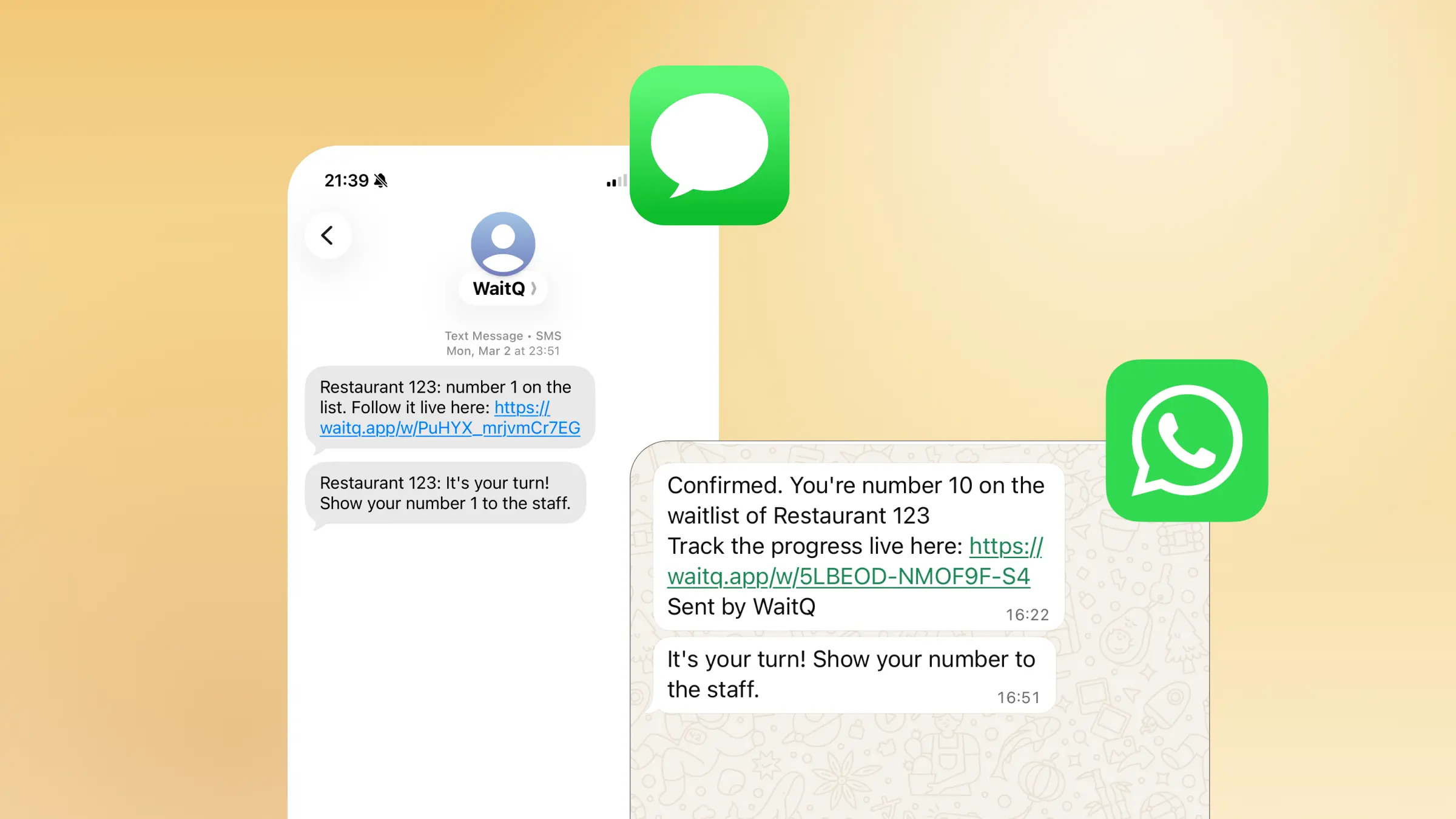
Automated SMS and WhatsApp notifications remove the need for shouting names across a crowded lobby. When a table is ready, the customer gets a text. They head back from wherever they're waiting. The lobby stays clear.
Setup is straightforward with most digital waitlist tools:
- Collect the guest's phone number at check-in (via QR code, kiosk, or staff entry)
- Set a trigger: notify when the party reaches a certain position in the queue, or when staff manually marks the table ready
- Customize the message with the restaurant name and a clear call to action ("Your table is ready. Head back to the host stand.")
The better part is that guests can wait at the bar, in their car, or around the block. They're not hovering near the host stand, which means your entrance stays calm and your host stays focused.
Here's some SMS waitlist notification templates for you to copy and adapt right away.
Managing guest expectations to reduce perceived wait time
How do you keep guests from walking away while they wait?
Uncertainty is what actually drives walk-aways, not the wait itself. When guests know where they stand, they're far more patient. NRA reports that the average full-service restaurant wait is around 23 minutes. Guests can accept that. What they struggle to accept is silence.
Three ways to manage expectations actively:
1. Display wait times publicly. A TV or monitor showing live queue status sets expectations the moment someone walks in. Guests see the current wait before they speak to anyone. This cuts questions and reduces walk-aways. Position your display where it's visible from outside so guests decide whether to join before they even step through the door.
2. Create a virtual waiting room. A virtual waiting room is a web page where guests track their queue position in real time. They don't need to hover near the host stand. They grab a drink at the bar, sit in their car, or browse nearby shops while watching their spot in the queue. This is one of the most effective tools for reducing restaurant walk-aways.
3. Send proactive updates. Don't wait for guests to ask. Notify them when they're two spots away from being seated. That single message eliminates most "how much longer?" interruptions.
Using wait data to prevent slowdowns before they happen
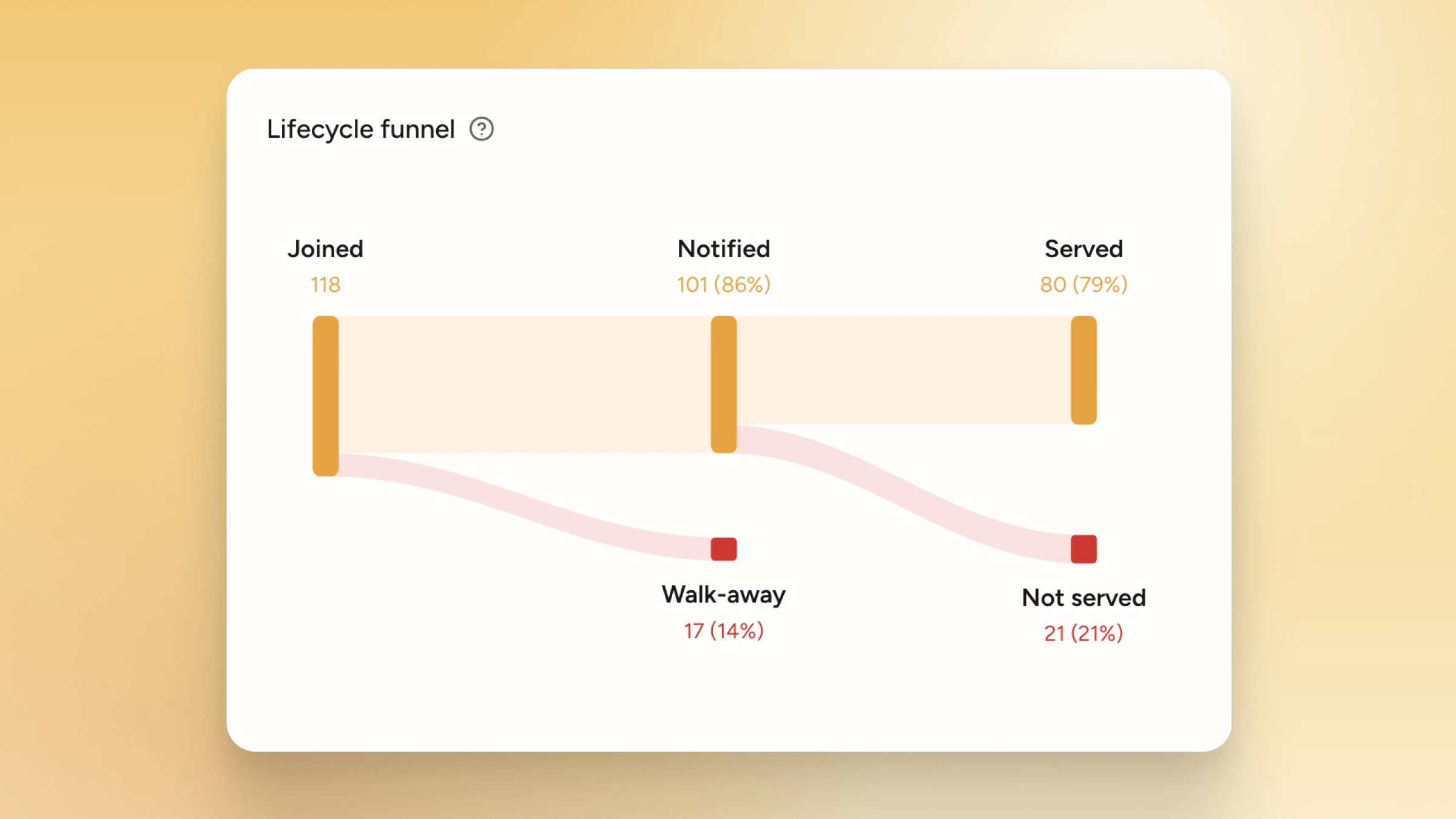
What can wait time data tell you about your restaurant's performance?
Wait time data replaces gut feelings with patterns. Over time, it tells you which shifts run long, which table configurations create bottlenecks, and where your estimates consistently miss. That's information you can act on before guests start complaining.
The wait analytics feature tracks average wait times shift by shift, so you're not guessing when someone asks "how long is the wait?" You're reading from real data.
Practical uses:
- Set accurate wait time estimates. If your average Friday dinner wait is 28 minutes, quote 30. Don't quote 15 because you hope for the best.
- Spot problem shifts early. If waits are creeping up on certain nights, you can investigate before it shows up in your reviews.
- Make better scheduling decisions. Trends that emerge across weeks give you a data-backed case for staffing changes or floor layout adjustments.
How WaitQ helps restaurants reduce wait times
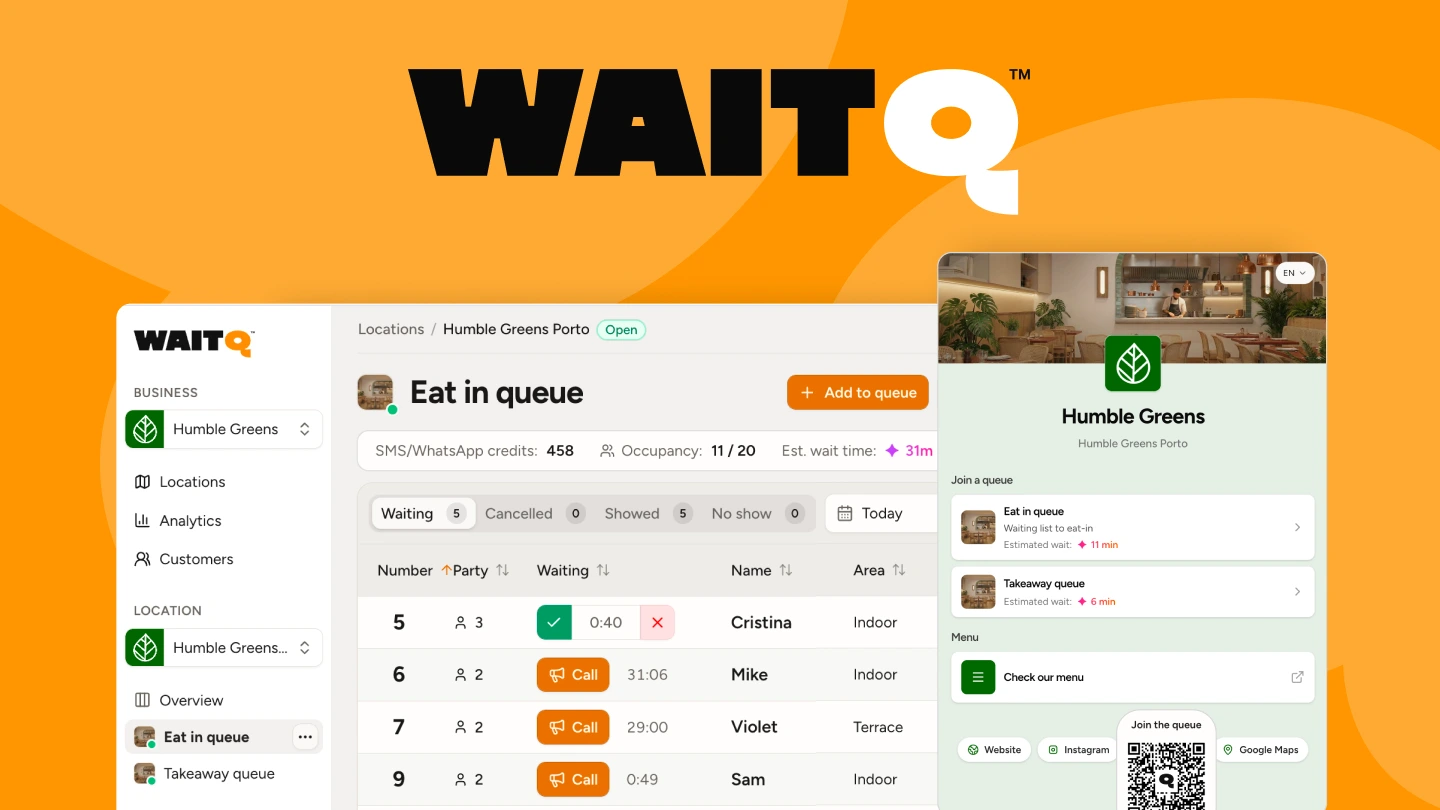
WaitQ gives restaurants a single system to handle the whole waitlist workflow: self check-in via QR code or public check-in page, real-time queue management, automated SMS and WhatsApp notifications, a public wait time display, and shift-level analytics.
Most restaurants go live the same day they sign up, with no hardware to purchase and no training required. On top of this, it also manages reservations on the same view and tables with live floormaps. Start your free 7-day trial and see the difference in your next dinner rush.
Conclusion
Reducing wait times in a restaurant doesn't require more staff. It requires removing the friction that slows your existing team down: manual lists, host stand bottlenecks, uninformed guests, and no data to work from.
That's why choosing a fitting restaurant waitlist platform makes the whole difference. With digital waitlist, self check-in, automated notifications, and a public display you can address all four challenges at once and fundamentally change how your front-of-house operates during a rush.
Start with whichever bottleneck hurts most right now. The rest follows quickly.
