

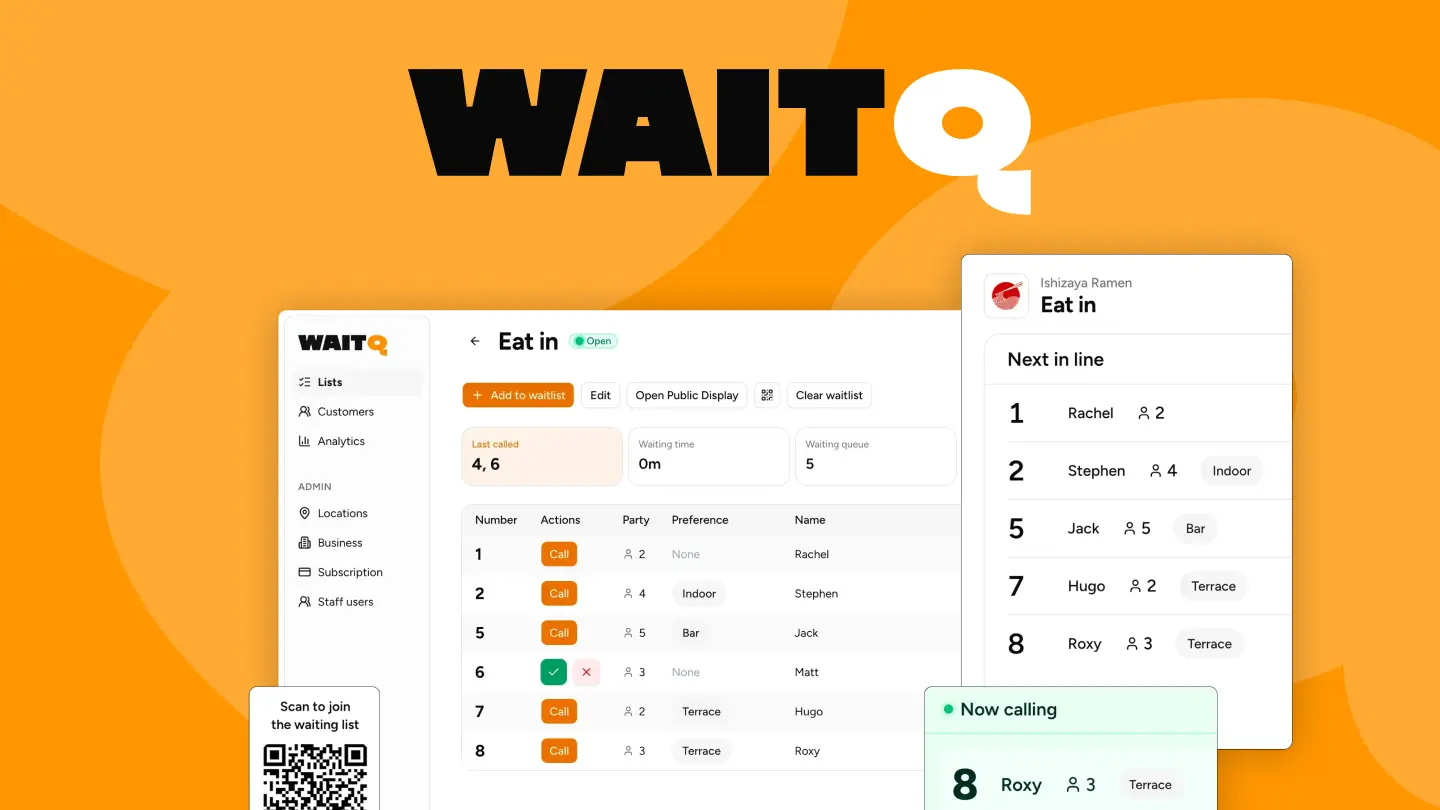
Waiting is one of the easiest places for a business to lose goodwill, especially when guests feel left in the dark. A busy front door of any business can be the best problem a business has… and the worst, until the wait drives guests away.
Why you would need a digital wait queue
Let's say you own a restaurant. Picture a Friday night. The host stand is crowded, guests keep asking "how much longer?", and the paper list has three crossed-out names that might or might not have left. "How much longer?" becomes the most repeated question of the night. It gets messy real quick - it's exactly in that chaos that a digital wait queue thrives.
When guests can see their place in line and get a realistic wait estimate, they're more patient. They're also more likely to stay instead of walking out to try somewhere else. Meanwhile, your staff can focus on seating and service instead of repeating the same status update every two minutes.
What is WaitQ?
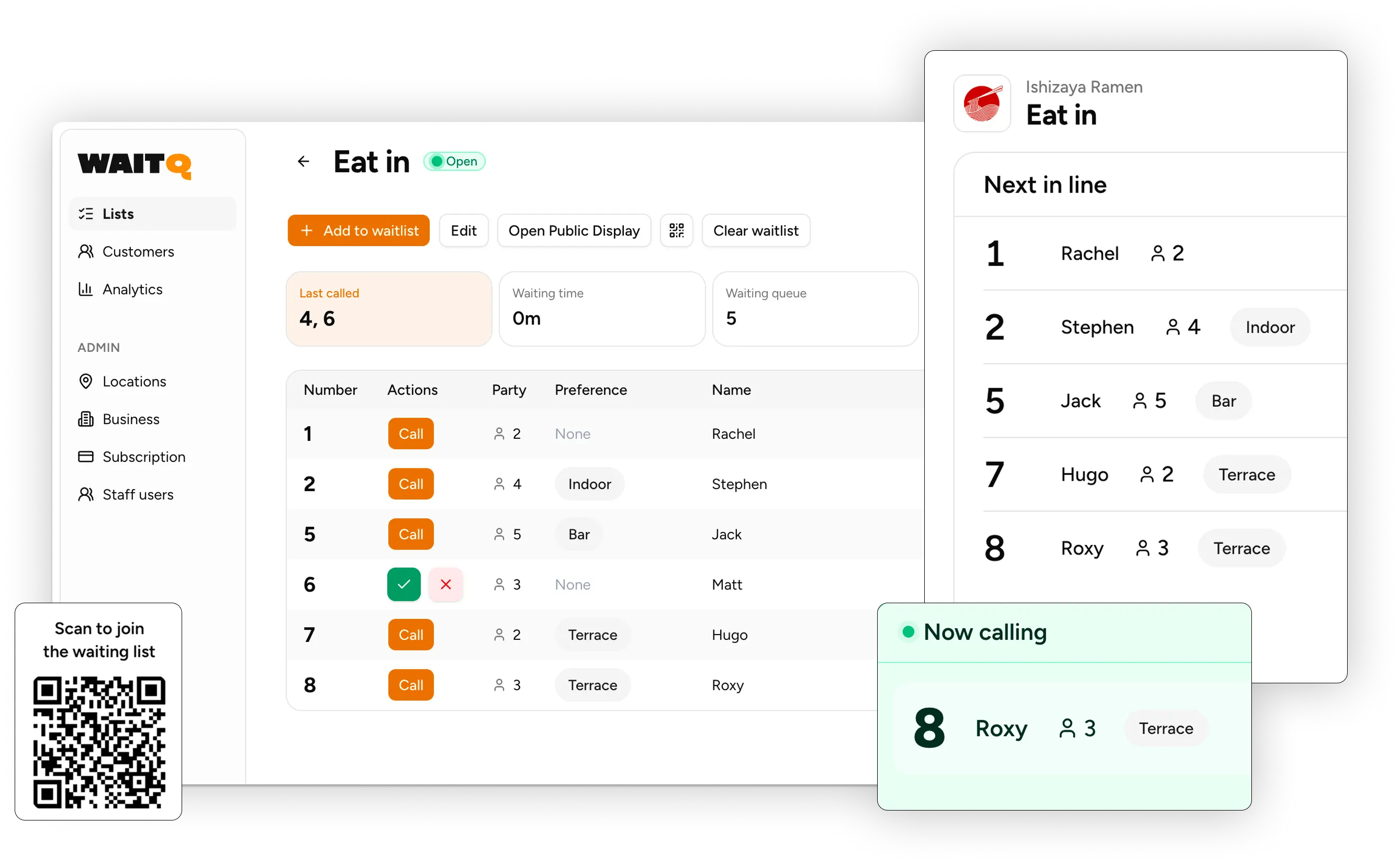
WaitQ is a digital queue management system for busy customer-facing businesses to help:
- Keep guests updated with clear status and notifications
- Reduce “Where are we in line?” interruptions
- Improve flow during peak hours
What can I do with WaitQ?
The system works through any web browser. Your staff can add guests from a phone, tablet, or computer, and guests can check their place in line from their own device. There's no app to download and no special hardware to buy!
Which businesses can benefit from WaitQ?
WaitQ handles queues for any business with a front door and walk-in traffic. The system is built for restaurants, retail stores, salons, hotels, or any business where people walk in and wait for service.
- Restaurants: Brunch spots, ramen shops, and upscale dining venues with unpredictable walk-in volume all benefit from organized queue management.
- Barbershops: Walk-in management stays under control particularly on peaks like Saturday monrings.
- Beauty & Hair Salons: Per-stylist or per-service queues help keep walk-in traffic organized and with tolerable waits.
- Cafes and coffee shops: Morning rushes move faster when guests can self check-in instead of forming a line at the counter.
- Hotels: Guests appreciate knowing their place in line at a busy front desk, and staff appreciate fewer interruptions during check-in rushes.
- Retail and service counters: Phone repair shops, government offices, and any business with a queue can use WaitQ to manage flow.
The common thread is walk-in traffic and the challenge of keeping people informed while they wait. WaitQ's goal is simple: bring order to the front door without adding complexity to your operations.
What benefits to expect from WaitQ?
The shift from paper to digital isn't just about convenience. It's about giving guests a better experience from the moment they walk in, and giving your team the tools to deliver that experience without extra stress.
- Fewer walk-aways: Guests who can track their progress tend to stick around longer.
- Reduced interruptions: Automated updates replace the constant "are we next?" questions.
- No more crossed-out names: Digital entries don't get smudged, misread, or accidentally skipped.
- Consistent first impression: Even during your busiest hours, the entrance stays calm and organized.
- Staff coordination: Everyone on your team sees the same live queue, so there's no confusion about who's next.
WaitQ key functionalities
- Real-time waitlist: The queue updates instantly across all devices when someone joins or gets seated.
- Virtual waiting room: Each guest sees a branded page with their position and estimated wait time.
- Waiting analytics: Metrics to keep you informed real-time and improve service over time.
- Public display: Show live wait times on any TV or screen.
- Notifications: Automatically alert guests when their turn arrives.
- Self check-in: Guests add themselves to the waiting list via QR code, kiosk, or web link.
How to get started with WaitQ
Setup takes about five minutes, and you don't need any technical background to get running.
- Sign up. No credit card is required to start.
- Customize your waitlist with your branding, form fields, and active hours.
- Open WaitQ in your devices. There's nothing to install and no special hardware to configure.
- Start seating as soon as your first guest joins the queue.
There are no setup fees, no contracts, and you can cancel anytime. Most businesses go live the same day they sign up, often within the first hour.
Tip: Try enabling self check-in during your busiest shift first. You'll see the impact on front-door congestion almost immediately, and it's a low-risk way to test the system.
What’s next for WaitQ
We’ll be sharing short, actionable posts about waitlist operations, best practices, and product updates. Stay tuned.
