

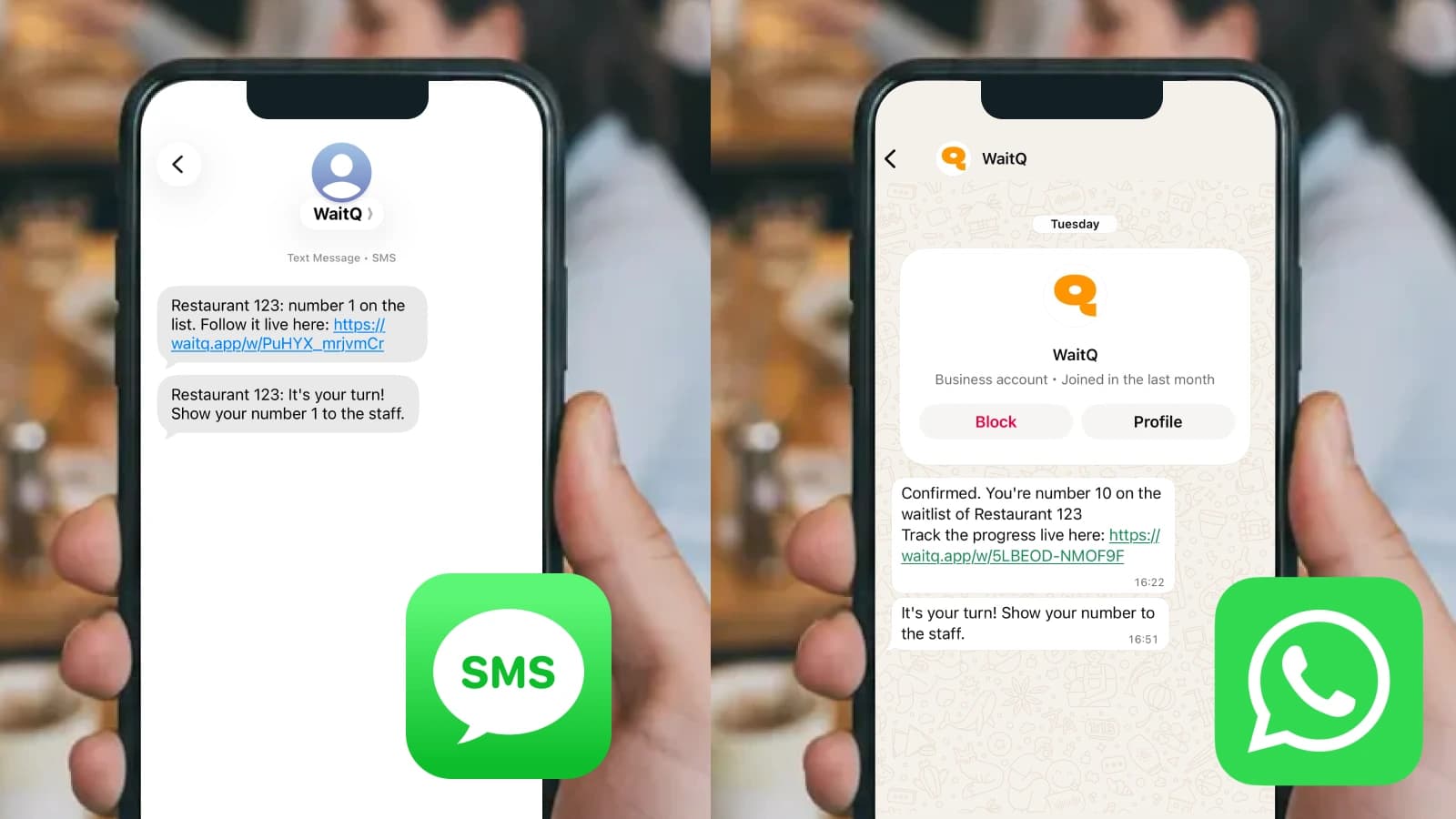
A packed Friday night means dozens of guests waiting for tables, and dozens of opportunities for someone to wander off, get impatient, or miss their name being called. Text message updates solve that problem by keeping guests informed without requiring your host to shout across a crowded lobby.
This guide includes ready-to-use SMS templates for every stage of the wait, from initial confirmation to table ready alerts, plus tips for automating the entire process.
What is a restaurant waitlist SMS template
A restaurant waitlist SMS template is a pre-written text message that communicates wait status to guests. Think of it as a fill-in-the-blank message where you swap in the guest's name, group size, and wait time, then send it automatically or with one tap.
Most restaurants use these types of waitlist texts:
- Confirmation: Sent right after a guest joins the waitlist
- Ready alert: Sent when it's time to serve the guest
Templates save your host from typing the same message dozens of times per shift. They also keep communication consistent, so every guest gets the same clear information regardless of who's working the door.
Why SMS waitlist updates reduce walkaways
When guests don't know where they stand in line, they get antsy. That uncertainty, not the wait itself, is what drives people to leave.
A text message changes the equation. Once someone knows they're fourth in line with a 15-minute wait, they can grab a coffee next door instead of hovering by the host stand. They're not wondering if they've been forgotten. They're not asking "how much longer?" every five minutes.
When guests stay informed they:
- Wait elsewhere: A crowded entrance clears out when guests know they'll get a text
- Come back on time: A "table ready" alert brings them right when you're ready to seat them
- Stick around: Fewer people abandon the wait because they feel in control
The result is a calmer front door and fewer empty tables that could have been filled.
Waitlist confirmation text templates
The confirmation message is the first text a guest receives after joining your restaurant waitlist. It tells them they're in the system and sets expectations for what comes next.
A few things to keep in mind: shorter messages work better, so aim for under 160 characters when possible. Include the guest's name to make it feel personal. And match your restaurant's voice: a casual brunch spot sounds different from a fine dining room.
Basic waitlist confirmation
Hi [Name], you're on the waitlist at [Restaurant Name] for a party of [Size]. We'll text you when your table is ready!
This version works for any restaurant. It confirms the basics without overcomplicating things.
Confirmation with estimated wait time
Hi [Name], you're on the waitlist at [Restaurant Name]. Estimated wait: [X] min for your party of [Size]. We'll text when ready!
Adding an estimated wait time helps guests plan. If they know it's 30 minutes, they might walk around the block. If it's 10 minutes, they'll stay close.
Self check-in confirmation
Thanks for checking in, [Name]! You're on the waitlist at [Restaurant Name] for [Size]. Watch for a text when your table is ready.
This template works when guests add themselves via QR code, kiosk, or a link on your website. Self check-in takes pressure off the host stand during rushes and guests enter their own information. The system handles the rest.
Large party confirmation
Hi [Name], your party of [Size] is on the waitlist at [Restaurant Name]. Larger parties may have a longer wait—we'll keep you posted!
Big groups often wait longer because you're holding out for a larger table. Acknowledging that upfront prevents frustration later.
Waitlist status update templates
Mid-wait updates keep guests in the loop during longer waits. The key is sending updates only when something meaningful changes: a new position in line, a shorter wait, or an unexpected delay.
Over-messaging annoys people. Under-messaging leaves them guessing. One or two updates during a 30-minute wait usually hits the right balance.
Position update
Hi [Name], quick update: you're now [X] in line at [Restaurant Name]. We'll text when your table is ready!
Position updates work well when the line is moving. Telling someone they've moved from eighth to third feels like progress.
Wait time shorter than expected
Good news, [Name]! Your wait at [Restaurant Name] is moving faster than expected. Stay close—we'll text soon!
Everyone likes good news. This message also serves a practical purpose: it tells the guest to stay nearby because their table is coming up sooner than planned.
Wait time longer than expected
Hi [Name], we're running a bit behind at [Restaurant Name]. New estimated wait: [X] min. Thanks for your patience!
Delays happen. A quick, honest update goes further than silence. Most guests appreciate the heads-up and will stick around if they know what to expect.
Almost ready alert
Heads up, [Name]! You're almost next at [Restaurant Name]. Please head toward the entrance—we'll seat you shortly.
This message gives guests a few minutes to wrap up whatever they're doing and make their way back. It's especially useful when guests have wandered off to nearby shops or bars.
Table ready notification templates
The "table ready" message is the most important text you'll send. It brings the guest back to claim their table, so clarity matters more than anything else.
Two things make these messages effective: a clear action (what to do) and a sense of timing (how quickly to do it). Some restaurants also include a reply option so guests can confirm they're on their way or let you know they need to cancel.
| Element | Purpose |
| Clear action | Tells the guest exactly where to go |
| Reply option | Lets guests confirm, cancel, or ask questions |
| Time limit | Creates gentle urgency to keep seating moving |
Standard table ready message
[Name], your table at [Restaurant Name] is ready! Please head to the host stand now.
Short, direct, and impossible to misunderstand. This version works for most situations.
Table ready with location instructions
[Name], your table is ready at [Restaurant Name]! Please check in at the main entrance on [Street Name].
If your restaurant has multiple entrances or a confusing layout, adding location details prevents guests from wandering to the wrong spot.
Final call before removal
[Name], your table at [Restaurant Name] is still waiting. Please arrive within 5 minutes or we'll need to seat the next party.
Sometimes guests miss the first message or lose track of time. A final call gives them one more chance before you move on to the next party in line.
No-show follow-up
Hi [Name], we missed you at [Restaurant Name] tonight. We'd love to see you next time—feel free to join the waitlist again anytime!
A polite follow-up keeps the relationship warm. The guest might have had an emergency or simply lost track of time. Either way, you're leaving the door open for a future visit.
Restaurant reservation message templates
Many restaurants handle both walk-in waitlists and advance reservations. The messaging principles are similar, though reservation texts focus more on confirming details and reducing no-shows.
Reservation confirmation
Hi [Name], your reservation at [Restaurant Name] is confirmed for [Date] at [Time] for [Size] guests. See you then!
Confirmation texts reassure guests that their booking went through. They also give guests a reference to check if they forget the details later.
Reservation reminder
Reminder: Your table at [Restaurant Name] is tomorrow at [Time] for [Size]. Reply C to confirm or X to cancel.
A reminder sent 24 hours ahead gives guests a chance to cancel if plans changed. That's better than holding a table for someone who never shows up.
Reservation cancellation
Hi [Name], your reservation at [Restaurant Name] for [Date] has been cancelled. We hope to see you soon!
Cancellation confirmations prevent confusion. The guest knows their booking is off the books, and your team knows the table is available again.
Sample text message marketing for restaurants
Once guests opt in for waitlist texts, you have a direct line for re-engagement. Marketing messages work best when they're infrequent and genuinely valuable.
One important distinction: waitlist consent covers operational messages about the guest's wait. Marketing messages typically require separate permission, so check your local regulations before sending promotions.
Post-visit feedback request
Thanks for dining at [Restaurant Name], [Name]! We'd love your feedback: [Link]. It helps us serve you better.
Feedback requests work best when sent within a day or two of the visit, while the experience is still fresh.
Return visit promotion
Hi [Name], we miss you at [Restaurant Name]! Show this text for 10% off your next visit. Valid through [Date].
A simple offer with a clear expiration date gives guests a reason to come back soon.
How to automate waitlist text messages
Copying and pasting templates works when things are slow. On a packed Friday night, though, your host has better things to do than type out individual texts.
Automation handles the repetitive work. A digital waitlist system sends the right message at the right time based on what's happening in the queue:
- When a guest joins: The system sends a confirmation automatically
- When wait times change: Triggered updates go out without staff intervention
- When a table opens: One tap from the host sends the table ready alert
With software like WaitQ, the entire flow runs on phones, tablets, or any device you already have. There's no special hardware to buy and no app for guests to download—they just receive standard text messages on their phone.
Keep guests informed with automated waitlist SMS from WaitQ
WaitQ sends customizable notifications at every stage of the wait through SMS or email. Staff tap once to notify a guest, and the system handles the rest.
Here's what that looks like in practice:
- Fewer interruptions: Guests stop asking "how much longer?" because they already know
- Calmer entrances: People wait elsewhere instead of crowding the host stand
- Faster seating: Table ready alerts bring guests back right when you're ready for them
- Setup takes about five minutes. No credit card required to start, no contracts, and you can cancel anytime.
