

Introduction
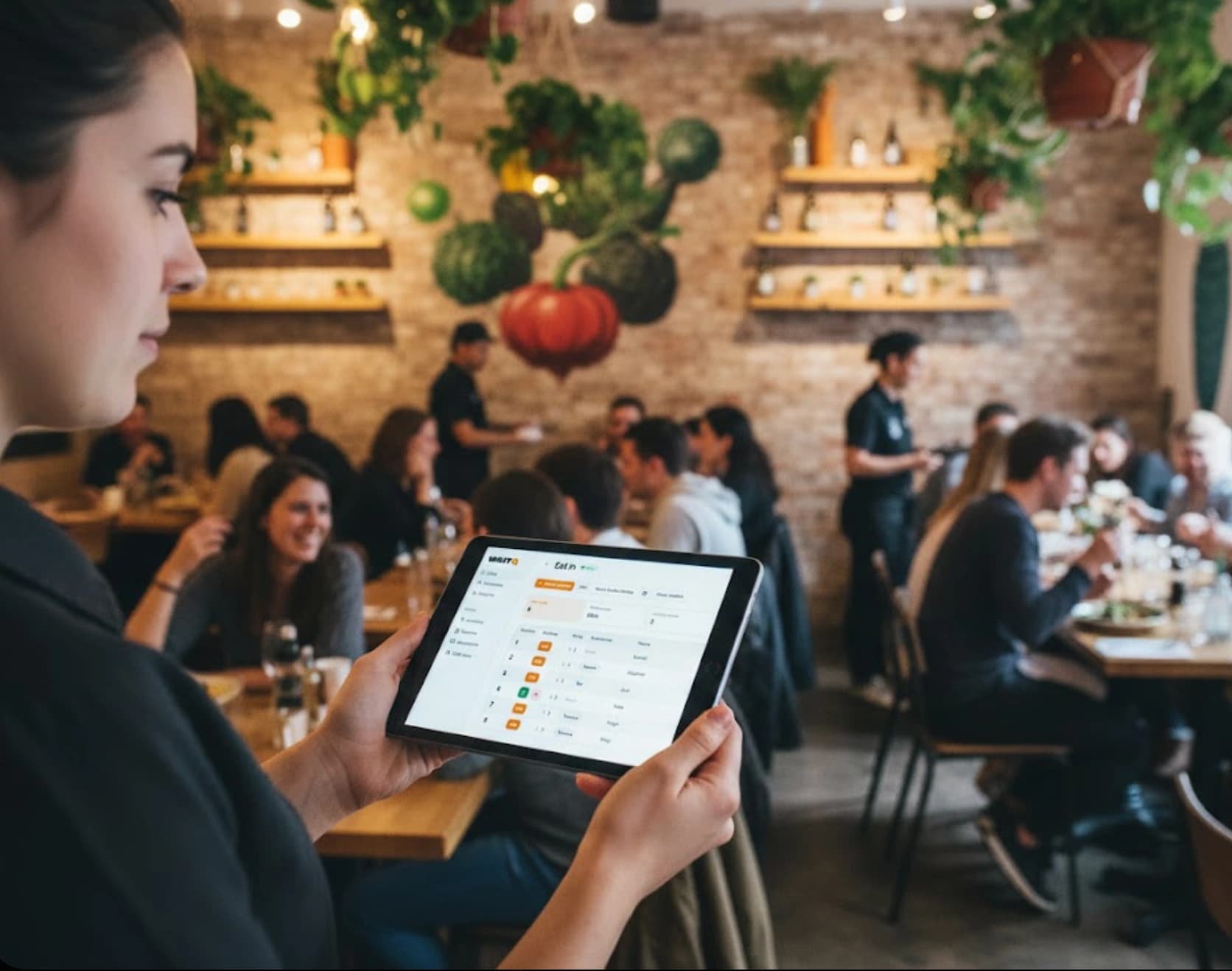
You're running a busy Friday night service. A party of four walks in, scans the room, and asks how long the wait is. If you don't have a clear answer ready, there's a good chance they'll walk right back out.
That moment is where the waitlist vs. reservations decision plays out in real life. It's not just a policy choice. It shapes how your front-of-house team operates, how guests experience your restaurant, and how much revenue you recover on a packed night.
Research on over 94,000 restaurant visits found that longer wait times directly increase reneging behavior, shorten dining duration, and push back the next visit. In other words, how you manage the wait affects more than just tonight's covers.
What is a restaurant waitlist?
A restaurant waitlist is a real-time queue for walk-in guests who arrive without a booking. When the restaurant is full, their name goes into the queue and they're seated when a table opens up. Order is straightforward: first come, first served, adjusted for group size and table availability.
Digital waitlist software replaces paper lists and clipboard tracking with tools that notify guests automatically and display live wait times. Guests always know where they stand, which reduces the urge to leave.
- Walk-in focused: guests arrive and join the queue on the spot
- Real-time updates: wait times adjust as tables turn over
- No advance commitment: guests decide to dine in the moment
What is a restaurant reservation system?
A reservation system lets guests pre-book a table for a specific date and time. The restaurant holds that table and can plan kitchen prep and staffing around confirmed covers.
This approach works well for special occasions and fine dining, where guests want certainty and restaurants need predictability. Tables are assigned to specific time slots, and the kitchen can prepare with confidence.
- Advance booking: guests secure a table before arriving
- Scheduled seating: tables held for confirmed time slots
- Capacity planning: predictable guest counts for the shift
Waitlist vs. reservations: what's the actual difference?
The core difference comes down to timing and commitment. A waitlist handles guests who show up unannounced. A reservation handles guests who plan ahead. Each creates different dynamics for both the guest and the restaurant.
| Factor | Waitlists | Reservations |
| Booking timing | On arrival (walk-in) | In advance (hours to weeks ahead) |
| Guest commitment | Low; guests can leave anytime | Higher; guests plan around the booking |
| Table assignment | Next available based on queue | Pre-assigned time slot |
| Primary risk | Walk-aways if wait feels too long | No-shows if guests forget or cancel late |
| Best for | High walk-in traffic, casual dining | Special occasions, fine dining |
The no-show problem with reservations
Research from Kellogg School of Management found that restaurant no-show rates typically run between 3% and 20%, with special occasions like New Year's Eve pushing rates as high as 40%. That's a significant revenue risk, especially for smaller restaurants where every table counts.
Automated confirmation messages and reminder texts reduce forgotten bookings, and many reservation platforms let guests confirm or cancel with a single reply.
The walk-away problem with waitlists
Waitlists face a different risk: guests who join the queue but leave before being seated. A Toast survey of restaurant guests found that 72% of diners won't wait more than 30 minutes for a table. After that threshold, most are gone.
The fix isn't always reducing wait times. It's reducing uncertainty. Guests are significantly more likely to stay if there's a comfortable waiting area (66%) or bar seating available (58%). When they know exactly where they are in the queue, they make a plan instead of walking out.
Benefits of a digital waitlist for restaurants
Restaurants with high walk-in traffic often switch from paper to a digital waitlist app because it solves several problems at once without adding complexity.
- Real-time wait updates reduce walk-aways. When guests can see accurate wait times, they're less likely to leave. A public display screen in the lobby or a virtual waiting room on their phone gives guests visibility into their place in line.
- Self check-in speeds up the front door. Guests can add themselves to the waitlist using a QR code or an online link. This self-service option reduces the bottleneck at the host stand, especially during peak hours when several parties arrive at once.
- Text notifications keep guests informed. A waitlist app sends SMS or WhatsApp alerts when a table is ready. Guests can wait in their car, browse nearby shops, or grab a drink at the bar instead of crowding the entrance.
- Wait time data improves staffing decisions. Waitlist software tracks metrics like average wait times, peak hours, and walk-away patterns. Over time, this data reveals trends and insights that inform scheduling and pacing. Instead of guessing when the rush hits, managers can look at historical data and staff accordingly.
Benefits of a reservation system
For certain restaurant types, reservations offer advantages a waitlist can't match. The benefits center on predictability and personalization.
- Predictable seating helps with planning. Knowing the number of covers in advance lets the kitchen prep accurately and managers schedule staff with confidence. This is especially valuable for tasting menus and prix fixe experiences.
- Pre-arrival communication reduces no-shows. Automated confirmations and reminders decrease forgotten bookings. Many systems let guests confirm or cancel with a simple reply, giving the restaurant time to fill the slot.
- Guest preferences can be captured in advance. A guest celebrating an anniversary can mention it when booking. Staff can prepare accordingly, which creates a more personal experience without any guesswork on the night.
When to use a waitlist vs. reservations
The right system depends on your restaurant's concept, guest flow, and service style.
High walk-in traffic restaurants
Casual dining spots, brunch restaurants, fast-casual eateries, and ramen shops see most guests arrive without a booking. Over 50% of diners either never or rarely make reservations at all. A waitlist app handles unpredictable flow well and keeps the front door moving.
- Best for: Trendy spots, neighborhood restaurants, counter service with seating
- Why a waitlist works: Flexibility to seat guests as tables open, no holding tables for no-shows
Fine dining and special occasion venues
Upscale restaurants see guests who are celebrating and expect a guaranteed table. A reservation system sets clear expectations and allows staff to prepare for each party in advance.
- Best for: Tasting menus, prix fixe, anniversary dinners
- Why reservations work: Controlled pacing and personalized service
Fast casual and counter service
Many fast-casual spots see long waits during peak hours but don't take reservations. A simple online waitlist keeps the line moving without adding operational complexity.
Can you run a waitlist and reservations at the same time?
Yes. Many restaurants run both systems simultaneously, and it's often the smarter move. A common approach is reserving a portion of the dining room while keeping the rest open for walk-ins. WaitQ now allows you to see walk-in queue and reservations on the same view for easy management of the customer flow.
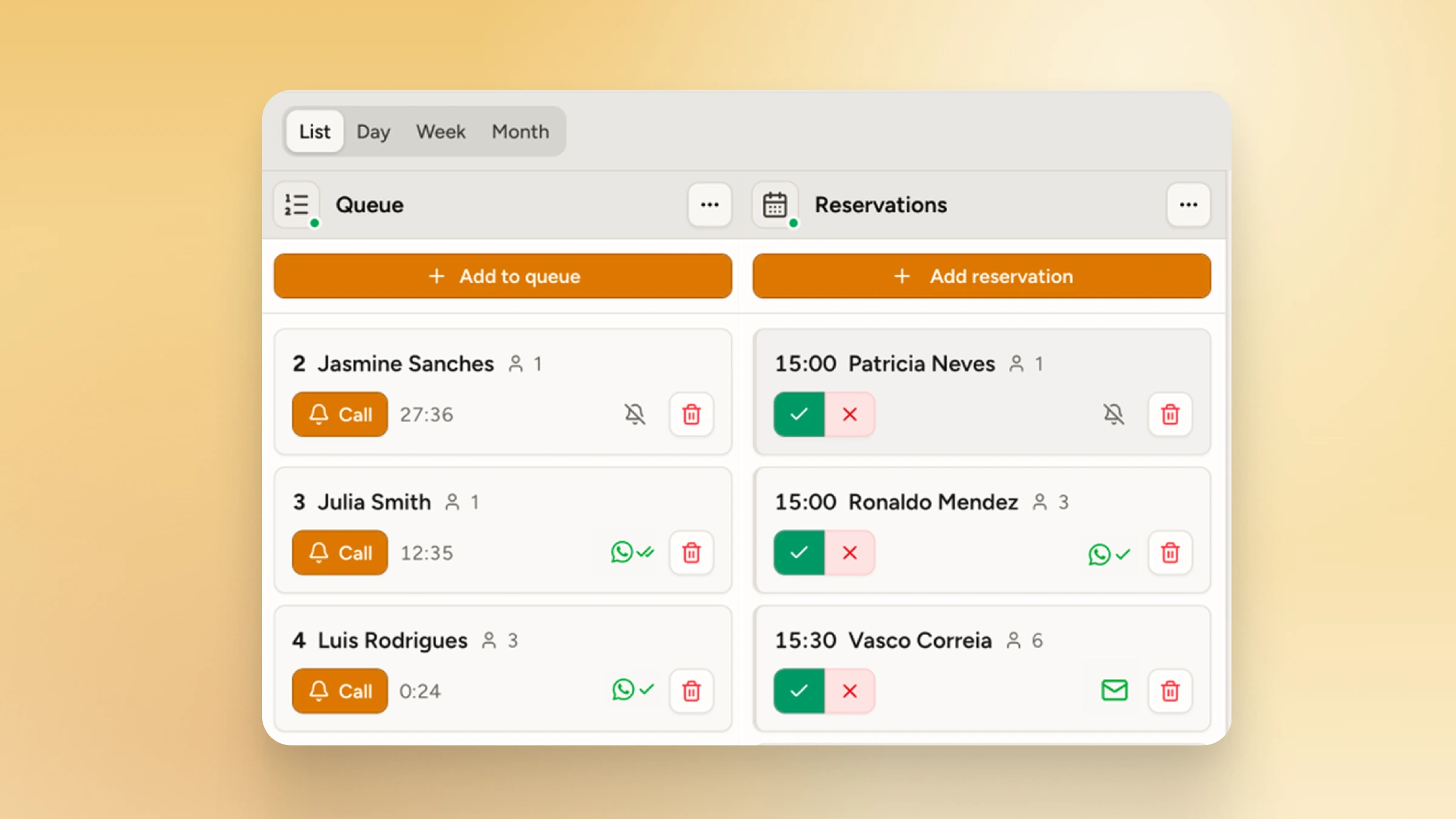
The best waitlist apps are designed to work alongside an existing reservation system, not replace it.
- Split capacity: reserve some tables, keep others for walk-ins
- Fill gaps: use the waitlist to seat guests during no-shows or early cancellations
- Busy nights: accept reservations for early and late slots, run the waitlist during peak hours
This hybrid approach maximizes covers while accommodating both planners and spontaneous diners and it makes the software you choose to handle customers one of the most important at your tech stack.
What features should you look for in a restaurant waitlist app?
When evaluating waitlist apps, practical features that solve front-of-house problems matter more than extras.
| Feature | Why it matters |
| QR code check-in | Guests join the queue without staff involvement |
| Device-agnostic | Works on any phone, tablet, TV, or kiosk without special hardware |
| Text (SMS and WhatsApp) and push notifications | Keeps guests informed without staff making calls |
| Public display screen | Reduces "how long?" interruptions at the host stand |
| Table management | Assign seating from both walk-ins and reserved guests |
| Analytics and wait time reporting | Tracks average waits, peak periods, and walk-away rates |
| Easy setup | You can set up a digital queue in under 5 minutes |
How WaitQ handles walk-ins without the clipboard
WaitQ is built specifically for busy restaurants with a mix of walk-ins and reservations. Guests scan a QR code to join the waitlist themselves and see their live queue position on a virtual waiting room. Staff send a one-tap notification when the table is ready via push notification or text message. WaitQ also now supports reservations which work side-by-side with your digital waitlist as well as digital floor plans to run seating, completing the entire welcoming guest flow.
There's no special hardware to buy and no system to sync with your reservation platform. For restaurants that want to improve their waiting experience without overhauling their operations, it's a quick setup with an immediate impact on walk-away rates.
Conclusion
Waitlists handle walk-ins and unpredictable flow. Reservations handle planned dining. For most restaurants, the best answer isn't choosing one over the other. It's knowing which guests you're serving and building your front-of-house system around how they actually show up.
If your floor fills up with walk-ins on a typical Friday night, a digital waitlist is where to start. It reduces the guesswork for guests, takes pressure off the host stand, and gives you the data to staff smarter over time. You can always layer reservations on top once the walk-in flow is under control.
