

What does good restaurant waitlist management actually look like?
Good restaurant waitlist management means a guest always knows three things:
- Their position
- Their estimated wait
- What to do next
Sounds simple, but most restaurants only get one or two right, which is the first step to send guests to the restaurant next door.
A paper list or a shouted name across a packed lobby gets the job done on a slow Tuesday. It falls apart the moment you have 12 parties waiting, 3 servers behind on drink orders, and a host trying to remember who arrived first.
Every extra minute of customer uncertainty makes that wait feel longer than it is. On the contrary, visible, updating wait times give guests something concrete to hold onto, and that certainty keeps them from walking next door.
Customers who received real-time queue updates perceived their wait as 35% shorter than those who received no updates, even when actual wait times were identical.
Why an uncertain wait costs more than it looks like on paper
A walk-away doesn't show up in any of your usual reports. It just looks like a slightly quieter night. Restaurants that manage their wait proactively see meaningfully fewer of these silent losses, and the pattern holds across a large body of hospitality research: how a restaurant handles waiting time has a direct, measurable effect on both customer behavior and revenue, independent of the food itself.
The math is straightforward. If your restaurant turns away or loses 5 parties a night during peak hours because the wait felt too uncertain, and each of those parties would have spent $40 to $60, that's real weekly revenue disappearing before anyone sat down. According to the Toast 2025 Restaurant Technology Report, restaurants lose an average of $1,500 per week from customers who leave because of wait times. That's over $75,000 a year for a single location.
There's a longer tail on that cost too. Nearly 40% of diners say they're likely to leave a negative review after a poor waiting experience, so a bad wait keeps costing you well after the guest has already left.
9 restaurant waitlist best practices that actually reduce walk-aways
These are ranked roughly in the order most restaurants should tackle them: fix the input first (how guests join), then the communication (what they see while waiting), then the data (what you do with it afterward).
1. Get off paper
A paper list can't send a text, can't show a live position, and disappears the moment someone spills a drink on the host stand.
Additionally, move off pagers as well. They end up costing more over time, lose signal outside a short range, and can't record wait times or no-shows that improve your operations on the long term.
Every practice below assumes a move to a digital check-in page that guests can join from their own phone. This is the one change that makes every other practice on this list possible.
2. Show a live wait time, not a guess
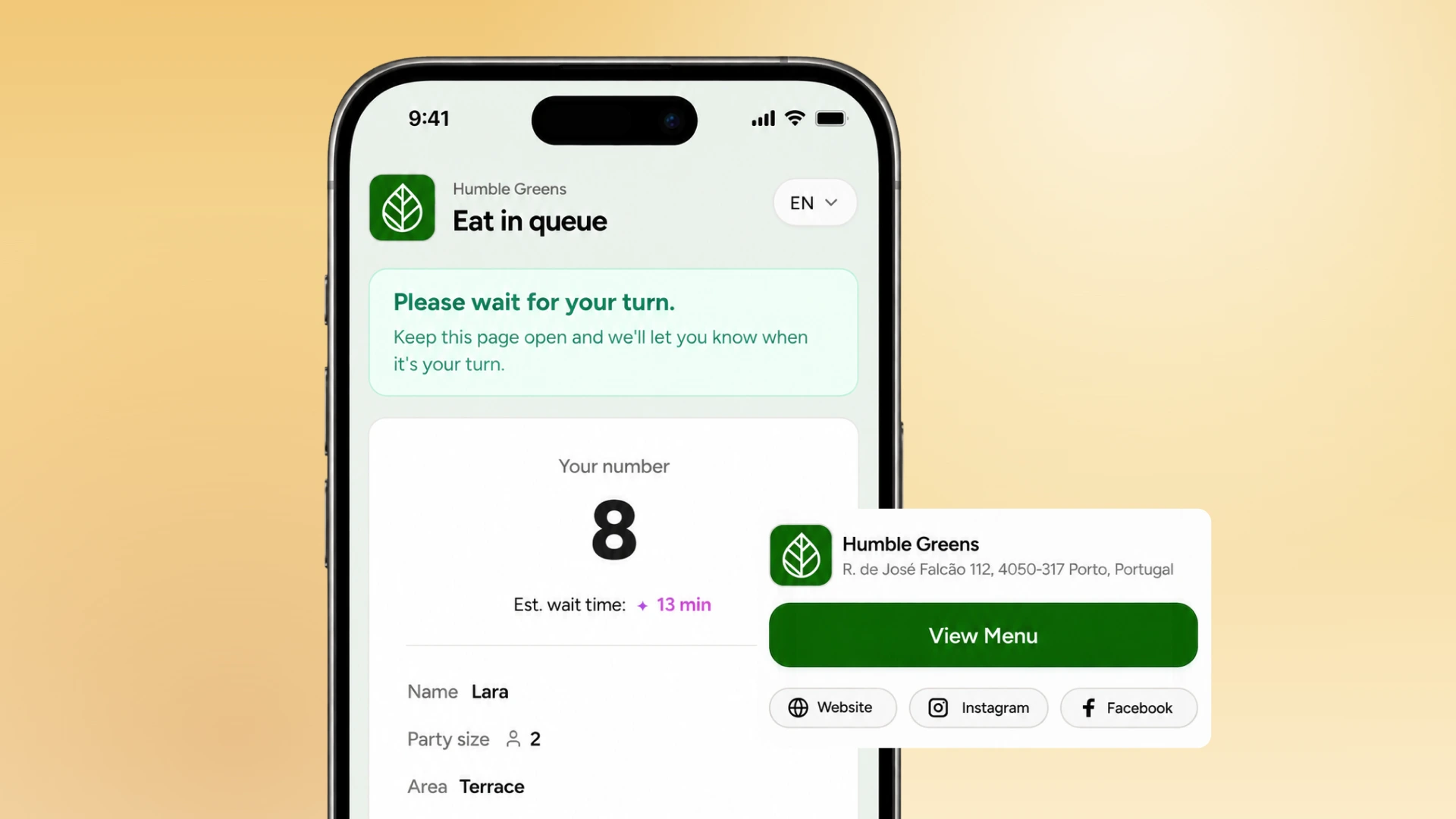
Guests who see a number that updates in real time behave differently than guests who are told "about twenty minutes" and left to wonder. A wait estimate needs to move as parties get seated, not sit static on a whiteboard. When the number on the screen matches reality, guests stop hovering at the host stand asking for updates, which frees up your host to actually run the floor.
3. Let guests check themselves in by QR code
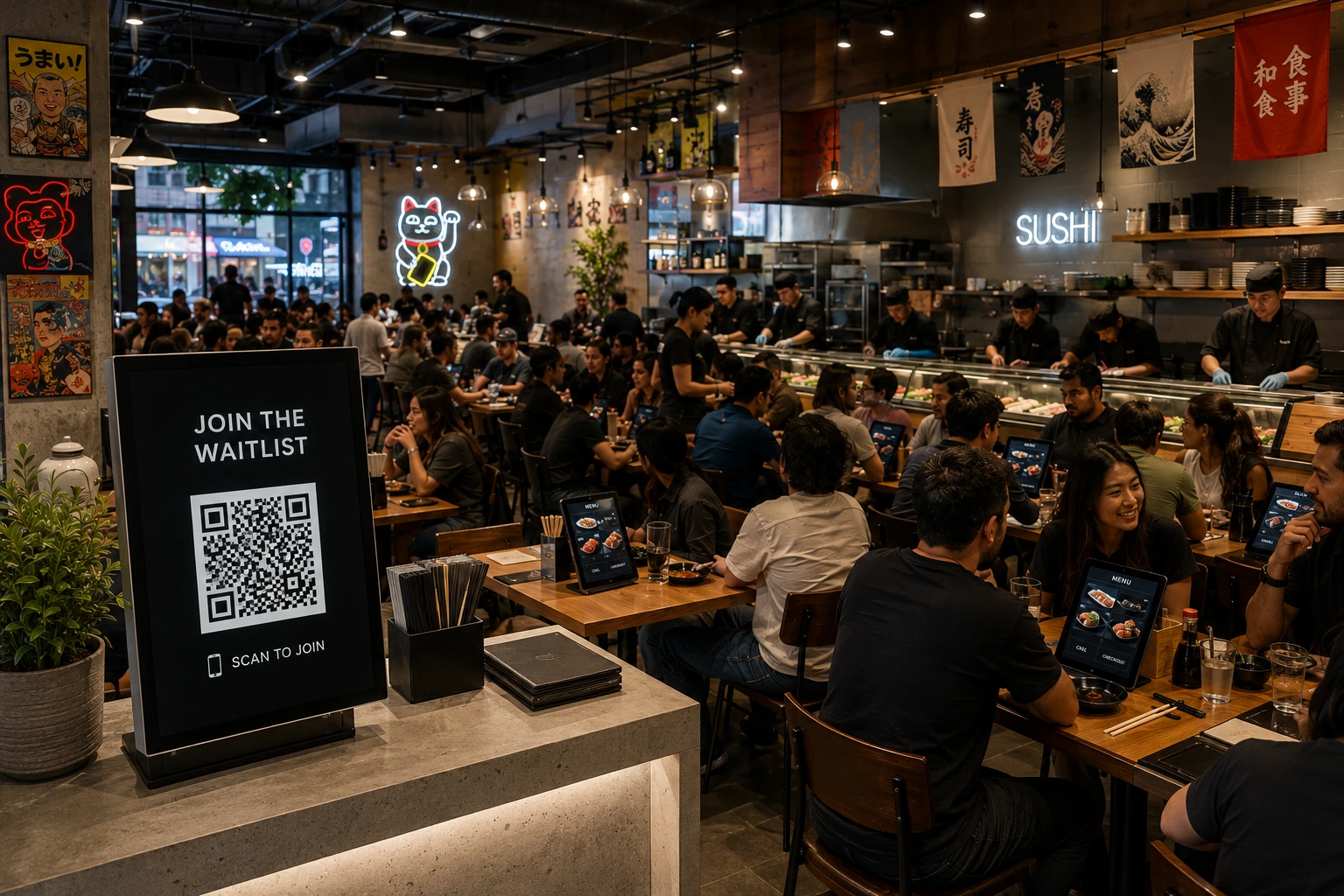
Self check-in removes the bottleneck where every new arrival has to wait for a free moment with your host before they're even added to the list.
A QR code at the door or in your window lets a guest join the queue the second they arrive, whether or not staff are free to greet them right away. It also captures the information you need (see #7) without anyone having to type it in by hand later.
4. Send table-ready text alerts
Guests wander. They step outside, check out the shop next door, or sit in the car with the AC on. A shouted name across a crowded lobby misses them, and a missed call means an awkward re-queue.
An text or WhatsApp notification reaches a guest wherever they actually are, and it removes the job of physically tracking down each party as their table opens up, which is particularly useful if you have a big venue.
5. Give a real buffer before you mark a table ready
If your system tells a guest their table is ready the second it's bussed, you're racing the clock against people who are three stores away. Build in a few minutes of buffer between "table is nearly ready" and "table is ready now," so guests have time to walk back before the table sits empty and the next party starts wondering why nothing is moving.
6. Train your host stand before the rush, not during it
The best waitlist software still depends on whoever is standing at the door on a Saturday night. Walk new hosts through exactly how the check-in flow works, what to say when a wait is longer than expected, and how to handle a guest who's unhappy about their position. Do this walkthrough during a slow Tuesday shift, never while there's already a line out the door.
7. Capture guest data at check-in, not just a name
A restaurant waitlist system with guest data capture gives you more than a name and a party size. Phone number, visit count, and any notes on preferences turn a one-time queue entry into something you can use for marketing, for recognizing repeat guests, and for spotting which nights bring in first-timers versus regulars.
8. Make the wait itself comfortable, not just accurate
An accurate wait time still feels long if guests are standing in a doorway with nowhere to sit. Mixed seating, a bit of shade or shelter, and something to look at, a menu, a TV, anything, all shrink how long a wait feels without changing the actual number on the screen. This matters most for parties waiting more than ten minutes, which is roughly where restlessness turns into a couple walking back to their car.
9. Track walk-aways and no-shows as a number, not a feeling
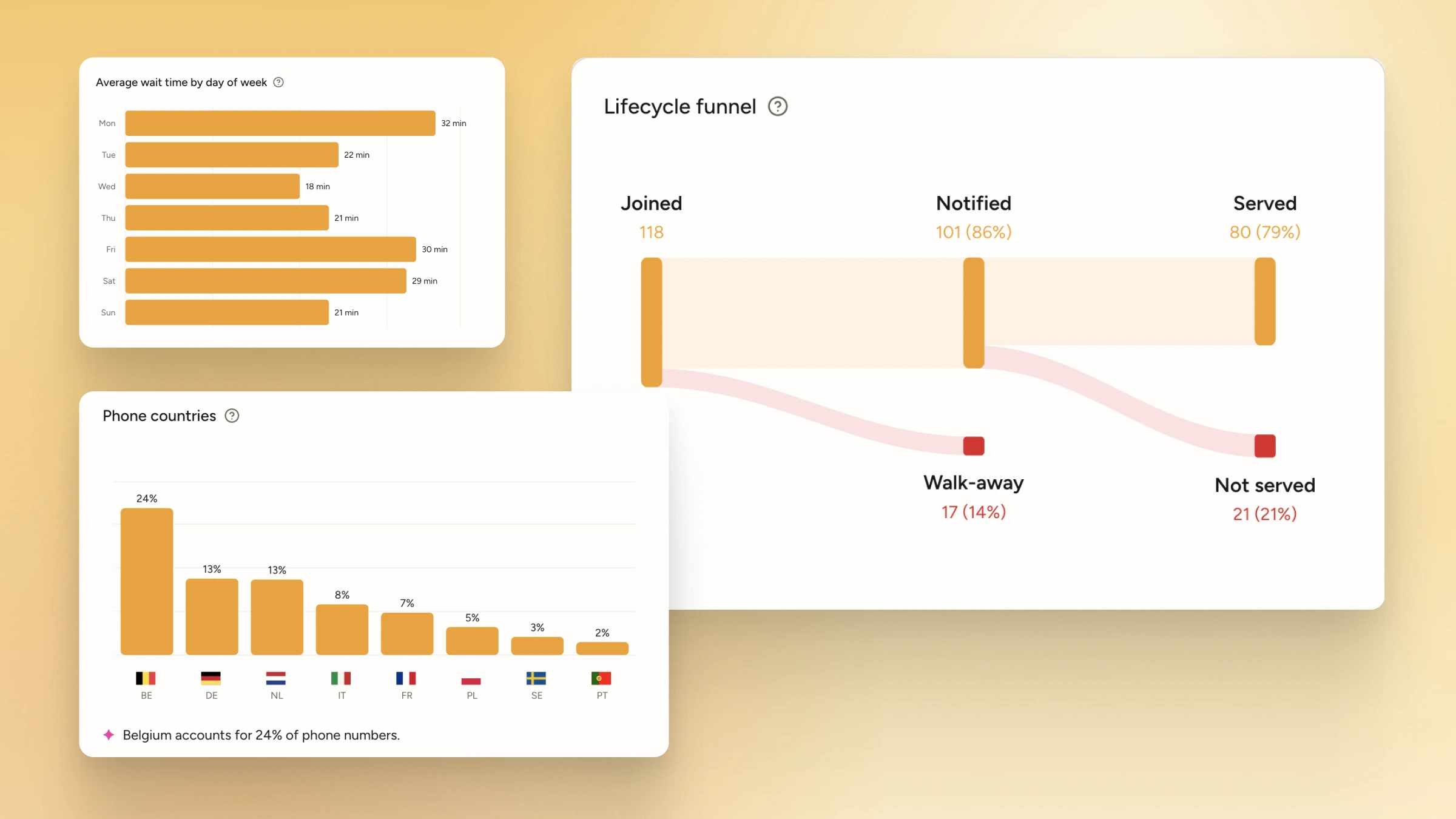
Most restaurants can tell you their food cost percentage down to a decimal and have no idea how many parties left their waitlist without being seated last month. That number is worth tracking on its own. A rising walk-away rate is an early warning that your wait times, your communication, or your staffing has slipped, well before it shows up in your revenue reports.
How do you choose the right restaurant waitlist software for your restaurant?
The right restaurant waitlist software depends on how many locations you run, whether your guests are more likely to respond to a SMS or WhatsApp message, and whether you also need reservations alongside walk-in management.
Here are a few questions worth asking before you commit to any tool:
- How is easy it is to create and run a digital queue?
- Does it charge per visit, per table covered or per location?
- Which channels does it support for notications?
- Does it require an app download from guests? And for staff?
- How does pricing look like if I want to add more locations in the future?
- Do I need to purchase any new hardware?
- Is it able to handle both reservations and walk-ins in the same system?
Common waitlist management mistakes to avoid
A few mistakes show up across almost every restaurant that's still managing its front door manually, or that adopted a digital tool but never changed the habits around it.
- Over-promising wait times: Guests remember when reality doesn't match expectations, and they're less likely to return
- Treating every party the same regardless of size: A table for 2 and a table for 8 move through your floor plan completely differently, and a queue system that doesn't account for that will keep quoting wait times that don't match what guests actually experience.
- Ignoring queue data after the shift: Collecting guest data at check-in and then never looking at it again means you're throwing away valuable insights that can improve your staffing and operations on the long-term.
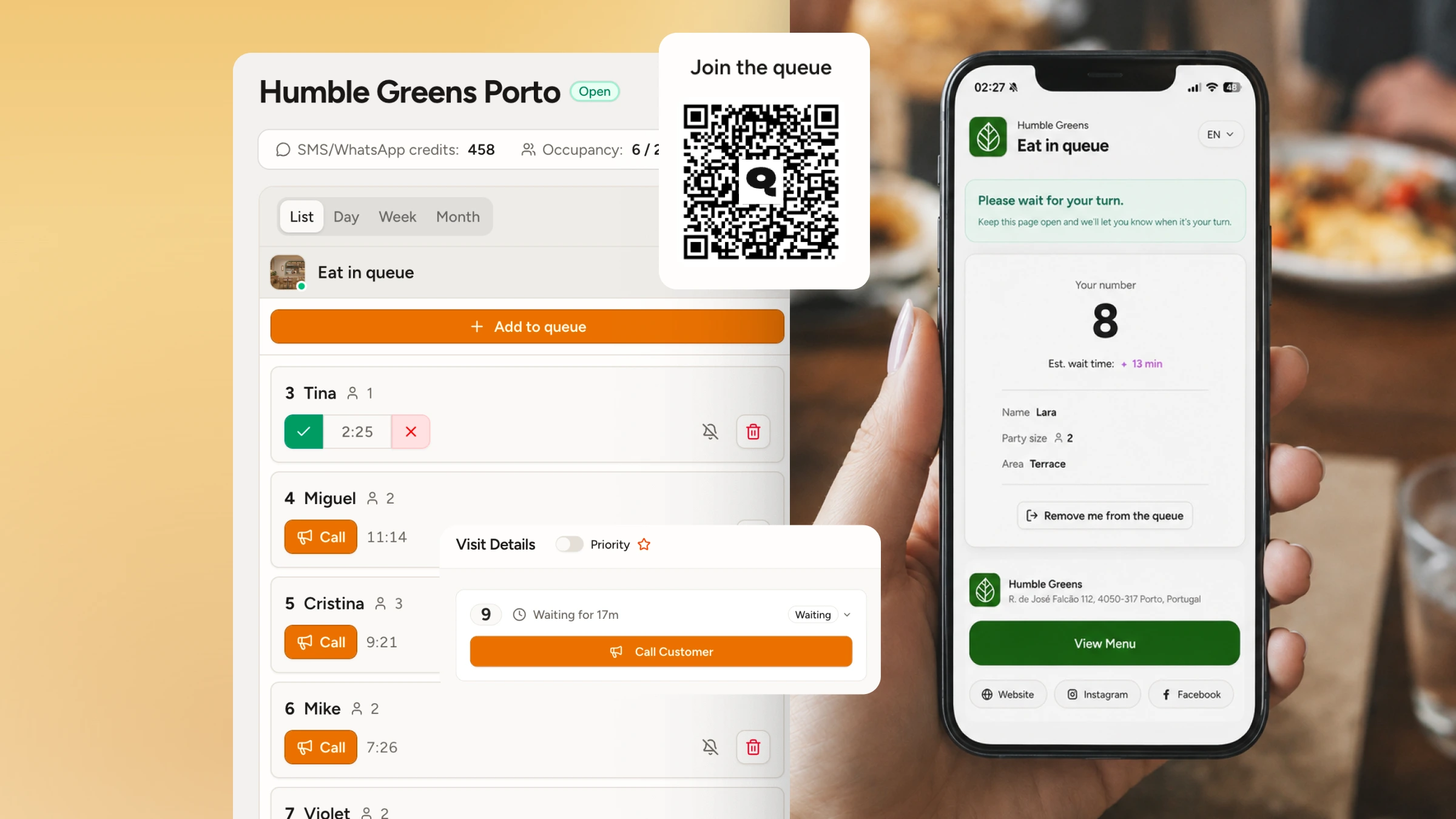
How WaitQ handles restaurant waitlist management
WaitQ is built specifically for waitlist-first restaurants that want a digital queue without the complexity. Guests join from a QR code at the door, wait anywhere while tracking their position from their phone, and get a text when their table is ready. Simple as that. No app download, no hardware to install, no training required.
Setup takes minutes. The digital waitlist replaces your paper list immediately, and the public queue display keeps your entrance calm during peak hours. For restaurants managing multiple locations, WaitQ supports up to 10 locations on a single plan.
If you're also weighing whether to keep reservations alongside a waitlist, the waitlist vs. reservations breakdown explains when each approach makes sense and how they work together.
Get your front door under control
Go step by step. None of these best practices require a restaurant to overhaul its whole operation overnight. Pick one practice from this list you're not doing yet and fix it before your next weekend rush.
Most restaurants get the biggest jump in guest satisfaction from just the first three: going digital, showing a real wait time, and letting guests check themselves in. The data practices compound over time, turning your waitlist into a source of scheduling and marketing information instead of just a queue.
