

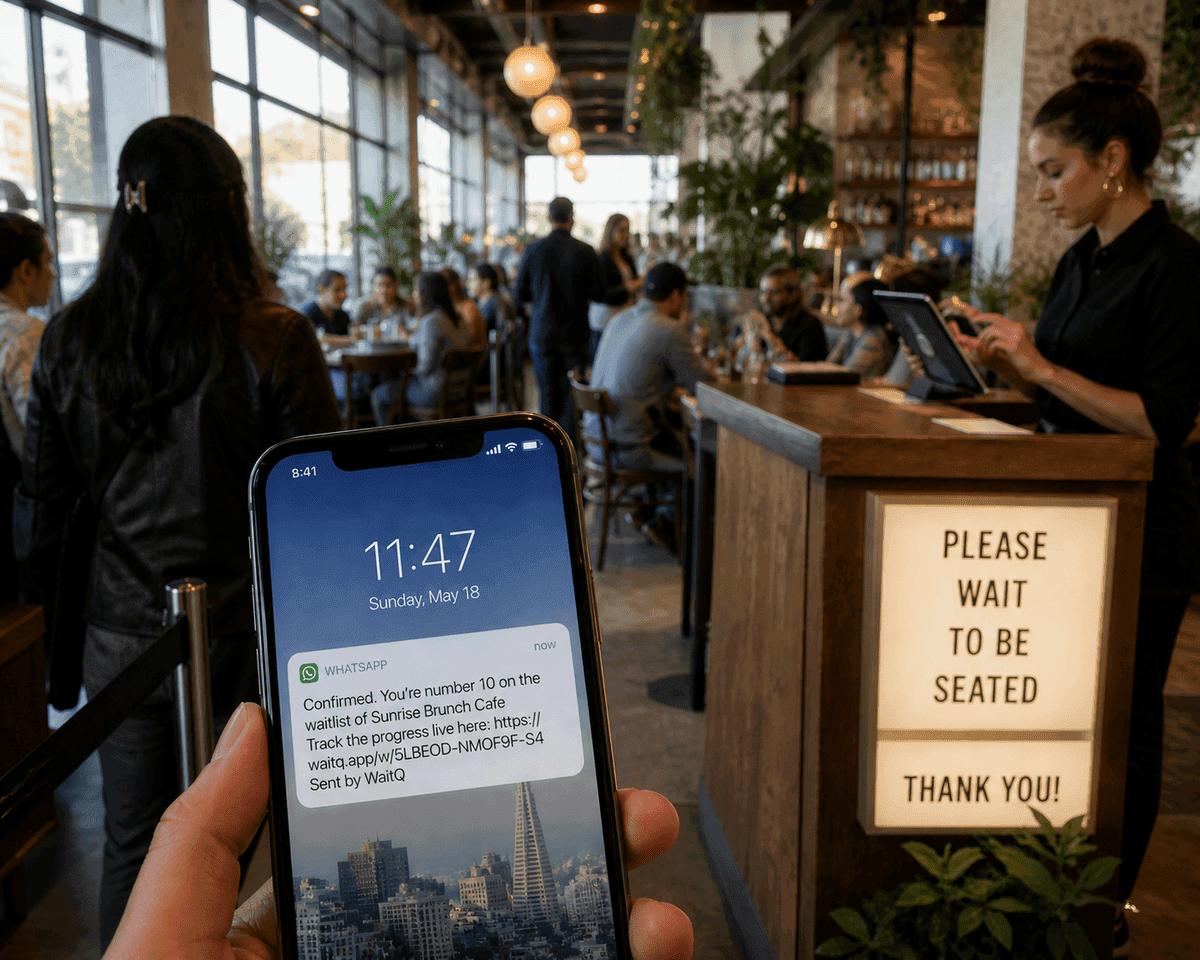
TL;DR: WhatsApp queue notifications let restaurants alert waiting guests through the app they already use every day. A guest joins the queue, leaves their phone number, and the system sends automated WhatsApp messages when their table is nearly ready. No app download required on either side.
WhatsApp has over 3 billion monthly active users and is the primary messaging app in at least 65 countries worldwide. In these markets, it's the channel guests check first, ahead of SMS and well ahead of email.
For restaurants, that matters. A guest who's stepped outside to wait won't always catch a phone call. But they'll see a WhatsApp message. This means supporting notifications by WhatsApp is a best practice for waitlist management.
Where is WhatsApp used?
WhatsApp functions as the default messaging layer, not just an alternative to SMS in many different countries.
In Brazil for instance, 98% of smartphone users have WhatsApp installed. In Singapore, 73% of the population uses it daily. In the UK, 30 million people are active on the platform, with 73% opening it every day. Even the US, where SMS is still king, already have an estimated 90 million WhatsApp users.
In these markets, a WhatsApp message from a restaurant feels normal. It's less intrusive than an unknown number texting you, and far more visible than an email. Guests already have notifications on. They're already checking it. That's the entire advantage.
However, in countries where WhatsApp has effectively replaced SMS as the default short-message channel, routing queue updates there improves the waiting experience. It means better open rates, faster responses, and fewer guests who miss the call and lose their spot.
How do WhatsApp queue notifications actually work?
WhatsApp queue notifications work through the WhatsApp Business API, which allows queue management software to send automated, approved text message templates to guests who've provided their phone number.
Here's the flow from the guest's side:
- Guest arrives and joins the queue via QR code, front-desk tablet, or kiosk
- They enter their name and phone number during check-in
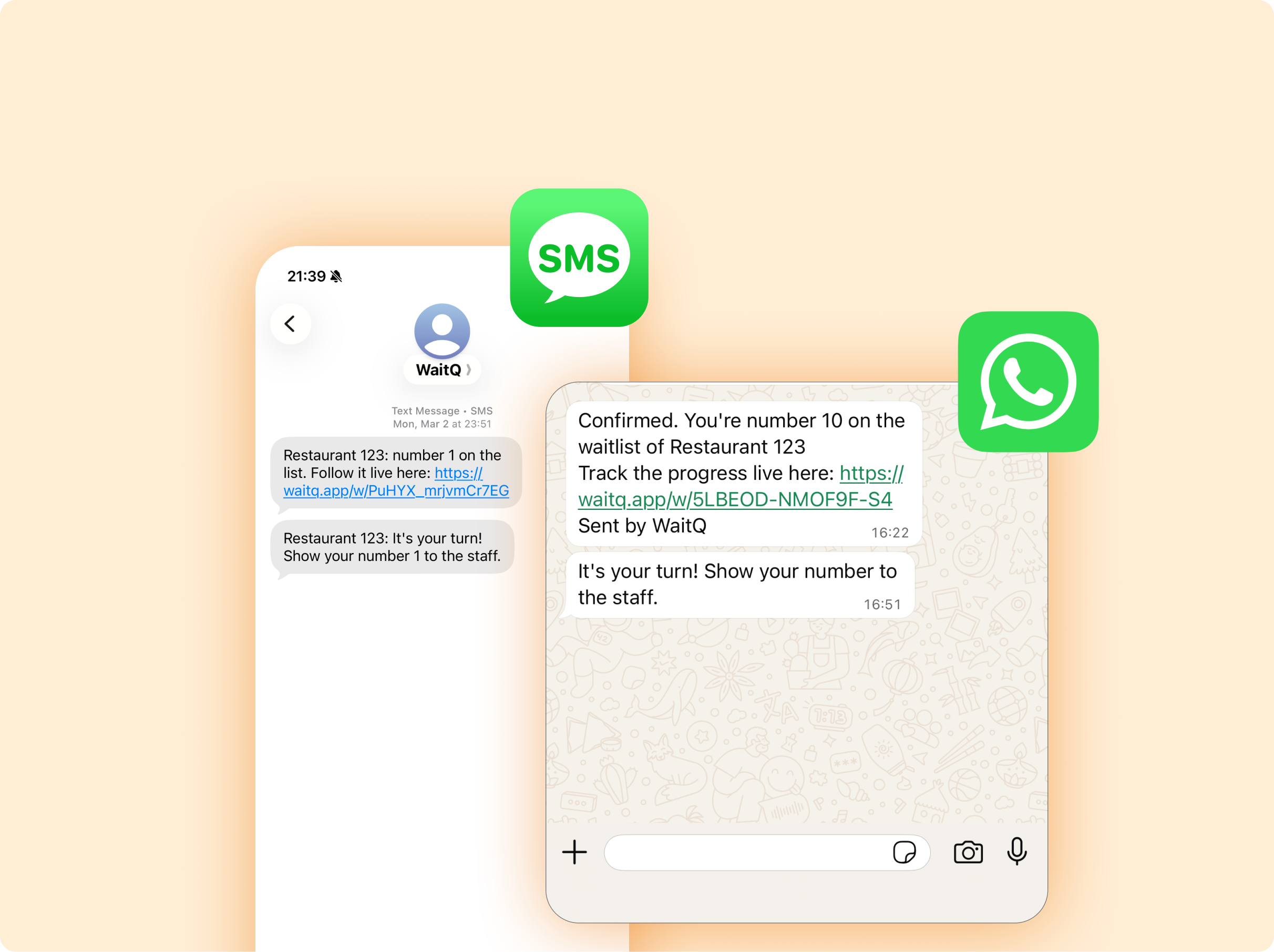
- The system sends a WhatsApp message confirming they're in the queue
- As their turn approaches, another message alerts them to head back
- When the table is ready, a final message brings them in
Note the guest doesn't need to download anything. They don't need to create an account. As long as they have WhatsApp installed, the messages arrive like any other chat.
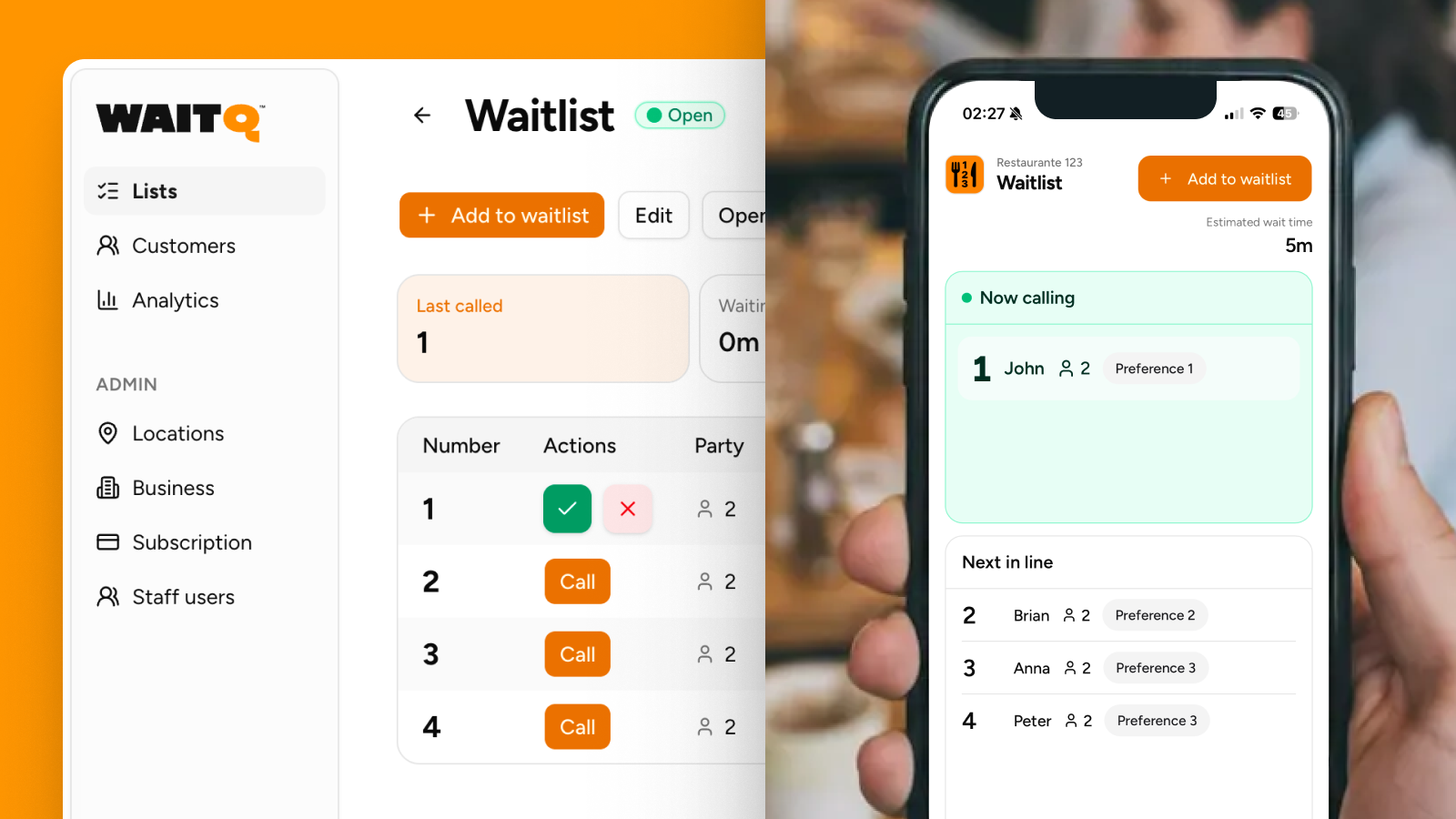
On the restaurant side, once the digital queue is set up, your staff taps once to move a guest through the queue. The notifications trigger automatically. No manual messaging, no shouting across the room.
What messages does the system send, and when?
A WhatsApp queue system typically sends 2 to 3 messages. Here's what each one does and what it should say.
1. Queue confirmation (sent immediately after check-in)
This message reassures the guest they're registered and sets expectations. It should include their position or an estimated wait time.
Hi [Name], you're in the queue at [Restaurant]. You're number [X] in line. We'll send you a message when your table is nearly ready.
2. "You're almost next" alert (sent 2-5 minutes before seating)
This message is optional but gives guests enough time to return from outside or wrap up a conversation without making them rush.
[Name], your table at [Restaurant] is almost ready. Please make your way to the entrance now.
3. Table ready notification
Mandatory. Should be clear and direct. Guests know what to do.
[Name], your table is ready at [Restaurant]. Show your number to the staff.
Note: Following WhatsApp's Business API requirements, any templates need to be pre-approved by Meta before going live. That's handled by the queue management platform you choose, not the restaurant.
WhatsApp vs SMS for queue notifications: which is better?
Neither channel is universally better. The right choice depends on where your guests are.
| SMS | ||
| Open rate | ~98% | ~98% |
| Delivery | Requires internet | Works on any mobile signal |
| Cost per message | Lower in most markets | Higher per message in some regions |
| Rich content | Supported (links, formatting) | Plain text only |
| Guest requirement | WhatsApp installed | Any mobile number |
WhatsApp messages achieve open rates above 95%, comparable to SMS but with one practical difference: in WhatsApp-dominant markets, guests are more likely to have notifications active and to respond. SMS can land in a carrier spam filter or go to a number the guest rarely checks. WhatsApp arrives in an app they're already using.
That said, SMS is the more reliable fallback. If a guest's number isn't registered on WhatsApp, or they're in an area without data, SMS can fill the gap.
Does a guest need a WhatsApp account to receive notifications?
Yes, the guest needs WhatsApp installed on the phone number they register with. That's the only requirement.
They don't need to save the restaurant's number. They don't need to initiate a conversation. The message arrives as an inbound notification from the business account, and the guest can read it without any extra steps.
What should restaurants look for in a WhatsApp-enabled queue system?
Not all queue tools that claim WhatsApp support are built the same way. A few things to check before committing:
- Official API, not a workaround. The only compliant way to send automated WhatsApp notifications is through the WhatsApp Business API. Tools that use unofficial methods risk having their number banned by Meta.
- Pre-approved message templates. Business messages on WhatsApp require Meta-approved templates. A reliable platform handles this for you so you're not managing approvals manually.
- No app download for guests. This applies to the queue system itself, not WhatsApp. Pick tools like WaitQ in which guests are able to join and track their position through a browser or QR code, without installing anything additional.
- Transparent per-message cost. WhatsApp charges per conversation after a free monthly threshold. Understand how that cost is passed on, whether it's bundled into the plan or billed separately.
How WaitQ handles WhatsApp queue notifications
WaitQ supports WhatsApp notifications. When a guest joins the queue, they get an automated message welcoming them; another one is sent whenever it's their turn. Staff tap once to advance a guest; the notification goes out without any manual input.
The Starter plan includes 100 WhatsApp or SMS credits per month from $27/mo on annual billing, with Grow and Business adding larger included allowances. Setup takes minutes and runs on devices you already own. No hardware, no training required.
For restaurants in countries where WhatsApp is the primary channel, the notification system works exactly where guests expect to hear from you. Start a free trial and try it for yourself.
Conclusion
WhatsApp queue notifications work because they meet guests where they already are. In markets where the app is the default channel for daily messaging, routing queue updates through WhatsApp means better visibility, faster responses, and fewer guests who walk away because they missed the call.
The mechanics are simple: guest joins the queue, leaves a number, gets automated messages at each stage of their wait. No app download for them, no manual messaging for your team. The restaurant queue management system handles the timing; staff stay focused on the floor.
If your restaurant already uses a digital queue system and you're not sending WhatsApp notifications yet, you're leaving reach on the table. Especially if most of your guests are already in the app.
