

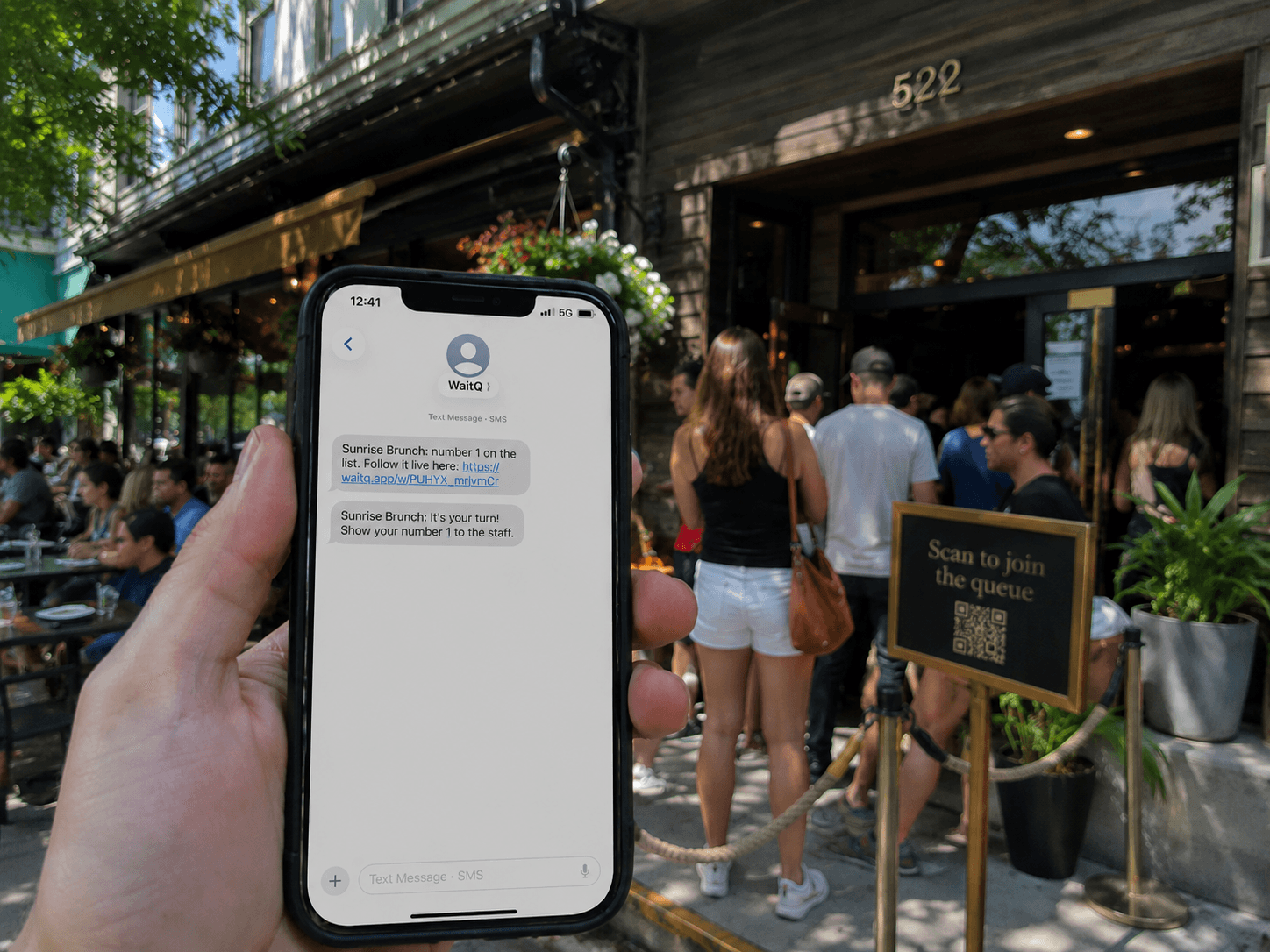
An SMS queue system lets customers join a queue from their phone, track their position, and get a text notification when it's their turn. For walk-in businesses, this changes one thing that matters above all others: customers stop leaving. When the wait feels visible and manageable, people stay. When it doesn't, they walk out and rarely come back.
What is an SMS queue system?
An SMS queue system is a tool that lets customers join a waiting queue from their phone and receive text notifications about their position. When it's nearly their turn, the system sends a message so they can return and be served without delay.
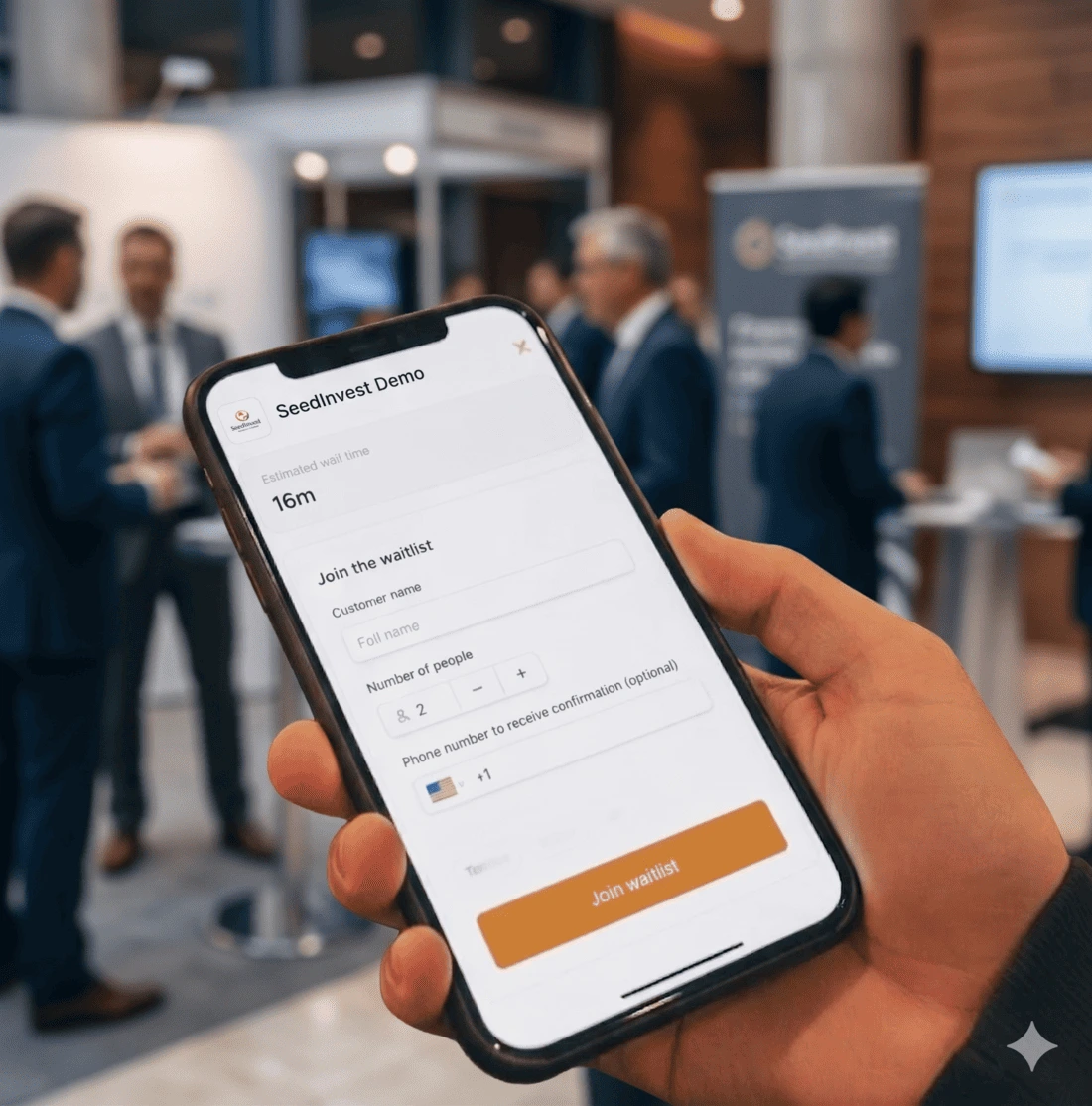
An SMS queue system replaces the passive, uncertain experience of standing in a physical line. Customers join digitally (often through scanning a QR code or check in at a kiosk), see where they stand, and go about their day until their phone tells them it's time. Staff work through the list and trigger a notification with one tap when the next customer is ready. No app download required on either side. The wait doesn't get shorter, but the experience of waiting changes entirely.
This is different from a traditional paper list or ticket system. The customer doesn't need to stay in the room nor need to watch a screen. They just need their phone.
Why do customers walk away without queue notifications?
Customers walk away from queues primarily because of uncertainty, not length. Research on the psychology of waiting by David Maister found that unknown waits feel significantly longer than known ones, and that unexplained waits generate more frustration than waits with a clear reason. Without information, the brain fills the gap with anxiety.
That anxiety has a direct cost. Research on wait time and consumer behaviour shows that the average customer abandons a queue after eight minutes with no information about their position or expected wait. They don't complain. They just leave.
The fix isn't to make waits shorter (though that helps too), but to make the wait legible. A message that says "you're 3rd in line, estimated wait 12 minutes" changes the customer's relationship with that wait. It becomes manageable rather than open-ended.
The freedom to wait anywhere
Physical queues confine customers. They have to stay visible, stay put, and stay patient in a space that isn't designed for comfort. That's the core friction, and it's completely artificial.
Remove the requirement to stand in line and the dynamic shifts. A customer who joins an SMS-based digital waitlist can wait outside, grab a coffee nearby, sit in their car, or browse a shop across the street. Their spot is held and their phone keeps them connected. When the notification arrives, they come back.
For the business, this removes a secondary problem: a crowded entrance. When customers don't need to be physically present to hold their place, the waiting area empties out. Staff can focus on serving rather than managing a restless crowd.
Known wait times reduce anxiety
Does telling customers how long they'll wait actually help?
Yes. Research makes a clear distinction: a wait with a known endpoint feels shorter than an open-ended one, even if both are the same length in real time. When customers know their position or have an estimated wait time, they can pace themselves mentally. The anxiety of the unknown disappears.
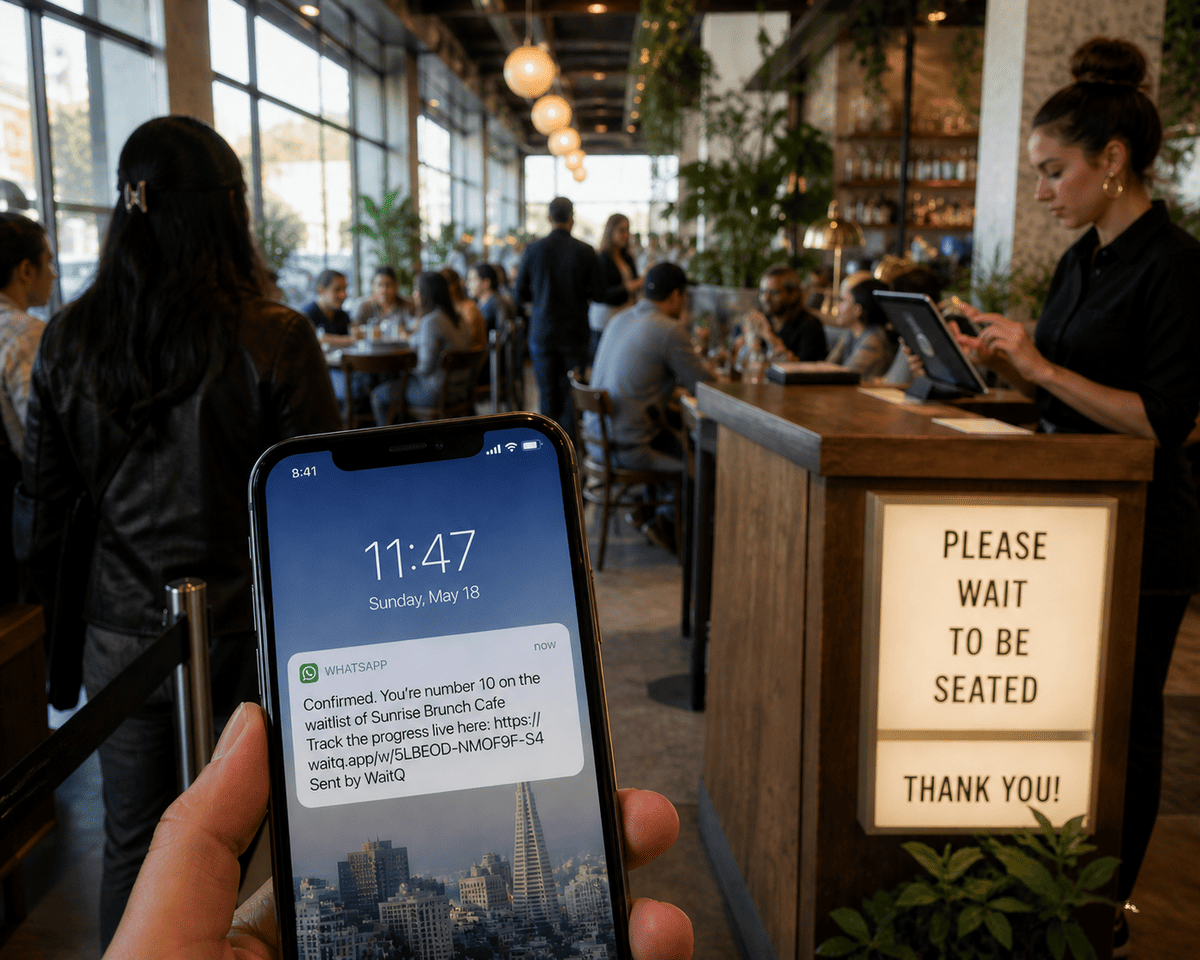
SMS queue systems deliver this by default. The confirmation message when a customer joins tells them their position. Updates as the queue moves keep that number current. By the time the "you're next" notification arrives, the customer hasn't been waiting in the dark, they've been waiting with information.
Fewer walk-aways, more returning customers
A customer who walks away before being served is a lost transaction. But the longer-term cost is often larger: they tend not to come back. A walk-away isn't a neutral event but rather a signal that the experience somehow failed at the first moment of contact.
Reducing walk-aways in restaurants is one of the clearest documented benefits of moving to a digital queue. The same logic applies across barbershops, salons, hotels, and any walk-in service where customers arrive without appointments. When people feel informed and in control of their wait, the rate at which they abandon drops significantly.
Customer retention data supports this. PwC found that 52% of consumers stopped using a brand entirely after a single bad experience. A walk-away at the door is that experience. The queue is the first impression, and for walk-in businesses it's often the only one that gets a second chance.
SMS or WhatsApp: which notification channel works best?
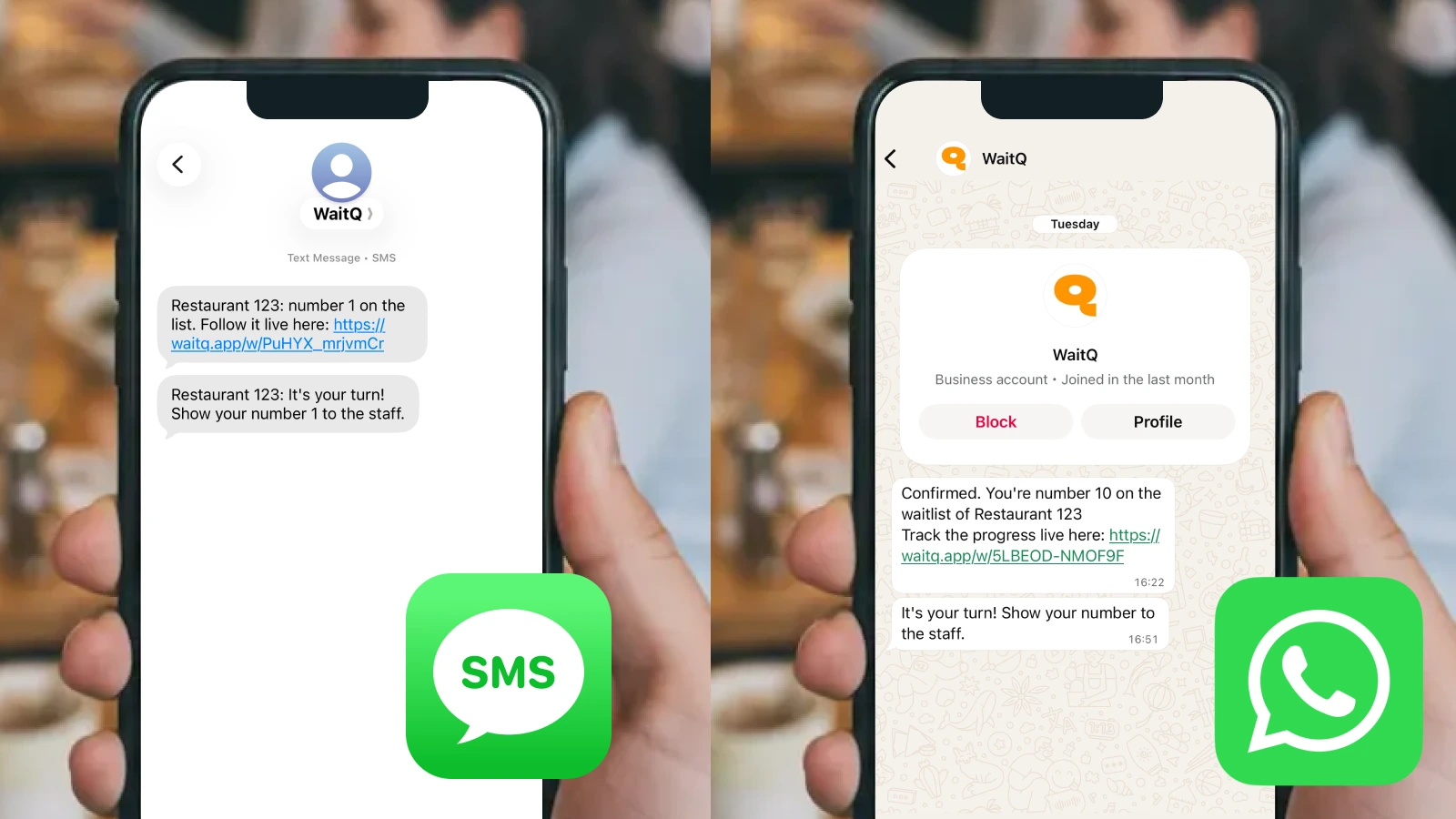
SMS and WhatsApp both work well for queue notifications. The right choice depends on your customers, but ideally you'd use a system that supports both channels.
SMS reaches any mobile number without requiring the customer to have a specific app installed. It's the more universal option, particularly in markets where SMS is the default short-message channel.
WhatsApp is the better choice in countries and regions where it functions as the primary messaging layer such as Europe, LATAM or Southeast Asia. In those markets, WhatsApp messages arrive in an app customers already have open, with notifications already active. Open rates are consistently high, and messages feel less intrusive than an unknown number sending a text.
| SMS | ||
| Requires app | No | Yes (WhatsApp) |
| Works without data | Yes | No |
| Rich content support | No | Yes |
| Best for | Universal reach | WhatsApp-dominant markets |
For a deeper look at how WhatsApp queue notifications work and when to use them, see how WhatsApp queue notifications work for restaurants.
Which businesses use SMS queue systems?
SMS queue systems are built for any walk-in operation where customers arrive without scheduled appointments and wait to be served.
- Restaurants and cafes use them to manage walk-in guests during peak hours, replacing paper lists and front-of-house shouting with a calm, digital restaurant waitlist customers manage from their phones.
- Barbershops benefit particularly during busy weekend slots, when customers often don't want to commit to sitting inside for an unknown wait. A notification-based barbershop queue app lets them wait nearby and return when called, even with per-barber queues.
- Hotels use them to keep the front desk moving during check-in and check-out rushes. A hotel queue system lets guests wait comfortably instead of standing in the lobby.
- Hair salons face the same dynamic for walk-in clients. An SMS-based hair salon waitlist reduces the chance a client leaves after seeing a full waiting area.
- Events and roadshows use queue systems to manage entry lines, registration queues, and session check-ins without creating bottlenecks at the door.
What should you look for in an SMS queue system?
**A good SMS queue system should require nothing from the customer except a phone number. **Beyond that baseline, here's what to check before committing to a platform:
- QR self-check-in. Customers should be able to join the queue themselves by scanning a code. This removes the bottleneck of staff manually adding each person and scales naturally during busy periods.
- SMS and WhatsApp support. A system that only supports one channel limits your reach. Look for platforms that handle both without separate integrations.
- No app download for guests. Any requirement to install an app will reduce the number of customers who complete check-in. The best systems work entirely through a browser or the messaging app the customer already has.
- Unlimited visits. Some platforms charge per queue entry or cap monthly volume. For walk-in businesses with consistent footfall, unlimited visits is the only model that makes sense operationally.
- Transparent notification pricing. Per-message costs vary by country and channel. Understand whether notifications are bundled into the plan or billed separately, and what the top-up rate is if you exceed your included volume.
How WaitQ handles SMS queue notifications
WaitQ is a queue management system built for walk-in businesses. Customers join via QR code self-check-in, no app required. Staff see the live queue on any device and trigger notifications with a single tap.
There are no per-entry fees, and setup takes minutes on hardware you already own.
Notifications are included on every plan, and businesses with higher notification volume can add top-up credits at a flat rate.
If your business runs on walk-in traffic, that's worth a free trial. Start with WaitQ and have a live queue running in under five minutes.
Conclusion
The difference between a customer who stays and one who walks out is usually just information: where am I in line, and how long until it's my turn?
An SMS queue system answers both questions automatically, without requiring staff to intervene or customers to download anything. The result is a calmer entrance, fewer walk-aways, and a first impression that holds up.
