

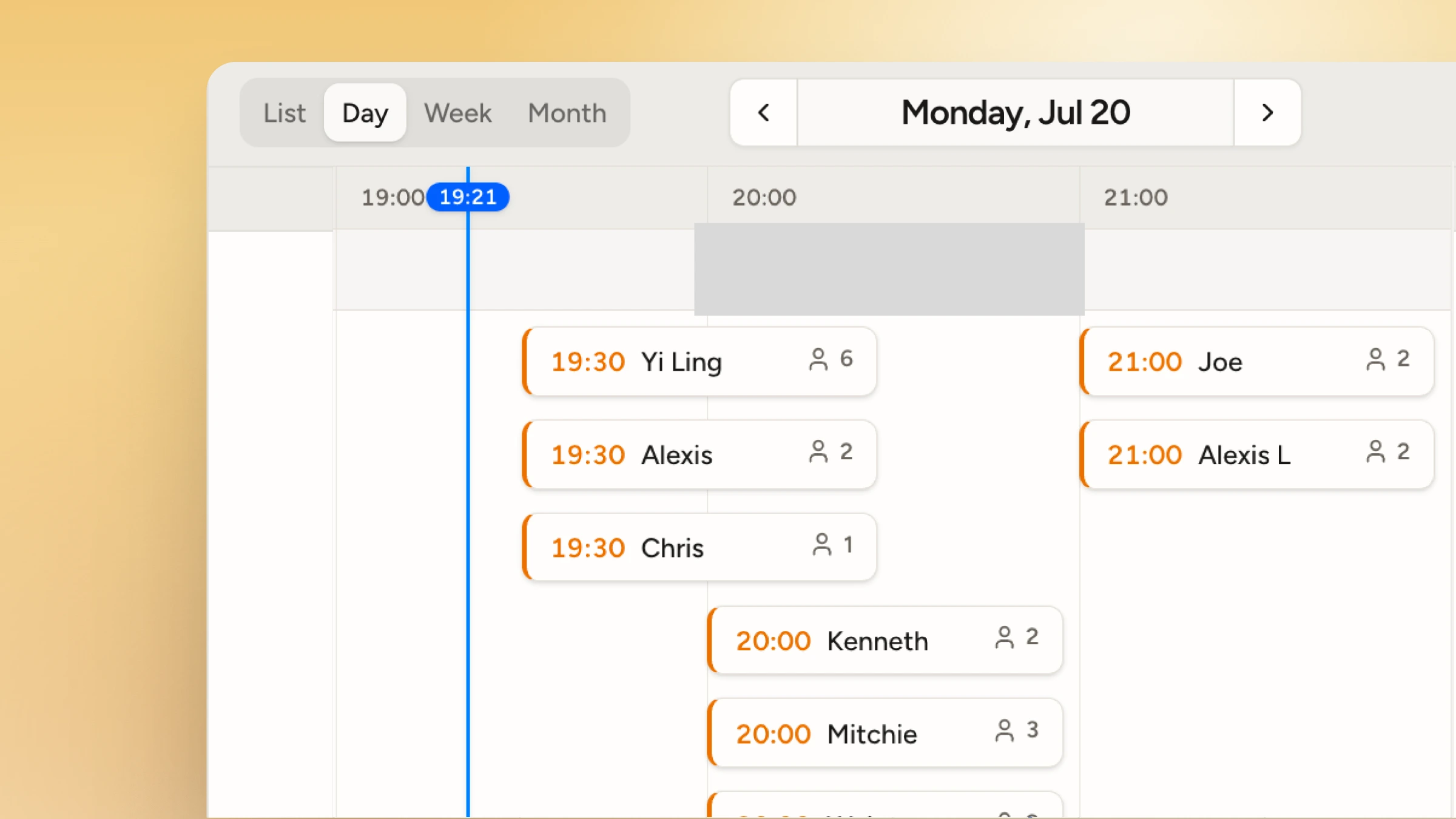
From booking to arrival in three steps
- Share your booking link. Add it to your website, Google Business Profile, or social channels. Customers book from any device, no app download required.
- Customers choose a date and time. They pick from the dates, times, and services you've configured. WaitQ only shows real availability, so nothing gets overbooked.
- Your team manages the day. See every booking in one place, check customers in, and update their status as the day moves.
One system for bookings and walk-ins
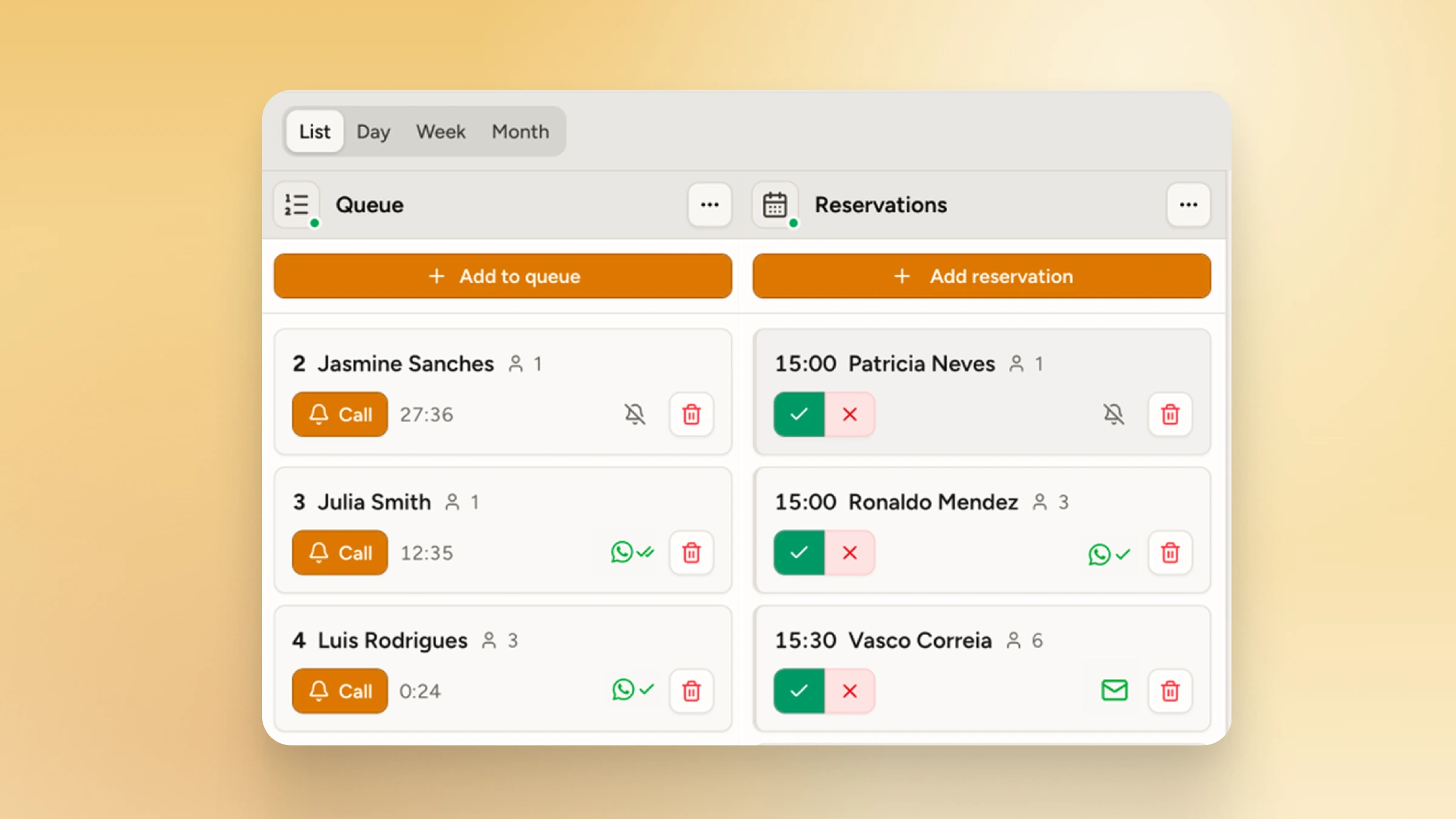
Most walk-in businesses end up running two separate tools: a calendar or booking app for reservations, and a paper list or another app for walk-ins. WaitQ puts both in one dashboard, so your team always has the full picture of who's arriving and when, whether they booked ahead or showed up on the spot.
Set the rules, WaitQ handles the rest
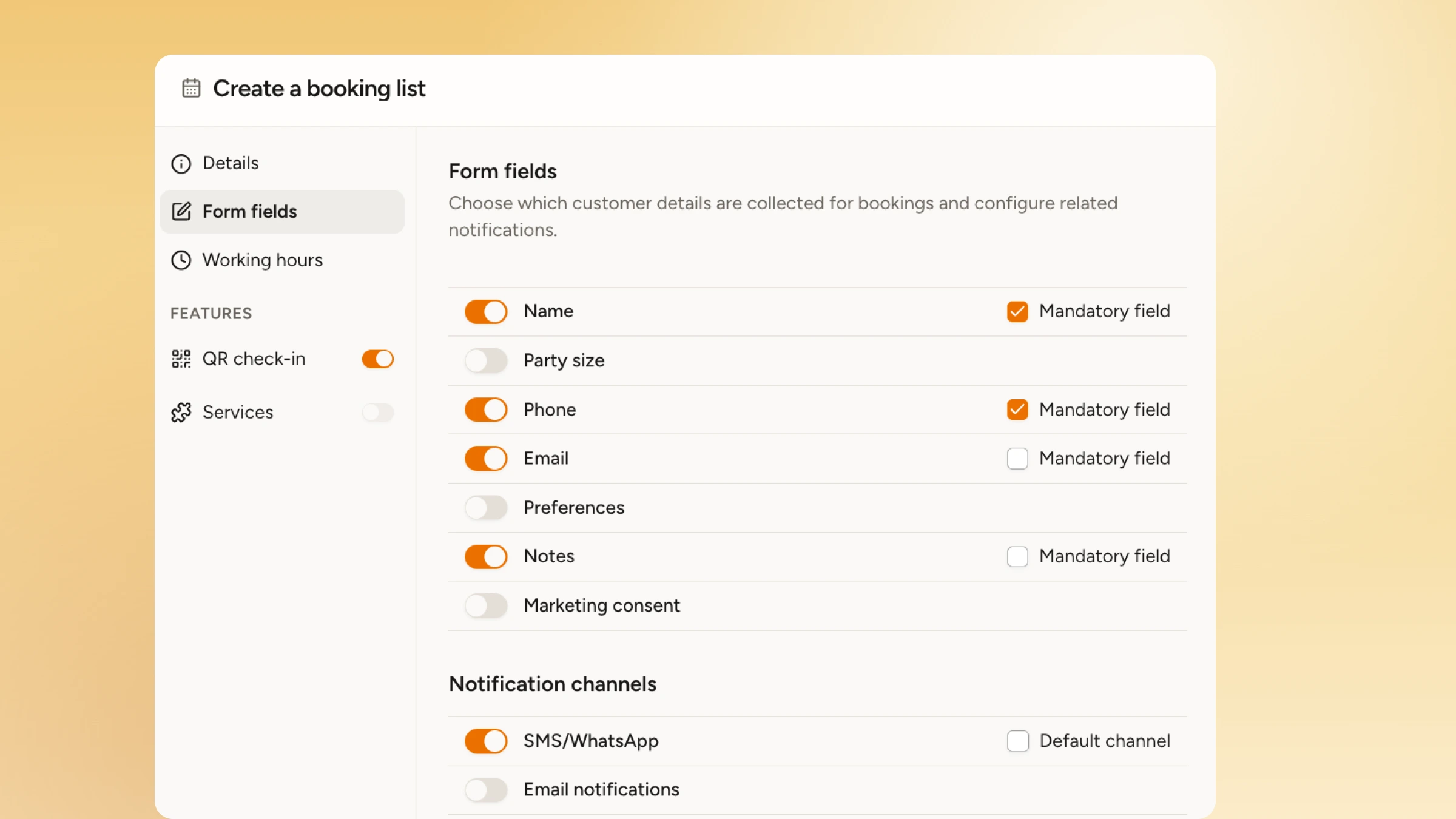
- **Form fields. **Decide the info you want to capture from each customer.
- Flexible booking hours. Open bookings only for when each location actually operates.
- Capacity and duration controls. Decide how many bookings a slot can hold and how long each one takes, from a quick call-in to an hour-long service.
- Services. Let customers pick the right service, you define how much capacity it uses.
- Booking window. Control how far ahead customers can book, and close it off when you need prep time.
A clearer day for your team, a smoother visit for your customers
For your team, bookings show up automatically alongside your live queue. Move a booking through upcoming, arrived, completed, cancelled, or no-show as the day happens, and run separate hours and capacity for every location from one account.
For customers, booking means an instant confirmation the moment they book, no account creation, and clear updates sent to their phone.
Built for how you operate
- Restaurants: guests reserve a table for a specific time and get checked in when they arrive.
- Barbershops: clients book a slot with their preferred barber, no back-and-forth calls needed.
- Hair & Beauty salons: clients pick a service and time online, then get a reminder before their visit.
- Retail: customers reserve time with a stylist, fitting specialist, or product expert.
- Events: attendees reserve a timed slot for an activation, demo, or pop-up experience.
Available on every plan
Appointments are included on every WaitQ plan, with unlimited reservations from Starter through Business. See the full breakdown on the pricing page. Set up your booking page in a few minutes and give customers a clear way to plan their visit, walk-in or not.
