

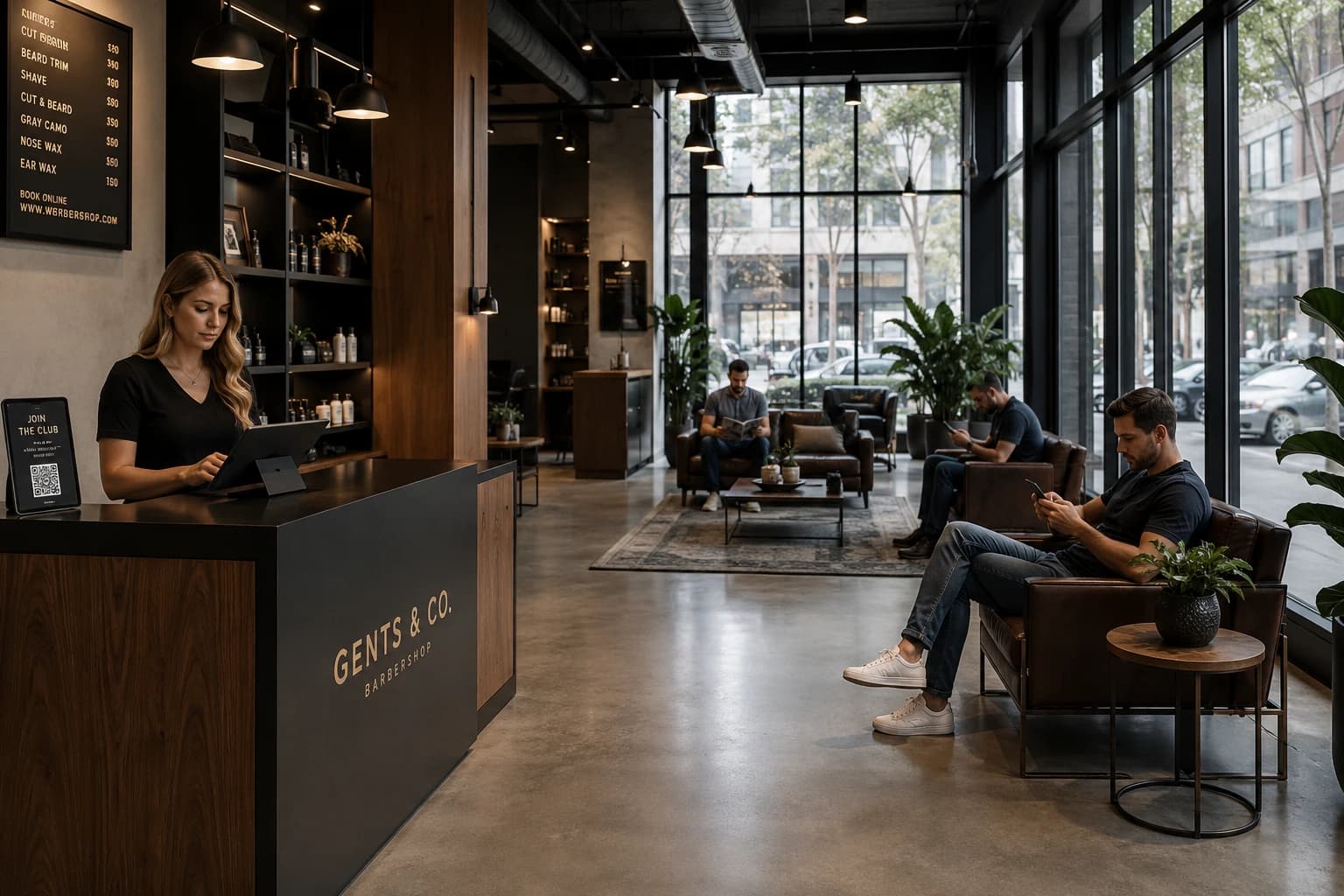
Barbershops lose walk-ins when the wait feels invisible. Clients who can't tell how long the wait will be, or whether their preferred barber is free, quietly leave. A barbershop queue system replaces the paper sign-in sheet and the shouted name at the door with a live digital queue.
The stakes are real: 1 in 4 barbershop clients has a negative experience before the visit has even started, and research on waiting experiences shows a visible, legible queue removes most of that friction. Booking matters too, since 76% of clients rank booking convenience equal to service quality.
The best barbershop queue apps compared (2026)
Legend: ✅ Included · ⚠️ Partial, capped or unconfirmed · ❌ Not offered
| Tool | Best for | Appointments | Notifications | Visit cap | Starting price |
| WaitQ | Shops taking a mix of walk-ins and appointments | ✅ Unlimited on every plan | SMS, WhatsApp, email, push | ✅ Unlimited on every plan | $27/mo (5 team members) |
| Barberly | Shops wanting booking, POS and loyalty under their own app | ✅ Yes, on an appointment board | SMS, email, push, WhatsApp (waitlist only) | ✅ No per-booking fee | $25/mo (1 team member) |
| QueueAway | Single-location, walk-in-only UK shops on WhatsApp | ❌ No services or bookings | WhatsApp (free), SMS (4p each), in-app | ✅ Unlimited walk-ins | £14.99/mo (US$19.99) |
| Slikr | Australian walk-in shops that want to start free | ⚠️ "Queue Ahead" bookings and booking links | SMS, email | ✅ Unlimited walk-ins | Free, or $10/week |
| Waitwhile | Shops mixing appointments and walk-ins in one calendar | ✅ Synced with walk-ins | SMS, email | ⚠️ Visit-based tiers | $31/mo (250 visits) |
| Squire | Shops in the US, Canada, UK, Ireland or Australia wanting booking, payments and payroll in one system | ✅ Core of the product | SMS, email, push | ⚠️ No cap published, features gated by tier | $50/mo per shop |
How this list was reviewed
Each tool was assessed on the aspects that matter most for a barbershop:
- Ease of use: Can a barber run the queue from a phone or tablet mid-cut, or does it take a front-desk hire?
- Queue functionality: Do walk-in clients join from their own phone, see their position? Can they get notified through more than one channel? Is there a cap on visits?
- Appointments: Does the tool take bookings alongside walk-ins, or does a booked client need a second system?
- Features: Can clients choose their barber? Are payments, POS or loyalty tools built in?
- Pricing: What does a full shop pay, and what moves the price: visits, chairs, messages or booking fees?
- Hardware: Does check-in run on devices the shop already owns?
No single tool wins at everything, so each section names where the tool fits and where it falls short.
WaitQ
At a glance
- Starting price: $27/month (billed annually)
- Appointments: Yes, unlimited bookings on every plan, in the same dashboard as the queue
- Best for: Walk-in-first barbershops that also take appointments
- Standout feature: No client caps. Unlimited queues and bookings too. WhatsApp on every plan.
Overview
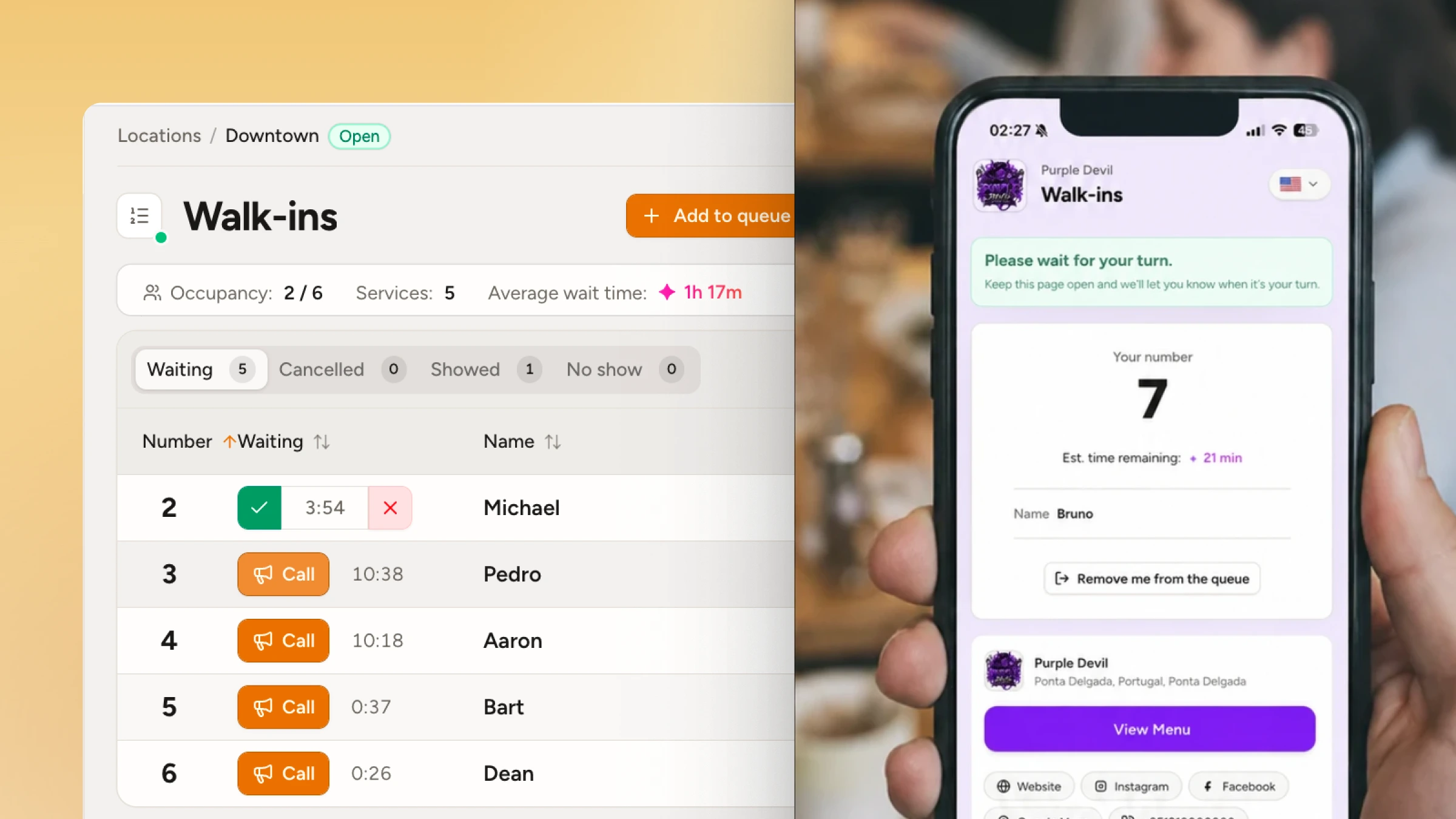
WaitQ is a queue management app built for barbershops that also want the ability to run both walk-in queues and schedule appointments. Clients can scan a QR code at the door, pick their barber or service, and join the queue from their phone browser. No account, no app download, no front desk interaction needed. WaitQ also supports scheduled appointments so you can manage both arrival forms side-by-side.
Once in the queue, clients see their position and estimated wait in real time. They can leave the shop, run errands, and come back when they get a push notification, text message (SMS, WhatsApp) or email. Your barbers manage their individual queues from any device throughout the shift.
Pros & cons
Pros
- Unlimited visits and bookings on every plan
- Clients join remotely or in-person on a branded public check-in page
- You can choose a specific barber and/or a service when joining a queue
- No per-booking fees
- Push notifications, SMS, WhatsApp and email support
- Queue and appointments run from one dashboard
Watch out for
- No built-in POS or payment processing yet
- No payroll or loyalty tools
- Newer to the market
Pricing
Pricing is flat and uncapped. Every plan includes unlimited email and push notifications plus SMS/WhatsApp credits, with additional credits available if you need more.
Plans start at $27/month when billed annually with 5 team members included Grow and Business plans are for busier or multi-location shops. Unlimited clients, queues and bookings on all plans.
Free plan not available, only a 7-day trial that includes all features.
WaitQ is best for independent barbershops running a mix of walk-ins with booked clients, if you're happy to handle payments and payroll elsewhere.
Barberly
At a glance
- Starting price: $25/month for one team member, $45/month flat for two to five
- Appointments: Yes, appointment board that shows walk-ins beside bookings
- Best for: Barbershops that want booking, POS and loyalty under their own branded app
- Standout feature: A shop app published under the shop's own name, with no per-booking fee
Overview
Barberly is a barbershop management platform covering booking, POS, loyalty programs, staff management, marketing tools, and walk-in queue management.
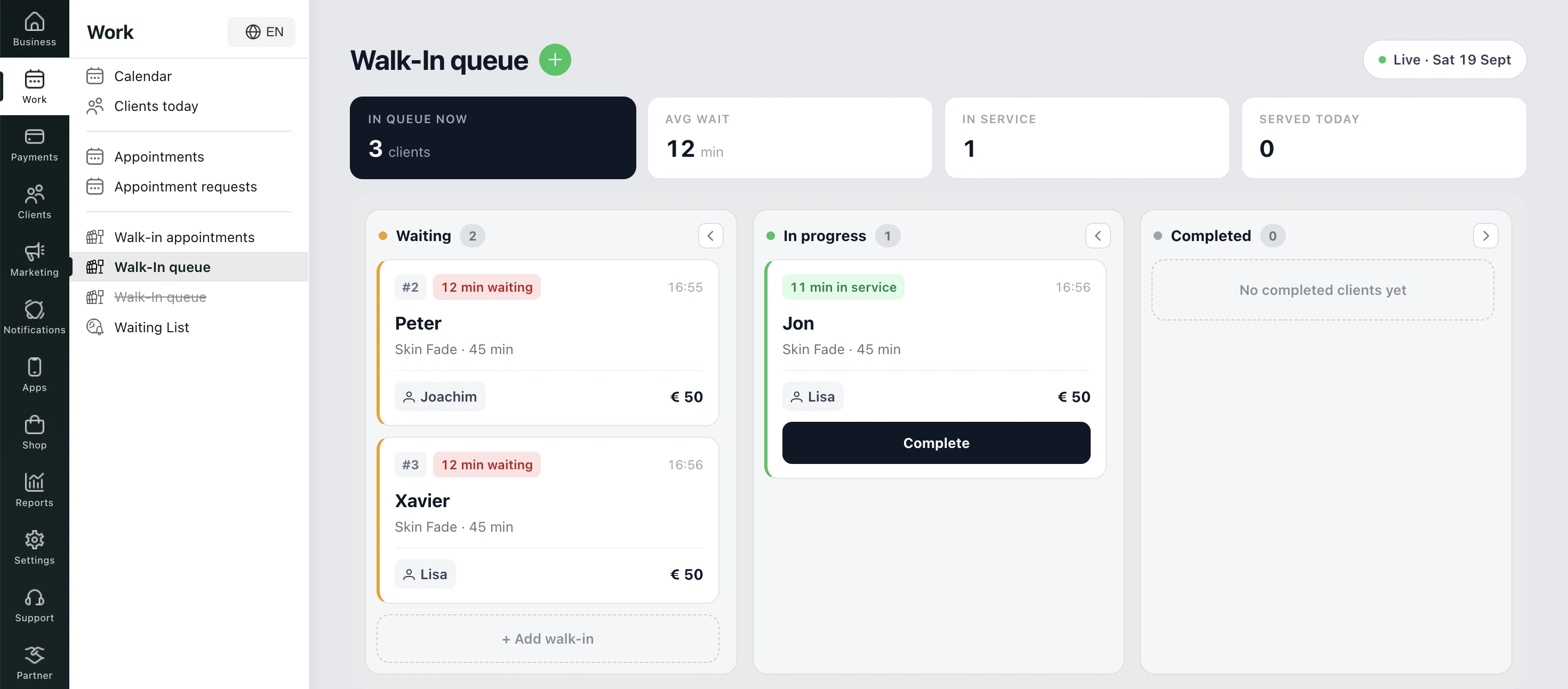
Walk-ins choose a service and a preferred barber at the kiosk, and the shop can take payments through its POS, including card terminals in the shop and online payments at booking. Deposits are supported as well as cancellation or no-show fees to protect booked slots. Loyalty, staff management and marketing tools sit in the same platform.
The complexity is the trade-off in queue management. Personally, I found the three walk-in modes very confusing to sort out, and even Barberly's own pages group them differently. Its help center files the queue and walk-in appointments under "Classic Waitlist", its feature page sets "walk-in queue and waitlist" against "walk-in appointments", and the appointment waitlist has a page of its own.
Also, to run the walk-in features properly, you need a dedicated tablet for the kiosk and ideally a separate screen for the display board. Clients also can't check in remotely from outside the shop, which means the waiting crowd moves inside rather than dispersing.
Pros & cons
Pros
- Booking, POS, loyalty, staff management and marketing in one platform
- No per-booking fees
- A branded shop app published under the shop's own name
- Strong brand customization options across queues, QR codes and even mobile apps
Watch out for
- Walk-in check-in runs through an in-shop kiosk that needs a dedicated tablet
- In my test, couldn't find a view showing walk-ins and appointments side-by-side
- No remote queue join available
- Confusing and overlapping names across three walk-in options
Pricing
Priced by staff size and geography. Starts at $25/month for one team member, $45/month flat for two to five, and $9 per barber per month beyond five. Notifications included depend on your country. No free plan, but the 30-day free trial includes every feature.
Barberly is best for barbershops that want appointments, POS and loyalty under their own branded app, if you're ready to put a kiosk tablet in the shop. Shops with many walk-ins may want to look elsewhere for a more queue-focused workflow.
QueueAway
At a glance
- Starting price: £14.99/mo (US$19.99)
- Appointments: No appointment scheduling or booking features
- Best for: Single-location shops that rely on WhatsApp exclusively and want a basic queuing app
- Standout feature: WhatsApp and in-app notifications at no extra cost
Overview
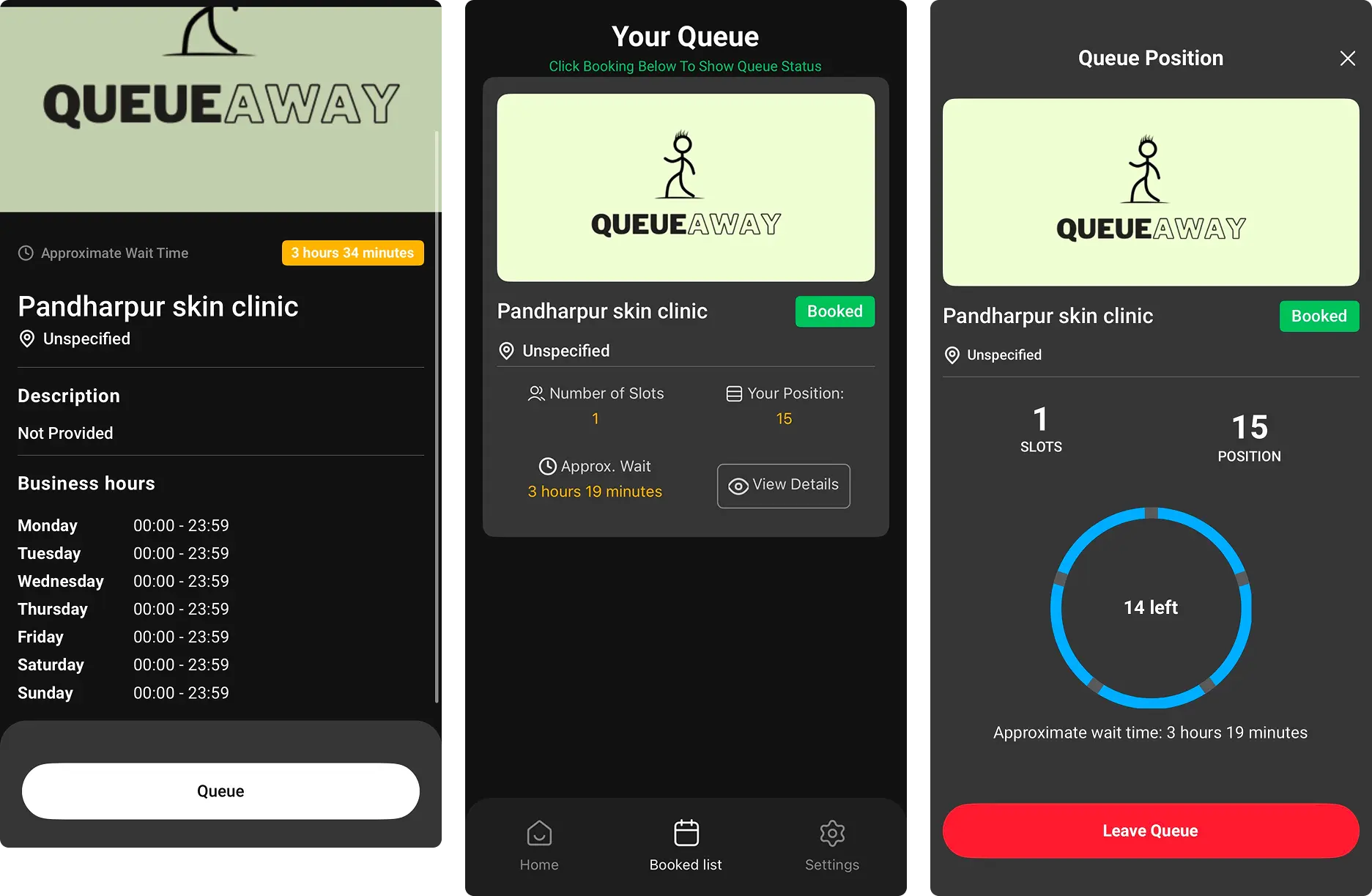
QueueAway is a UK-built queue app that started with barbershops and now also serves retail, hospitality and events. Clients scan a QR code or open a link in their phone browser, see their place and estimated wait, and get a WhatsApp or in-app message when their turn is near. Staff can also add someone by hand or run check-in from a lobby iPad, and the published plan covers unlimited walk-ins and unlimited staff.
Getting started takes a few more steps than you might expect. In my test, the setup felt a little confusing: after you create an account, QueueAway emails you a link to download its app and continue the process there, where you create an account a second time. Once you're in, you'll find a queue-only tool. There are no services to set up and no bookings to take, so it suits a shop that runs purely on walk-ins. The interface also looks dated next to other tools.
Pros & cons
Pros
- Unlimited walk-ins and unlimited staff on the published plan
- WhatsApp and in-app notifications included
- WhatsApp notifications included with plans
Watch out for
- Clunky setup
- Requires an app
- Doesn't support bookings/appointments
- Doesn't support services
- Obsolete UI
Pricing
Starts at £14.99/month (US$19.99) with no contract. Multi sites or larger deployments are only quoted on request. SMS is billed separately at 4p per message through Twilio, while WhatsApp and in-app messages cost nothing extra.
QueueAway has no free plan, just a 14-day free trial.
QueueAway is best for a single-location, walk-in-only barbershop on WhatsApp in the UK, if you can go without bookings and services.
Slikr
At a glance
- Starting price: Free (a booking fee is added for clients who queue ahead online), or $10/week on Premium
- Appointments: Partial. "Queue Ahead" bookings and booking links, set to queue or booking by staff member and by day
- Best for: Australian walk-in shops that want to start free and be listed in a consumer barber app
- Standout feature: Unlimited walk-ins on the free tier, with a POS connected to the queue
Overview
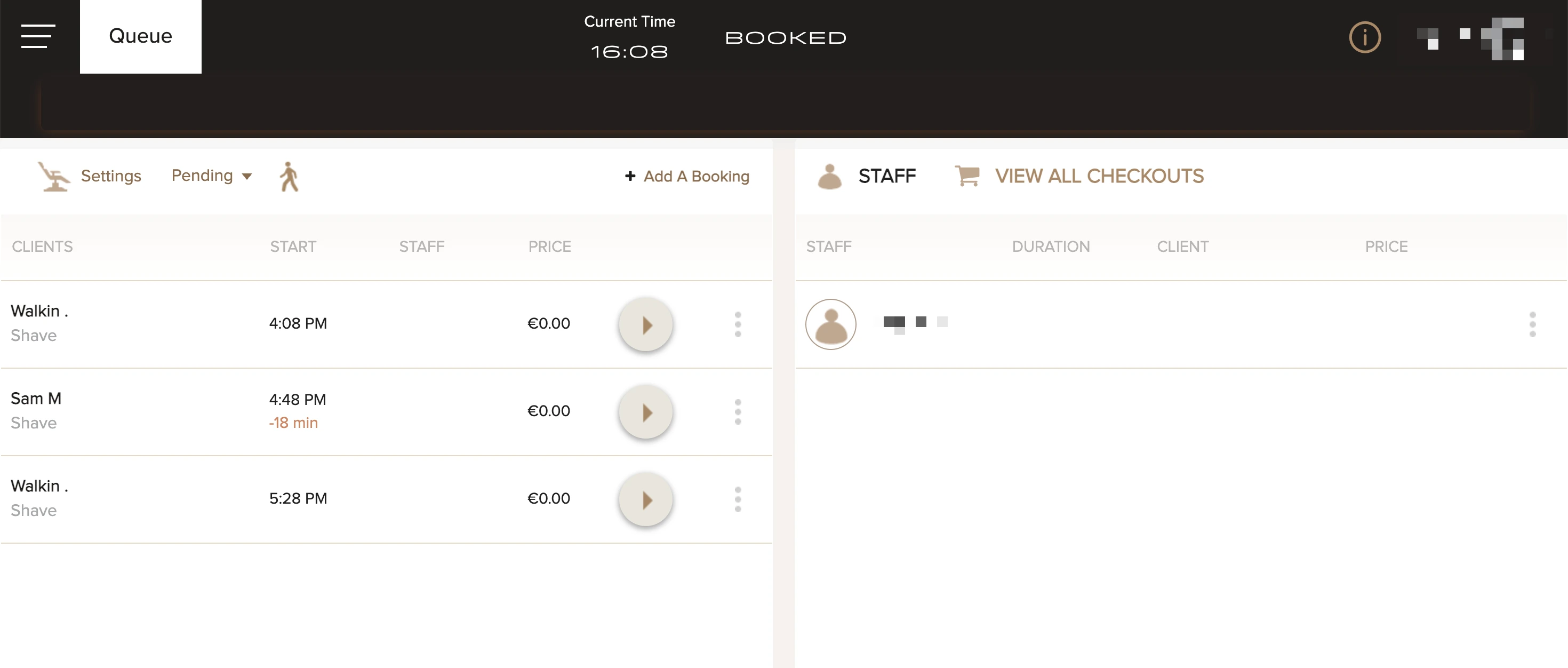
Slikr is an Australian queue app for barbershops, government and healthcare industries able to combine walk-ins and bookings. These merge into one “queue of reservations" which is a novelty way to handle these two workflows. In my setup test, I didn't find this very intuitive as some shops do want to manage a standard queue of walk-ins without having to assign a specific time.
As for client experience, they can check in at a kiosk, by QR code or through the Slikr consumer app, which lists nearby shops with current wait times, including per-barber waits.
Beyond queues, the kiosk captures each client's details and builds a client profile, and the checkout step lets a barber add retail products, record the payment type and complete the service in one step. A shop that already has a POS can switch checkout off and use Slikr only to complete the service. The consumer app also surfaces shop offers and discounts.
Pros & cons
Pros
- Unlimited walk-ins, including on the free tier
- QR check-in removes the need to buy a kiosk
- POS connected to the queue for one-step checkout
- Consumer app listings
Watch out for
- UI is not intuitive during setup and feels a bit dated
- SMS and email alerts only, no WhatsApp
- Booking fee to clients who queue ahead in some plans
- Built mostly around the Australian market
Pricing
A free tier, Premium at $10 a week (about $43 a month) and Enterprise at $25 a week, with custom plans for large chains.
The free tier is funded by a booking fee added to the online payment of clients who queue ahead, while walk-ins checking in at the shop pay nothing extra. All plans start with a 30-day free trial. Slikr's pricing page lists the same feature set on every plan and doesn't state a currency, so confirm details directly.
Slikr is best for an Australian-based walk-in shop that wants to start free and appear in a consumer barber app, if you're comfortable with a booking fee falling on clients who queue ahead.
Waitwhile
At a glance
- Starting price: $31/month (1 location, 250 visits a month)
- Appointments: Yes, booked appointments and same-day walk-ins sync into one stream
- Best for: Shops that mix appointments and walk-ins and connect the queue to tools such as Mailchimp or Salesforce
- Standout feature: Appointments, per-barber resources and integrations in one system
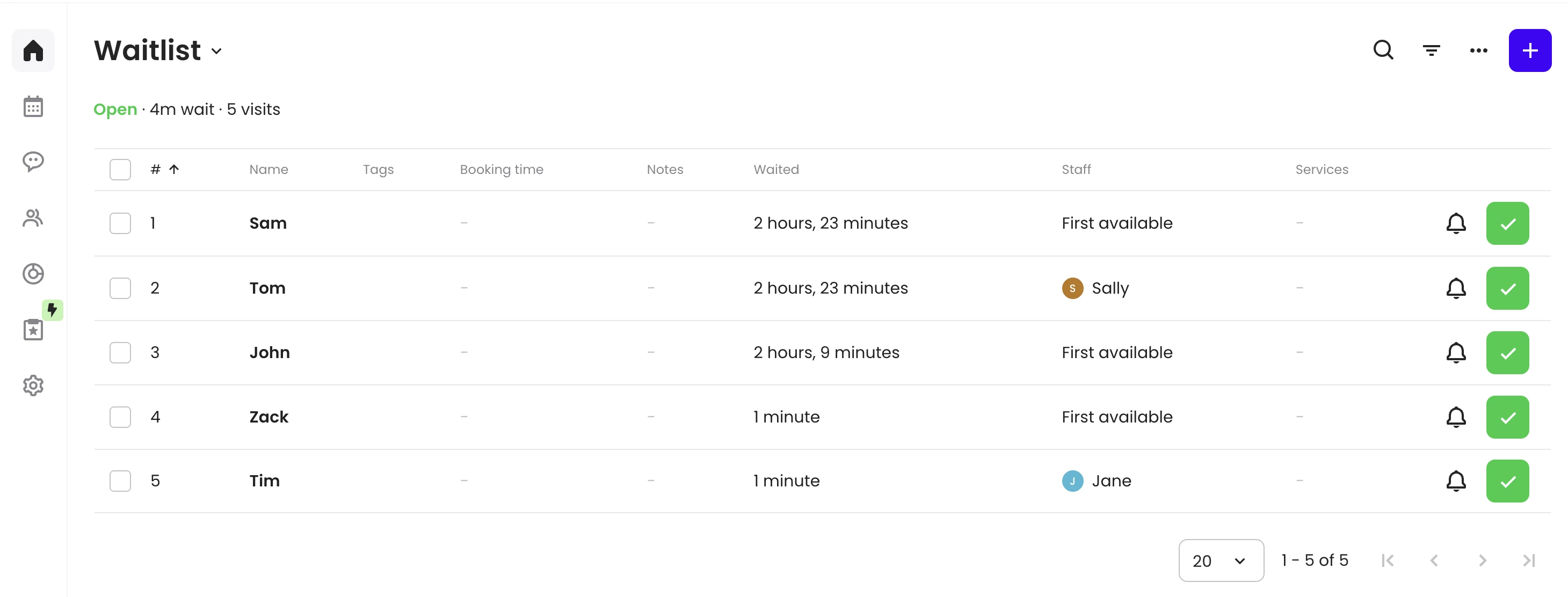
Waitwhile is a multi-industry waitlist and scheduling platform. Clients join by booking online, from a lobby tablet or through a same-day waitlist link, and get a text or email when their barber is ready. Barbers can be set up as resources, so a guest can be assigned to a specific barber, and booked appointments and walk-ins sync into one stream for shops running both models.
For barbershops specifically, Waitwhile lets you build a service menu, with a duration, buffer time and price for each service. Each barber can be tied to the services they offer, with their own hours and a limit on how many clients they serve at once. That suits shops that sell timed services such as a cut plus a beard trim. Prices appear on services, but I found no built-in checkout or payment processing, so payments stay in the shop's existing system.
Pros & cons
Pros
- Appointments and walk-ins in one calendar
- Barbers set up as resources, so guests can be assigned to a specific barber
- Integrations with Mailchimp and Salesforce, plus Zapier
- Modern UI
Watch out for
- Very limited visit caps, so a busy shop moves up tiers fast
- SMS credits are prepaid and billed separately from the plan
- No WhatsApp
Pricing
Price is per location. Starts at $31/month with 250 visits included. Business, from $55/month, scales to 500 per location. Every registration counts against the monthly allotment, including cancellations and no-shows, and unused visits don't roll over. SMS runs on prepaid message credits kept separate from the subscription. Annual billing saves 20%, and unlimited visits sit only on custom Enterprise pricing.
Waitwhile is best for shops that mix booked appointments and walk-ins and want integrations, if you can live with SMS notifications only and a very tight visit allotment (plans below Enterprise).
Squire
At a glance
- Starting price: $50/month for a full single-location shop or $30/month for a single barber
- Appointments: Yes, included
- Best for: Barbershops that want booking, payments and payroll in one barbershop-only system, with walk-ins as a side flow
- Standout feature: Google and Instagram booking and barber-specific tools such as commission and rent collection on higher tiers
Overview
Squire is a barbershop-only management platform, and its waitlist works as a gap-filler for a booked schedule. When a barber's day is fully booked, a client can join a waitlist, and when a slot opens the first client is notified and has 10 minutes to claim it. Walk-ins can check in on a front desk kiosk, but I couldn't find any option of a live walk-in queue for clients join remotely.
Beyond walk-ins, Squire is built to run a whole barbershop. It covers online booking, a POS that accepts cards and mobile wallets, client profiles that keep each client's service history, and payroll and commission tools for barbers. Squire runs its own payment processing, and commission shops can use it to split each transaction between the shop and the barber automatically. Inventory tracking, loyalty programs, gift cards and a branded app are available on the higher tiers.
Pros & cons
Pros
- Built only for barbershops, with booking, payments and shop management in one system
- Multiple barber accounts on the $50 shop plan
- Google and Instagram booking links
- The waitlist fills same-day cancellations and openings automatically
- A Front Desk Kiosk for self-service check-in
Watch out for
- Limited coverage: only available in United States, Canada, Ireland and the UK
- The waitlist covers fully booked days only, and there's no remote live queue in its public documentation
- Marketing, commission tools, multi-location support and loyalty sit on the $150 and $250 tiers
- The free trial covers the solo plan, and shop plans start with a demo
- No WhatsApp
Pricing
Squire's pricing works like a ladder. A solo barber pays $30 a month, and a single-location shop with several barbers pays $50. Executive, at $150 per shop, adds marketing and commission tools, and Titan, at $250 per shop, brings in multi-location support, a branded app and loyalty programs. Card payments run through Squire's own processing at 2.5% + $0.20 in person and 2.9% + $0.30 online.
No free tier, and the 14-day free trial covers the solo plan only, so a shop will essentially start with a demo.
Squire is best for barbershops that want booking, payments and payroll in one barbershop-only system, if walk-ins are a side flow and you're comfortable paying between $50 and $250 a month per shop depending on tier.
Which barbershop queue app scores highest on what matters?
Each criterion below earns a tool one point, based only on facts already confirmed in this comparison. A partial or unconfirmed claim doesn't earn the point. The criteria centre on the walk-in queue, which is the job this comparison covers, so all-in-one platforms score lower here than they would in a booking software comparison.
WaitQ scores 7 out of 8, the highest of the six tools compared.
| Criterion | WaitQ | QueueAway | Slikr | Waitwhile | Barberly | Squire |
| Unlimited visits | ✅ | ✅ | ✅ | ❌ | ✅ | ⚠️ No cap published |
| Clients join the queue remotely from their own phone | ✅ | ✅ | ✅ | ✅ | ⚠️ In-shop kiosk | ⚠️ Waitlist for full days only |
| Appointments in the same system | ✅ | ❌ | ⚠️ Queue Ahead only | ✅ | ✅ | ✅ |
| Clients can choose their barber | ✅ | ⚠️ Not confirmed | ✅ | ✅ | ✅ | ✅ |
| WhatsApp notifications | ✅ | ✅ | ❌ | ❌ | ⚠️ Waitlist only | ❌ |
| No kiosk or dedicated hardware needed | ✅ | ✅ | ✅ | ✅ | ❌ Kiosk tablet | ⚠️ Kiosk for check-in |
| Full-shop entry price under $50/mo | ✅ | ✅ | ✅ | ✅ | ✅ | ❌ |
| Built-in POS, payments or loyalty tools | ❌ | ❌ | ✅ POS | ❌ | ✅ | ✅ |
| Final score | 7/8 | 5/8 | 6/8 | 5/8 | 5/8 | 3/8 |
Which barbershop queue app should you choose?
The right tool depends on how clients arrive and what else the shop needs in one system.
| Your shop | Best fit |
| Simpler arrival systme with mix of walk-ins with booked clients | WaitQ |
| Several barbers, each with regulars who wait for them | WaitQ or Waitwhile |
| Clients who mostly use WhatsApp | WaitQ or QueueAway |
| One location, walk-ins only, WhatsApp-first | QueueAway |
| Australian shop that wants to start free | Slikr |
| Mix of appointments and walk-ins in one calendar, with CRM integrations | Waitwhile |
| One system for booking, POS and loyalty under your own app | Barberly |
| One barbershop-only system for booking, payments and payroll (US, Canada, UK, Ireland or Australia) | Squire |
| Growing beyond one location | WaitQ |
For barbershops outside the US, the notification channel matters as much as the feature list. WhatsApp reach is significantly higher than SMS across most of Europe, Southeast Asia, and Latin America. WaitQ and QueueAway both send WhatsApp messages for the live queue.
Cut beards but also wait times ✂️
Try WaitQ free for 7 days and see how it handles your customer flow.
How WaitQ manages walk-ins at a barbershop
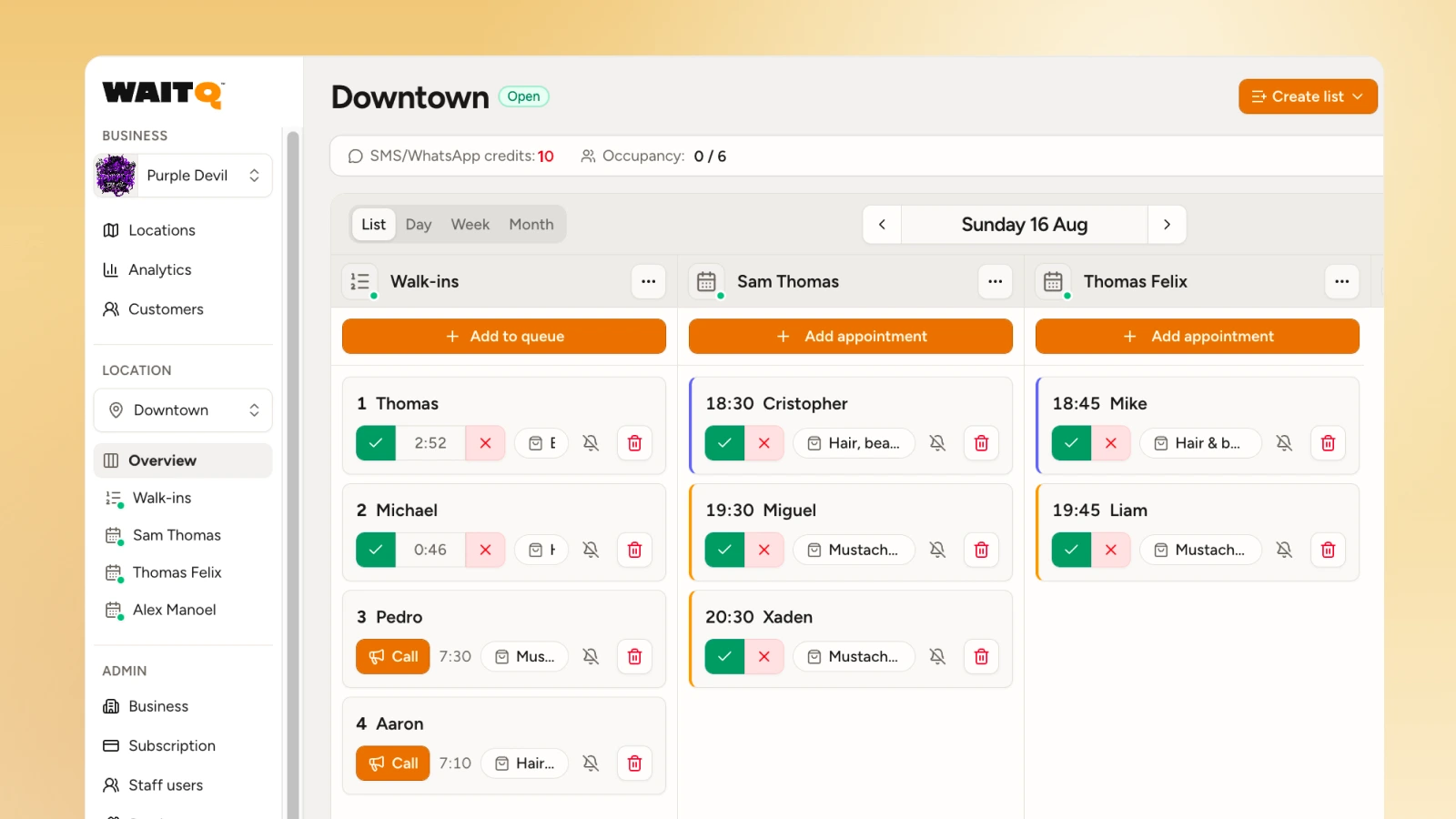
WaitQ is a barbershop queue system built around a walk-in queue with appointments beside it. The check-in page needs no account and no app install.
Clients open the check-in page in their phone browser, enter their name, choose their barber, and they're in the queue. They can even leave the shop and come back when they get their notification.
On the internal side, barbers see their own queue and their booked appointments in the same view. The analytics dashboard shows which hours are busiest, how long clients typically wait, and where walk-aways are happening, so staffing decisions are based on actual data rather than guesswork.
Takeaway
After comparing these options, the choice comes down to what else a shop needs beyond the queue. Squire and Barberly bundle booking, payments and shop management, with walk-ins as one flow among many. QueueAway and Slikr cover the queue at a low or zero monthly price, with limits on appointments. Waitwhile puts appointments and walk-ins in one calendar and prices by visits. Squire is a solid option but only available in a handful of countries, so check it covers your market before comparing plans.
WaitQ combines a live walk-in queue with unlimited appointments and visits at a flat price, which makes it the standout choice for a walk-in-first barbershop. It doesn't include payments or payroll, so a shop that wants those in the same system should look at Squire or Barberly.
