

Barbershop opening checklist: the front-of-house setup to decide before day one
This checklist covers the setup decisions that shape every client first visit at the front door: sign-in, queue structure, barber rotation, wait updates, notifications and the exceptions to plan for.

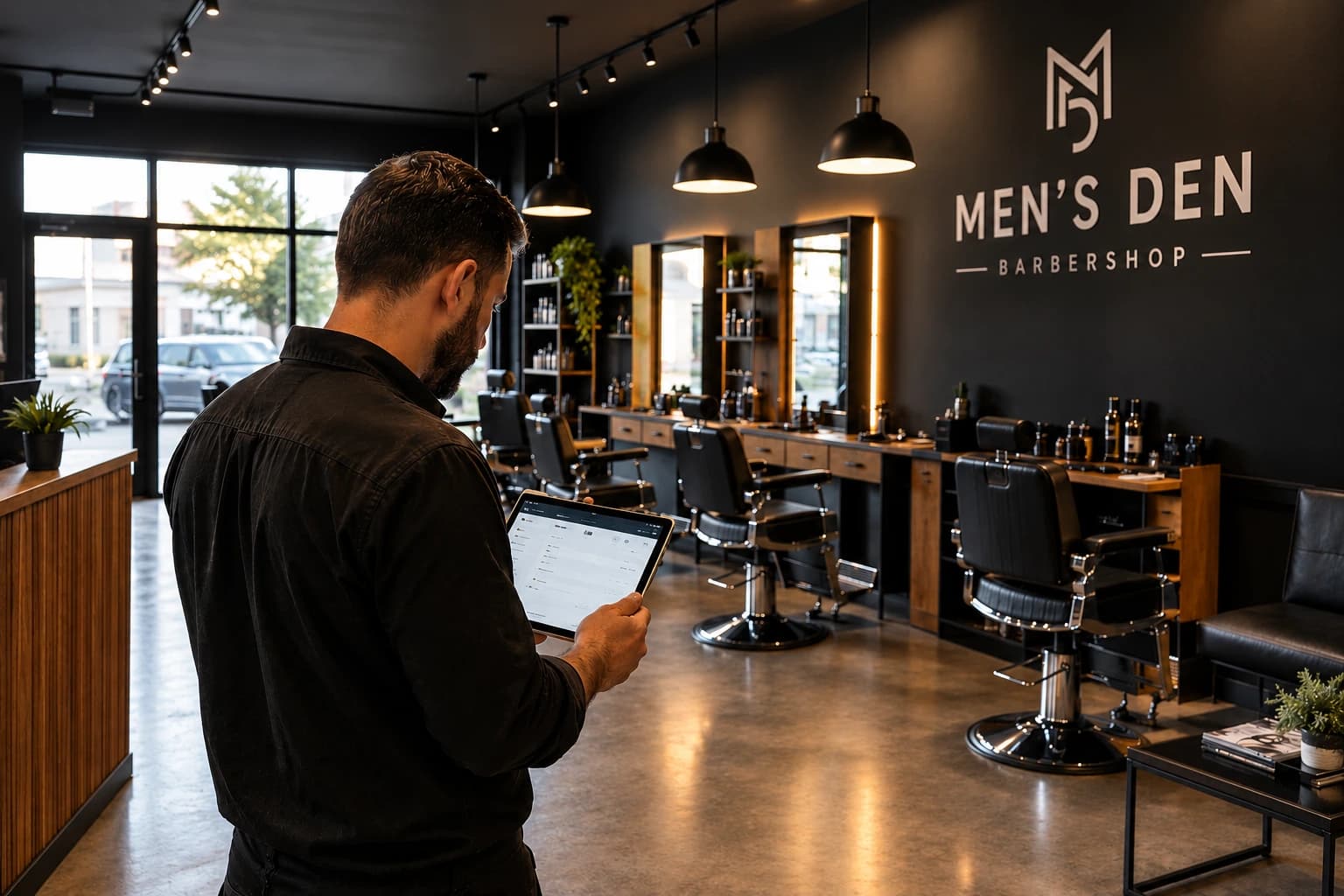
A front-of-house setup is the set of rules and tools that decides how a customer goes from walking in (or booking) to sitting in a barber's chair. Owners often leave it until the last week because it feels small next to a lease and a fit-out. It's also the first thing every walk-in experiences.
The barbershop front-of-house checklist at a glance
| Decision | Options | Sensible default for a new shop |
| Service model | Walk-in only, appointment only, hybrid | Depends on footfall and existing client base; many shops run hybrid |
| Walk-in sign-in | Paper list, QR code, tablet kiosk, barber adds them | QR code at the door, with the barber adding anyone who can't scan |
| Queue structure | One shared queue, one queue per barber, both | Per-barber queues plus an "any barber" option |
| Rotation rule | First available, strict rotation, requested barber first | First available for "any barber", requested barber for named requests, written down |
| Showing the wait | Verbal estimate, TV display, live position on phone | Live position on phone plus a TV display, with estimates as ranges |
| Notifying customers | Shouting names, phone calls, push, SMS, WhatsApp, email | Push notifications, text message (SMS & WhatsApp) and email, chosen by the customer |
| Business check-in page | None, website only, everywhere | Linked from Google Business Profile, Instagram bio and website |
| Exceptions | Handled on the day | A written rule for no-phone customers, kids, last walk-in time and no-shows |
The decisions to make before opening, step by step
Each step below groups the decisions that belong together, with a short note on why they matter.
1. Walk-ins, appointments or both: which model should a new barbershop choose?
The service model decides how much of your chair time is open to walk-ins and how much is booked in advance, and when. Everything else on this list follows from it, so settle it first.
The right model depends on your location, pay model and your client base. Walk-ins suit high-footfall locations and quick services. Appointments suit barbers who bring an established client list from a previous shop or longer service lengths. Booth renters often run their own appointment books, which also affects how a shared walk-in queue works. Many shops end up taking a hybrid approach.
Decisions to make regarding the service model
- Decide whether you'll take walk-ins, appointments or both
- If both, decide which hours, services or chairs are kept for walk-ins
- Decide whether appointments and the walk-in queue live in the same system
2. How will walk-in customers sign in?
This covers how a walk-in gets onto your queue without waiting for a barber to stop cutting. A short, self-serve flow keeps barbers at the chair and gives every customer a place in the queue from the moment they arrive.
Ideally, walk-in customers should be able to sign in without asking anyone; a QR code at the door is the simplest way to do that. The customer scans, enters a name, picks a service or barber and sees their place in the queue on their own phone. As fallbacks, place a tablet at the counter set up as a check-in kiosk, or a barber adding the customer from their own phone.
QR code check-in also replaces the paper sign-in sheet, which can't send notifications or record how long anyone waited.
Decisions to make regarding signing in
- Choose how walk-ins join. QR code, tablet kiosk, a barber adding them, or a mix
- Pick the sign-in fields. Name, contact, service and preferred barber cover most shops. Every extra field adds time at the door.
- Choose a fallback for customers who can't or won't scan
3. Should a barbershop run one shared walk-in queue or a queue per barber?
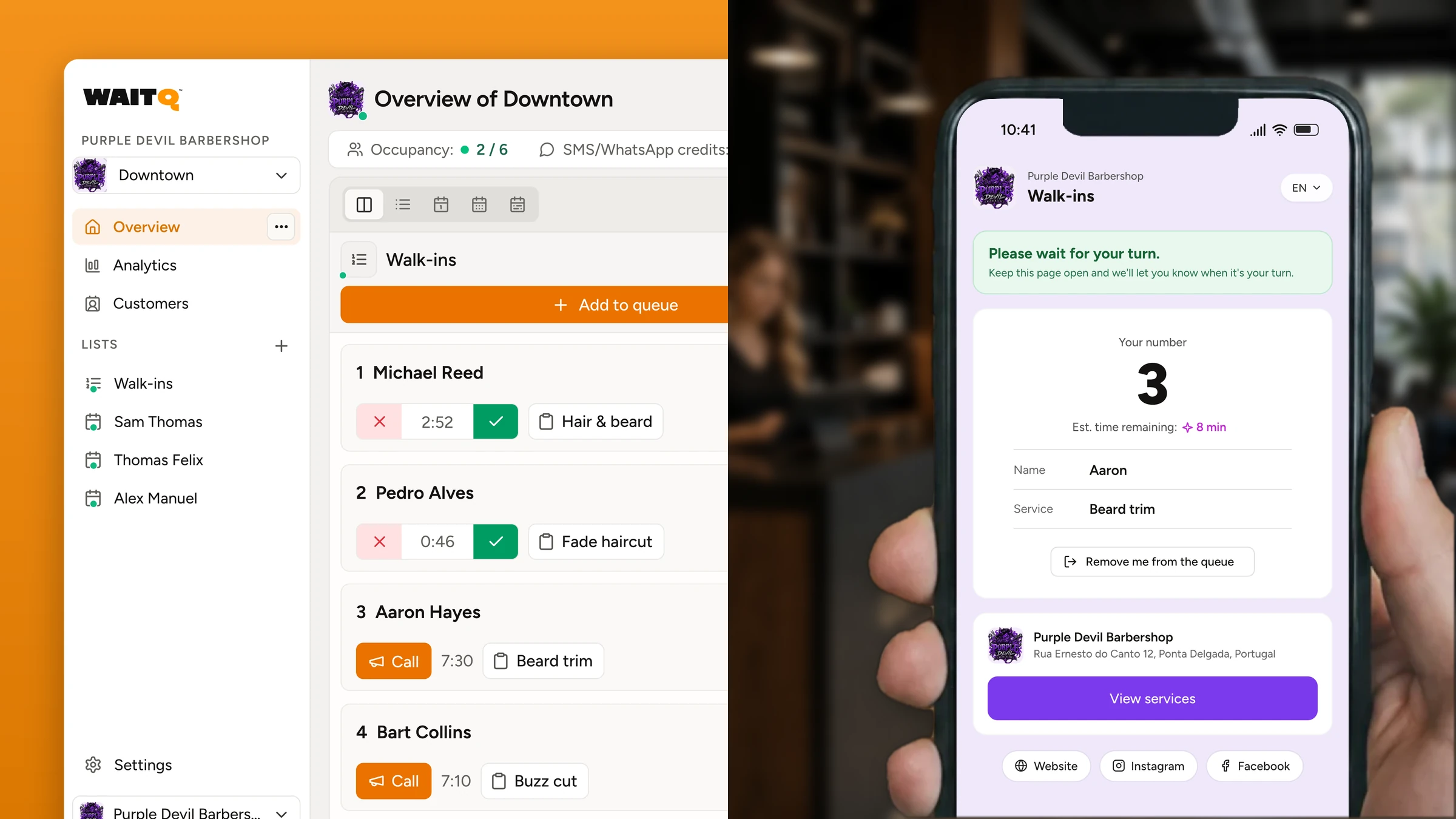
A queue per barber plus an "any barber" option fits shops where clients ask for barbers by name. Clients loyal to one barber can wait for that person, and clients with no preference get the first free chair. In WaitQ, this is the option we see more often.
However, a single shared queue is simpler and fits shops where barbers are interchangeable and nobody asks for anyone by name. It stops working once regulars request specific barbers, because a single list hides the fact that the requested barber may have four people waiting while another chair is free.
4. How do you keep walk-in rotation fair between barbers?
Rotation is how walk-ins are shared between barbers. Walk-in rotation stays fair when the rule is written down and agreed before opening, and when the queue makes every exception visible. The team agrees the rule, and the queue shows everyone the order.
Decisions to make regarding barber rotation
- Decide who gets an "any barber" walk-in
- Decide how named requests are handled
- Decide what happens when an appointment and a walk-in arrive for the same chair
- Check the rule against your pay model (commission or booth rent) with the team
Your pay model matters here. In a commission shop, walk-in allocation is part of each barber's income, so the rule needs team agreement. In a booth-rent shop, renters may expect to manage their own walk-ins entirely, which points to separate queues per barber with no shared pool.
5. How will clients know how long the wait is?
Uncertain waits feel longer to clients than certain waits. They decide whether to stay, leave or come back later based on what they can see about the wait.
As a result, clients should be able to see the wait without asking, ideally as a live position on their phone or some kind of screen display.
Decisions to make regarding showing the wait
- Decide where customers see their position: phone, in-shop screen or both
- Decide whether estimates are shown as ranges or exact minutes
- Standardize answers for "how long is the wait?" at the door
6. How will you tell customers it's their turn?
Notifications are what let clients step away from the shop and come back on time. When customers can wait outside the shop, the number of people physically waiting stops being what a passer-by uses to judge the wait.
Decide which channels you'll use and who sends the message before opening. Text messages are the most familiar channel, and WhatsApp matters in countries and regions where it has higher open rates than SMS. Other usual options are push notifications and email (both free on WaitQ), ideally with the customer being able to choose their preferred channel at sign-in.
Decisions to make regarding notification alerts
- Choose channels will be available. Push notifications, text message (SMS & WhatsApp), email or other.
- Decide who sends the "your turn" message, and how far ahead
- Set a grace period after the message, before the customer is moved down or removed from the list
7. Where will customers find your business check-in page before they arrive?
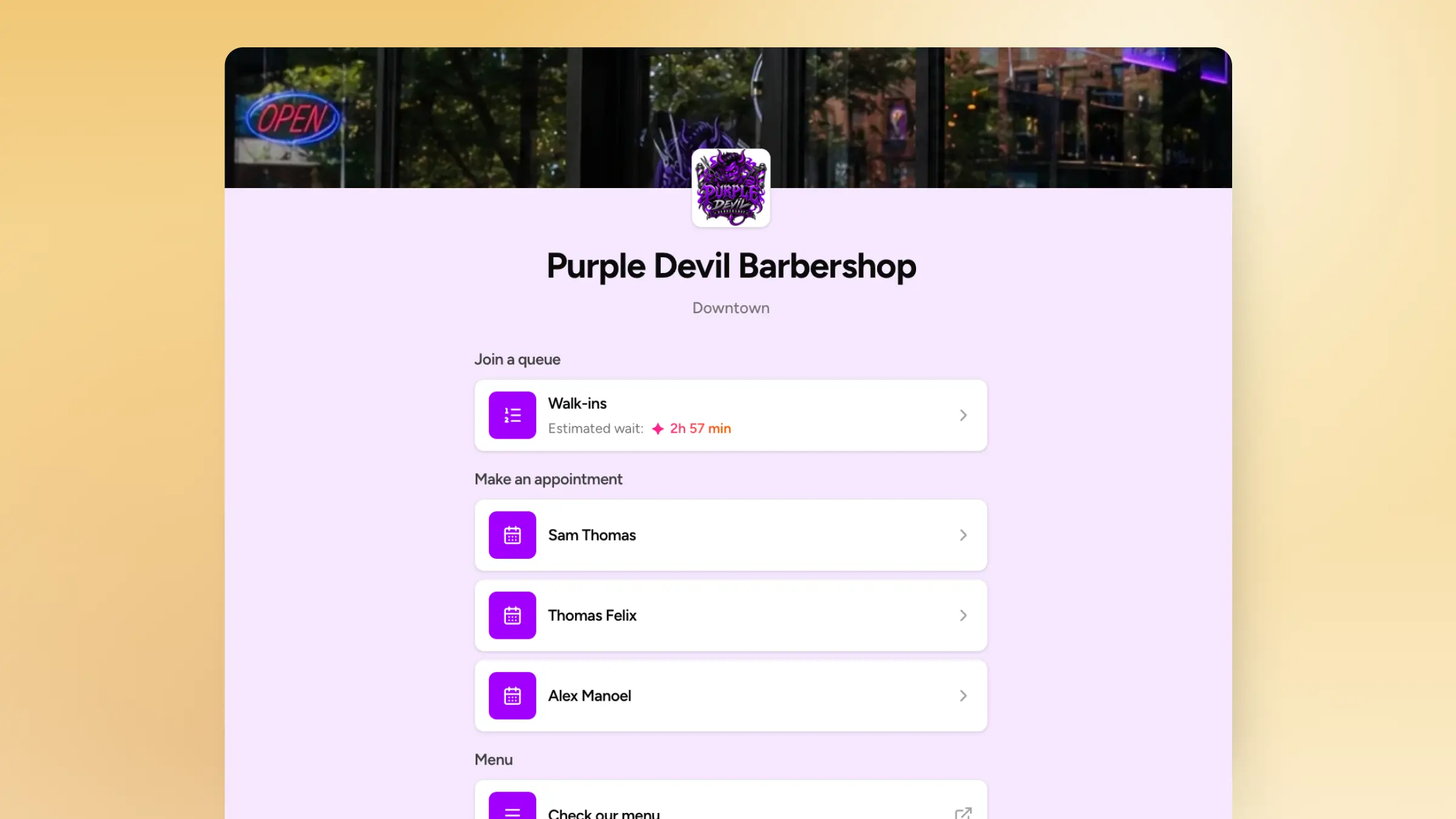
Your business check-in page with your logo, services and opening hours is where clients join the queue, book an appointment or see the current wait before they arrive. It should be one tap away from wherever clients look you up so they can see the walk-in queue and decide to join it or book an appointment even while at home.
Put the link to your branded check-in page on the window sticker and on any printed material for the opening.
Decisions to make regarding check-in page
- Add the check-in URL to Google Business Profile, Instagram bio and website
- Print the QR code for the door and window
- Decide whether customers can join remotely, and if so, during which hours. You may want to pause remote sign-in at peak times.
8. What rules do you need for the exceptions?
Exceptions are the cases the normal flow doesn't cover. Write down how you'll handle the cases that don't fit the normal flow - they'll show up eventually - to ensure every barber handles them the same way.
Here are some of the common ones:
- Customers without a phone: a barber adds them to the queue by name and calls them in person.
- Parents with children, and groups: decide whether a parent and two children are one entry or three, and how the estimate accounts for that.
- Last walk-in time: set a cutoff before closing based on your longest service and the length of the queue, and show it on the check-in page.
- Customers who don't come back: after the grace period, move them down once, then remove them.
- Regulars who expect priority: decide whether anyone gets it, and make it visible if they do.
Test the front of house with a soft opening
Running a soft opening with friends, family or a discounted first day, is a great way to rehearse the full client journey. Have people scan the QR code, choose a barber, leave, get notified and come back, while the barbers run the queue from their own phones.
Test the exceptions on purpose: someone without a phone, an appointment arriving while three walk-ins wait, a customer who doesn't return after the notification. Use the soft opening to walk through every step of your digital queue setup, from the QR code at the door to the notification, and adjust the written rules before the first full day.
What to measure in the first month?
Track walk-aways, wait times by barber and your actual peak hours from day one. These numbers show whether the walk-in and appointment split you picked before opening still makes sense.
Walk-aways are customers who joined the queue and left before being served. A paper list can't count them. On the other hand, a digital queue with analytics records every customer who joined and didn't make it to the chair.
Where WaitQ fits in a new barbershop's setup
WaitQ is a cloud platform for walk-in queues and appointments that covers most of the front-of-house decisions above in one place. Customers join by QR code, kiosk or a link on your branded check-in page, pick a barber or service and see their live position without downloading an app.
Barbers run the queue and appointments side by side from any phone, tablet or browser, and notify customers by push notifications, text message (SMS & WhatsApp) or email. Every plan includes unlimited customer visits, so peak days don't push you into a higher usage tier. SMS and WhatsApp credits are capped by plan.
Keep in mind WaitQ does not replace a POS, tip handling, payroll or chair-rent tracking, so keep those tools where you need them.
Conclusion
Opening a barbershop involves a long list of decisions, and the ones covered here are the most visible to customers when they're left to the last minute. The trade-off underneath them is flexibility against predictability. Walk-ins are easy to start with and hard to plan around, but appointments are predictable and depend on clients who already know the shop.
Frequently Asked Questions
Should a new barbershop take walk-ins or appointments?
It depends on your location and your client base. Walk-ins suit shops with heavy foot traffic and quick, price-led cuts. Appointments suit barbers who bring an established client list with them. Many shops take both and keep walk-in capacity for their busiest hours. A digital queue lets walk-ins and appointments share one list.
How do barbershops decide which barber gets the next walk-in?
Barbershops decide with a written rotation rule agreed before opening. The most common default is first available for "any barber" customers, while customers who request a named barber wait for that barber. Commission shops often discuss rotation as a team, and booth-rent shops usually give each renter a separate queue.
Do customers need an app to check in at a barbershop?
Customers don't need an app with a web-based check-in. They scan a QR code or open a link, enter a name, choose a barber and follow their live position in the phone's browser. Keep a kiosk or barber-assisted sign-in for customers who can't scan.
What's the best way to notify barbershop customers when it's their turn?
The best way is to let customers choose their channel at sign-in from push notifications, text message (SMS & WhatsApp) and email. The barber finishing a cut sends the notification roughly one cut ahead. A grace period, often 10 minutes, gives the customer time to walk back.
When should a barbershop stop accepting walk-ins before closing?
Most barbershops stop accepting walk-ins 30 to 60 minutes before closing, depending on their longest service and how many people are already in the queue. Show the cutoff on the check-in page and at the door so customers know before they arrive.
Can WaitQ run walk-ins and appointments for a new barbershop?
Yes. WaitQ runs walk-in queues and appointments side by side, with per-barber queues, QR and kiosk check-in, a branded check-in page and notifications. Every plan includes unlimited customer visits, and SMS and WhatsApp credits are capped by plan.
