

.webp&w=3840&q=75)
This guide covers queue management systems for walk-in businesses such as restaurants, cafes, beauty salons, hotels or shops. Every option below is browser-based, requires no proprietary hardware and no app downloads. If you're looking for enterprise or public sector queueing (NHS trusts, councils, banks), we've included short sections on those too.
Queue management systems in UK for small & medium businesses, compared
| System | Starting price | Locations | Visit limits | Best fit | |
| WaitQ | £27/mo | Multi-location support | Unlimited customers and queues on every plan | Yes | Growing businesses that want queue and appointment management with a flat, predictable pricing and no visit caps |
| Waitwhile | ~$31/mo (≈£23/mo) | Per-location pricing | Capped, notifications not included | No | Single-location, lower-volume businesses that also take appointments |
| Queberry UK | Custom pricing (quote-only) | Multi-location | Not published | Yes | Businesses that want appointments and WhatsApp built in and don't mind a quote-based price |
| QueueAway | £14.99/mo | Single location (Solo); multi-site quote-only | Unlimited on every plan | Yes | Low-cost option for small operations that don't need appointments |
| Qwaiting | $207/month (≈£152/mo) when billed annually | Multi-branch | Uncapped | No | Businesses entering Enterprise territory |
WaitQ
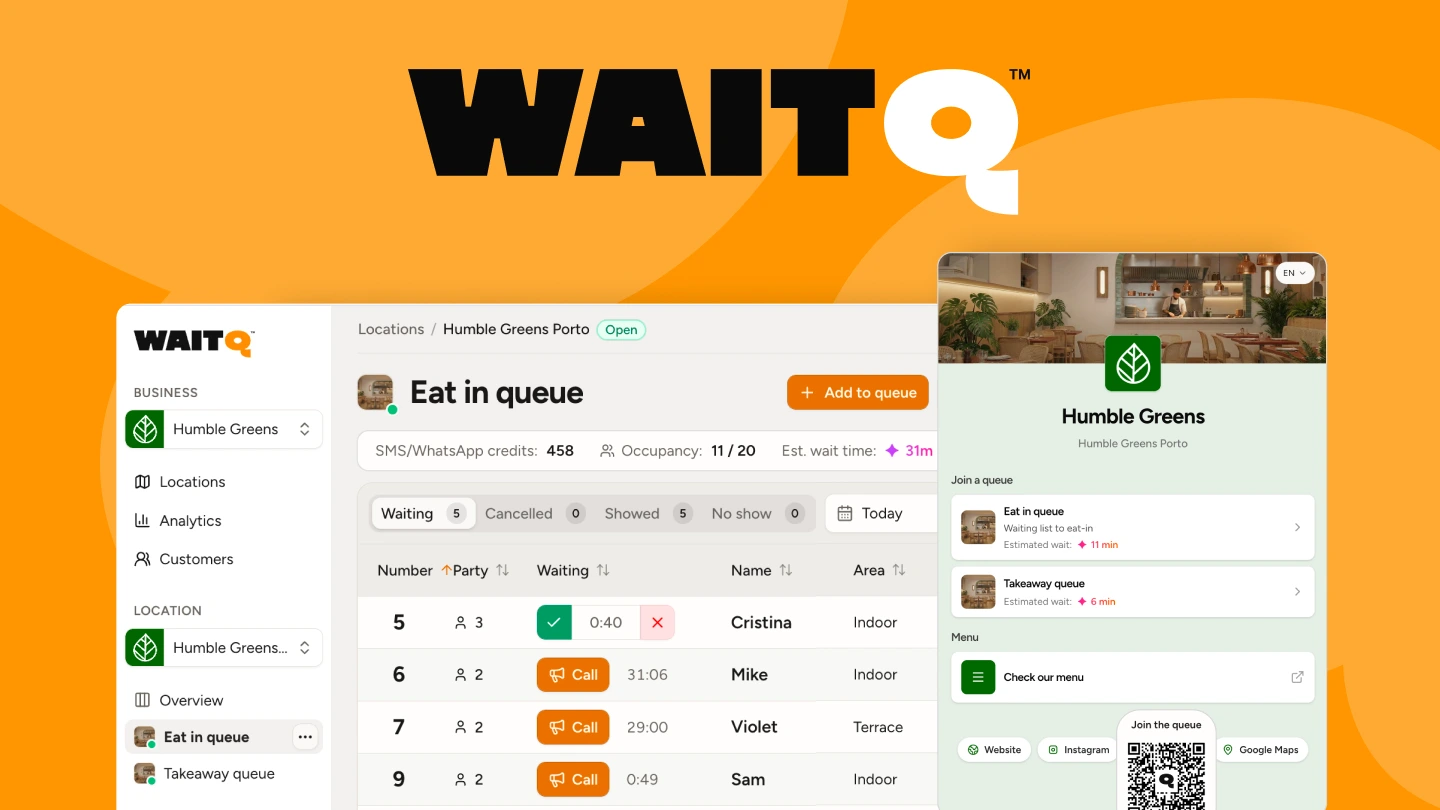
WaitQ is EU-based and designed for smaller businesses that don't want to manage hardware or per-visit charges. Customers join through the business check-in page on their own phone, see their live position, and get notified by SMS, WhatsApp or email when it's their turn.
Beyond queue management, WaitQ also handles appointments and guest lists, so a barbershop can take both walk-ins and scheduled bookings and a restaurant can manage walk-ins alongside reservations can run both from the same dashboard instead of juggling a separate booking tool alongside the queue.
Pros:
- Modern, intuitive UI
- WhatsApp notification support, on top of SMS and email
- Grow and Business plans come with 2 and 5 locations already included
- Every plan includes unlimited customers, both in queue and in appointments
- Appointments and guest lists managed from the same system, at no extra charge
Waitwhile
Waitwhile pairs queue management with appointment scheduling, which suits businesses that need both in one system.
The tradeoff is per-location pricing and visit caps that disable notifications once you exceed them mid-cycle, so a busy month can quietly turn off the feature meant to stop walk-aways. In fact, keep in mind notifications are not included in any plan. That makes it a better fit for a single, steady-traffic location than for a business planning to add sites or expecting faster growth.
Pros:
- Appointment scheduling included alongside queue management
- Straightforward setup for a single location with fairly consistent traffic
Queberry
Queberry UK is a queue and appointment platform registered in London, with WhatsApp built into check-in, booking, and feedback. It combines queue management with appointment scheduling in one system, similar to WaitQ, but pricing isn't published anywhere on its site: every plan runs through a sales conversation before you see a number.
That's a real tradeoff against a table otherwise built around transparent, self-serve pricing, so it fits a UK business that wants a local vendor and doesn't mind getting a quote before comparing the actual cost.
Pros:
- WhatsApp built into queue and booking notifications
- Appointment scheduling included alongside queue management
- UK-registered company
QueueAway
QueueAway is a low-cost UK-based queue system built around the same unlimited-visits pitch WaitQ uses, at an entry price of £14.99/month for each location. It includes unlimited staff accounts and a 14-day free trial.
That said, multi-location and white-label pricing are quote-only rather than published, and there's no appointment or booking features, so a business that wants queues and bookings in one place still needs to look elsewhere.
Pros:
- Unlimited staff accounts with no per-seat charges
- Low entry price for single-location, walk-in only operations
- 14-day free trial with no card required, longer than most competitors offer
Qwaiting
Qwaiting is a option that have outgrown the SMB category and need multi-branch support, at $207/month with no visit caps. It's a step up in cost from the tools above it, positioned for a business past the point where a simple paid list covers what it needs, without the enterprise-tier pricing that public sector and large deployments carry (see options below).
However, WhatsApp isn't supported on any published tier, which matters most for businesses serving customers who don't reliably check SMS or email. Some businesses may find the multiple modules, digital signage configuration, and appointment setup require more setup and training time than anticipated.
Pros:
- No visit caps found on its published plans
- Built for multi-branch operations rather than a single site
| Business type | What matters | Best fit tool |
| Restaurants and cafes 🥘 | Walk-ins, pickup orders, and reservations from one system, with a polished, branded check-in page for customers | WaitQ |
| Hair salons and beauty studios 💅 | Clients often request a specific stylist, adding routing complexity, best solved with multi-stylist queues and self check-in | WaitQ (growing, multi-location operations) or Waitwhile (if lower walk-in traffic) |
| Barbershops ✂️ | High walk-in volume and fast turnover, where check-in speed is critical, best handled with multi-barber queues and self check-in | QueueAway (if no appointments needed) or WaitQ (to manage both walk-ins and appointments at no extra charge) |
| Hotels 🏨 | Guests checking in quickly and calmly during peak arrival windows, supported by hotel queue management with notifications so guests can wait wherever suits them | Qwaiting (multi-branch reporting for hotel groups) or WaitQ (includes guest lists and multi-channel notifications at a more cost-effective price) |
| Retail service counters 👛 | Multiple service types, fitting rooms, returns, and more, run from one dashboard, with separate digital queueing designed for click-and-collect | Queberry or Qwaiting. See other options below. |
| Events and activations 🎉 | Short, high-volume bursts at product stations or entry points, covered by a fully branded visitor arrival/check-in page | WaitQ (unlimited visits, guest lsits included) or QueueAway (low-cost option) |
Best queue management options for enterprise & retail
A single-location shop or restaurant fits neatly into the comparison above, but a retail chain running dozens of stores, or a genuine enterprise deployment, is answering a different question.
The evaluation shifts from monthly price and visit caps toward reporting that rolls up across every location, a procurement and security review, as well as ticket printers, dedicated display hardware and service-level reporting across large teams.
- Verint (Qudini) is used for retail floor management and team collaboration used by some well-known UK brands.
- Qtrac focuses on customer journey management and analytics on top of queueing, used by large-scale retail and financial clients. Like most enterprise systems, it involves a sales and implementation process rather than a self-serve signup.
- WaitWell is built for multi-site service environments needing detailed service-level reporting across large teams, the kind of oversight a single-location business doesn't need but a large public sector deployment does.
Best queue management systems for the public sector & healthcare
Public sector and healthcare buyers run an entirely different process before a queue system ever gets tested. Procurement usually means formal tendering and a data protection impact assessment ahead of any demo, and accessibility compliance is a gating requirement rather than a feature to compare.
- Qmatic is a solid option for enterprise, healthcare, and government offices needing robust hardware kiosks, ticket printers, and physical displays.
- Qminder is enterprise-focused with particular strength in healthcare and clinic deployments, backed by a higher price point than the SMB tier above.
What UK businesses should check before choosing a queue system
Weigh five things before you sign up: visit limits, notification channels, hardware requirements, multi-location pricing, and data protection compliance. Each one has caught out businesses that only checked the headline price.
- Visit limits. Some systems cap the number of customers you can add per month and either charge overage fees or quietly disable notifications once you hit the cap. Ask directly what happens above the stated limit, not just what the limit is.
- Notification channels. SMS is still the default expectation for most UK customers, but WhatsApp has strong open rates in countries and regions where it's the dominant messaging app, and international visitors or younger customers may prefer it over a text. A system that only does SMS limits your options here.
- Hard requirements. Some systems are built around a ticket printer, need an iOS app or dedicated tablet. If you want customers to join from their own phone without friction, confirm these needs.
- Multi-location or multi-staff pricing. UK hospitality and retail groups running multiple sites feel per-location software costs more acutely than single-site operators. Pricing can look reasonable at first but once you add up your entire staff, it can become expensive fast. Flat, predictable pricing avoids the surprise costs that come with expansion.
- Data protection. Any system handling Personally Identifiable Information (PII) such as phone numbers for check-in needs to meet UK GDPR requirements specifically.
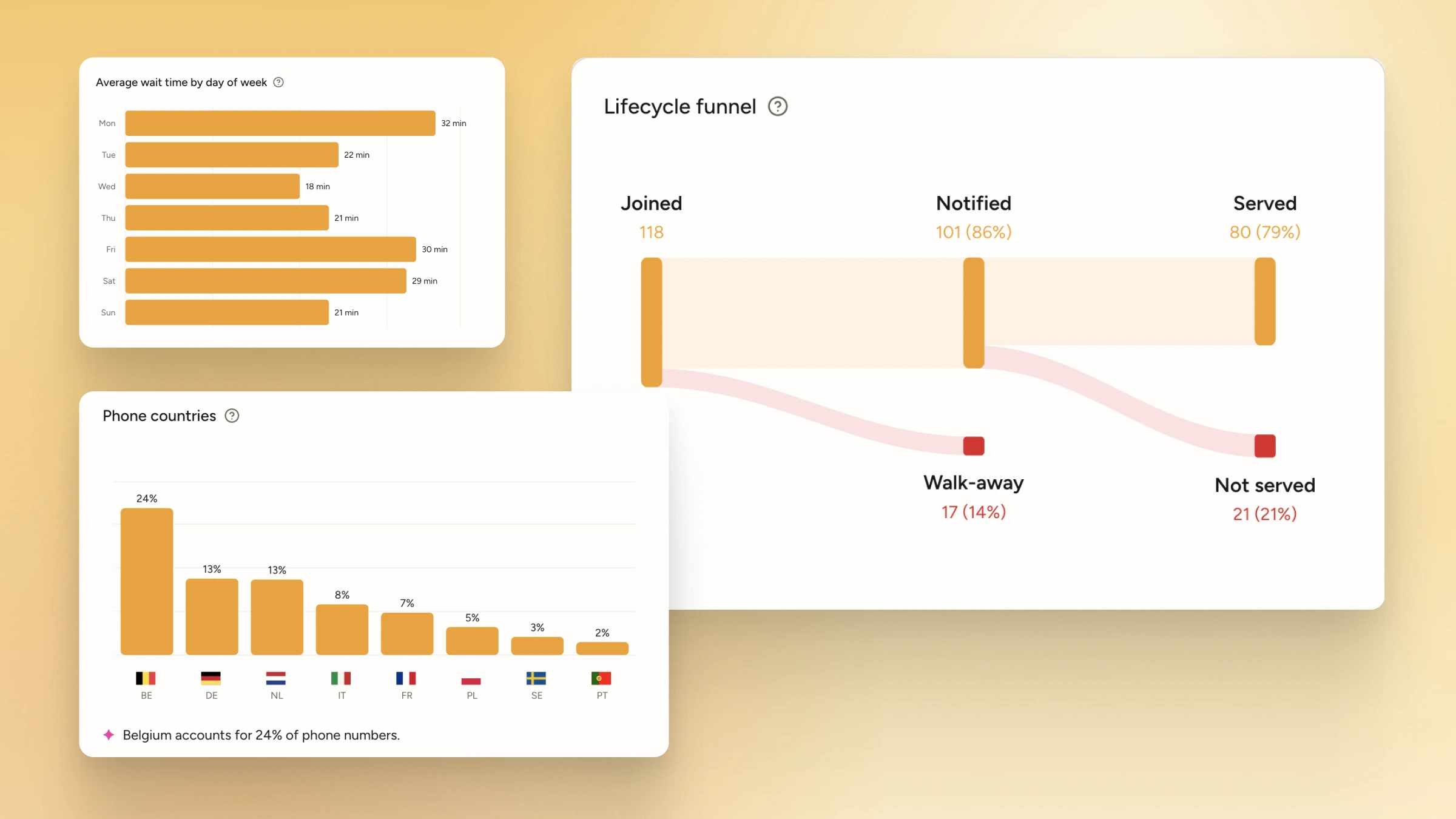
- Powerful analytics. Part of the reason you'd want a queue management system is improved customer flow. The other part is to get data insights and metrics these platforms can give to improve your operations
