

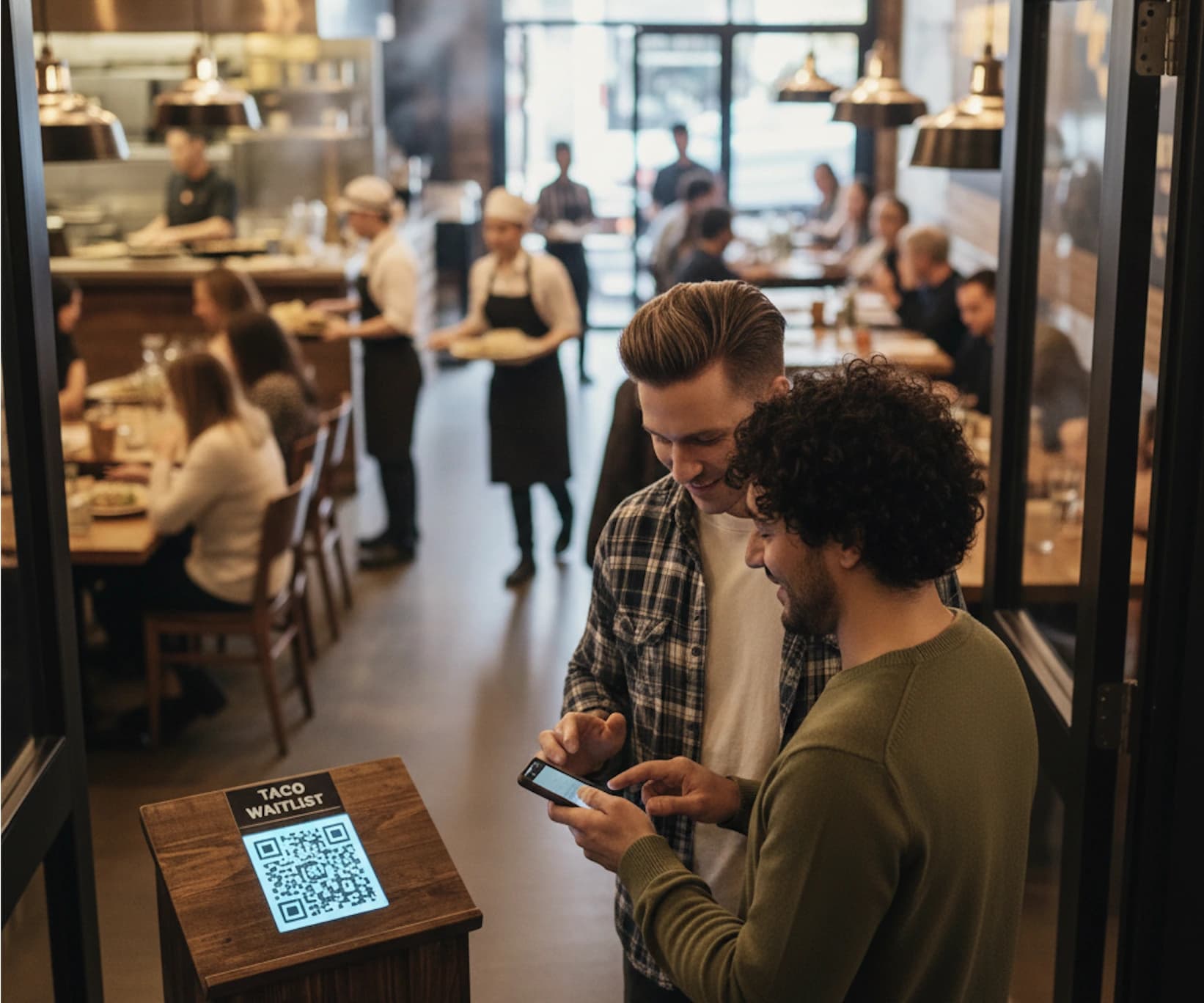
A restaurant queue management system replaces a paper sign-in sheet or a host shouting names across a packed entrance with a live queue guests join by scanning a QR code or tapping a link, then track from their own phone.
It's an essential part of a modern restaurant tech stack, particularly if walk-ins are a significant part of your customer flow.
The best restaurant queue management systems compared (2026)
| Tool | Best for | Notifications | Visit cap | Starting price |
| WaitQ | Walk-in-heavy dining rooms with reservations | SMS, WhatsApp, email | ✅ Unlimited on every plan | $27/mo |
| OpenTable | Reservation-heavy, full-service dining | SMS | ⚠️ No cap, but a per-cover fee on network bookings | $149/mo |
| Waitly | Reserve with Google-dependent restaurants | SMS, two-way texting | ⚠️ 1,000 parties/mo on Premium | $49/mo |
| Yelp Guest Manager | Restaurants relying on Yelp discovery traffic | SMS | ⚠️ Capped on entry plan, unlimited on a higher tier | $99/mo |
| Hostme | AI table assignment bundled with the queue | SMS, app | ✅ Unlimited parties and covers | $109/mo |
| TablesReady | Budget-conscious testing before committing | SMS, two-way texting | ⚠️ Message-volume based | Free (150 texts/mo), $39/mo Starter |
| Carbonara | Zero-budget restaurants moving off paper | SMS | ⚠️ Capped below the PX plan | Free (50 bookings/mo), ~$51/mo PX |
How we reviewed this list
We tested and scored each waitlist system across the aspects that matter most for a restaurant.
- Ease of use: Is the interface intuitive for non-technical users, or does managing queues feel overly complicated?
- Core functionality: Does the queue run without a guest-volume cap, notify guests through more than one channel, with integrated table management and reservations in the same system, or does that take stitching several tools together?
- Features: How does the breadth of functionalities look like? We're looking at things like custom form fields, integrations, reservation support, and other essentials.
- Pricing: What's the real cost of the tool? Are plans available publicly?
- Customization: Can you create queues that match your restaurant and specific requirements?
Every price, cap, and feature claim was checked against each platform's own site in September 2026.
No single tool wins at everything, so we'll be upfront about where each one shines and where it falls short.
WaitQ
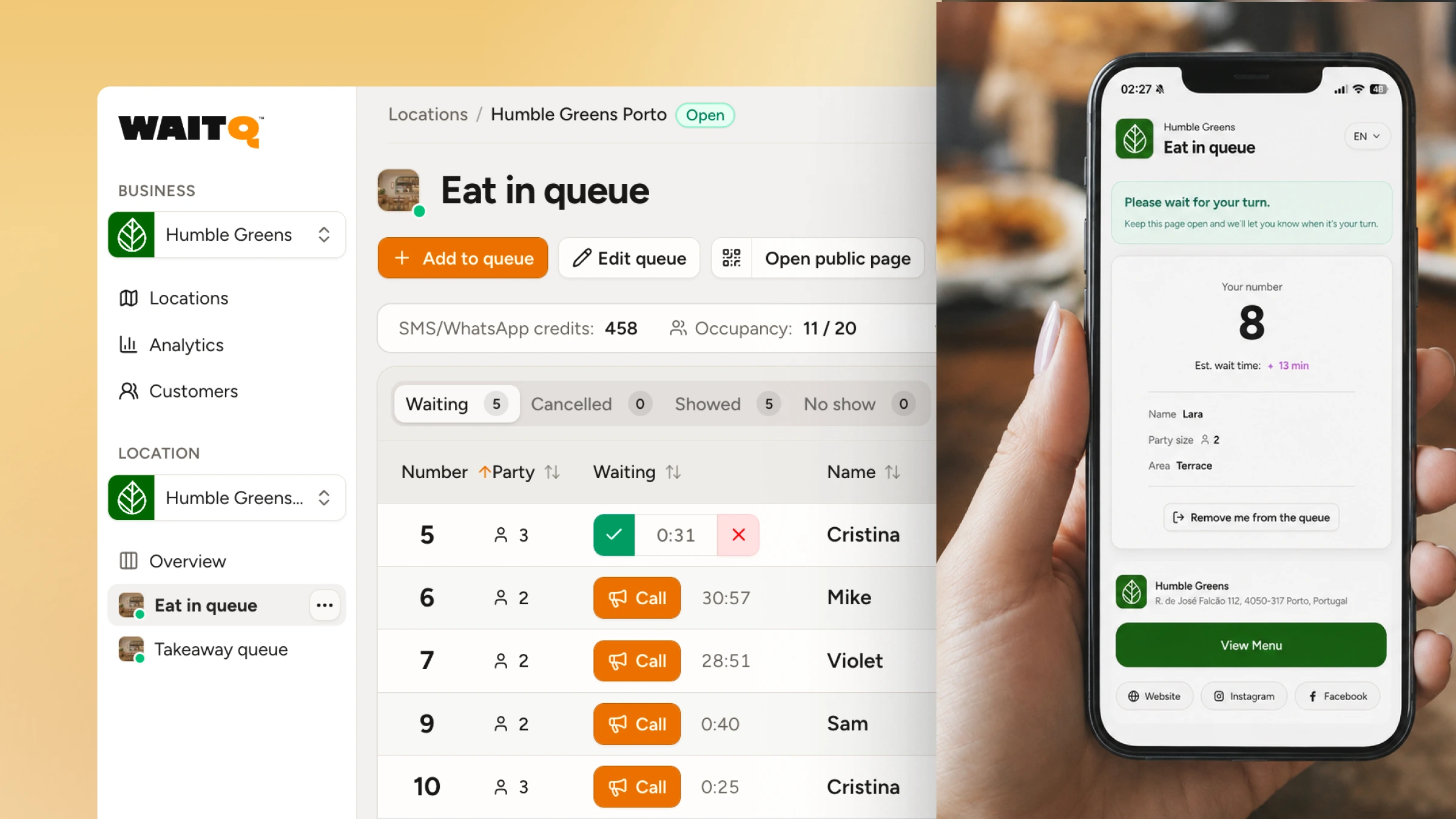
At a glance
- Starting price: $27/month (Starter). No free plan.
- Standout feature: No guest, queue or reservations caps on any plan; WhatsApp support.
Platform overview
WaitQ is a strong fit for a busy, walk-in-heavy restaurant. Guests check in through a QR code or the branded check-in page, no app download required, and staff trigger push notifications, text messages (SMS, WhatsApp) or email with a tap when a table opens up. A public virtual waiting room keeps the entrance calm during a rush.
WaitQ also supports online reservations and running separate waitlists for takeaways. This means you can have walk-in queues, a to-go line, and a reservation calendar in a single platform, instead of toggling between three separate tools to manage the same front door. Higher plans support table management and live visual floorplans, allowing to assign walk-ins to a table automatically and estimate wait time more accurately.
Pros
- Unlimited waitlists, reservations, guest entries at every price tier
- WhatsApp support
- Walk-ins, pickup, and reservations run from one dashboard instead of three separate tools
- Browser-based staff view works on a phone, tablet, or existing computer; no dedicated hardware to buy
- Floorplans and table management (Grow and Business plans)
Cons
- Third-party POS integrations available on Business plan only
- Launched in 2026, newer to the market
Pricing
Starts at $27/month, with unlimited guest entries on every plan. Grow and Business add more text notifications and come with 2 and 5 locations included as well as table management. Pricing scales with locations and staff, not with how many guests walk through the door.
WaitQ is best for busy restaurants that want flexibility to run walk-in queues, to-go lists, and reservations in a single system, if you're comfortable with a newer platform launched in 2026.
OpenTable
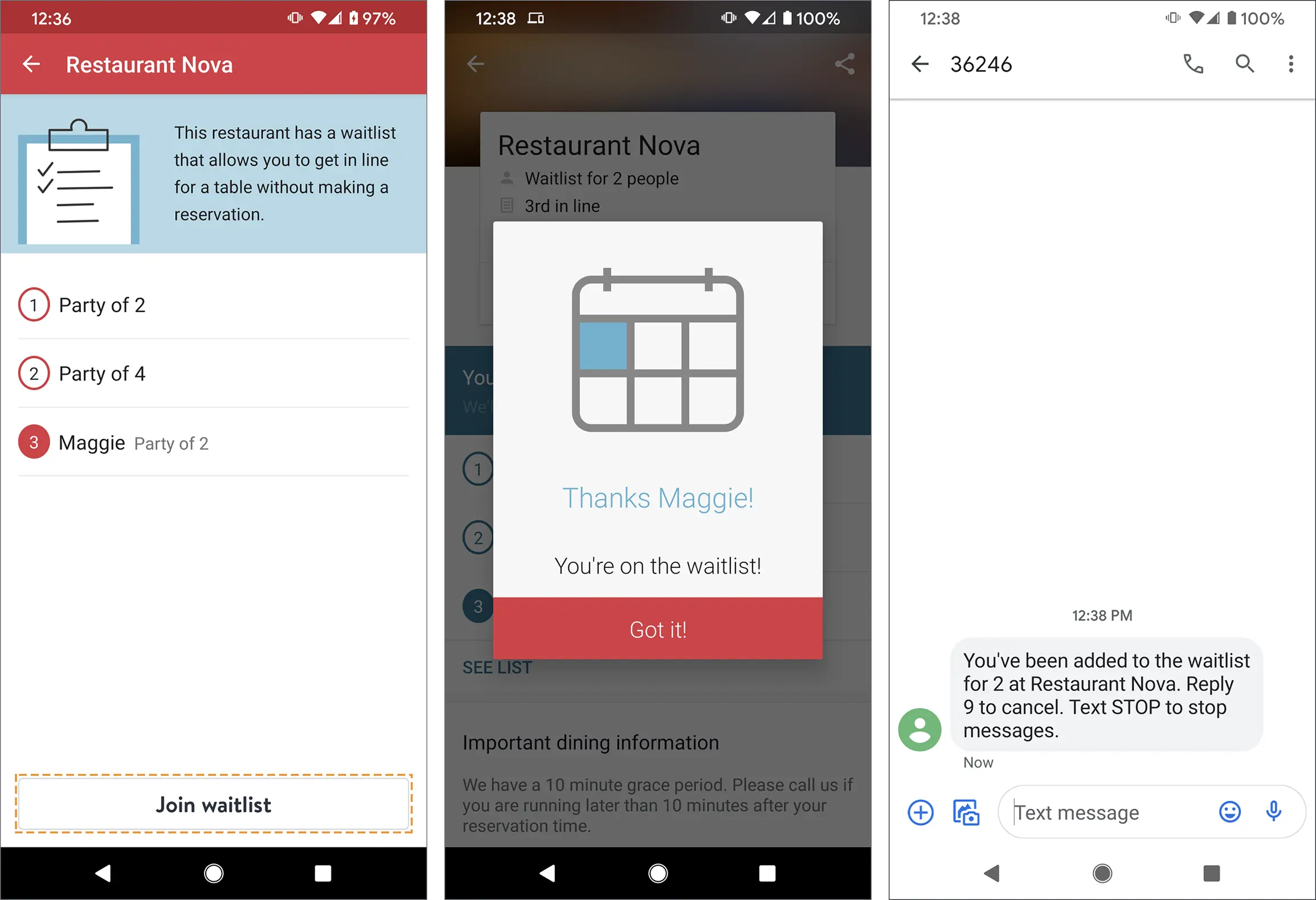 Source: OpenTable
At a glance
- Starting price: $149/month (Basic). No free plan.
- Standout feature: A diner-discovery marketplace that brings in new guests actively searching for a table
Platform overview
OpenTable is a reservations marketplace and diner-acquisition platform built for full-service restaurants, with a waitlist feature as one part of a much larger product. It bundles floor plan and table management, POS integration, and the diner marketplace that brings in new guests actively searching for a table.
The waitlist itself is built around that same real-time view of the dining room: guests can join remotely and get in line before they've even left home, OpenTable quotes a wait time based on which tables are actually free rather than a flat estimate, and the party gets an SMS when it's ready. Self check-in requires an iPad, and notifications run over SMS or push, with no WhatsApp channel.
Pros
- Diner marketplace brings in new guests actively searching for a table
- Floor plan and table management from the Core plan up
- Reservations and waitlist managed in one view
Cons
- A per-cover fee applies on top of the monthly plan for every guest seated through
- No WhatsApp channel
- Built around a reservation marketplace, not a walk-in queue; a walk-in-focused restaurant pays for a lot of product it won't use
Pricing
Basic starts at $149/month, billed month-to-month with a 30-day free trial and no floor plan. Core runs $299/month and adds floor plan/table management and POS integration. Pro runs $499/month and adds Premium SMS. A per-cover fee applies on top of every plan for guests seated through OpenTable's network, so the bill grows with how busy the restaurant gets.
OpenTable is best for full-service, reservation-heavy dining rooms that want a diner marketplace and CRM alongside the waitlist, and don't mind a per-cover fee.
Waitly
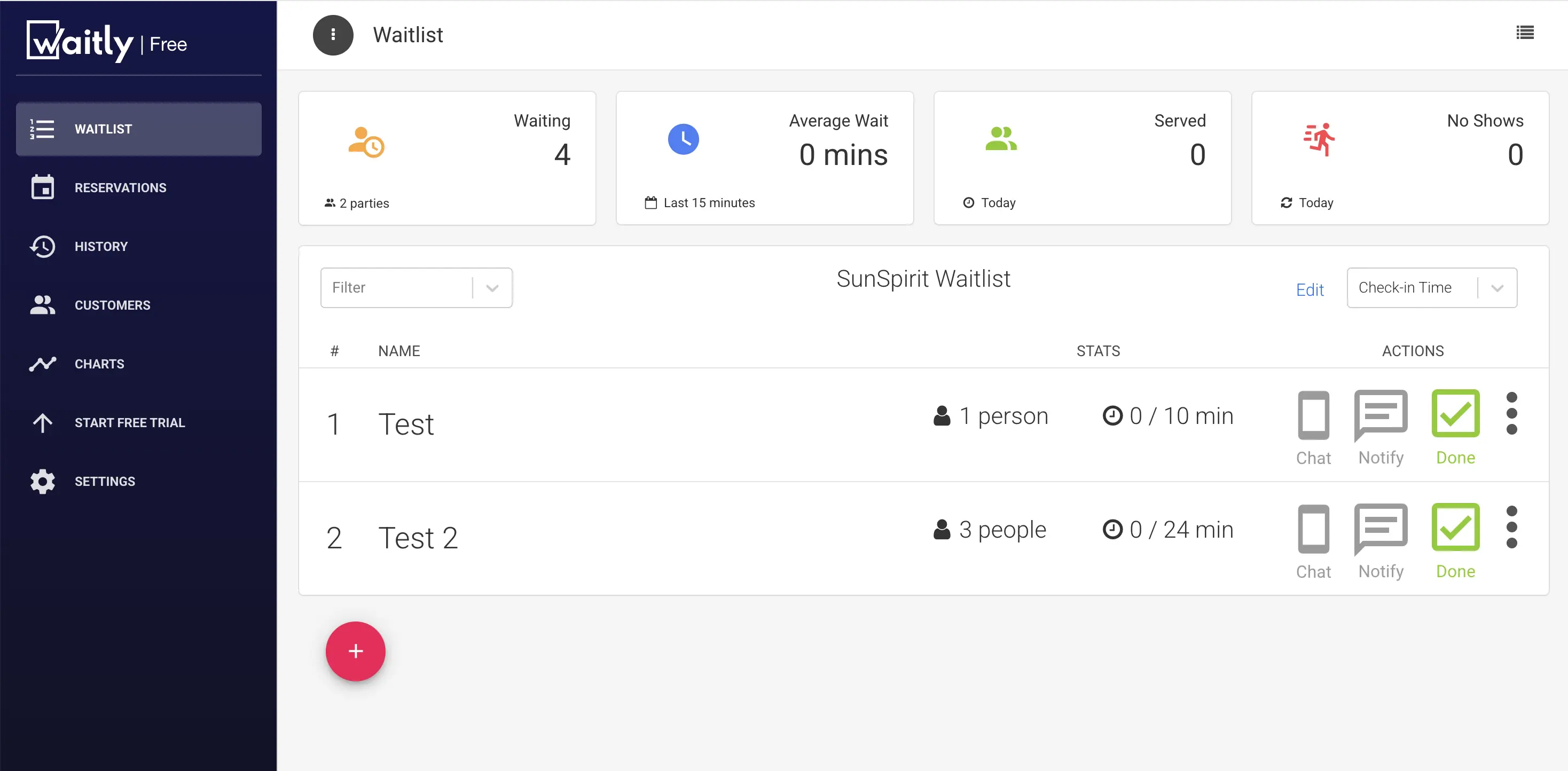
At a glance
- Starting price: $49/month (Premium). No free plan.
- Standout feature: Reserve with Google integration
Platform overview
Waitly is built specifically for restaurants that want reservations and a walk-in queue in one system, with no separate tool for either. Reserve with Google integration is a genuine differentiator for restaurants that get discovery traffic through Google Search and Maps.
The staff-facing app is iOS only, which limits which devices a host stand can run on, worth checking against whatever hardware your team already uses.
SMS notifications stop once a plan's monthly cap is hit, and the staff-facing app is iOS only, which limits which devices a host stand can run on.
Pros
- Reserve with Google integration, a real advantage for restaurants with Google-driven discovery traffic
- Combines reservations and a walk-in queue in one system
- Two-way texting lets guests reply directly
Cons
- Guest party caps on all plans (but Enterprise)
- SMS notifications pause once a plan's monthly party cap is hit
- Staff app is iOS only, ruling out Android-based host stands
- No WhatsApp or voice-call channel
Pricing
Plans start at $49/month for Premium, $99/month for Pro. The Premium plan caps at 1,000 guest parties a month, and the Pro plan raises that to 3,000.
Waitly is best for a restaurant that wants reservations and a queue bundled together on an iPhone-only host stand and doesn't mind the visit caps across plans.
Yelp Guest Manager
At a glance
- Starting price: $129/month. No free plan.
- Standout feature: Direct tie into Yelp's own search, discovery, and review ecosystem
Platform overview
Yelp Guest Manager (formerly Yelp Waitlist) is Yelp's combined reservation-and-waitlist platform, run from a complimentary iPad host stand where staff seat guests and send two-way text alerts as tables open. Beyond the basic waitlist, it includes custom floor maps, seating-policy controls, credit-card holds on reservations, and POS integration with systems like Toast, closer to a full front-of-house platform than a simple check-in list.
Where it stands apart is distribution: a restaurant's tables get listed across Yelp, Reserve with Google, Apple Maps, and a growing set of platforms. That reach comes at a real cost though. Plans run $129 to $349 a month depending on tier, the widest and among the highest price range of any tool in this comparison, though Yelp doesn't charge a per-cover or per-reservation fee on top of it the way like OpenTable does.
Pros
- Direct integration with Yelp's own discovery and review ecosystem
- Familiar to guests who already use Yelp to find a restaurant
- Complimentary iPad host stand included
- POS integration (including Toast) and custom floor maps built in
Cons
- Hefty price of $129/month, that can run as high as $349/month on the top tier
- More than a restaurant needs if the goal is just a queue
- SMS only, no WhatsApp or voice-call option
- Built around the iPad hardware Yelp provides; not a bring-your-own-device setup
Pricing
Plans run $129 to $349 a month depending on tier. Yelp is currently offering a bonus in Yelp Ads credit for new sign-ups, worth confirming still applies before committing to a tier.
Yelp Guest Manager is best for restaurants that want their reservations and waitlist listed across Yelp, Google, and other discovery platforms in one system, if you're comfortable with one very high monthly prices.
Hostme
At a glance
- Starting price: $109/month. No free plan.
- Standout feature: AI-assisted table assignment and no-show prediction
Platform overview
Hostme suits a restaurant that wants AI-assisted table assignment bundled with reservations and queue management, not a standalone queue tool. A guest CRM and no-show prediction sit on top of those core features.
On the queue side, guests join the waitlist online and Hostme quotes a wait time from seating-duration and historical dining-pattern data rather than a flat estimate, sending an SMS alert when the table's ready. Guests can check their live position and message the host from their phone while they wait, and the same waitlist logic feeds the AI-assisted table assignment.
Pros
- AI-assisted table assignment and no-show prediction beyond basic queueing
- Guest CRM built in
- Unlimited parties and covers on every plan
Cons
- Hefty monthly cost
- No WhatsApp channel
- More than a restaurant needs if the goal is just a queue
Pricing
Starts at $109/month for Mezzo, and $169/month Grande. Both self-serve plans include unlimited parties and covers, so the price difference between them comes down to depth of feature set rather than volume. It's a meaningfully higher price point than the other tools on this list.
Hostme is best for restaurants that want AI table optimization and a guest CRM bundled with queue management, if that added cost and complexity is worth it over a simpler tool.
TablesReady
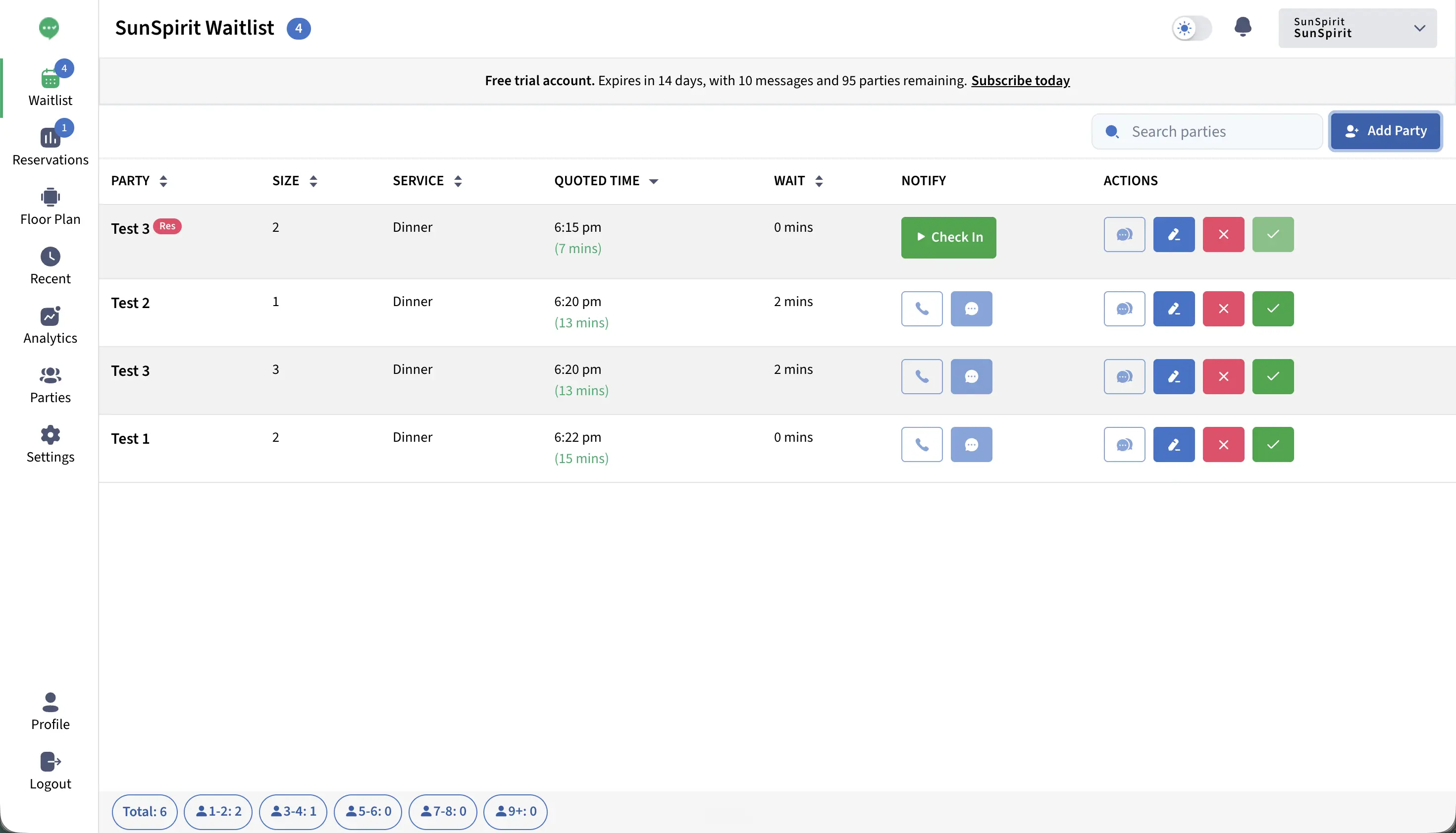
At a glance
- Starting price: $39/month (Starter). Free plan capped at 150 texts/month
- Standout feature: Two-way SMS and a floor plan view
Platform overview
While covering more than 60 industry types, TablesReady has a restaurant-specific mechanics that run deeper. Guests can join a waitlist from the host stand, a QR code, an embedded website widget, a text message, or Reserve with Google, no app required. A public view lets them see their place in line as it updates. Wait quotes update automatically as the list moves rather than staying fixed once set, and two-way texting means a guest can confirm, cancel, or ask a question by replying directly instead of only receiving a one-way ping.
Reservations and walk-ins show up on the same screen rather than in separate calendars, and a floor-plan view sits next to that combined list so a host can see who's next as tables clear and proactively text a guest before a table is even fully cleared.
Pros
- Genuinely usable free tier, not a time-limited trial
- Two-way texting lets guests reply directly
Cons
- Pricing tied to message volume adds a variable to track alongside guest count
- Online reservations and table management only available in Business
Pricing
TablesReady's pricing runs on message volume rather than visits. A free plan includes 150 texts a month, useful for testing before committing. Starter is priced at $39/month and Business at $79/month, both billed annually.
TablesReady is best for those wanting a low-risk way to try queueing on a real free tier, as long as billing by message volume rather than guest count works for how you'd expect to grow.
Carbonara
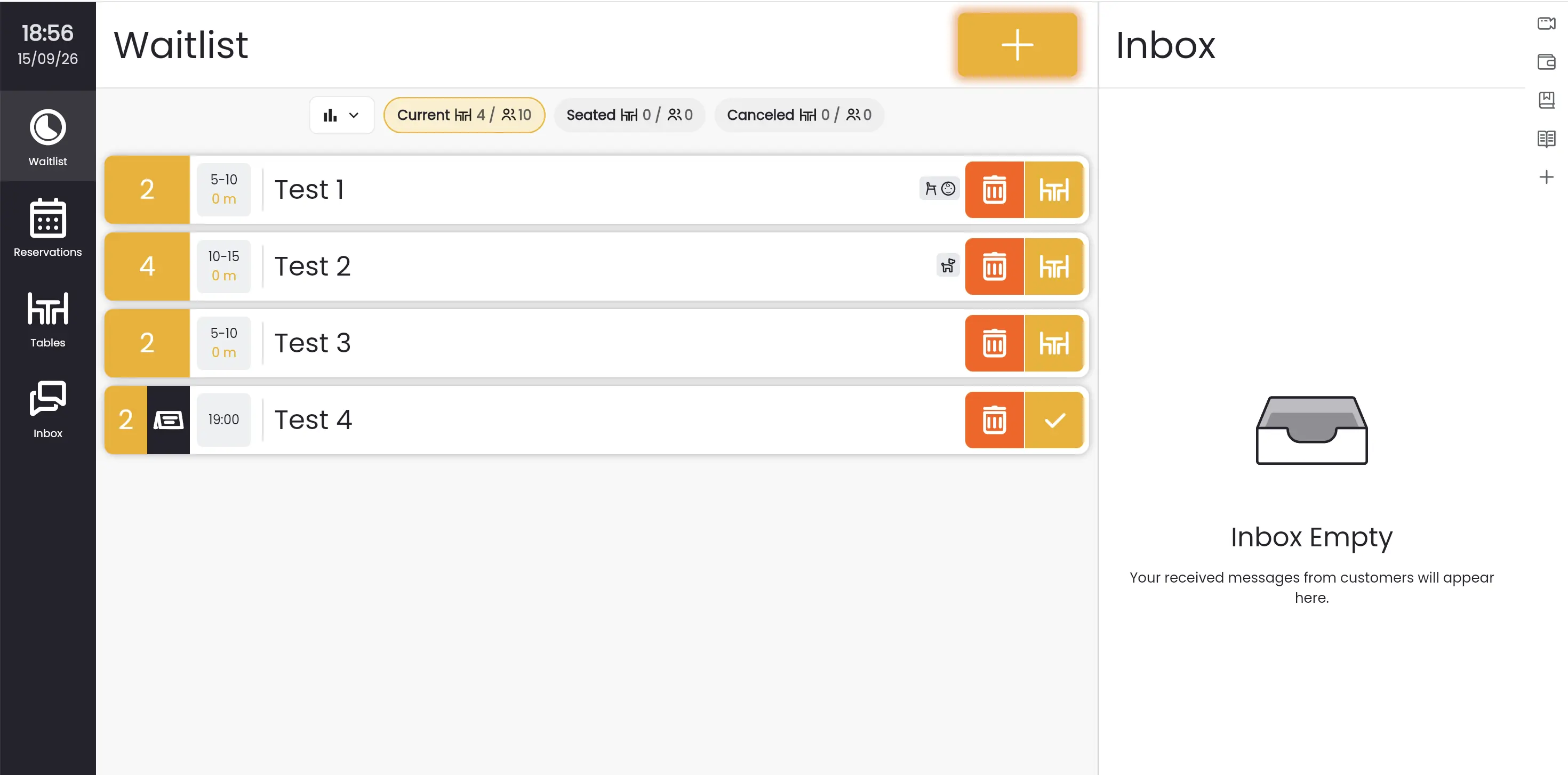
At a glance
- Starting price: ~$9/mo (Starter plan). There's also a Free plan limited at 50 bookings/month.
- Standout feature: Free tier that still includes SMS and basic analytics
Platform overview
Carbonara is a good starting point for a restaurant moving off paper immediately with no budget to spend. The core feature set covers a digital queue, bookings, SMS notifications, party management, and basic analytics.
Table management sits behind the paid tiers rather than the free one, so a restaurant that outgrows the free plan gets that feature as part of the upgrade rather than from day one.
Pros
- Genuinely free to start, not a time-limited trial
- Covers the core queue and booking basics without extra software
- Table management available once on a paid tier
Cons
- Tight guest caps on all plans (but PX)
- SMS only, no WhatsApp or voice-call option
Pricing
The entry plan is Free but is capped at 50 bookings/month. Complexity grows as you move to paid tiers. The only truly unlimited plan is PX, that is priced at ~$51/month.
Carbonara is best for very low-volume or zero-budget restaurants before committing to a paid tool, as long as 50 bookings a month covers you until you're ready to upgrade.
Which queue system scores highest on what actually matters?
Each criterion below earns a tool one point, based only on facts already confirmed elsewhere in this comparison; an unconfirmed or capped claim doesn't get the benefit of the doubt.
WaitQ scores 7 out of 8 on the criteria below, the highest of the seven tools compared.
| Criterion | WaitQ | OpenTable | Waitly | Yelp Guest | Hostme | TablesReady | Carbonara |
| Unlimited guest entries | ✅ | ⚠️ No cap, per-cover fee | ❌ | ⚠️ Higher tier only | ✅ | ❌ | ❌ |
| SMS & WhatsApp support | ✅ | ❌ | ❌ | ❌ | ❌ | ✅ | ❌ |
| Walk-ins and reservations in one system | ✅ | ✅ | ✅ | ✅ | ✅ | ✅ | ✅ |
| Table management | ✅ | ✅ From Core up | ❌ | ✅ | ✅ | ✅ | ✅ |
| Entry price under $50/mo | ✅ | ❌ | ✅ | ❌ | ❌ | ✅ | ✅ |
| Self check-in | ✅ | ✅ | ✅ | ✅ | ✅ | ✅ | ✅ |
| No proprietary hardware required | ✅ | ❌ iPad required | ❌ | ❌ iPad required | ✅ | ✅ | ✅ |
| Native POS integrations | ❌ | ✅ Core and Pro | ❌ | ✅ | ❌ | ❌ | ❌ |
| Final score | 7/8 | 4/8 | 3/8 | 4/8 | 6/8 | 6/8 | 5/8 |
Which restaurant queue software fits my operation?
The right tool depends on how covers actually arrive at the door and what functionalities do you find more valuable.
| Your operation | Best fit |
| Walk-ins blended with takeaway orders | WaitQ |
| Food halls or multi-location restaurant groups | WaitQ |
| High-volume walk-in services | WaitQ |
| Reservation-heavy with a diner marketplace | OpenTable |
| Moving off paper with a tight budget | Carbonara |
| Need AI assistant alongside the queue | Hostme or TablesReady |
| A meaningful share of your walk-ins come from Yelp | Yelp Guest Manager |
| Reserve with Google matters more than anything else | Waitly |
Small, growing restaurants
For a busy single-location restaurant, the best waitlist software is one that charges a flat rate regardless of how chaotic a Friday gets. WaitQ fits that brief at $27/month with unlimited guest entries and no visit caps. Carbonara is also worth a look if you don't mind the guest cap.
A meaningful share of your walk-ins come from Yelp
Yelp Guest Manager keeps the queue inside the same ecosystem guests already used to find you, which is a real advantage if that discovery channel matters to your traffic.
Mix of walk-ins and reservations
WaitQ runs the walk-in queue and reservations from a single dashboard, so a host isn't checking two tools to know what's happening at the entrance.
You want AI-assisted table assignment alongside the queue
Hostme's table-assignment and no-show prediction go beyond what a queue tool alone offers, running reservations, the queue, and seating decisions through one host-stand view.
Walk-ins blended with pickup orders
A restaurant running a dine-in queue alongside a to-go or pickup line needs both tracked without merging into one confused list. WaitQ handles this directly, with separate queues for walk-ins and pickup orders inside the same dashboard, so a host can see both without toggling apps.
Food halls and multi-vendor spaces
A shared dining hall with multiple stalls or a rotating vendor lineup needs a queue system flexible enough to run several independent lists from one location. Browser-based check-in without dedicated hardware per stall keeps setup simple when the vendor mix changes.
High-volume weekend-only walk-in service
A brunch-only or weekend-heavy restaurant can process more guests in two days than a visit-capped tool budgets for an entire month. Unlimited guest entries, like WaitQ has, matter most here.
You have no budget set aside yet but want to test the idea
Carbonara's free plan covers the basics of a digital queue and up to 50 bookings at no cost, a reasonable place to start before committing to anything paid.
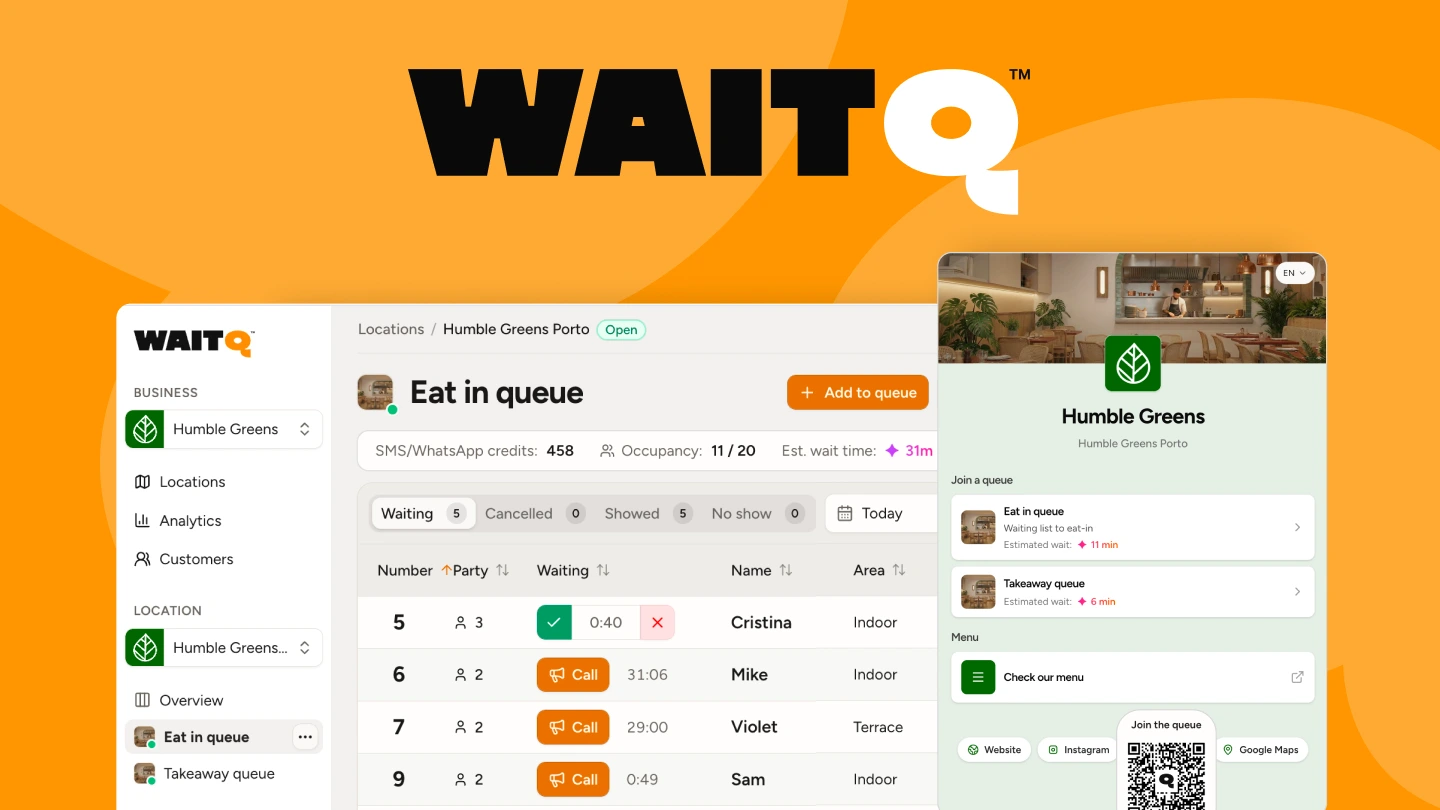
How WaitQ manages walk-ins at a restaurant
WaitQ is designed around making your front door run smoothly. That means self QR check-in with no app download for guests, push notifications, SMS, WhatsApp and email your staff trigger with a tap when a table is ready, a public TV display the waiting area can track in real time, and an analytics dashboard that shows wait time patterns over time.
There's no per-guest fees, no mandatory hardware purchase, and no enterprise sales process to get started. Plans include unlimited waitlists, reservations and guest entries.
Start a 7-day trial, run it through one or two busy services and see the difference it makes.
Takeaway
After testing all these options, the choice comes down to what you're willing to trade off. Most alternatives either limit the number of guests you can welcome or lock essential features behind paywalls.
WaitQ breaks this pattern by offering unlimited usage, guests, waitlists and reservations, in a single system, making it the standout choice for restaurants looking for the best return on their software investment. Carbonara works if you have a very tight budget, and OpenTable and Yelp Guest Manager fit a restaurant that wants a reservation or discovery marketplace and can absorb the higher price.
