

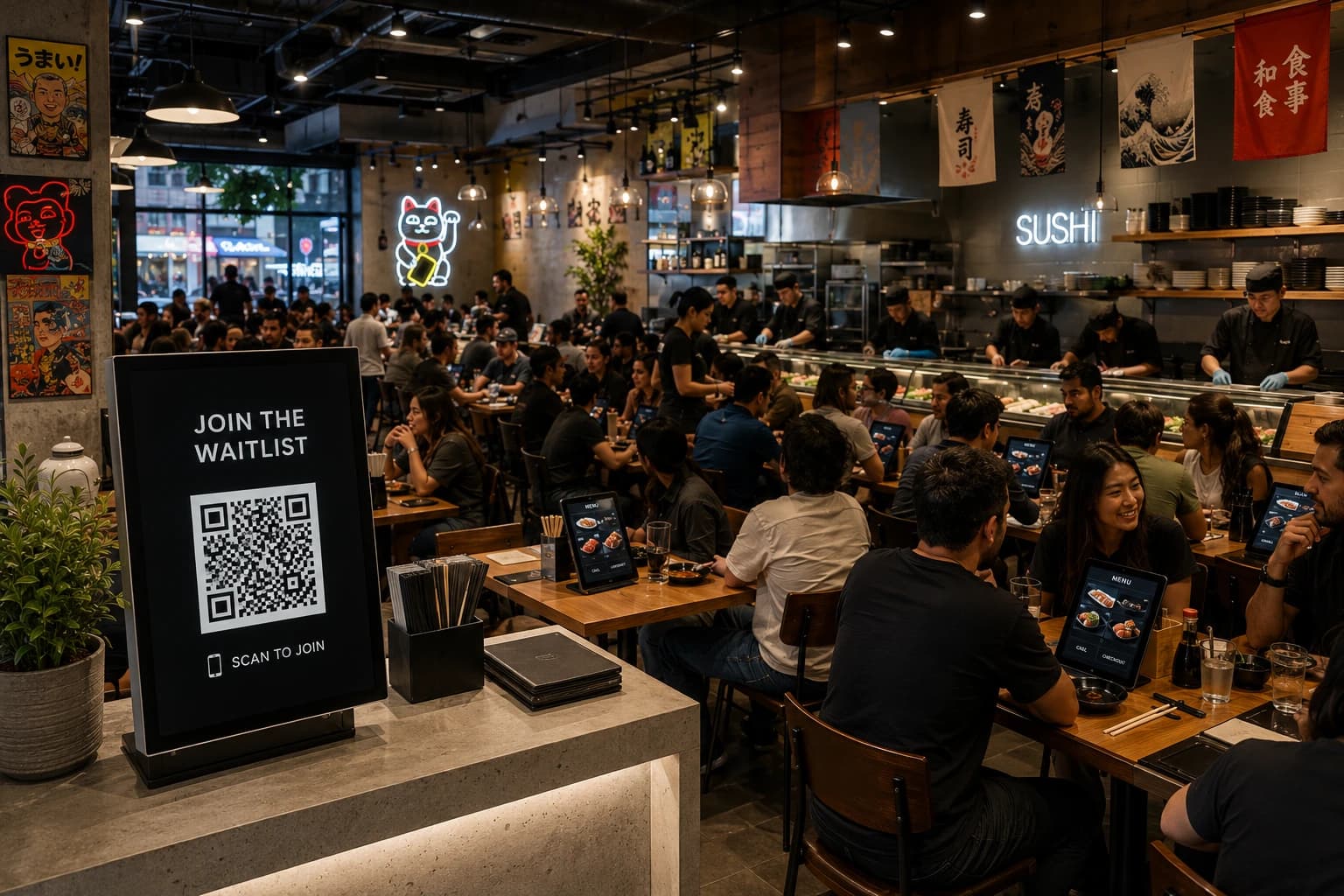
A restaurant's technology stack rarely gets built on purpose. Most operators add one tool to solve one problem, a POS to replace a cash drawer, an online ordering page because customers asked for one, and the stack grows by accumulation rather than design. That works fine at a small scale and starts causing real friction once a restaurant adds locations, staff, or order volume.
What is a restaurant tech stack?
A restaurant tech stack is the combination of software a restaurant uses to run daily operations, covering everything from taking orders and payments to managing staff schedules, tracking inventory, and keeping customers informed about reservations or wait times.
What software makes up a typical restaurant tech stack?
These are the categories that show up in nearly every restaurant's stack, regardless of size. How many tools live in each category, and how much they cost, depends more on size and service style than any fixed rule.
| Category | What it covers | Examples |
| Point of sale (POS) | Orders and payments at the counter or table | Toast, Square, Clover |
| Reservations, waitlist, and queue management | Booked tables and walk-in lines | WaitQ, Waitly |
| Online ordering and delivery | Branded ordering pages and third-party delivery marketplaces | Uber Eats, DoorDash |
| Scheduling and payroll | Shift planning, time tracking, and wage payment | 7shifts, Homebase, Gusto |
| Inventory and back-of-house | Stock counts, supplier ordering, and food cost tracking | MarginEdge, Craftable, Restaurant365 |
| Marketing and loyalty | Campaigns, rewards programs, and review management | Klaviyo, Fivestars, Ovation |
| Analytics and reporting | Sales, labor, and customer data in one view | Avero |
Let's go into each one of these categories in more detail.
Point of sale (POS)
The POS processes orders and payments at the counter or table, and it's usually the anchor of the stack, since most other categories eventually need to read order and sales data from it.
Examples of POS software:
- Toast: best for full-service restaurants that want hardware and software bundled from one vendor.
- Square: best for single-location or counter-service restaurants that want a low-cost setup with minimal hardware.
- Clover: best for restaurants that also run retail-style sales alongside food service.
- WinRest: big in regions like Europe.
Reservations, waitlist, and queue management
This sort of tools handles how customers arrive and get seated so they can also be referred as customer arrival systems. Reservations handle the customers who plan ahead. A restaurant queue management system handles the customers who show up without one. Ideally, the two run side by side for a full control of the customer flow on the same dashboard, rather than as two separate systems a host has to check back and forth between.
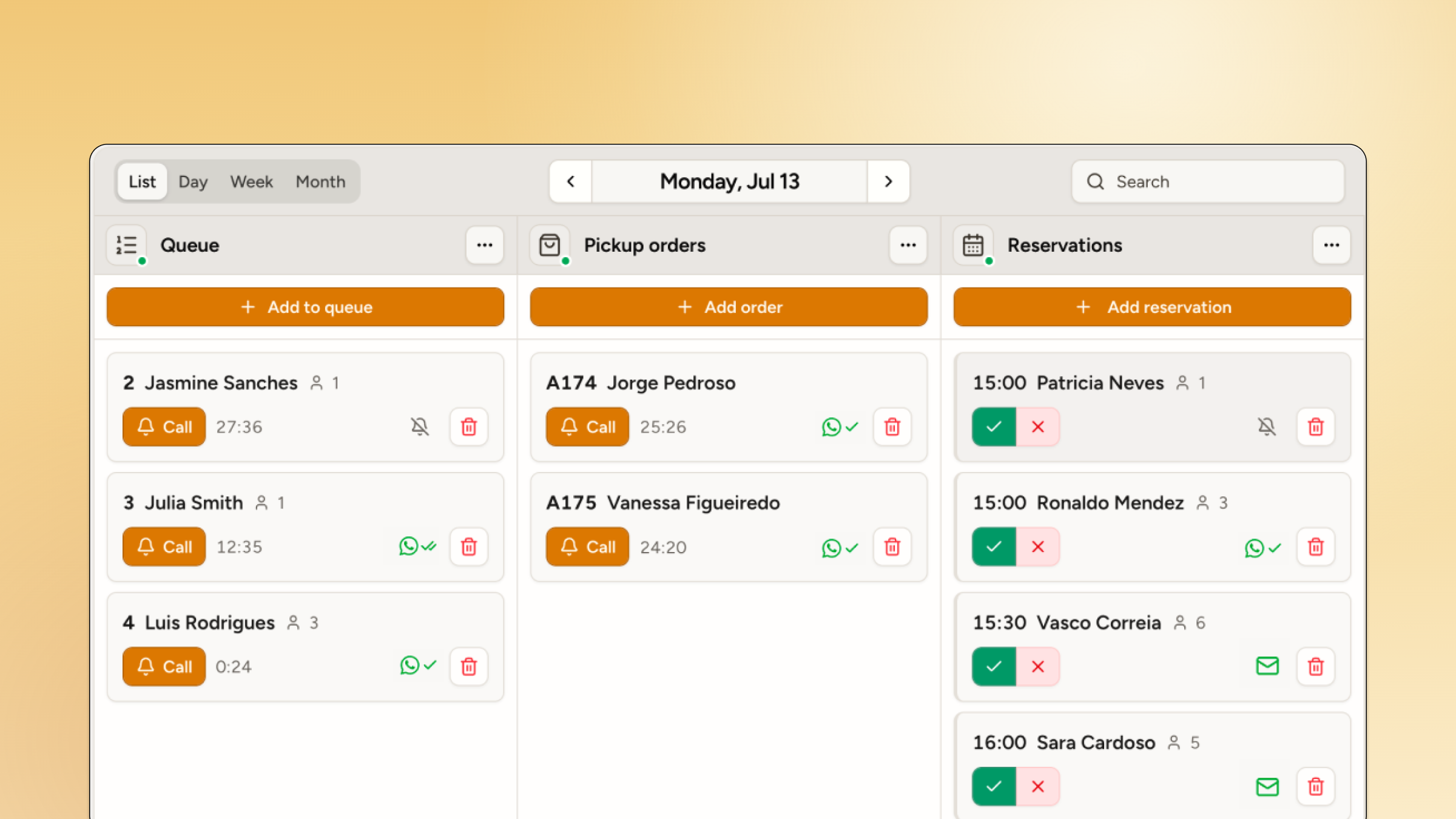
The queue at the front door is the first thing a customer experiences and the last thing they remember if it goes badly. Yet, somehow these tools are often treated as an afterthought when in reality, this is a crucial choice for restaurants. A solid software can help improve customer experience, reduce walk-aways and thus increase repeat visits and revenue.
Examples of reservations and queue management software for restaurants:
- WaitQ: best for restaurants that want reservations and walk-in queues running in one system with table management and unlimited customer visits on every plan.
- Waitly: for restaurants that are comfortable staying under 1,000 parties a month and manage the floor from an iPhone.
Serve up a great first impression, before the first course 🍽️
WaitQ runs both reservations and waiting lists from one dashboard, without any app downloads.
Online ordering and delivery
This category covers two different things restaurants often run at once: a branded ordering page that keeps more of the margin, and listings on third-party delivery marketplaces that bring in customers who wouldn't have found the restaurant otherwise. The tradeoff is control and margin on one side, reach on the other.
Examples of delivery software:
- Uber Eats: best for reaching delivery customers already browsing a marketplace app.
- DoorDash: best for extending delivery reach beyond a restaurant's immediate neighborhood.
Scheduling and payroll
Scheduling and payroll are often bundled together since labor is usually a restaurant's largest controllable cost. Scheduling tools handle shift planning and time tracking, while payroll handles wage payment, tax withholding, and compliance across whichever regions a restaurant operates in.
Examples of scheduling & payroll software for restaurants:
- 7shifts: best for restaurants that want scheduling built around POS labor data.
- Homebase: best for small teams that want scheduling and time tracking in one low-cost tool.
- Gusto: best for payroll and tax compliance across multiple geographies.
Inventory and back-of-house
This category covers stock counts, supplier ordering, and food cost tracking, the operational side of the business customers never see but that determines margin more than almost anything else in the stack.
Examples of inventory management software for restaurants:
- MarginEdge: best for kitchens that want invoices processed automatically from supplier deliveries.
- Craftable: best for multi-location operators standardizing recipe costing across sites.
- Restaurant365: best for operators who want inventory and accounting managed in one system.
Marketing and loyalty
This category covers everything aimed at getting customers to come back: email and SMS campaigns, loyalty and rewards programs, and tools that turn post-visit feedback into public reviews.
Examples of marketing & loyalty tools for restaurants:
- Klaviyo: best for email and SMS campaigns built around customer segments.
- Fivestars: best for building a structured repeat-visit loyalty program.
- Ovation: best for turning post-visit feedback into public reviews.
Analytics and reporting
Keep in mind analytics and reporting are out-of-the-box functionalities for software in other categories. POS or queue management software like WaitQ has its own embedded analytics, which is usually enough for small to medium restaurant operations.
However, multi-location operators tend to need something built to roll data up across sales, labor, and customer data from all the other tools into one view.
Examples of reporting software for restaurants:
- Avero: best for restaurant-specific sales, labor, and menu analytics without custom setup.
How does a tech stack change as a restaurant grows?
A single-location counter-service spot might run comfortably on three or four tools. Operators managing $5M or more across a handful of locations routinely rattle off eight to twelve: POS, payroll, scheduling, inventory, marketing, catering, reviews, sometimes more, once they actually sit down and count.
The categories barely change from one stage to the next; what does change is how many tools sit inside each one, and how much manual work it takes to keep them consistent across locations.
| Stage | Recommended stack | What changes |
| Single location, counter or quick service | POS, customer queue and reservation system, simple scheduling | Tools are chosen for ease of setup over depth of features. Owners often manage the stack themselves. |
| Single location, full service | POS, reservations and/or waitlist management, basic online ordering, basic marketing | Reservations and wait management become a real category rather than a paper list, since seating flow directly affects revenue. |
| Small multi-location group | POS, online ordering, waitlist or reservations, scheduling and payroll, basic analytics | Consistency across locations becomes the priority. Owners start choosing tools partly based on whether they support multiple sites from one account. |
| Larger multi-unit operator | Full stack across all seven categories, often with a dedicated operations or IT role | Integration between tools becomes as important as the tools themselves. Reporting needs to roll up across locations, not just per site. |
The jump that trips up the most operators is between the second and third stage, moving from tools chosen for one location to tools that need to behave consistently across several. A reservation or waitlist tool that's fine for a single dining room can fall apart at multi-location scale if it charges per site or caps the number of customers it can handle each month.
The biggest risks when building a tech stack
More than picking the wrong tool, choosing redundant tools cause more damage.
An example. Two systems covering the same job, one location running a different scheduling app than the rest, a waitlist kept separate from the reservation book, force staff into manual double entry and leave reporting full of gaps. This shows up clearly in how operators experience their own systems: in one recent industry benchmark survey, over half of executives reported no major system instability, while only 17% of the operational leaders running the day-to-day actually agreed. This means the people closest to the front line feel the friction between tools well before it shows up in a wider business report.
A few practical guardrails help avoid this:
- Cover each category once. Running two scheduling apps or two ordering platforms because different locations picked different tools creates reporting gaps that compound over time.
- Favor tools that combine adjacent jobs. A reservation book and a walk-in waitlist living in one system beat two point tools staff have to check separately.
- Choose flat, predictable pricing where possible. Per-visit or per-order fees are easy to underestimate at the sales stage and expensive to discover later, especially across multiple locations.
- Test with real front-of-house staff before rolling out. A tool that looks efficient in a demo can slow down a busy shift if it adds steps to how staff actually work.
How WaitQ fits into a restaurant's tech stack
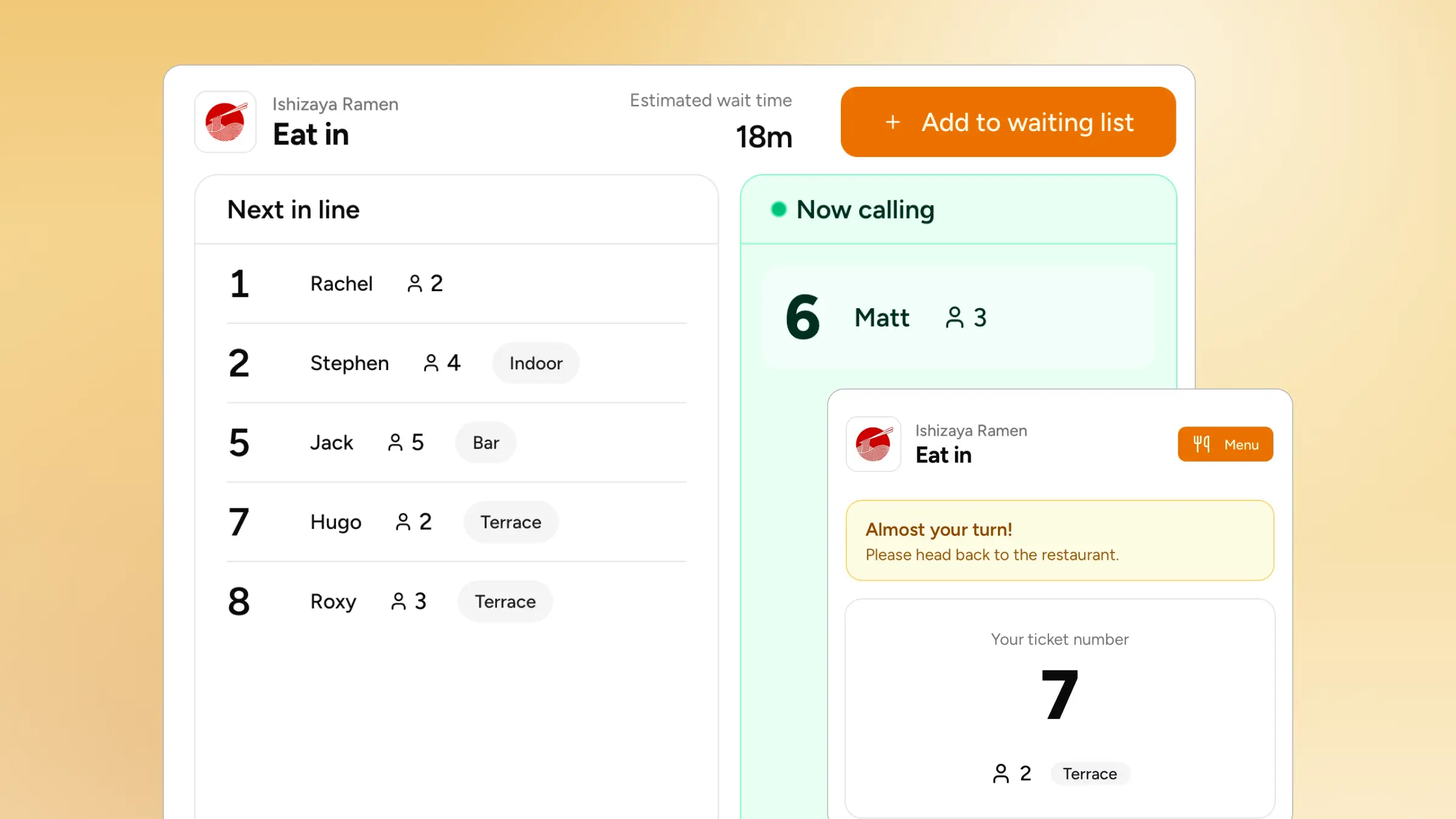
A dedicated queue and appointment management system like WaitQ holds both booked reservations and walk-in queues side by side, so a host isn't switching between two tools to manage one dining room. This means letting customers get seated at your restaurant in potentially two different ways:
- By joining a live line. They scan a QR code at the door or visit a check-in page, see their position from their own phone, and get notified when their table is ready, without a host managing a paper list or shouting names across a crowded entrance.
- By making a reservation. The same platform can manage scheduled reservations according to your restaurant capacity.
This is also where the flat-versus-per-visit pricing question matters most. A single busy Friday night can put 50+ parties through a waitlist tool, and a system priced per visit can turn a good night into an expensive one by the end of the month. WaitQ's plans include unlimited customer visits rather than charging per party, which keeps costs predictable.
How much should a restaurant budget for its tech stack?
Technology spending is trending up across the industry rather than down. Six in ten restaurant operators plan to increase technology spending to improve the customer experience, and a separate industry benchmark study found that roughly half of restaurant brands plan to increase technology investment this year, with quick-service brands moving fastest.
There's no single "correct" percentage of revenue to spend on software, since a POS-heavy quick-service concept and a reservation-driven full-service restaurant have very different needs.
A more useful way to budget is per category rather than as one lump figure: price out POS and payment processing first, since it's usually the largest recurring line item, then reservations or waitlist, online ordering, scheduling, and marketing as smaller, more flexible costs layered on top.
