

Virtual queue software that lets customers wait anywhere
Your customers join your line with a QR code, link or kiosk, follow their place live on their phone and come back when you call them. No app to download, no hardware to buy and no cap on how many people join.
No app downloads • Unlimited customers • Live in minutes







What is virtual queue software?
Virtual queue software is a system that replaces a physical line with a digital one. Customers scan a QR code from their phone, opening a link or tapping in at a kiosk, then wait wherever they like while tracking their wait. When it's their turn, staff call them back with a notification. Every visit is logged, so you can see wait times, walk-aways and busy hours instead of guessing.
How does virtual queue software work?
With WaitQ, you set up your queue once. After that, every customer follows the same four steps.
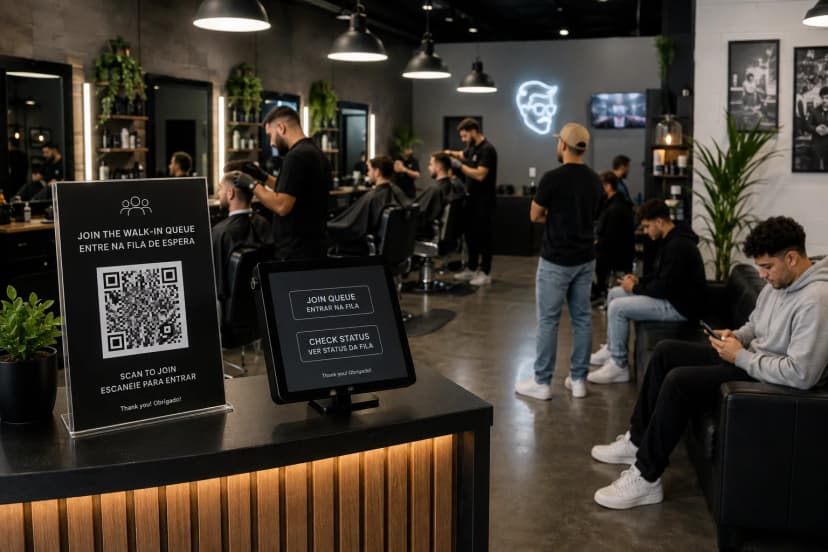
Customers join from their phone
They scan the QR code at your door, open your check-in link from Google or Instagram, or tap in on a kiosk. Staff can add anyone who walks up to the desk.
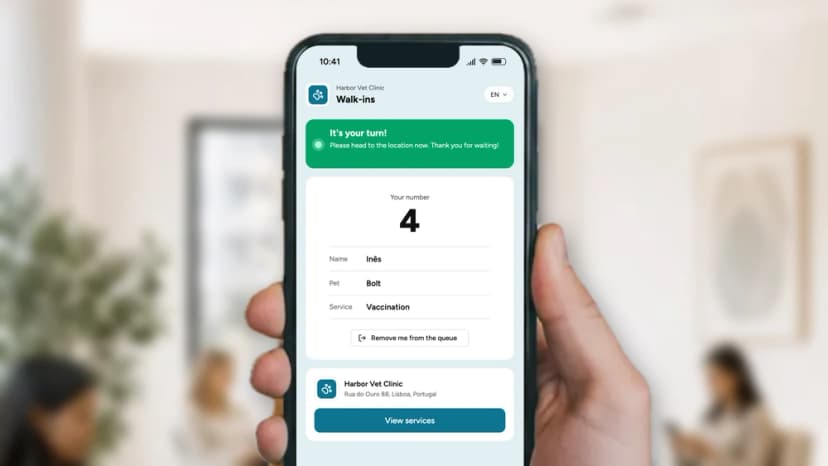
They wait wherever they like
Their ticket shows their number, place in line and estimated wait, and it updates on its own as the queue moves. Your entrance stays clear and nobody has to ask how much longer.
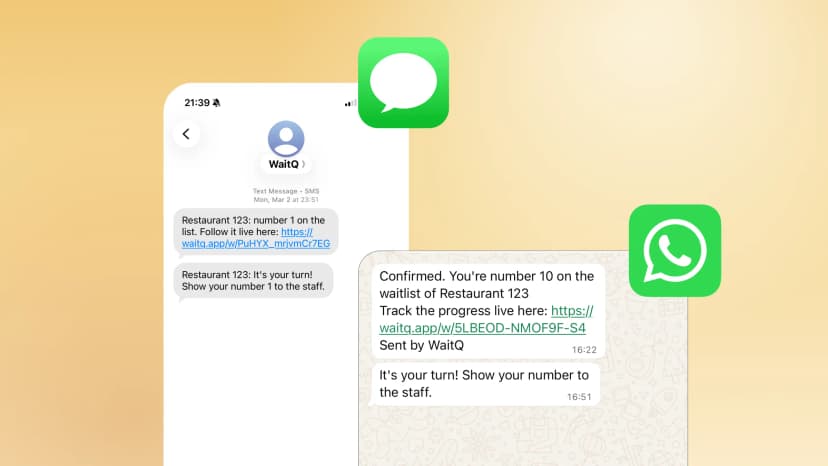
Your team calls them back
One tap sends the alert by push notification, text message, or email. A TV display can show who's being called too.
Virtual queue software vs a physical line
What changes for your customers and your team when the line moves to their phones.
What to look for in virtual queue software
Unlimited customers on every plan
No caps on monthly joins and no per-customer fees. A quiet Tuesday and a sold-out launch cost you the same.
Nothing for customers to install
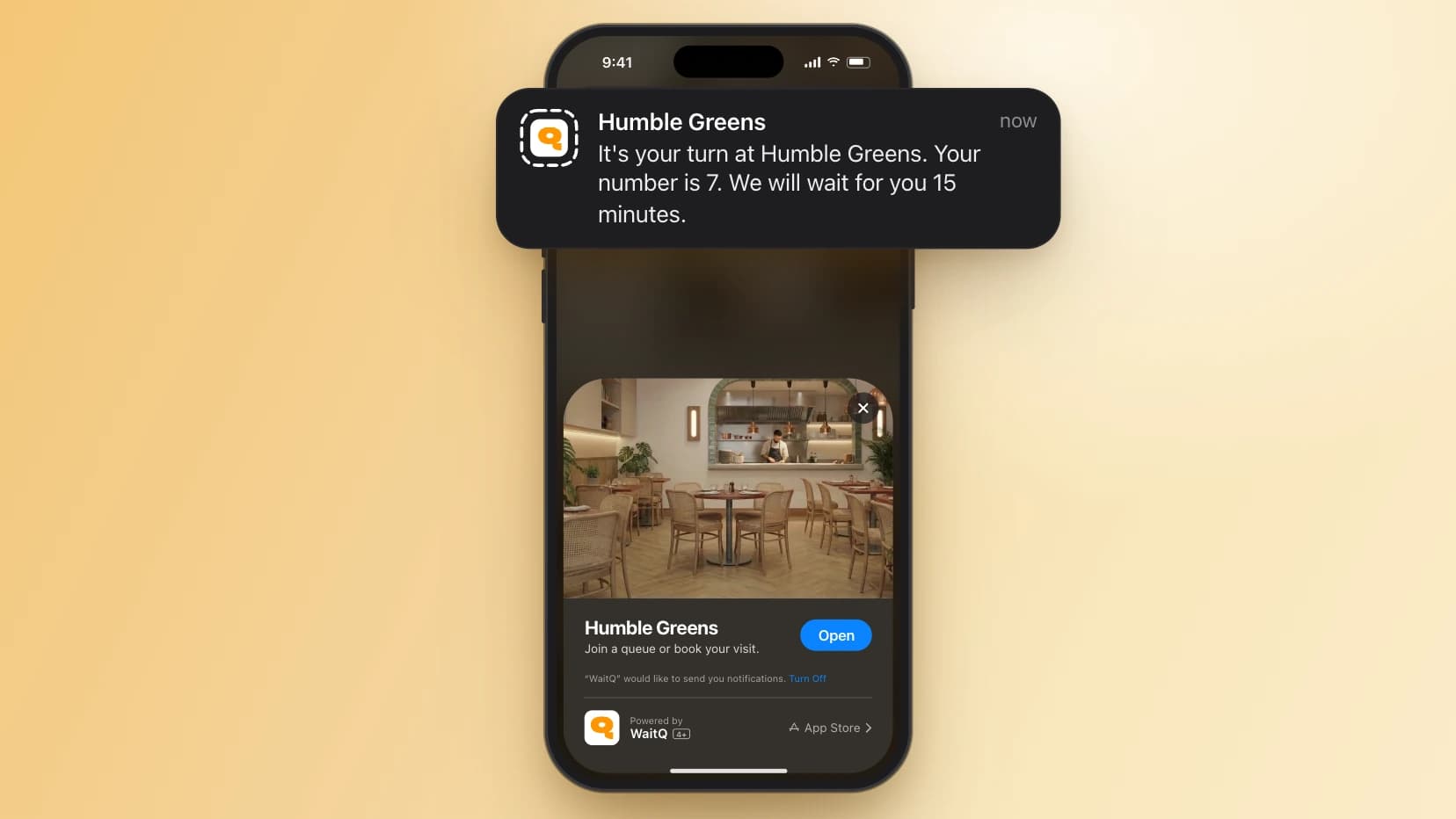
Everything runs in the phone's browser. iPhone users can also follow their place from the lock screen with a Live Activity.
Alerts that reach people
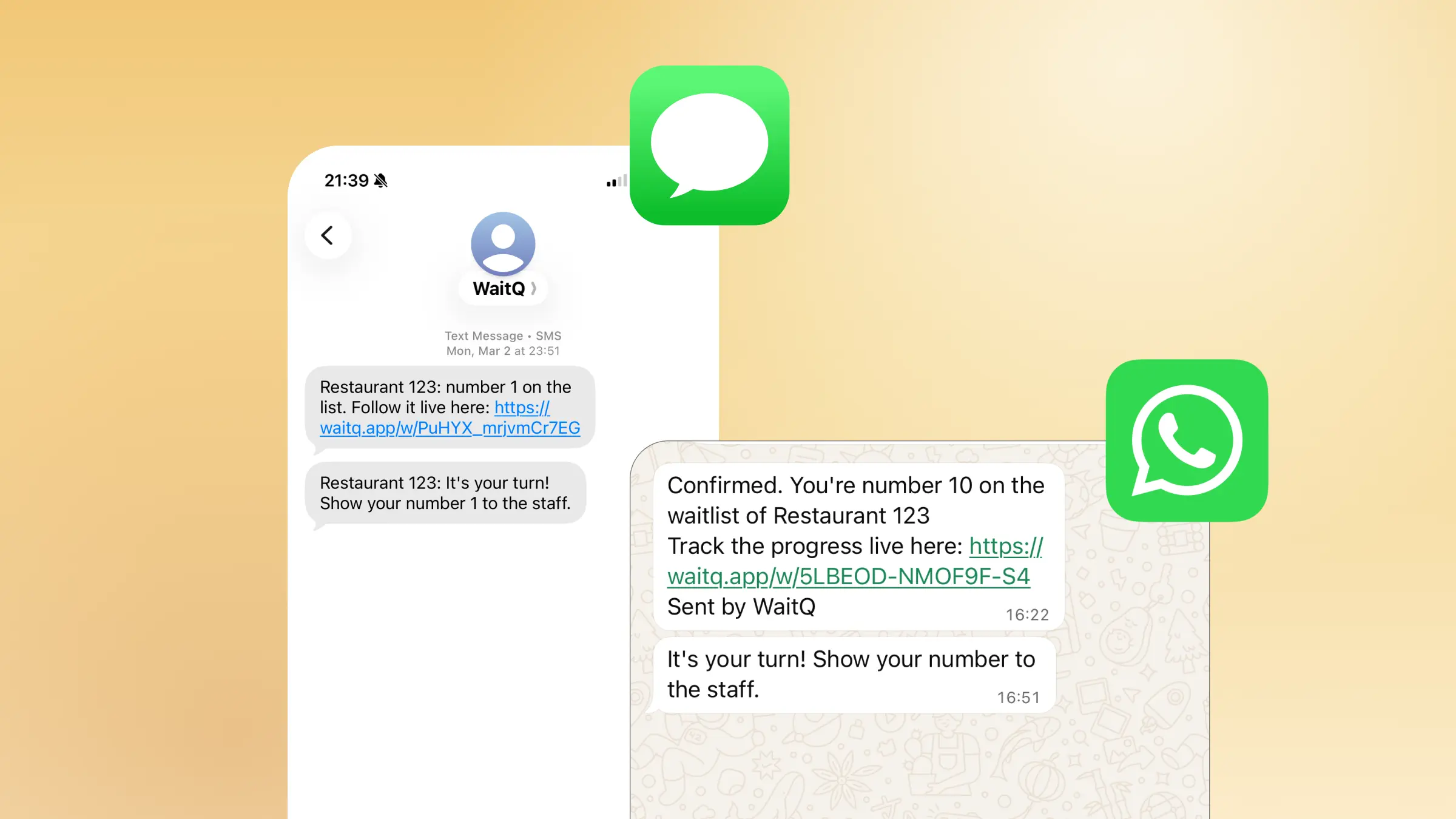
Push and email notifications are unlimited. Text messages and WhatsApp work in 60+ countries, and customers pick the channel they prefer.
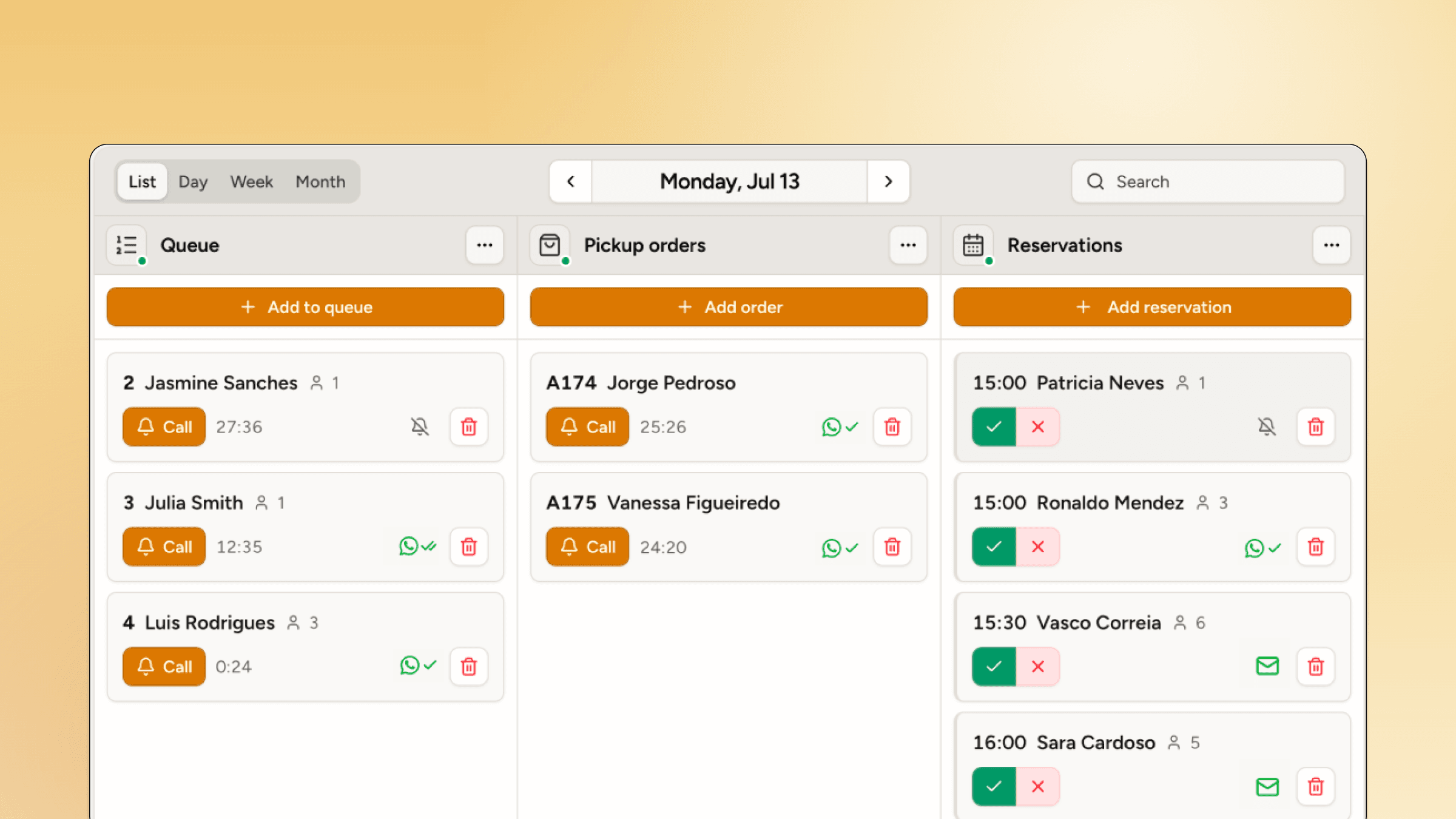
Queues and bookings in one place
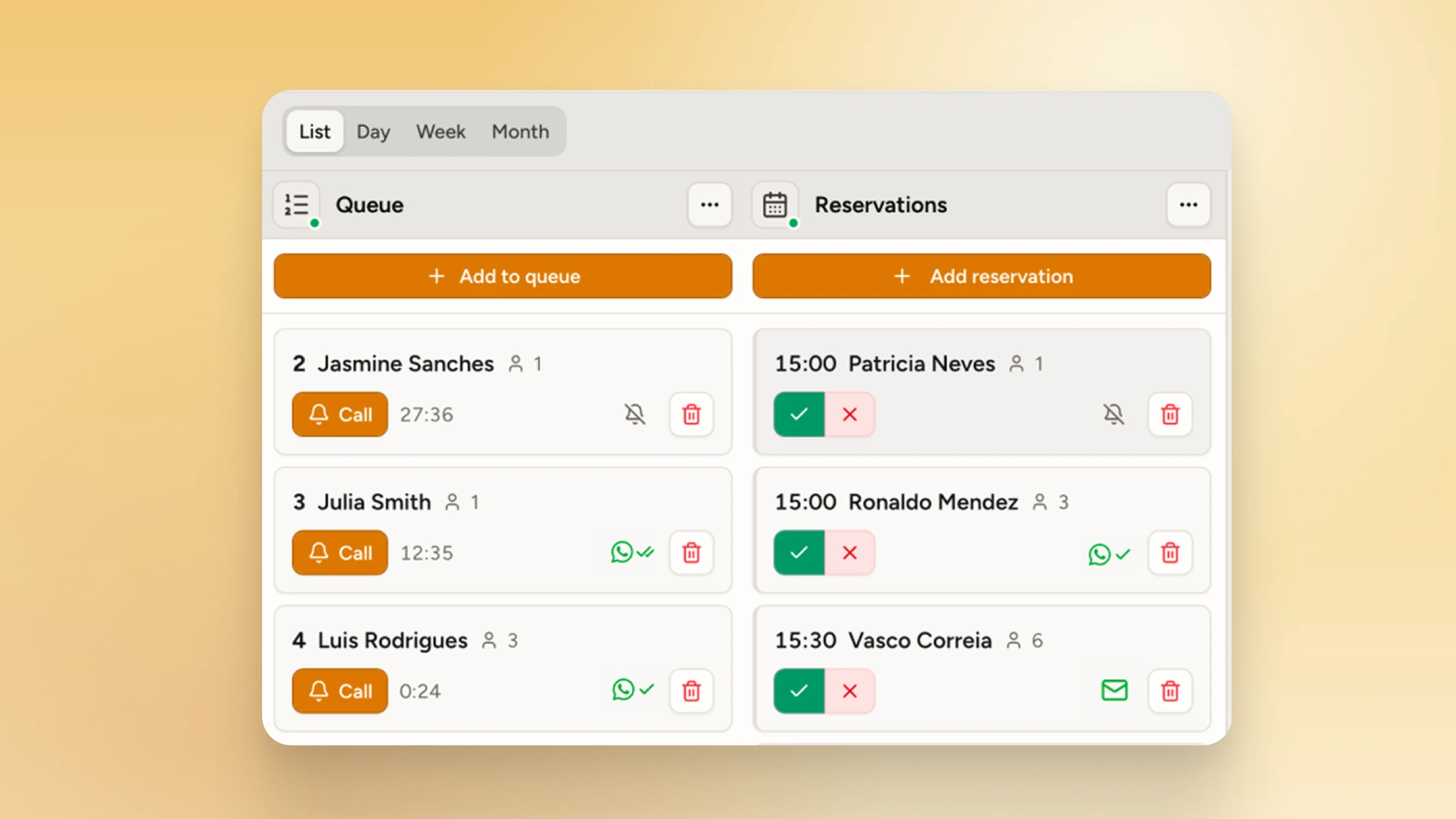
Run walk-in queues and appointments side by side, so staff see everyone who's coming on one screen.
Data to staff the rush
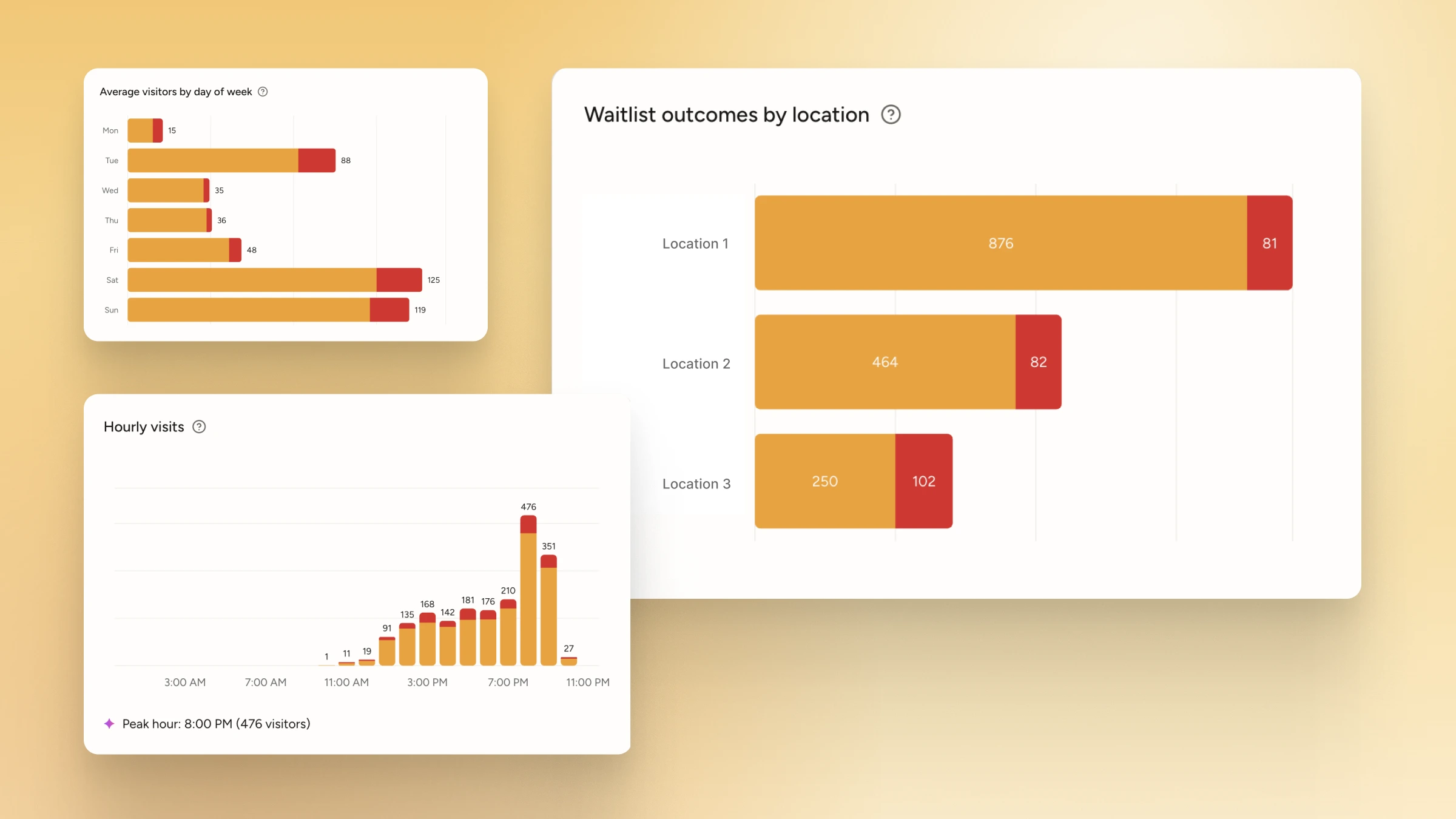
See average waits, walk-aways and peak hours for each location, then plan shifts around real demand.
See your virtual queue running in minutes
Create a queue, print your QR code and let your first customer join today.
Who uses virtual queue software?
Any business where people wait to be served. These are the places WaitQ queues run every day.
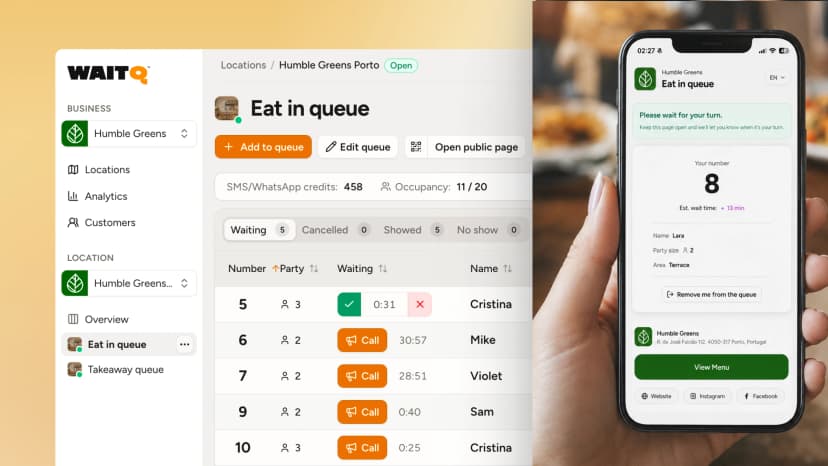
Restaurants
Guests join the waitlist at the door, wait at the bar or down the street and get a message when their table is ready.
WaitQ for restaurants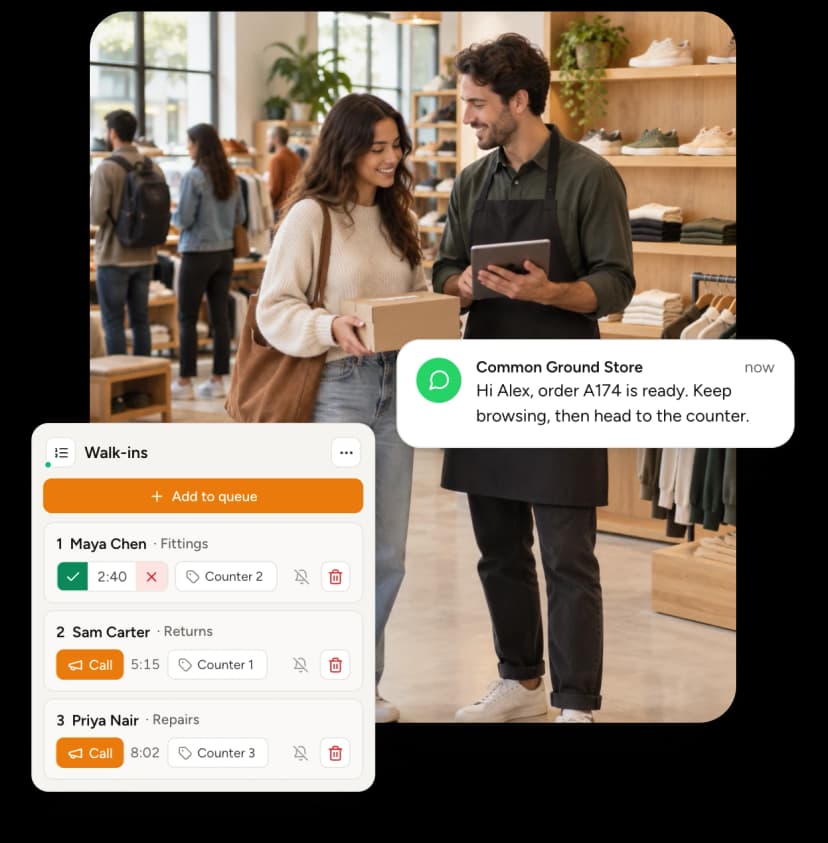
Retail and brand pop-ups
Run launch-day lines and in-store help desks without a crowd blocking the entrance.
WaitQ for retail and brand pop-ups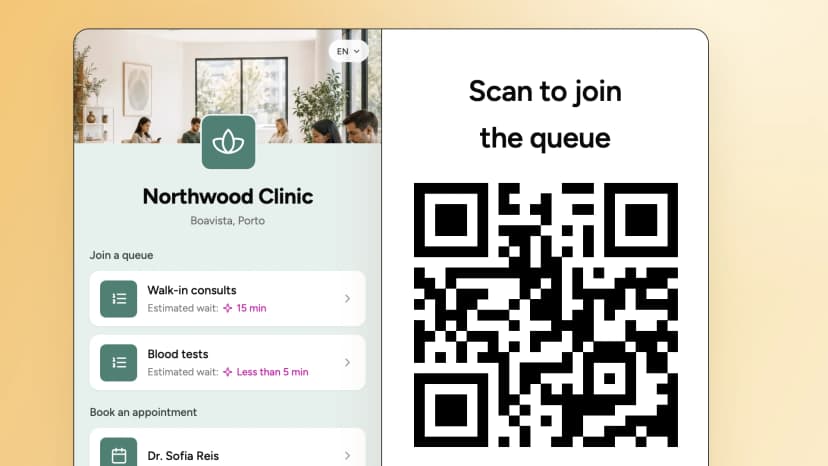
Clinics
Patients check in by QR code and wait in the car or a quieter area until they're called.
WaitQ for clinics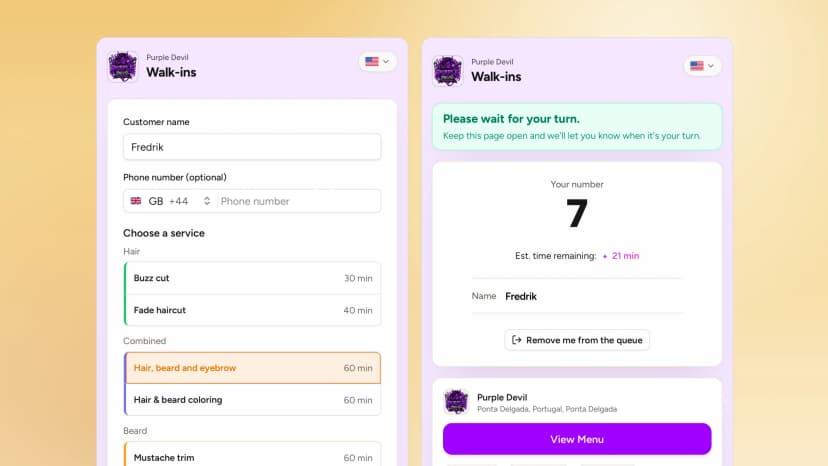
Barbershops
Clients join before they leave home and time their arrival, instead of filling your waiting area.
WaitQ for barbershops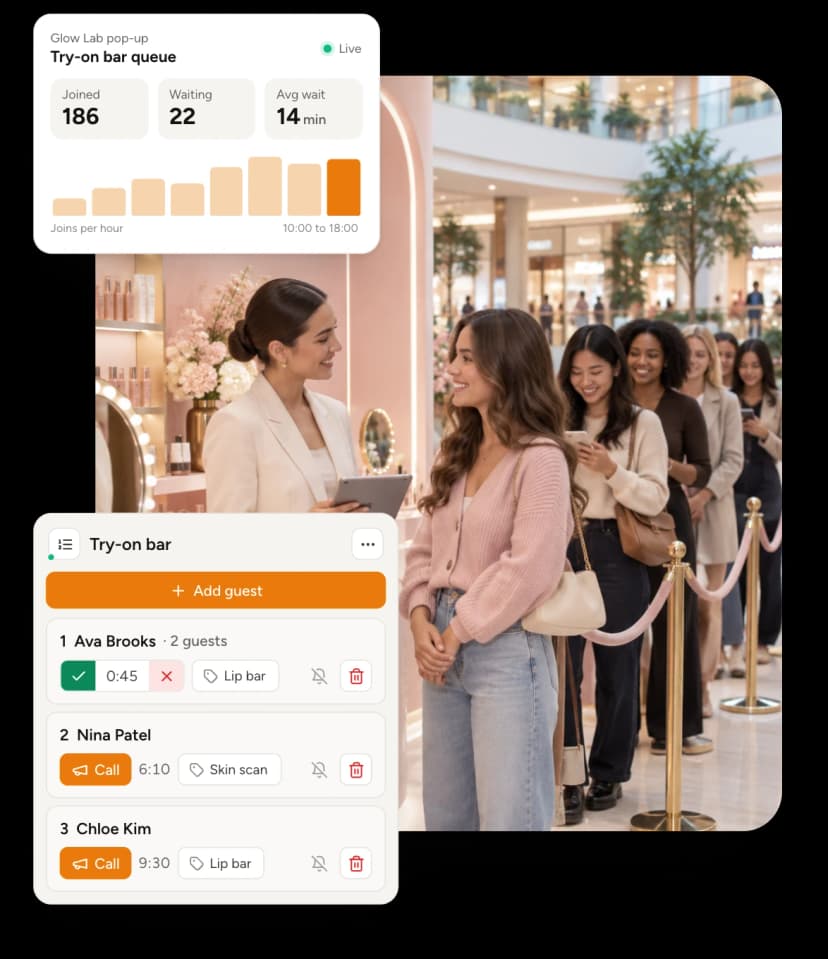
Events
Guests queue for merch, activations and entry from their phones instead of standing in line for an hour.
WaitQ for events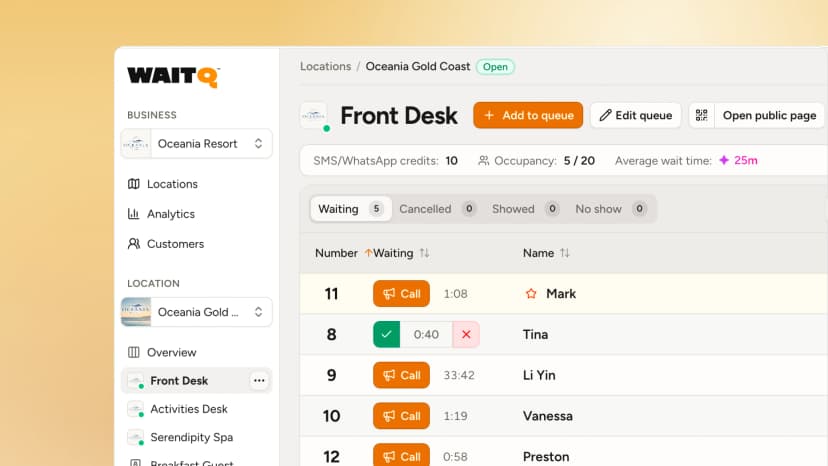
Hotels and resorts
Guests join for breakfast, the spa or activities and get called when there's space.
WaitQ for hotels and resortsHow much does virtual queue software cost?
WaitQ starts at $35/month, with unlimited customers on every plan. Try any plan free for 7 days.
Starter
For small businesses looking to optimize their operation
- 1 business location
- Unlimited waitlists
- Unlimited reservations
- Unlimited customer visits
- 5 staff accounts
- Unlimited email notifications
- 100 SMS/WhatsApp credits included
- 30 days Analytics & customer history
- QR code self check-in & kiosk
Grow
RecommendedFor busier businesses that need more capacity and fewer headaches
- 2 business locations included
- Unlimited waitlists
- Unlimited reservations
- Unlimited customer visits
- 20 staff accounts
- Unlimited email notifications
- 400 SMS/WhatsApp credits included
- 60 days Analytics & customer history
- QR code self check-in & kiosk
- Floor plans
Business
For multi-location operators looking to run their business efficiently
- 5 business locations included
- Unlimited waitlists
- Unlimited reservations
- Unlimited customer visits
- Unlimited staff accounts
- Unlimited email notifications
- 1000 SMS/WhatsApp credits included
- 90 days Analytics & customer history
- QR code self check-in & kiosk
- Priority support
- Floor plans
Virtual queue software FAQs
What is virtual queue software?
How is a virtual queue different from a physical line?
What is the best virtual queue software?
What are the benefits of a virtual queue?
Do customers need to download an app?
Can customers join the queue before they arrive?
How much does virtual queue software cost?
What hardware do I need?
Can I run more than one queue?
How are customers notified when it's their turn?
Replace the line at your door with a virtual queue
Customers join in seconds, wait where they like and come back right on time.