

Why we built this
Queues and appointments cover most of what a walk-in business needs. A queue orders people in real time as they arrive. An appointment reserves one specific slot. Neither one fits a situation we kept hearing about from customers: a fixed group of people is expected, nobody is picking a time, and nobody wants to stand in a line either.
That gap gets filled today with a paper sign-up sheet, a shared spreadsheet three people are editing at once, or a screenshot of a guest list passed between phones at the door. All three fall apart the moment two people update them at the same time, and none of them talk to the rest of your operation.
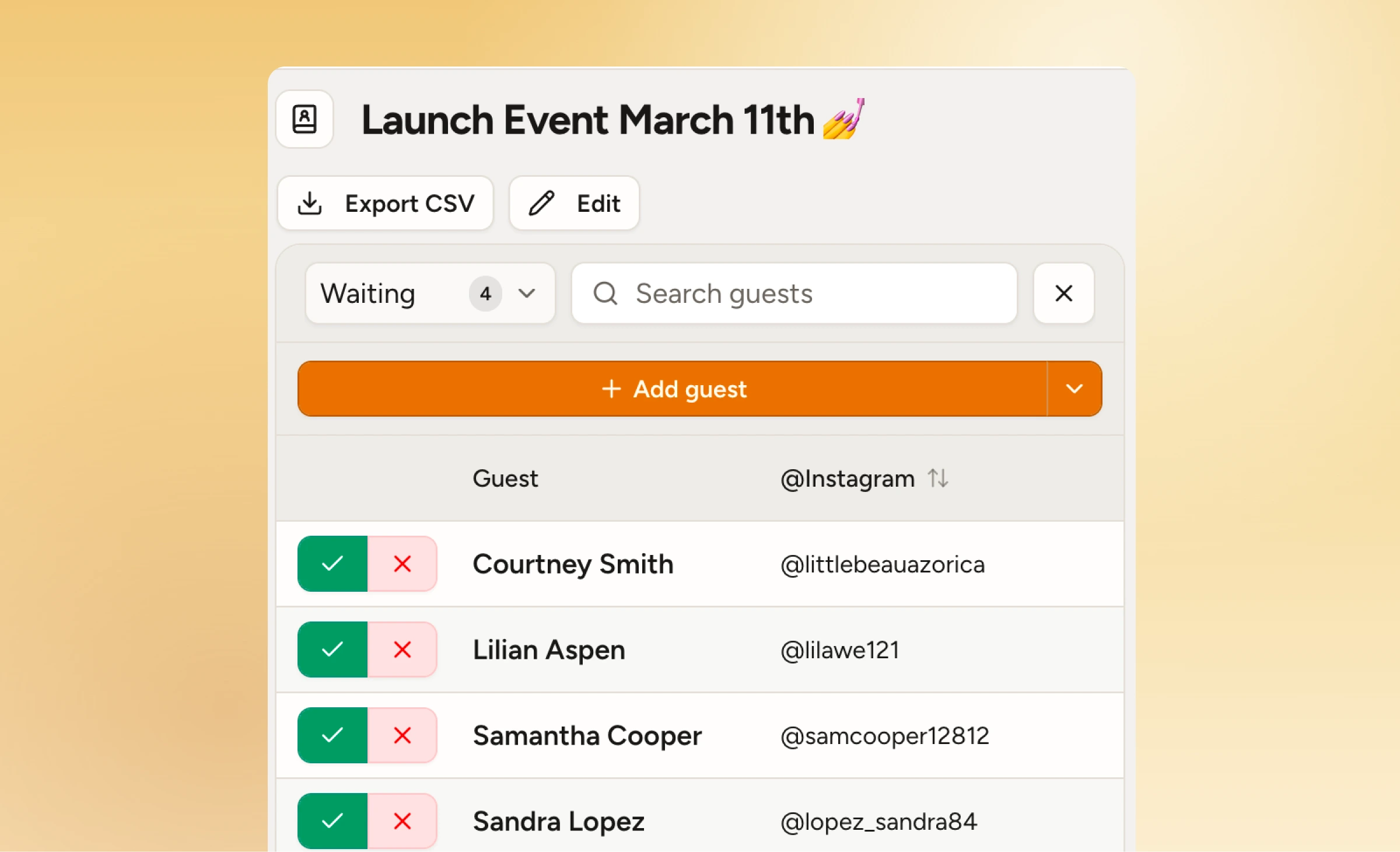
A digital guest list closes that gap without adding a separate tool. Guests register once, their spot is confirmed immediately, and your team works from one live, searchable roster instead of chasing the latest version of a spreadsheet. It lives next to your queues and appointments on the same dashboard, so a restaurant running a private tasting or a shop running a launch night isn't bolting on something new to manage it.
See how guest lists work on WaitQ
What you can configure on a guest list
Every list is built around the same core idea (register ahead, check in on arrival) but the details are yours to set:
- Capacity. Cap a list at the number of people your space, event, or staff can actually handle. Registration closes once it's full.
- Multiple lists. Run separate lists for different sessions, guest types, or areas of the same event, all managed from one place.
- Custom fields. Collect just a name, or ask for whatever you need: party size, a plus-one, a note for the host.
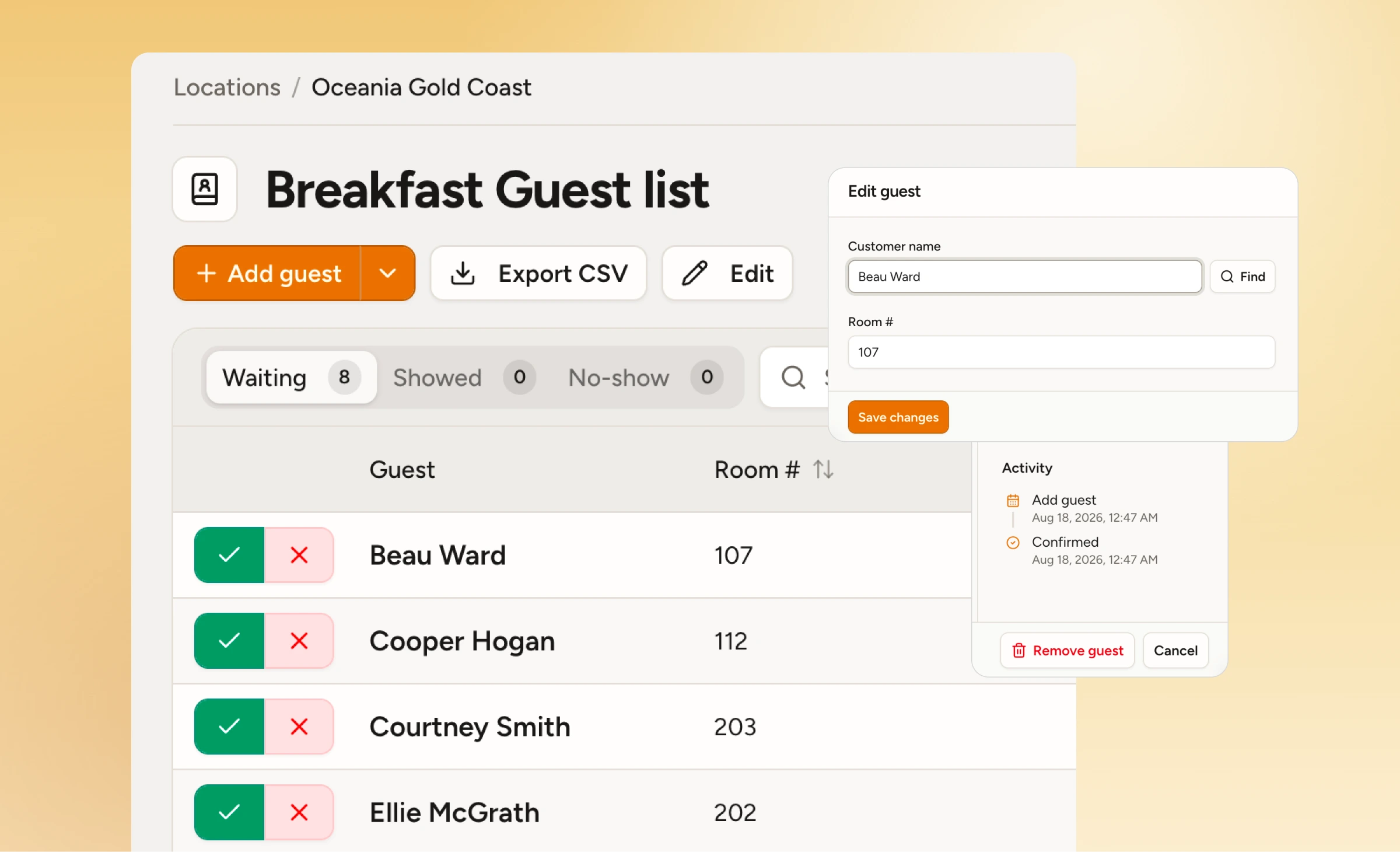
- One-tap check-in. Search a name and check someone in from any phone or tablet, no proprietary hardware.
- Live headcount. Everyone on your team sees the same numbers update as people arrive.
- Export. Pull the full list whenever you need a record of who showed up.
Where guest lists earn their keep
Salons and barbershops: guest artist days
A visiting barber or stylist coming in for a day doesn't need a full appointment book with fixed time slots, but you still want to know who's shown up for it.
Clients add themselves to the list ahead of time, and whoever's on the salon floor greets them by name the moment they walk in instead of asking who they're there to see.
Hotels: group arrivals and event blocks
Coordinating a wedding block, a conference group, or everyday's breakfast buffet frenzy usually means re-entering the same names into a spreadsheet or cardboard every time someone checks in.
A shared guest list replaces that in hotels and resorts: front desk and event staff work off one roster and are able to expedite guest waiting times across the resort.
Retail: launches and VIP visits
A store opening or a press preview lives or dies on knowing who's actually coming, and a guest list gives you a real headcount before doors open plus a fast way to confirm each name against it.
The same list works for personal shopping: keep your best clients on a private roster so whoever's on the floor knows who's arriving before they ask.
Events: pop-ups, activations, and one-off experiences
A product demo, a pop-up, or a community event usually needs to know who showed up, not who booked which hour.
Attendees register from a link or QR code, no app required, and your team checks them off as they arrive without turning the event into something it isn't.
Try guest lists on WaitQ
Guest lists are available now on WaitQ's Grow and Business plans, alongside queues and appointments in the same dashboard. Set up your first guest list and see the live headcount from your first check-in. See plans here.
