
Why look for an alternative to Waitwhile?
- Steep pricing. Most businesses start looking for Waitwhile alternatives when the pricing model stops making sense for their volume. If you run a salon, barbershop, clinic, restaurant, or hotel that takes walk-ins, you easily hit a wall with Waitwhile. The free plan caps you at 50 visits per month and pricing scales by location and visit volume in ways that get confusing fast.
Waitwhile has four plans:
| Plan | Price | Locations | Visit caps/month |
| Free | $0 | 1 | 50 |
| Starter | from $31/mo/location | up to 10 | up to 2,500 |
| Business | from $55/mo/location | up to 10 | up to 5,000 |
| Enterprise | custom | custom | custom |
- Notifications not included. SMS notifications are not included in the base price on any plan. They're billed separately as message credits, so your monthly cost increases the more customers you notify.
- Need for simpler tooling. Waitwhile packs in Enterprise-oriented features like guest CRM, SSO, and integrations that are aimed at larger operations. A business that only needs a digital waitlist and online scheduling pays that complexity tax for features it will never open.
5 best Waitwhile alternatives & competitors in 2026
The best Waitwhile alternatives in 2026 are:
- WaitQ. Best overall value. Unlimited queues, bookings and visits and WhatsApp support included on every plan, with a set amount of text credits already included. Starts at $27/month (billed annually) for a single-location operation, at $49 for two locations or $119 with five locations included.
- Qminder. Best for enterprise. HIPAA compliance and SAML-based SSO, built for regulated, high-headcount operations. No free plan. Starts at a steep $789/month (billed annually) with 25 staff seats included.
- TablesReady. Fit for a small, single-location restaurant in US/Canada. Text-based waitlist with two-way SMS chat and predicted wait times. Free plan capped at 100 parties, 1,000 messages/month (only in US/Canada). From $34/month/location, billed annually.
- Waitlist Me. Fit for an small single-location in US. Automated phone call notifications alongside SMS and email. Free plan with limited features. From $27.99/month/location (billed annually).
- NextMe. Best for WhatsApp on a budget. WhatsApp included from the free tier up. Free plan capped at 100 SMS/month, 1 user. From $49.99/month.
Waitwhile alternatives overview
| Tool | Starting price | Free plan | Visit/guest cap | Multi-location | |
| WaitQ | $27/month | ❌ 7-day trial with 100 parties | ✅ Unlimited | ✅ | ✅ 1/2/5 included by tier, flat rate for extra |
| Qminder | $789/month | ❌ | ✅ Unlimited | Not published | ✅ Unlimited |
| TablesReady | $34/month | ✅ 100 parties/mo | ⚠️ 1,000 messages/mo | ❌ | ❌ priced per location |
| Waitlist Me | $27.99/month | ✅ Limited features | ⚠️ 1,000 notifications/mo, $0.02 overage | ❌ | ❌ priced per location |
| NextMe | $49.99/month | ✅ 100 SMS/mo | ⚠️ SMS-capped by tier | ✅ | ⚠️ add-on, custom quote |
1. WaitQ: best value option overall
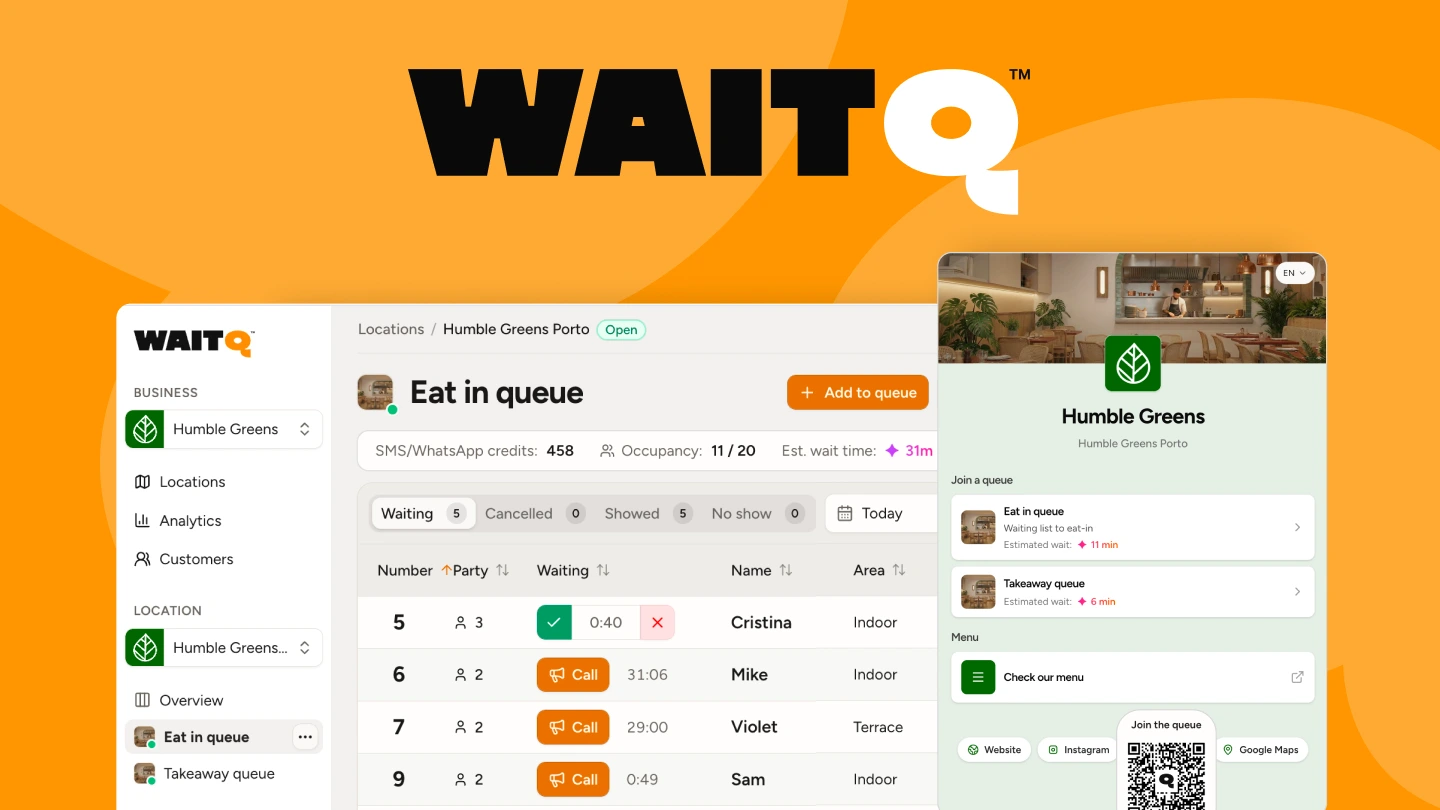
Despite handling appointments and guest lists, WaitQ is an intuitive walk-in first software for restaurants, salons, hotels, barbershops, and retail. Customer books a time or joins a queue, and gets notified when it's their turn.
It's a strong fit for growing businesses, particularly those with a few locations/branches, that want predictable pricing and don't want to be limited on visit caps.
Pros
- Unlimited visits, appointments and queues on every plan, no caps
- Push notifications, text messages (SMS, WhatsApp) and email from the first tier, with a set amount of text credits
- Appointments and bookings managed side-by-side with walk-ins for easy customer arrival management
- Multi-location plans bundle locations into one flat price instead of billing per site
Cons
- No public API or webhooks
- Does not replace a full CRM or marketing suite today
Pricing
The Starter plan is priced at $27/month when billed annually and covers 1 location, branding customization, analytics, and 100 SMS/WhatsApp credits. Grow and Business add more capacity with multi-location operations (2 and 5 locations included) as well as 400 and 1,000 text credits. Unlimited queues, bookings and customer visits on all plans.
See how WaitQ fits your business
2. Qminder: powerful, but built for enterprise
Qminder is a comprehensive in-person service platform designed for structured environments like government offices, retail chains, healthcare facilities, telecom brands and universities.
It's a capable platform, a good fit for a large or regulated organization that needs compliance and dedicated support. The price and setup are overkill and overpriced for a smaller operations.
Pros
- HIPAA compliance available, relevant for healthcare and government queues
- SAML-based SSO on Premium and Enterprise for centralized identity management
- API and webhooks for connecting the queue to other systems
Cons
- Price and complexity rule it out for most walk-in businesses.
- Seat-based pricing means cost scales with headcount, not visit volume
- Enterprise pricing requires a custom quote and sales conversation
Pricing
The entry plan, Business, starts at $789/month for 25 seats billed annually and comes with unlimited locations. Premium bumps it to 50 seats, Enterprise is custom. No free plan available.
3. TablesReady: text-first, restaurant-only in US
TablesReady is built specifically for restaurant waitlists: parties, tables, and to-go orders, inside an interface designed around that workflow rather than a generic queue.
Good fit for a small restaurant that just needs a straightforward, text-based waitlist and isn't planning a second location soon.
Pros
- Purpose-built for restaurant workflows, not adapted from a generic queue tool
- Two-way SMS chat and predicted wait times on paid tiers
- Free plan available to test before paying anything
Cons
- Message volume caps at 1,000 a month on both paid tiers (and ⅒ of that outside of US/Canada)
- Appointments, to-go lists only on the Business plan
- Each additional location priced separately
- No WhatsApp on any plan
Pricing
Free covers 100 parties and 150 messages a month. Starter is $34/month and Business introduces appointments and to-go lists at $69/month, both billed annually, per location, with the same 1,000-message cap.
4. Waitlist Me: the old guard of business waitlists
Waitlist Me has been running restaurant and service-business waitlists since the early 2010s, back when it launched as NoshList. That track record shows up as a reservations calendar built in and phone call notifications most competitors don't offer. What hasn't changed since then is the billing model: every location runs as its own subscription.
This tool is a good option for a small business that values its track record and doesn't mind the legacy UI, a per-location bill or a notification counter to watch.
Pros
- Automated phone call notifications, not just SMS and email
- Long track record, running since the early 2010s
- Free plan available to try a single location before paying
Cons
- Billed per location, so a business with three sites needs three separate subscriptions
- Notifications cap at 1,000 a month, then $0.02 per message past that
- No WhatsApp on any tier
- No worldwide coverage, operating in 6 countries only
Pricing
A limited free plan covers one location. In the US, Premium runs at $27.99/month per location on annual billing, with 1,000 notifications included before a $0.02 per-message overage applies.
5. NextMe: WhatsApp included across a wide range of industries
NextMe markets itself broadly, its own site lists more than 30 industries it serves, from restaurants and salons to healthcare, veterinary, and government offices. WhatsApp is included from the free plan across all of them, while analytics and reporting are gated to its Business tier and up.
Pros
- WhatsApp notifications included on every tier
- Free tier available for very low-volume use
- Business tier adds white-label branding and data exports
Cons
- Analytics, custom branding and reporting are gated to the Business tier and above
- SMS volume is capped by tier (100 on Free, 3,000 on Starter, 5,000 on Business)
- Requires app for staff
Pricing
Free includes 100 SMS/month for 1 user. Its first paid tier is $49.99/mo, but that plan still doesn't include analytics, data exports, or white-label branding, those are reserved for the $79.99/mo Business plan (price billed annually).
Choosing the best Waitwhile alternative by use case
- For low-volume, single-location businesses on a tight budget: Free tier of NextMe or WaitQ's Starter plan for more wiggle room.
- For high-volume, single-location businesses: WaitlistMe if you prioritize SMS and phone call notifications, WaitQ for WhatsApp and worldwide coverage.
- For restaurants: TablesReady if you just want waitlists and are based in US/Canada or WaitQ if located elsewhere or if you want reservations and to-go lists included in any plan.
- For growing businesses with a few locations/branches: WaitQ's Grow or Business plans, already include 2 and 5 locations and come with unlimited visits, queues and bookings plus text notifications included.
- For enterprise or regulated organizations: Qminder, for HIPAA compliance and SSO, at enterprise pricing.
Conclusion
After testing all these options, the choice comes down to what you're willing to trade off. Most alternatives either limit your customer arrival flow or lock essential features to higher plans like analytics and custom branding.
WaitQ breaks this pattern by providing unlimited queues, bookings, and customer visits in all plans alongside support for push notifications, SMS, WhatsApp and email, making it a truly versatile and growth-friendly option wherever you are based. If you're looking for a more Enterprise-oriented solution, Qminder is a solid option.
