

1. Open Form fields
Select Edit booking list and choose Form fields in the Operations group.
2. Choose useful information
Keep contact details needed for confirmations and add custom fields only when the answer changes how the team prepares or serves the booking.
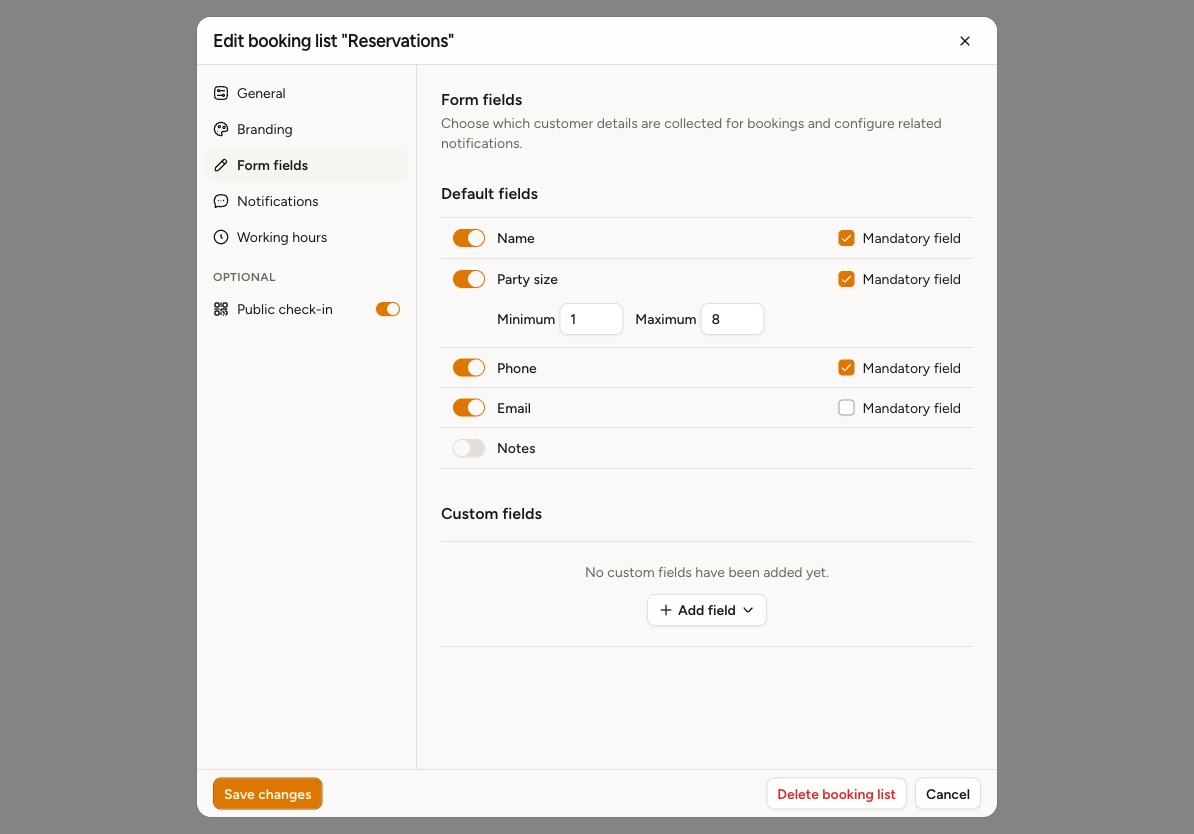
Keep at least one standard field enabled: Name, Phone, Email, or Party size when your business supports it. Custom fields alone do not meet this requirement. If saving shows Select Name, Phone, Email, or Party size, return here and enable one.
Enable Name to collect a customer name in a single field on staff and customer booking forms.
When Party size is enabled, set Minimum and Maximum in the options below its row. Use Mandatory field when customers must provide it. Staff entry forms also respect the configured limits.
3. Set requirements and order
Use Mandatory field for essential fields. Default fields keep a fixed order; drag custom fields to put the easiest ones first. Custom-field availability can depend on the plan.
4. Test the form
Save the list and create a public test booking. Confirm staff can see each answer and that the form works comfortably on a phone.