


On this page
QueueAway does one job and prices it low: a walk-in queue a single UK site can set up in minutes, for £14.99/month, with free WhatsApp updates. That's a fair deal for a barbershop or a small shop that only needs to manage a door queue.
The gaps show once a business needs more. QueueAway has no appointments or bookings, SMS runs pay-as-you-go through your own Twilio account, and a second site means asking for a quote. These four alternatives fill those gaps in different ways.
What are the best QueueAway alternatives?
The best QueueAway alternatives in 2026 are WaitQ, Waitwhile, Queberry and Qwaiting. WaitQ is the closest fit for growing UK businesses that also take bookings, with SMS and WhatsApp bundled into the price. Waitwhile suits one steady site, while Queberry and Qwaiting suit larger organisations.
- #1
 WaitQBest for small and multi-location businesses that want queues and bookings togetherReview ›Starting price£27/monthVisit limitUnlimited on every plan
 - #2WaitwhileBest for one steady-traffic site that wants appointments built inReview ›Starting price$31/monthVisit limit250 per location on Starter
- #3QueberryBest for banks, clinics and multi-branch service centresReview ›Starting priceQuote onlyWhatsAppWhatsApp queuing module
- #4QwaitingBest for larger service desks that need kiosks and TV callingReview ›Starting price$249/monthVisit limitUnlimited visitors
WaitQ is our product. We checked every tool, including ours, against the same criteria, using each vendor's public pricing page and help center.
Why look for a QueueAway alternative?
QueueAway is solid for a single site that only needs a walk-in queue. Its Solo Site plan includes unlimited walk-ins, WhatsApp, analytics and unlimited staff accounts. The limits show up when the business grows:
- No bookings. A salon, clinic or restaurant that also takes appointments needs a second tool.
- SMS billed separately. Text messages cost about 4p each through your own Twilio account, so a busy weekend adds a running total.
- Quote-only multi-site pricing. A second or third location means a sales conversation before you see a number.
How did we compare these platforms?
We checked each tool against 5 things that decide whether it fills QueueAway's gaps. We didn't score them: the table shows what each plan includes, so you can match it to your business.
- Bookings on the entry planAppointments or reservations run next to the walk-in queue, without a second tool or upgrade.
- Unlimited visitsNo monthly cap on guest visits.
- WhatsApp notificationsGuests can be notified on WhatsApp, which many UK customers prefer to SMS.
- SMS bundled in the planText messages come with the plan instead of being billed per message.
- Published multi-location pricingYou can see what a second site costs before talking to sales.
Details come from each vendor's public pricing page and help center, checked in October 2026. Prices are in each vendor's own currency.
WaitQ
Best for small and multi-location businesses that want queues and bookings together
VerdictWaitQ is the closest QueueAway alternative for businesses that also take bookings, because it keeps unlimited visits and adds appointments, bundled SMS and published multi-location pricing.
- Starting price
- £27/month
- Visit limit
- Unlimited on every plan
- Free trial
- 7 days
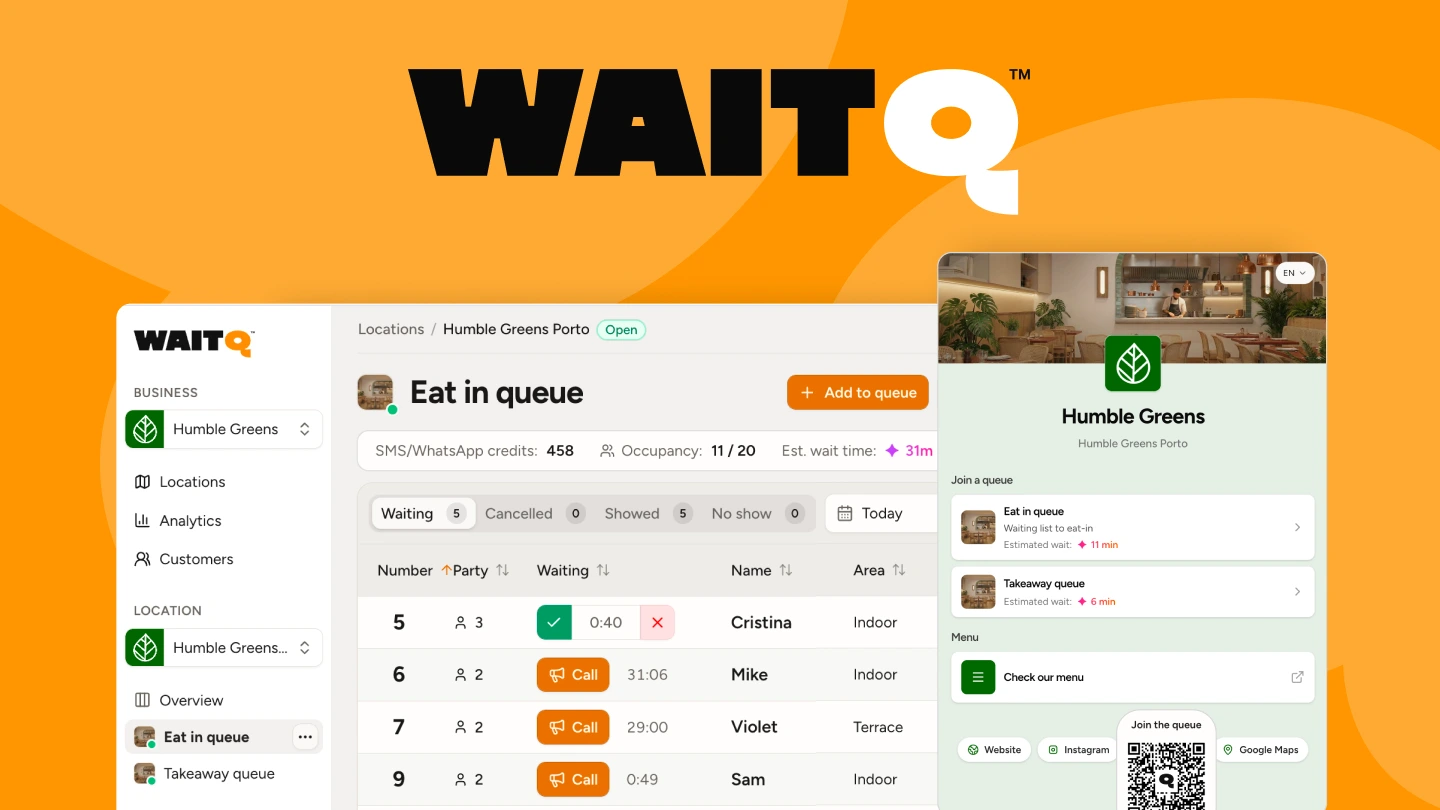
WaitQ runs queues, bookings and guest lists from the same dashboard, so a table booked for 3pm and a Saturday evening walk-in queue sit in one place. Customers join by scanning a QR code, follow their live position and get notified by push notifications, text message (SMS & WhatsApp) and email.
SMS and WhatsApp draw from credits included in the plan, while push and email don't use credits. Multi-location pricing is published, so you can see the cost of a second site before you commit.
Pros & Cons
Highlights
- Queues, bookings and guest lists on every plan
- SMS and WhatsApp credits included in the price
- Published multi-location pricing
What to watch out for
- Costs more than QueueAway for a queue-only setup
- Text credits are capped per plan (100 a month on Starter)
Pricing
WaitQ Starter costs £27/month billed annually for 1 location with 100 SMS or WhatsApp credits a month. Grow and Business add more locations (2 and 5) and more credits (400 and 1,000). Every plan includes unlimited visits, queues and bookings (WaitQ pricing).
Waitwhile
Best for one steady-traffic site that wants appointments built in
VerdictWaitwhile is a fit for a single site with steady traffic that wants appointments next to its queue, as long as monthly visits stay under the plan's cap.
- Starting price
- $31/month
- Visit limit
- 250 per location on Starter
- Free plan
- 50 visits a month
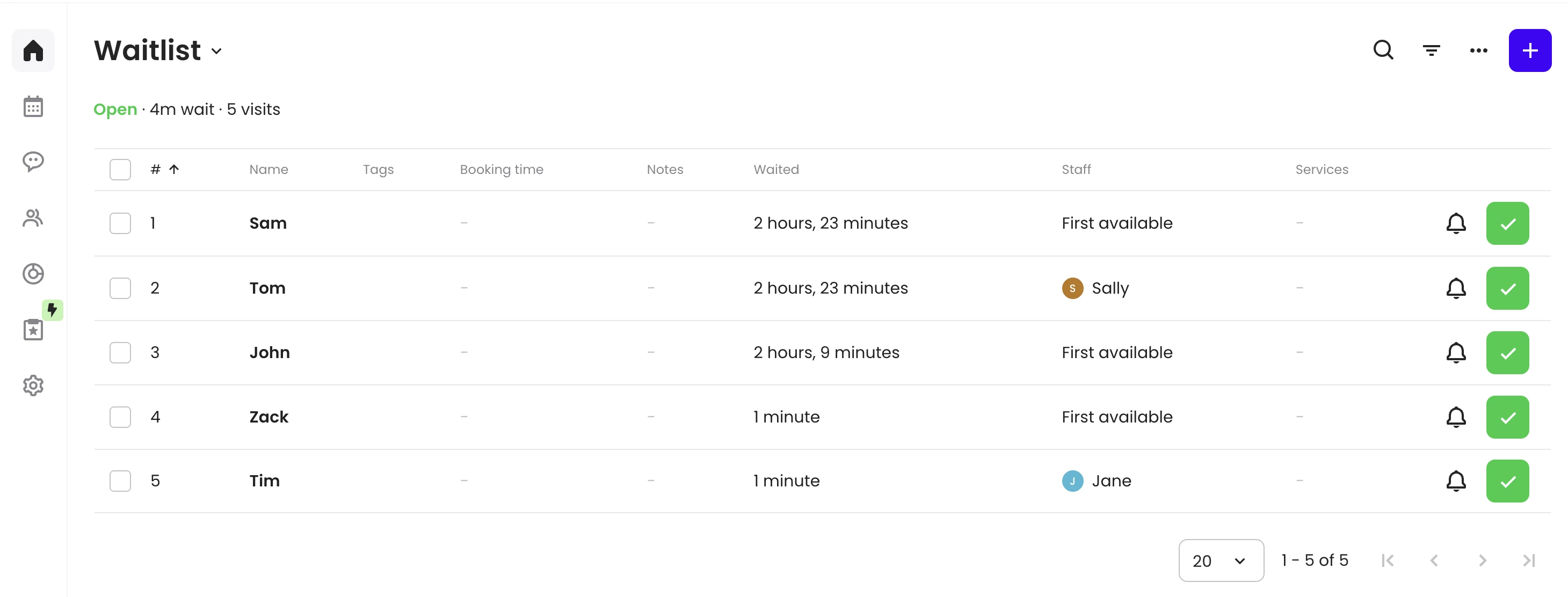
Waitwhile puts appointment scheduling and queue management in one system, which helps a business that runs both and doesn't see big swings in traffic. Pricing is per location, up to 10 sites.
Every paid plan caps monthly visits. Once an account hits its cap, it can't add new guests until the next billing cycle, which makes Waitwhile a safer bet for one steady site than for a business expecting a surge.
Pros & Cons
Highlights
- Waitlist and bookings in one tool
- Published per-location pricing up to 10 sites
- Mature integrations and analytics
What to watch out for
- Monthly visit caps per location
- SMS paid separately through credits
- No native WhatsApp, and prices in US dollars
Pricing
Waitwhile's free plan covers 50 visits a month. Starter costs $31/month per location billed annually ($39 monthly) with 250 visits, and Business $55/month ($69 monthly) with 500 visits. SMS credits are bought separately.
Queberry
Best for banks, clinics and multi-branch service centres
VerdictQueberry suits larger organisations that want WhatsApp queuing, kiosks and appointments, and don't mind a quote-based price.
- Starting price
- Quote only
- WhatsApp queuing module
- Free trial
- Available
Queberry is an enterprise queue platform with kiosks, multi-branch rollout and a WhatsApp queuing module, where customers join, get updates and leave feedback inside WhatsApp. An appointment scheduling module runs next to the queue, and Queberry has a London office for UK support.
Queberry doesn't publish prices, so every plan starts with a demo or a quote. For a business that wants to compare costs upfront, that's a real hurdle.
Pros & Cons
Highlights
- WhatsApp queuing plus appointment scheduling
- Kiosks and multi-branch rollout
- London office for UK support
What to watch out for
- No published pricing
- Built for large organisations, heavy for a small venue
- QR join without an app isn't clearly documented
Pricing
Queberry publishes no prices. The cloud product is sold as a subscription with a free trial, and Enterprise is quoted per project.
Qwaiting
Best for larger service desks that need kiosks and TV calling
VerdictQwaiting is a step up for businesses that have outgrown simple queue tools and want kiosks and TV calling, at a much higher entry price.
- Starting price
- $249/month
- Visit limit
- Unlimited visitors
- Free trial
- 14 days
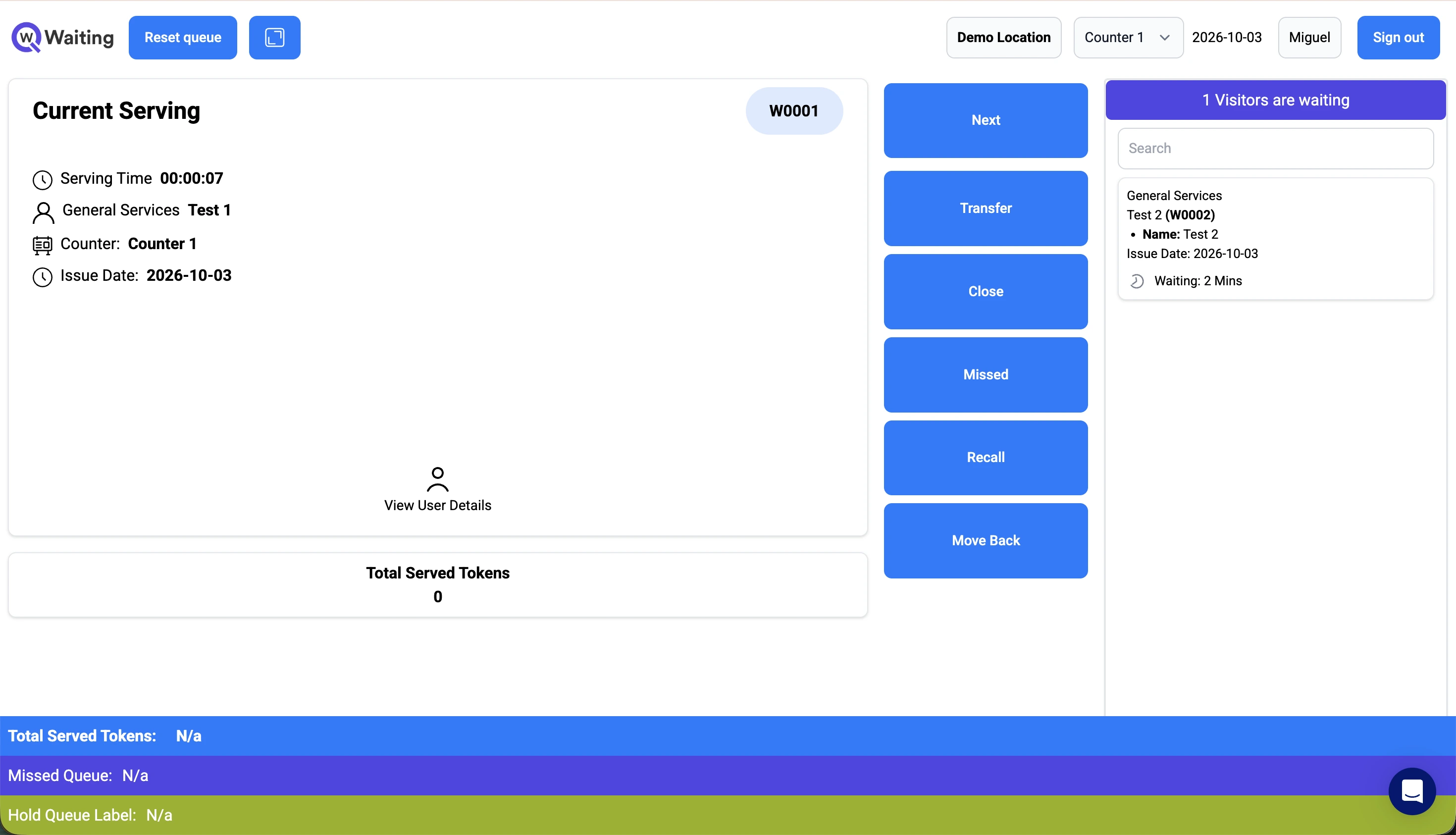
Qwaiting is a queue management system priced by staff logins, with a TV display and QR codes on every plan and unlimited visitors on all tiers. It sits between small-business tools and full enterprise platforms.
The Starter plan leaves out bookings and SMS, and SMS is an extra charge on the plans above it.
Pros & Cons
Highlights
- TV display and QR codes on every plan
- Unlimited visitors on all tiers
- Two months free on annual billing
What to watch out for
- Entry price of $249/month for 5 staff logins
- No bookings or SMS on Starter
- Prices in US dollars only
Pricing
Qwaiting Starter costs $249/month for 5 staff logins, or about $207/month billed annually. Business costs $349/month, Enterprise $399/month and Custom $649/month, with SMS charged extra and bookings from Business up.
QueueAway alternatives compared side by side
WaitQ is the only tool here with bookings, unlimited visits, WhatsApp, bundled SMS and published multi-location pricing on one plan. Waitwhile publishes per-location pricing but caps visits, and Queberry and Qwaiting are priced for larger organisations.
| WaitQ | £27/month | ✓Every plan (Yes) | ✓Every plan (Yes) | ✓Every plan (Yes) | ✓100 to 1,000 credits/month (Yes) | ✓2 or 5 locations bundled (Yes) |
|---|---|---|---|---|---|---|
| Waitwhile | $31/month | ✓Bookings module on Starter (Yes) | ✕250 visits per location (No) | ✕Zapier only (No) | ✕SMS credits bought separately (No) | ✓Per location, up to 10 (Yes) |
| Queberry | Quote only | Appointment module, plan unclear (Partial) | No limits published (Not listed) | ✓WhatsApp queuing module (Yes) | SMS costs not published (Not listed) | ✕Quote only (No) |
| Qwaiting | $249/month | ✕From Business plan up (No) | ✓Unlimited visitors (Yes) | Marketed, not on plans (Partial) | ✕Extra charge, not on Starter (No) | Unlimited only on Custom (Partial) |
Partial means the feature exists with limits or on some plans. Not listed means we couldn't find it on the vendor's public website.
Which QueueAway alternative fits your business?
Choose by what QueueAway is missing for you. Businesses that take bookings get the most from WaitQ, one steady site may be happy with Waitwhile, and large organisations with kiosks and branches should look at Queberry or Qwaiting.
| Your business | What to look for | Best fit |
|---|---|---|
| Small business that also takes bookings | Look for queues and appointments in one system, with messaging in the price. WaitQ covers both on every plan. | WaitQ |
| One site with steady traffic | Look for appointments next to the queue and a visit cap above your busiest month. Waitwhile fits if traffic stays predictable. | WaitwhileorWaitQ |
| Business opening more sites | Look for published pricing for extra locations. WaitQ bundles 2 or 5 locations into one plan. | WaitQ |
| Large organisation with kiosks and branches | Look for kiosks, TV calling and multi-branch reporting. Queberry and Qwaiting are built for that scale. | QueberryorQwaiting |
What about public sector and healthcare?
A simple cloud tool like WaitQ or Waitwhile can work well for a small public-facing service point. A larger deployment across an NHS trust or local authority should be checked against two requirements none of these tools publish clearly:
- Whether the vendor supports a Data Protection Impact Assessment for systems that handle patient or resident data
- Whether the software meets the accessibility requirements for public sector websites and apps
For those cases, compare larger platforms in our guide to queue management systems in the UK.
What should you check before switching from QueueAway?
- What a second location costs. A published rate lets you budget for growth. A quote means you won't know until you ask.
- Whether bookings and queues share one system. If you take appointments as well as walk-ins, check it's built in rather than a second subscription.
- Messaging costs. Confirm whether SMS and WhatsApp are bundled or billed per message. A tool that looks cheaper can cost more once texts are added back in.
- Data protection and accessibility. Public sector and healthcare buyers should confirm DPIA support and accessibility with the vendor directly.
Conclusion
QueueAway is a good-value walk-in queue for a single UK site. Once you need bookings, predictable messaging costs or a second location, it stops being enough.
WaitQ keeps QueueAway's unlimited visits and adds bookings, bundled SMS and WhatsApp credits and published multi-location pricing. Larger organisations with kiosks and branches should compare Queberry and Qwaiting. See WaitQ's plans on the pricing page.
