WaitQ vs Eat App

WaitQ vs Eat App for restaurant queues and bookings

WaitQ runs your queue, bookings and tables on one flat monthly rate. Guests book ahead or check themselves in by QR code at the door, and get called by push notification, SMS, WhatsApp or email when their table is ready.

Unlimited visits, queues and bookings · No cover fees · Live in minutes

By Bruno B.Updated

Eat App is a booking, table management and guest CRM platform for restaurants, hotels and bars. Eat App's plans center on bookings: online bookings through Google and your website, guest profiles, marketing campaigns, and deposits on the Pro plan. Every paid plan includes a waitlist, and no plan charges cover fees. WaitQ is a queue, booking and table platform for restaurants that take both walk-ins and bookings. Guests book a table ahead, or scan a QR code to join the restaurant queue on their own phone and step away until they're called. Bookings and the queue share one floor plan, with unlimited visits and bookings on every plan. In research on restaurants that adopted virtual queues, complaints about the wait before seating fell by 24.7%.

On this page

What are the main differences between WaitQ and Eat App?

WaitQ lets guests check themselves in by QR code on every plan and calls them by push notification, SMS, WhatsApp or email. On Eat App's Lite and Core plans, hosts add each walk-in to the waitlist by hand, and QR and online joining start on Pro at $389 a month. Eat App goes further on bookings, guest CRM, marketing and deposits.
WaitQBest for restaurants that run walk-ins and bookings on one screen
WaitQ queue and bookings on one screen
Guest self check-in
✓ Every plan
Calling guests
✓ Push, SMS, WhatsApp and email
Free plan
No, 7-day free trial
Eat AppBest for booking-led restaurants that want a guest CRM
Guest self check-in
Pro and Enterprise plans
Calling guests
WhatsApp, SMS and email
Free plan
✓ Yes, up to 100 guests/month
Strength:
Self check-in on every planA QR code at the door opens your branded check-in page.
Limitation:
QR check-in starts on ProOn Lite and Core, hosts add each walk-in by hand.
Strength:
Guests wait away from the doorStaff call them by push notification, SMS, WhatsApp or email.
Limitation:
Live position starts on ProGuests see their place only with the online waitlist.
Strength:
Published multi-location pricingExtra locations have a listed monthly price.
Limitation:
Groups of venues are quotedEnterprise is quoted for groups of 8 or more venues.
Limitation:
No Reserve with Google yetGuests book through your own booking link.
Strength:
Bookings through GoogleEat App connects to Reserve with Google.
Limitation:
Customer history and exportsThere's no marketing suite.
Strength:
Guest CRM and campaignsGuest profiles, segments and campaigns from Core.
Limitation:
No deposits yetBookings are taken without a deposit.
Strength:
Deposits and prepaymentsEat App Pro takes deposits for bookings, events and tickets.

How do WaitQ and Eat App compare in features?

WaitQ includes guest self check-in, live position, wait estimates and alerts on four channels on every plan. Eat App includes a staff-run waitlist, table management and WhatsApp on every paid plan, and adds QR and online joining on Pro. Eat App also covers Google bookings, guest CRM and deposits, which WaitQ doesn't offer yet.

✓ IncludedPartial or with limits✕ Not available
WaitQ and Eat App compared on 20 features
FeatureWaitQEat App
Walk-ins
Walk-in queue✓All plans✓Paid plans, staff-added
Guest self check-in by QR code✓All plansPro and Enterprise (Partial)
Join the queue online from a link✓All plansPro and Enterprise (Partial)
Live position on the guest's phone✓All plansPro (Partial)
Estimated wait times✓AutomaticQuoted by staff (Partial)
No app download for guests✓✓
Queue display on a TV✓✕No queue screen
Calling guests
Push notifications✓Free, no credits used✕SMS, WhatsApp and email only
SMS✓100 to 1,000 credits/month✓Volume quoted by sales
WhatsApp✓Shares the SMS credits✓200 to 1,500/month
Email✓✓
Bookings and tables
Online bookings✓All plans✓All plans
Bookings through Google✕✓
Floor plans and table management✓Grow and Business✓All paid plans
Deposits and prepayments✕Pro and Enterprise (Partial)
Guest data and integrations
Guest CRM and marketing campaigns✕✓Core and up
POS integrationOdoo POS on Business (Partial)Add-on on Core, Pro (Partial)
Zapier and API✓BusinessAPI on Enterprise (Partial)
Plans
Free plan✕7-day trial✓Up to 100 guests/month
Visit or cover cap on paid plans✓None✓None

How does WaitQ and Eat App pricing compare?

Guest self check-in costs $27 a month on WaitQ Starter and $299 a month on Eat App Pro, both billed annually. Floor plans start at $49 a month on WaitQ Grow and $69 a month on Eat App Lite. Neither tool charges per cover. Prices come from both vendors' pricing pages, checked November 2026.

WaitQ

Flat monthly price per plan, with unlimited visits, queues and bookings on every plan.

  • Starter$27/monthBilled annually, 1 location
  • Grow$49/month2 locations, floor plans
  • Business$119/month5 locations, integrations
  • Free trial7 days
  • ✓ Extra locations at $20 a month

Eat App

Monthly plan per venue, described by venue size. No per-cover fees.

  • Free$0Up to 100 guests/month
  • Lite$69/monthBilled annually, staff-run waitlist
  • Core$159/monthMarketing suite
  • Pro$299/monthQR waitlist, deposits, POS
  • EnterpriseQuoted8 or more venues
  • Free trial14 days
  • Second venue price not listed
Let walk-ins check themselves inPut a QR code at the door and let guests join your queue from their own phone. Start a 7-day free trial.
Start WaitQ for free

Should you choose WaitQ or Eat App?

Choose WaitQ if you take walk-ins and bookings and want guests to check themselves in without moving to a top plan. Choose Eat App if your restaurant is booking-led and needs deposits, bookings through Google or a guest marketing suite.

Best pick for each situation
Your businessWhat to look forBest fit
Most covers walk inA queue guests join by QR code. WaitQ includes it on every plan; Eat App starts it on Pro.WaitQ
Booking-led dining with depositsDeposits and prepayments to protect bookings. Eat App includes them on Pro.Eat App
Long waits at peak timesLive position and wait estimates on the guest's phone, so guests can step away and come back when called.WaitQ
More than one locationPublished per-location pricing. WaitQ lists locations per plan; Eat App quotes groups of 8 or more venues.WaitQ
Let guests self check-inLet guests scan a QR code and join a queue with their phone camera. Available on all WaitQ plans.WaitQ
Bookings from your website or InstagramA booking link you can add to your profile. Both tools offer one.WaitQorEat App
Bookings through GoogleReserve with Google. Eat App supports it; WaitQ doesn't yet.Eat App
Mix of walk-ins and bookingsThe queue and bookings on one screen and one floor plan. WaitQ adds guest self check-in on every plan; Eat App adds it on Pro.WaitQ
Guest CRM and marketingGuest profiles, segments and campaigns. Eat App includes them from Core.Eat App
Free planEat App has a free plan with a limit of 100 guests a month.Eat App

Do more with WaitQ

Queues and bookings together

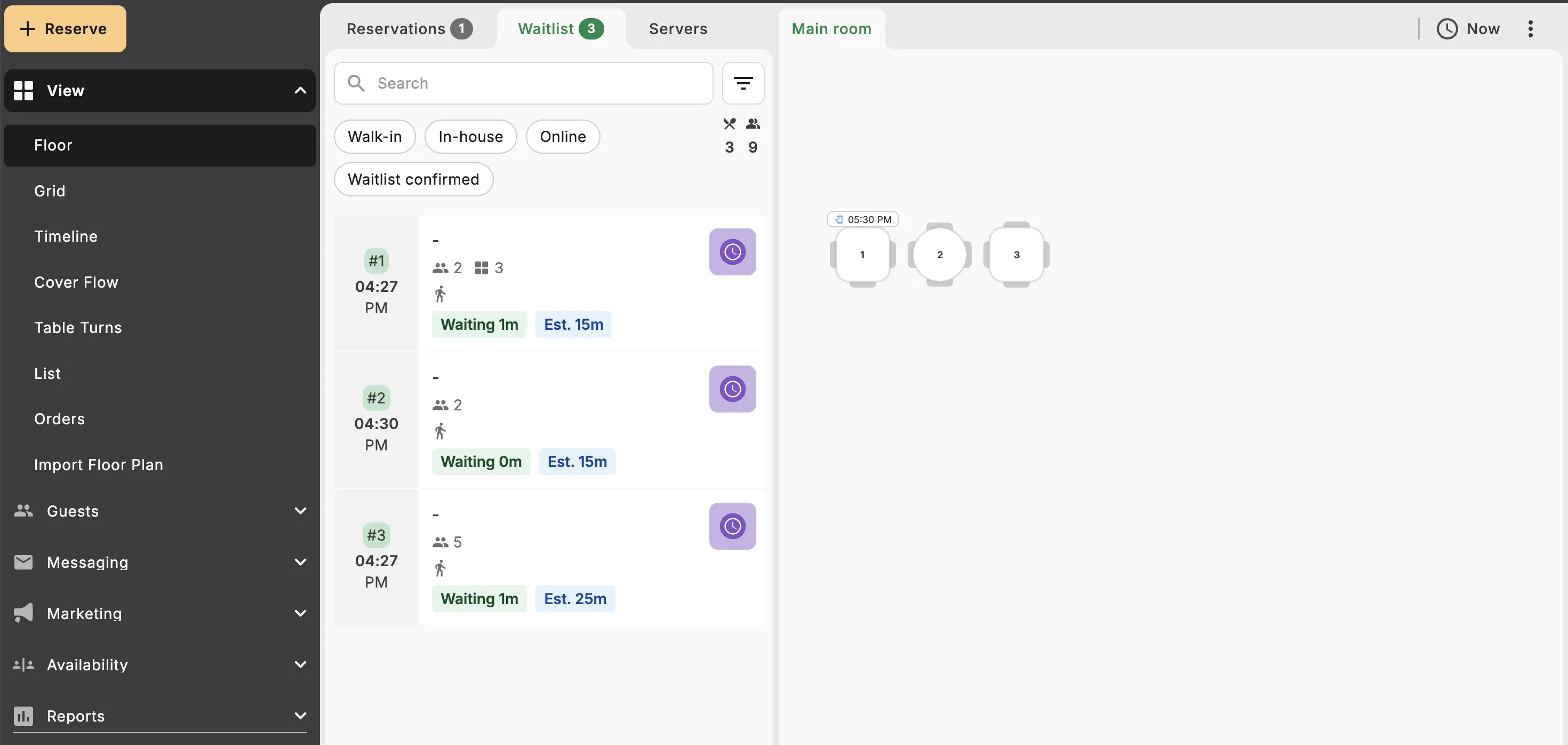
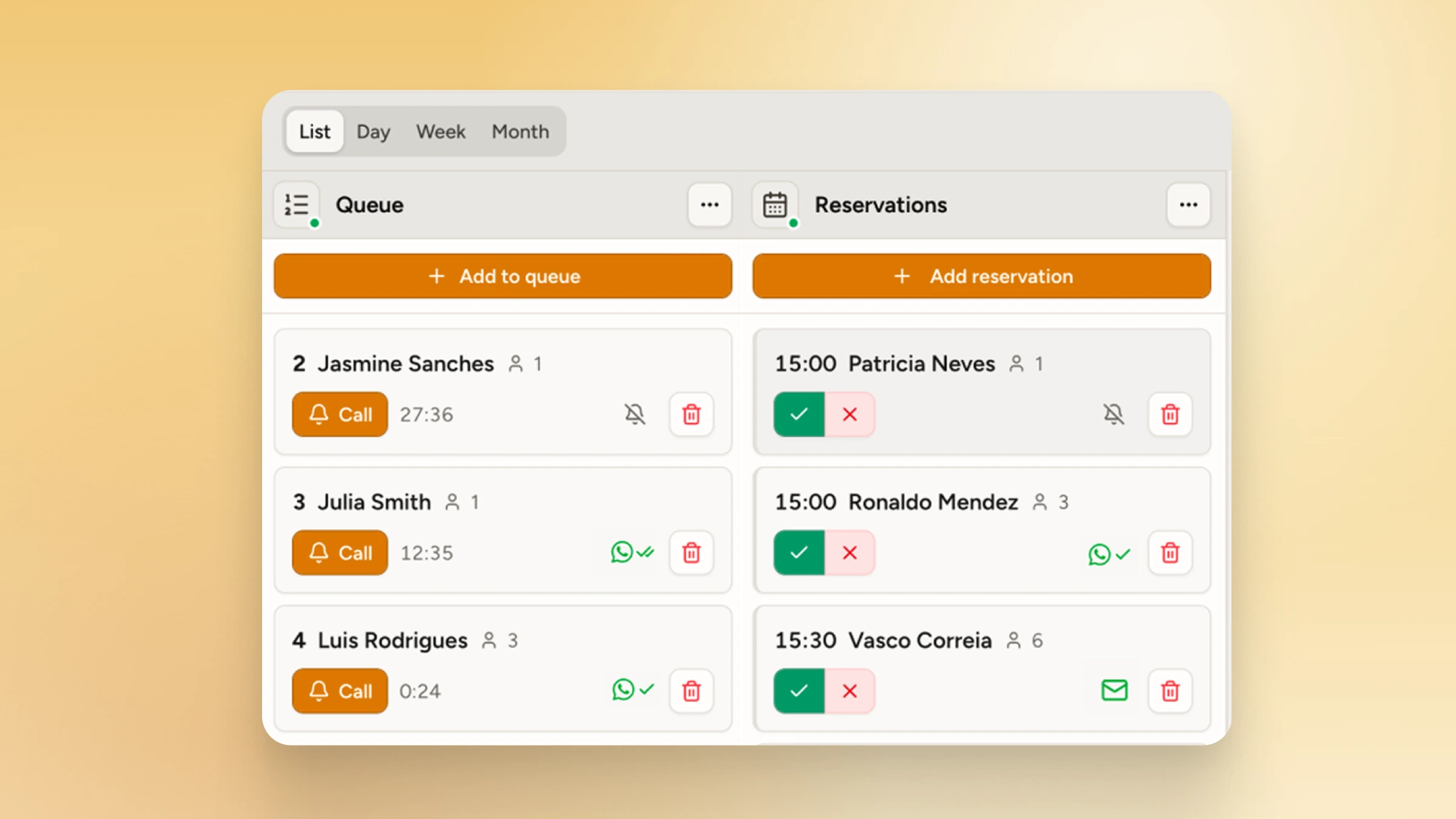
Run walk-ins and bookings from the same dashboard, at no extra charge.

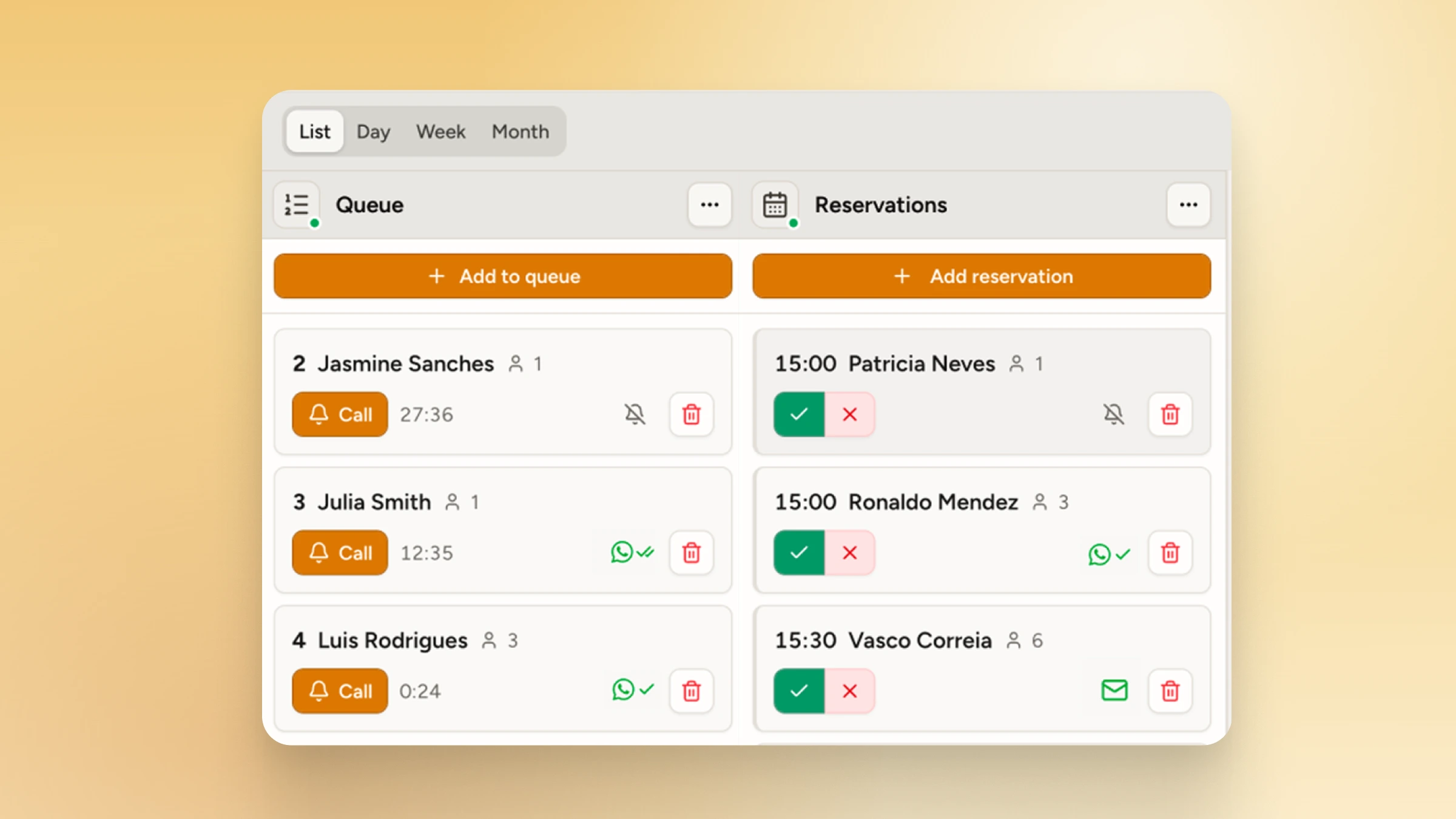
Restaurant walk-in queue and bookings side by side

Unlimited visits, queues and reservations

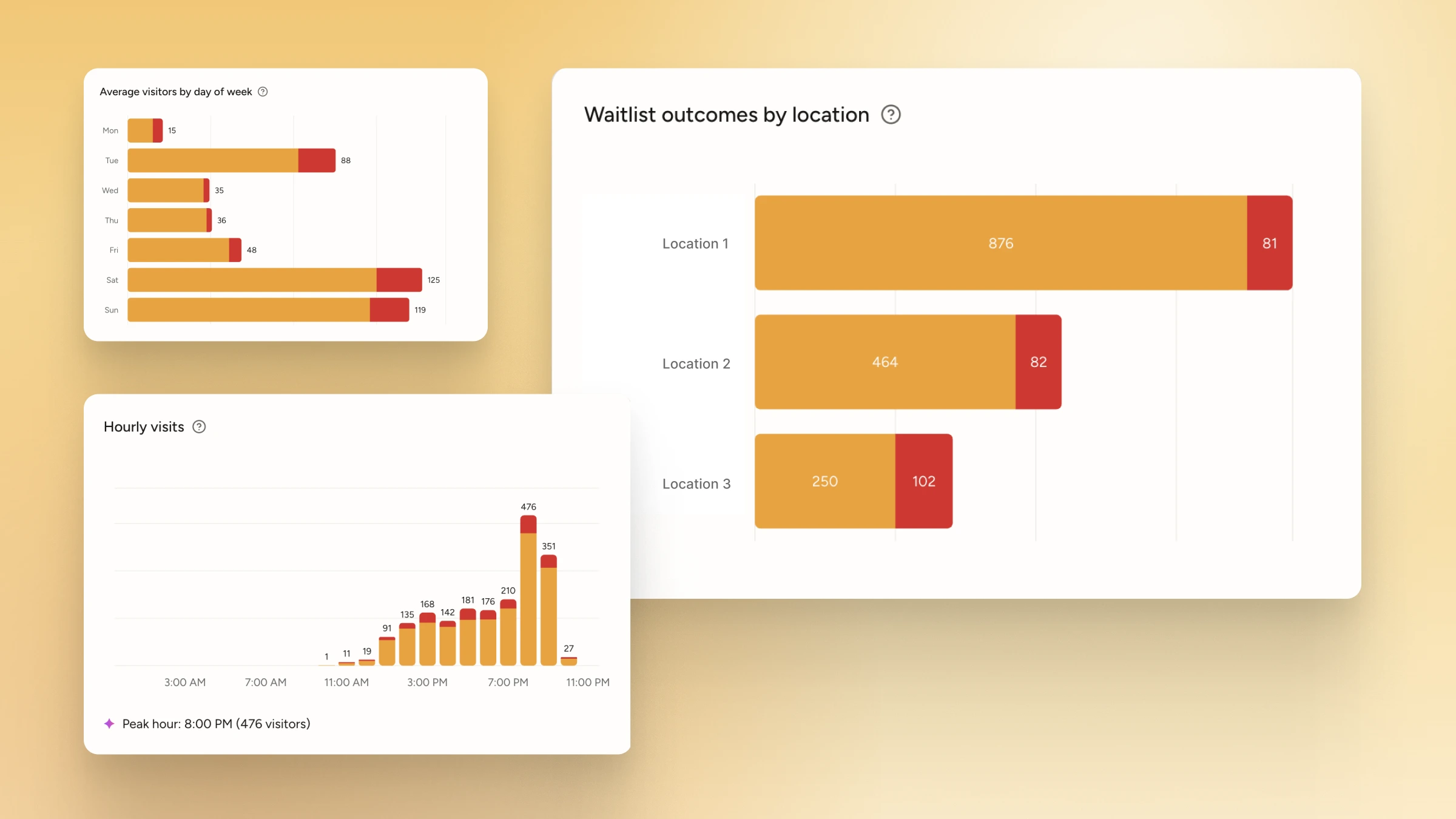
Every plan includes unlimited queue entries and bookings, so a busy month never pushes you onto a bigger plan.

Visits by day and hour, and waitlist outcomes for each location

Your brand on the check-in page

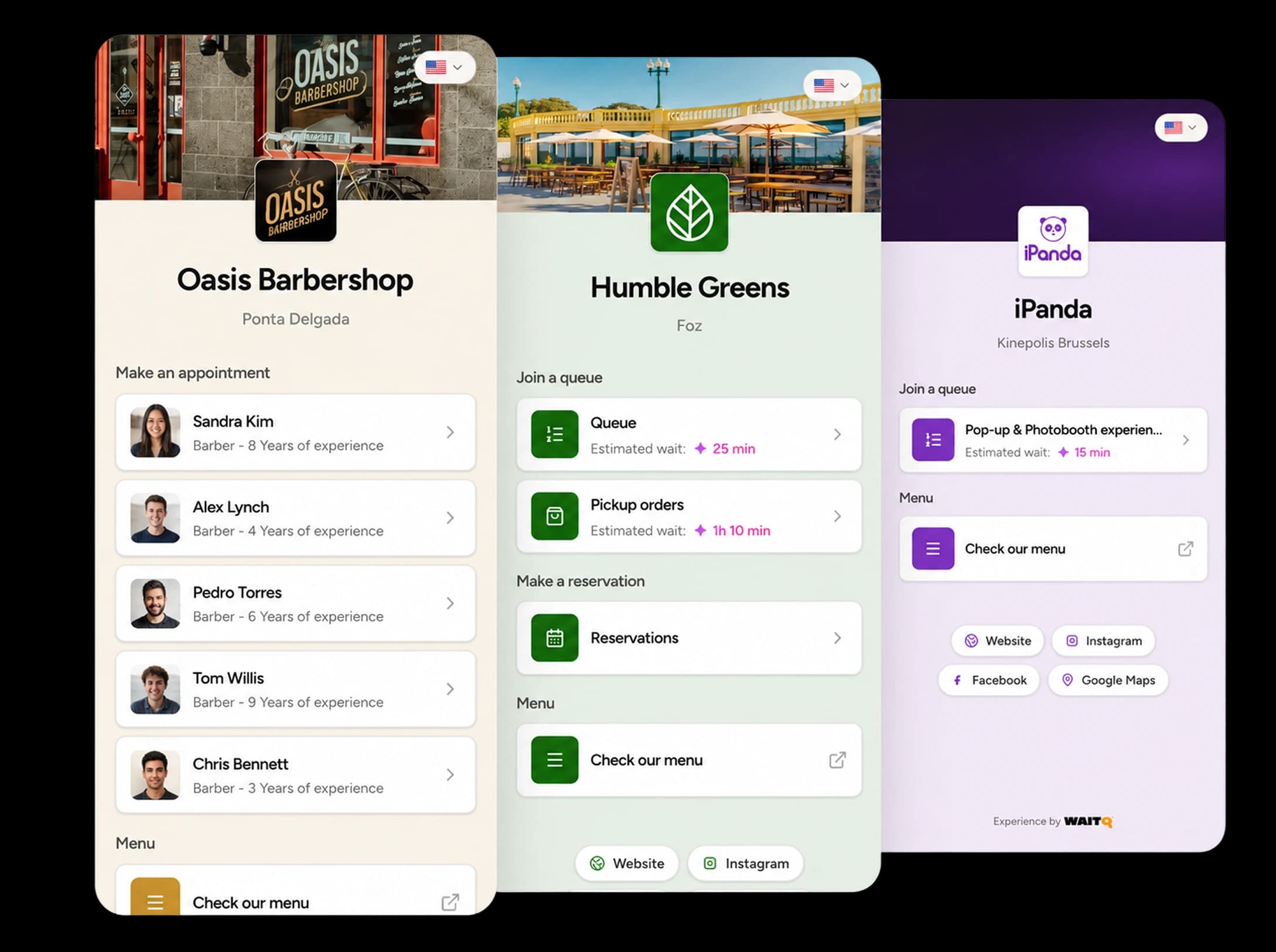
Your logo, colors and form fields appear on the page guests see after scanning.

Branded check-in pages for three different businesses

Connect WaitQ to the tools you already run

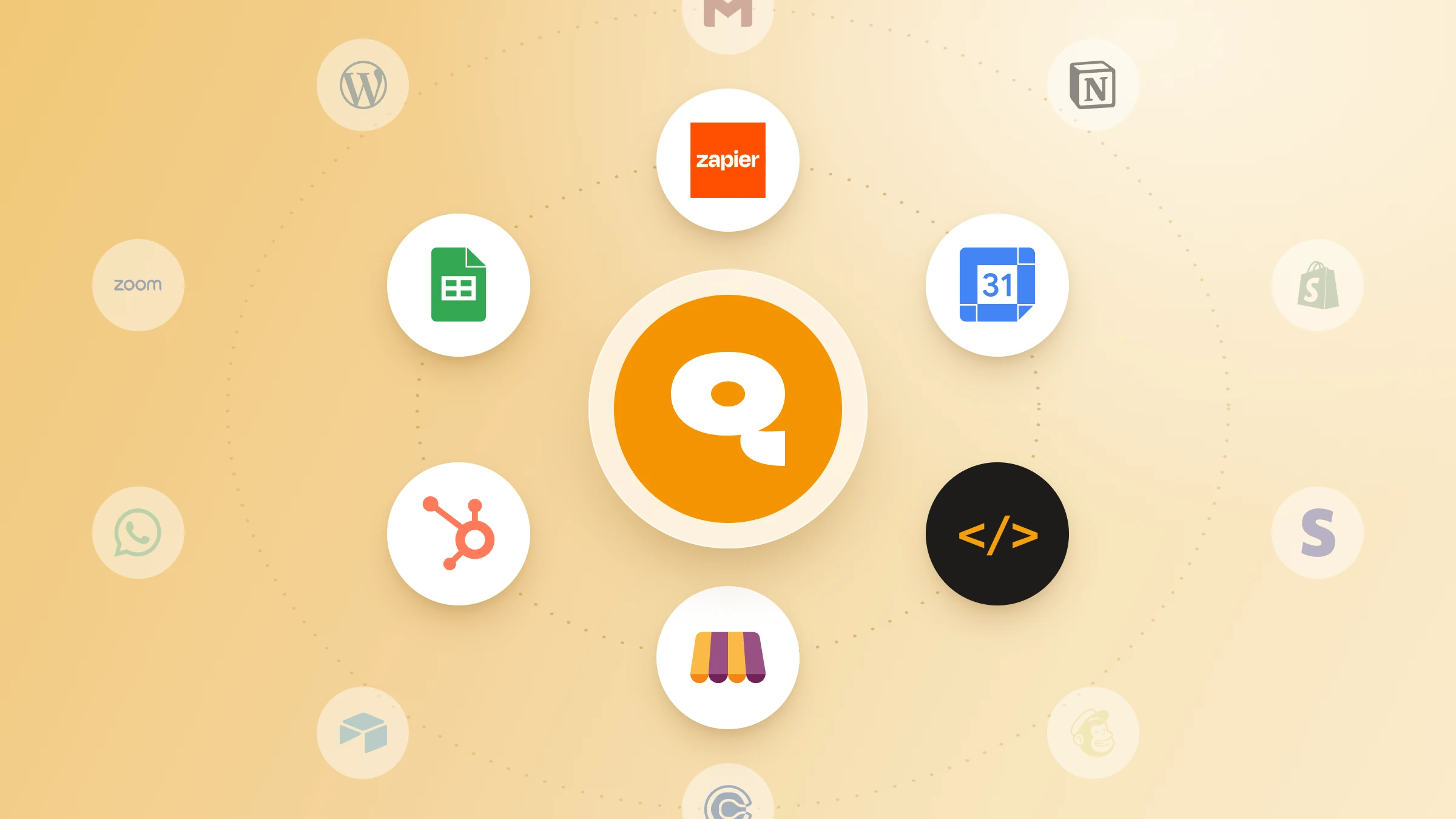
Integrate the WaitQ system with Zapier, Make, Calendar, Odoo POS, and much more.

WaitQ connected to Odoo POS and Zapier

Let guests self check-in

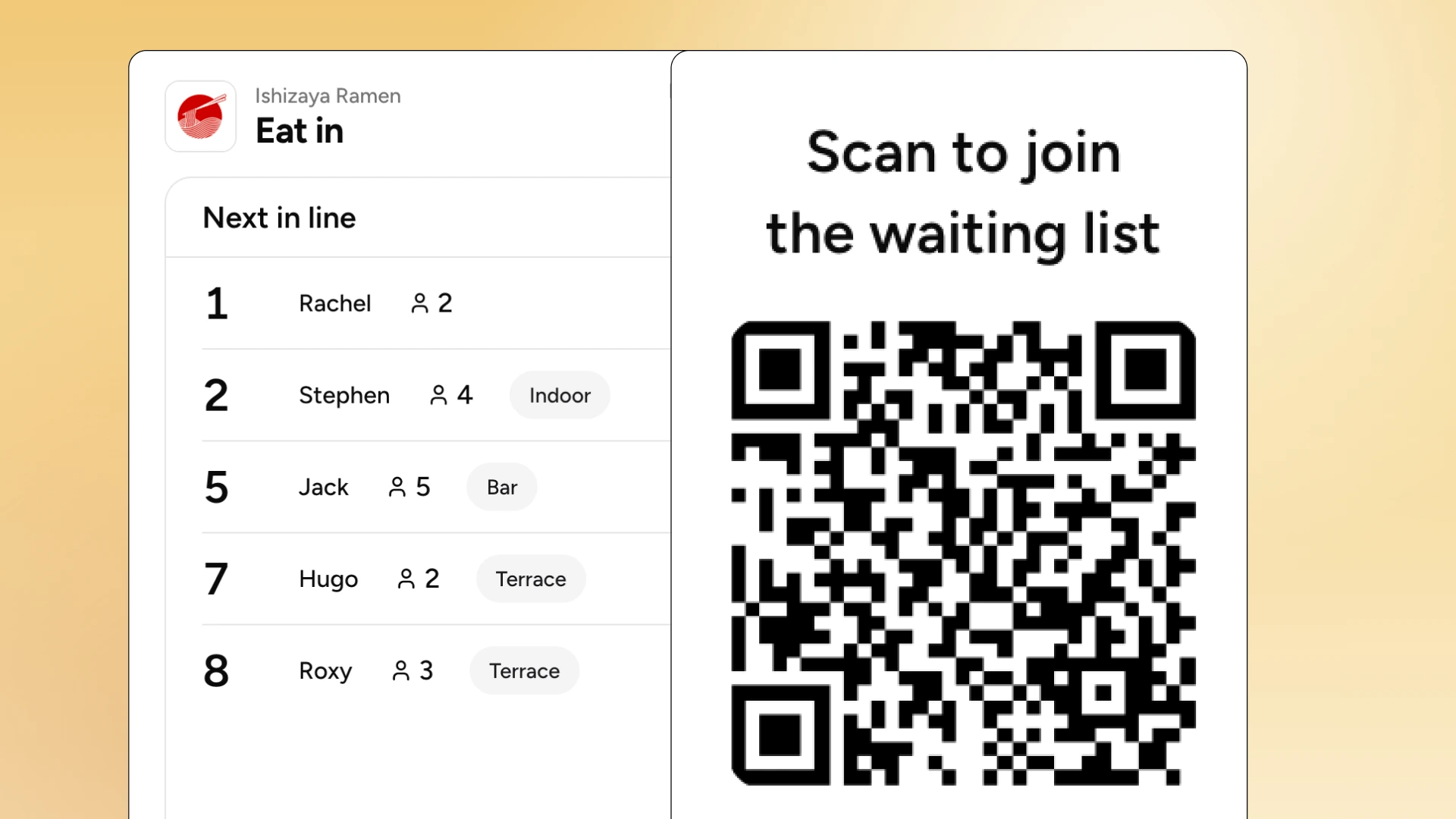
Guests scan a QR code at the door and join the queue from their own phone, with no app to download.

Scan to join the waiting list QR code next to the live restaurant queue

How do you switch from Eat App to WaitQ?

Moving walk-ins from Eat App to WaitQ takes an afternoon of setup and one busy service to test. Export your guest data first, then decide whether Eat App stays for bookings.

  1. Export your guest data.Ask Eat App how to export guest profiles and visit history before you change or cancel your plan.
  2. Start a free trial and add your restaurant.Add your location, opening hours and party sizes.
  3. Set up your queue and floor plan.Add your tables and zones, then brand your check-in page with your logo and colors.
  4. Put the QR code at the door.Print the QR code for the entrance and host stand, and add your booking link to your website and Instagram profile.
  5. Run one busy service on WaitQ.Watch how the door runs with guests checking themselves in, then decide whether to keep Eat App for bookings. The two floor plans don't sync, so give each tool its own tables if you run both. Starter is enough to test self check-in at the door, and the WaitQ pricing page shows which plan adds floor plans and integrations when you're ready.

Choose the plan that fits your operation

Start a 7-day free trial today.

Save up to 23%

Starter

For single-location businesses looking to optimize their operation

$35/month

Switch to annual and save $96/year

Start free trial
  • Locations1
  • Staff accounts5
  • SMS/WhatsApp credits100/month
  • Analytics history30 days

Grow

Most popular

For busier businesses that need more capacity and fewer headaches

$59/month

Switch to annual and save $120/year

Start free trial
  • Locations2, up to 4
  • Staff accounts20
  • SMS/WhatsApp credits400/month
  • Analytics history60 days

Everything in Starter, plus

  • Guest lists
  • Table management
  • Geofencing
  • Custom form fields and data exports

Business

For multi-location operators looking to run their business efficiently

$139/month

Switch to annual and save $240/year

Start free trial
  • Locations5+
  • Staff accountsUnlimited
  • SMS/WhatsApp credits1,000/month
  • Analytics history90 days

Everything in Grow, plus

  • Integrations (Zapier, Make, Calendars, more)
  • API & webhooks
  • Priority support
  • Onboarding call

Frequently asked questions

What is the best Eat App alternative for restaurants?

WaitQ is the best Eat App alternative for restaurants that take walk-ins and bookings. Guests book ahead or check themselves in by QR code on every plan, both lists share one floor plan, and guests get called by push notification, SMS, WhatsApp or email.

How much does Eat App cost?

Eat App is free for up to 100 guests a month. Lite costs $99 a month ($69 billed annually), Core $199 ($159) and Pro $389 ($299). Enterprise is quoted for groups of 8 or more venues, and no plan charges cover fees.

Does Eat App have a waitlist?

Yes. Every paid Eat App plan includes waitlist management, where staff add guests and notify them when their table is ready. Guests can only join by QR code at the door or online from the Pro plan, at $389 a month or $299 billed annually.

Does Eat App charge per cover?

No. Eat App charges a flat monthly plan price with no per-cover or per-booking fees, and its paid plans have no cap on guests or covers. Some features, such as POS and payment integrations on Core, cost $39 a month each as add-ons.

Does Eat App have a free plan?

Yes. Eat App's Free plan covers up to 100 guests a month, and paid plans come with a 14-day free trial.

Does WaitQ need hardware or an app for guests?

No. WaitQ runs in the browser on the phones, tablets or kiosks your team already uses, and guests join by scanning a QR code, with no app to download.

Does Eat App allow self check-in?

Yes, but only in more expensive, higher plans. WaitQ has QR code check-in included in all plans.

For busy businesses

Let walk-ins check themselves in

Guests scan a QR code, join your queue on a branded page and get called back on the channel they read. Unlimited visits on every plan.

Start WaitQ for free

Free 7-day trial · Live in minutes

WaitQ

About the author

Bruno B.LinkedIn

Bruno is one of the co-founders of WaitQ, currently the Marketing & Growth Lead. He has spent over a decade leading marketing strategies for SaaS companies across Europe, the US, and Asia.