

Introducing the WaitQ App Clip: a live waitlist on iPhone, no app download
iPhone guests who scan your QR code now join your queue with no app download, follow their place live in the Dynamic Island and on the Lock Screen, and can get a free push notification when it is their turn.

No app download, no friction
Asking guests to download an app just to wait for a table doesn't work. Most won't, and the ones who do rarely open it again. That's why WaitQ has always worked in the browser.
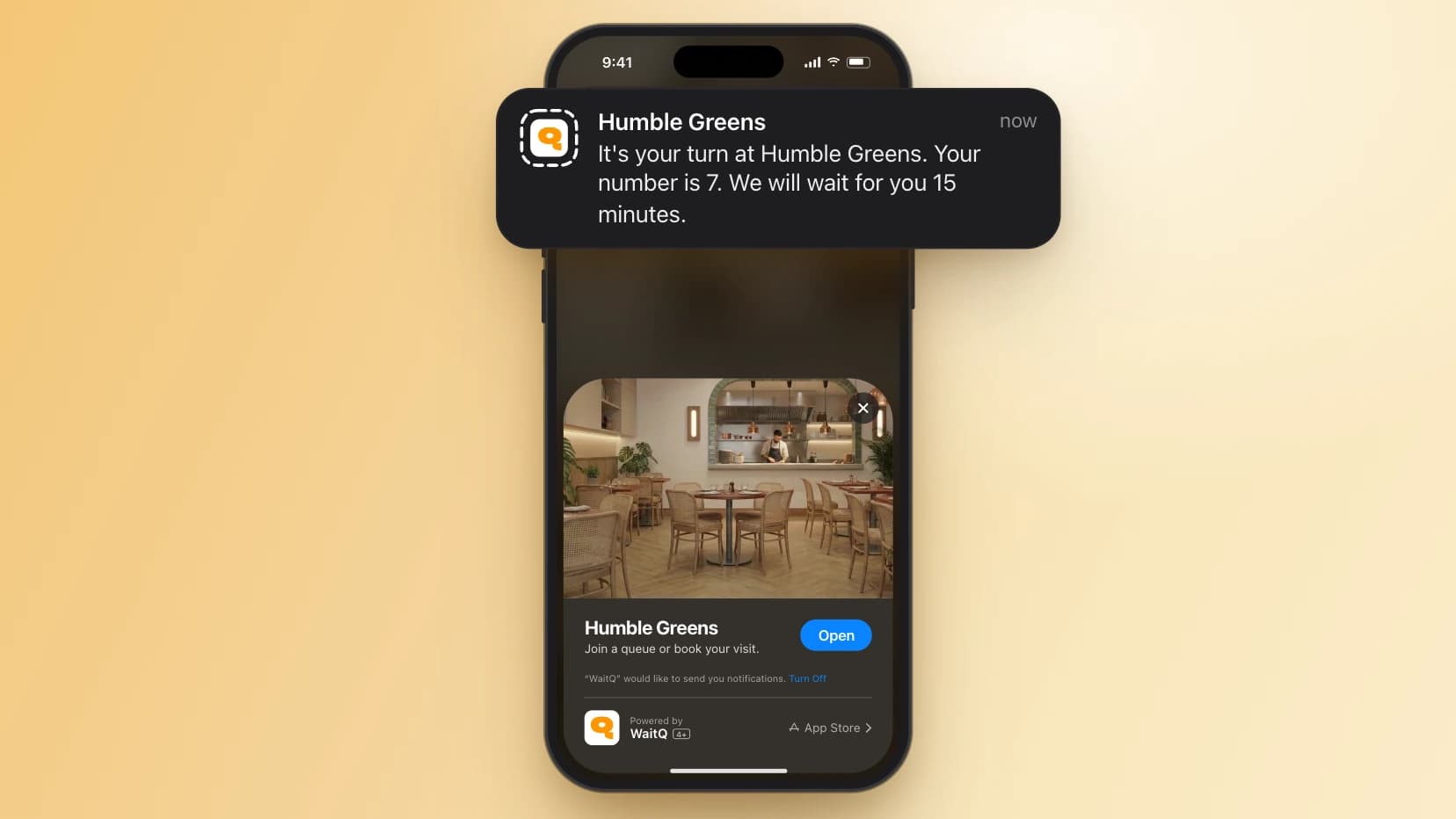
From today, iPhone guests get something better than a web page, still with nothing to install. When they scan your QR code with the Camera, iOS opens the WaitQ App Clip: a small, native part of the WaitQ app that loads in a couple of seconds and disappears on its own when they no longer need it.
Your brand on the card
The first thing guests see is a card with your cover photo and your business name, not ours. One tap on Open and they are on your location, with your queues, order lists and booking lists.
Your cover and details stay in sync automatically: when you change them in WaitQ, the card follows.
Join, order or book in a few taps
The App Clip uses the same forms and rules as your QR page: working hours, party sizes, services, custom questions and entry rules all apply.
- Queues: guests see their number and estimated wait right after joining.
- Pick-up orders: guests follow the order until it's ready.
- Bookings: guests pick a date and time and get their confirmation on the spot.
If a queue only accepts guests near your location, the App Clip asks for the iPhone's location once to confirm they're there.
Their place in the Dynamic Island and on the Lock Screen
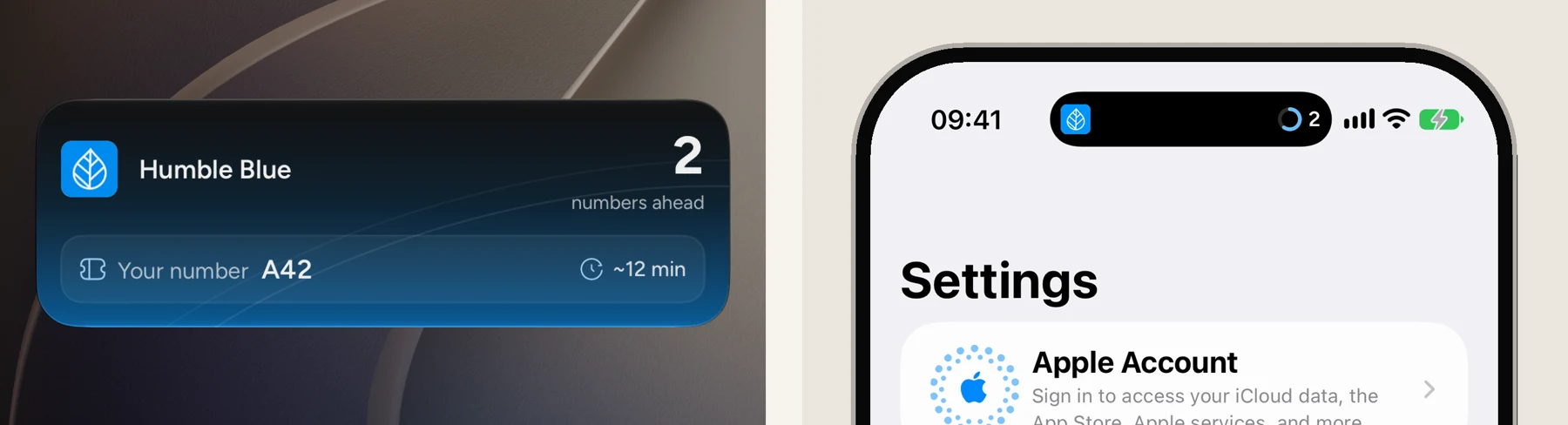
While they wait, guests don't need to keep a page open. Their place and estimated wait sit on the Lock Screen and in the Dynamic Island as a Live Activity, and count down as the queue moves. When the next guest is almost up, it says so.
When you call them from the dashboard, guests who allowed notifications get a push notification straight away. Push notifications are free: they don't use your SMS or WhatsApp message credits, so the App Clip can lower what you spend on messages. Guests who turn notifications off can still check their place in the App Clip, and you can offer SMS or WhatsApp as a backup.
WaitQ does the setup for you
You don't need an Apple developer account, an app of your own or anyone technical. WaitQ handles the whole setup: we register your business's App Clip card with Apple, add your cover photo and name, and keep it up to date when you change them.
All you do is show your usual WaitQ QR code. Your guests do the rest: they scan it with their iPhone Camera and the App Clip opens. Android and other phones keep the regular waiting page, so nobody is left out.
The App Clip is on for every active WaitQ business with a public location page, on every plan. See how guests join from your code in How customers join through the QR page.
For the best card, upload a cover photo in your location settings. A 3:2 image looks best on the App Clip card.
