

Hotel breakfast queues: how to handle the morning peak
This guide covers three ways to manage the peak at the restaurant door, how guests can join from their room, how to call them down, and the priority rules for groups and outside diners.

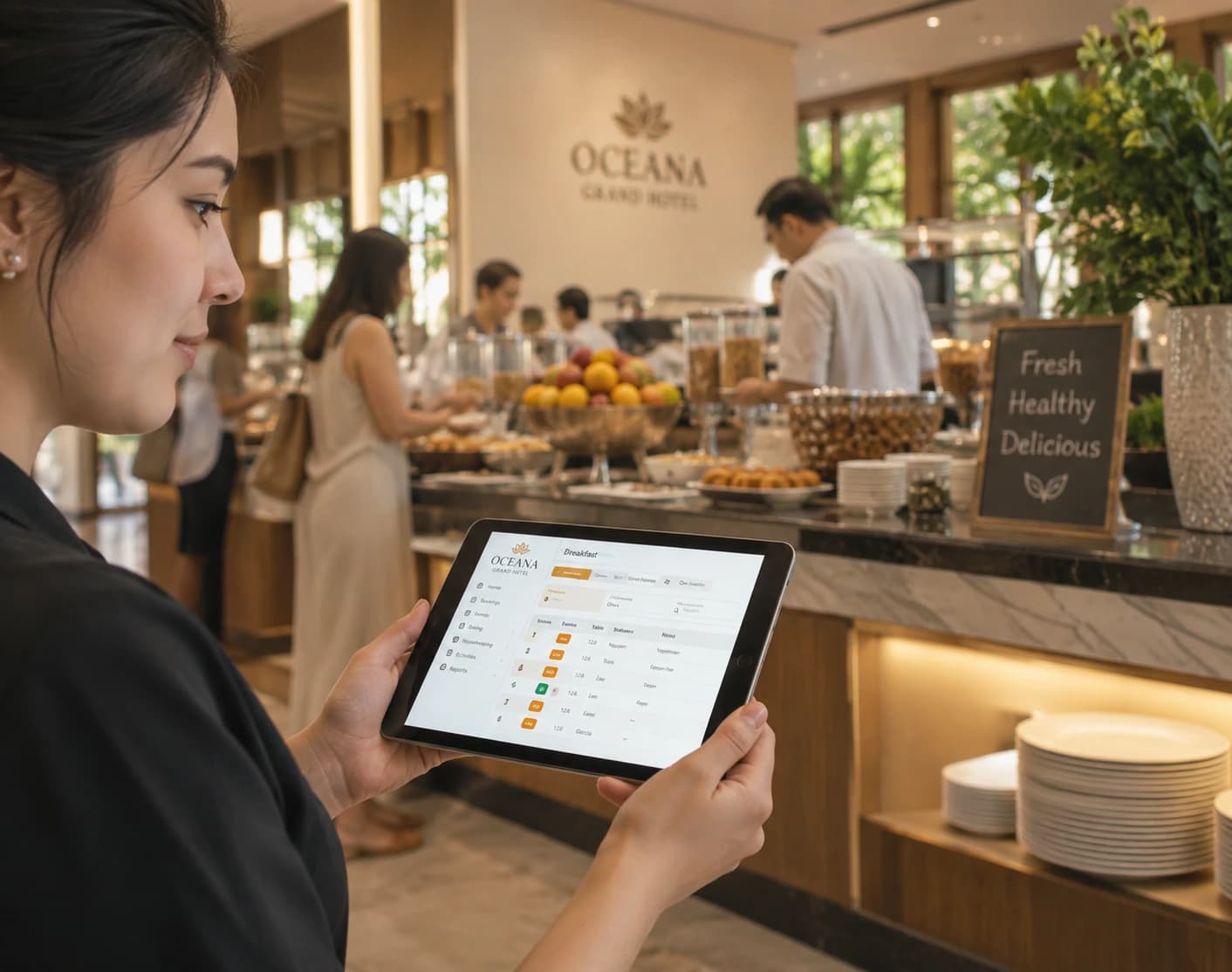
A hotel breakfast queue is the list of guests waiting for a table in the breakfast room, managed by staff from a browser and joined by guests from their own phones.
The simplest way to manage a breakfast queue is to let guests join it from their room and send them a notification when a table is free. Depending on how busy your mornings get, that live queue can run on its own, sit beside bookable time slots, or be replaced by a room-number check-in list at the restaurant door.
Hotel breakfast queue setups at a glance
| Setup | Best for | How guests join | What staff do at the door | Watch-outs |
| Live queue | Unpredictable peaks, leisure hotels, weekends | QR code in the room, lift or lobby, or a link in the check-in message | Seat the next guest and tap "notify" when a table clears | Needs someone watching table turnover |
| Breakfast time slots | Steady demand, group stays, limited seating | Book a slot on the hotel's check-in page | Check each booking against the room number | Guests who miss their slot need a rule |
| Room-number check-in | Hotels tracking who has breakfast included | Staff find the room on a guest list at the door | Tick off each room as it arrives | Needs a person at the entrance during the peak |
| Time slots plus a walk-up queue | Busy properties with mixed demand | Book a slot, or join the queue on the morning | Seat booked guests first, then call the queue | Agree the priority rule before the first morning |
Why do hotel breakfast queues form?
Breakfast queues form because most guests want breakfast in the same 60 to 90 minutes, and the breakfast room has a fixed number of tables. Check-out days, tour departures and conference start times compress demand further, so a room that sits half empty at opening can be full an hour later.
Two different queues tend to appear at once. The first is at the restaurant entrance, where guests wait for a table. The second forms inside, around the coffee machine, the egg station and the toaster. A buffet case study at a Gran Canaria resort found that congestion during peak periods was the main problem guests experienced at breakfast, and the fix it proposed was mostly about circulation and station layout.
The stakes are higher than a single meal. In a survey of 626 hotel guests, 64% said they would return to a hotel because of its breakfast, and 70% rated breakfast as very or extremely important during a stay. Breakfast also turns up in a large share of online reviews, as our hotel statistics roundup shows.
Which breakfast setup suits your property?
The right setup depends on how predictable your mornings are and whether you need to track breakfast by room. Most hotels start with one and add a second for their busiest days.
A live queue guests join from the room
A live queue works best when demand is hard to predict. Guests scan a QR code in their room or open a link, add their room number and party size, and see their place in the digital queue. When a table frees up, staff send a notification and the guest comes down.
This setup suits leisure hotels and weekends, when guests wake up at different times and don't want to commit to a slot the night before.
Breakfast time slots
Time slots spread demand before the morning starts. Guests pick a slot such as 8:00 to 8:30 from your branded check-in page and receive a confirmation, so the peak is shaped in advance.
Appointments work well for group stays, conference hotels and properties with limited seating. The trade-off is flexibility, since some guests won't know the night before when they'll want to eat.
Room-number check-in at the door
Room-number check-in suits hotels that need to know which rooms have breakfast included. Staff keep a guest list at the entrance and tick off each room as it arrives, with no paper sheet or printed occupancy report.
This is the one setup that needs a person at the door during the peak. It removes the lookup time and keeps an accurate record of who came down.
Combining time slots with a walk-up queue
Busy properties often run slots and a live queue together on the same floor plan. Guests who booked are seated at their slot, and walk-ups join the queue and get called as tables clear between bookings.
Write down the priority rule before the first morning. The usual default is that booked guests keep their slot, and the queue's estimated wait reflects the bookings ahead of it.
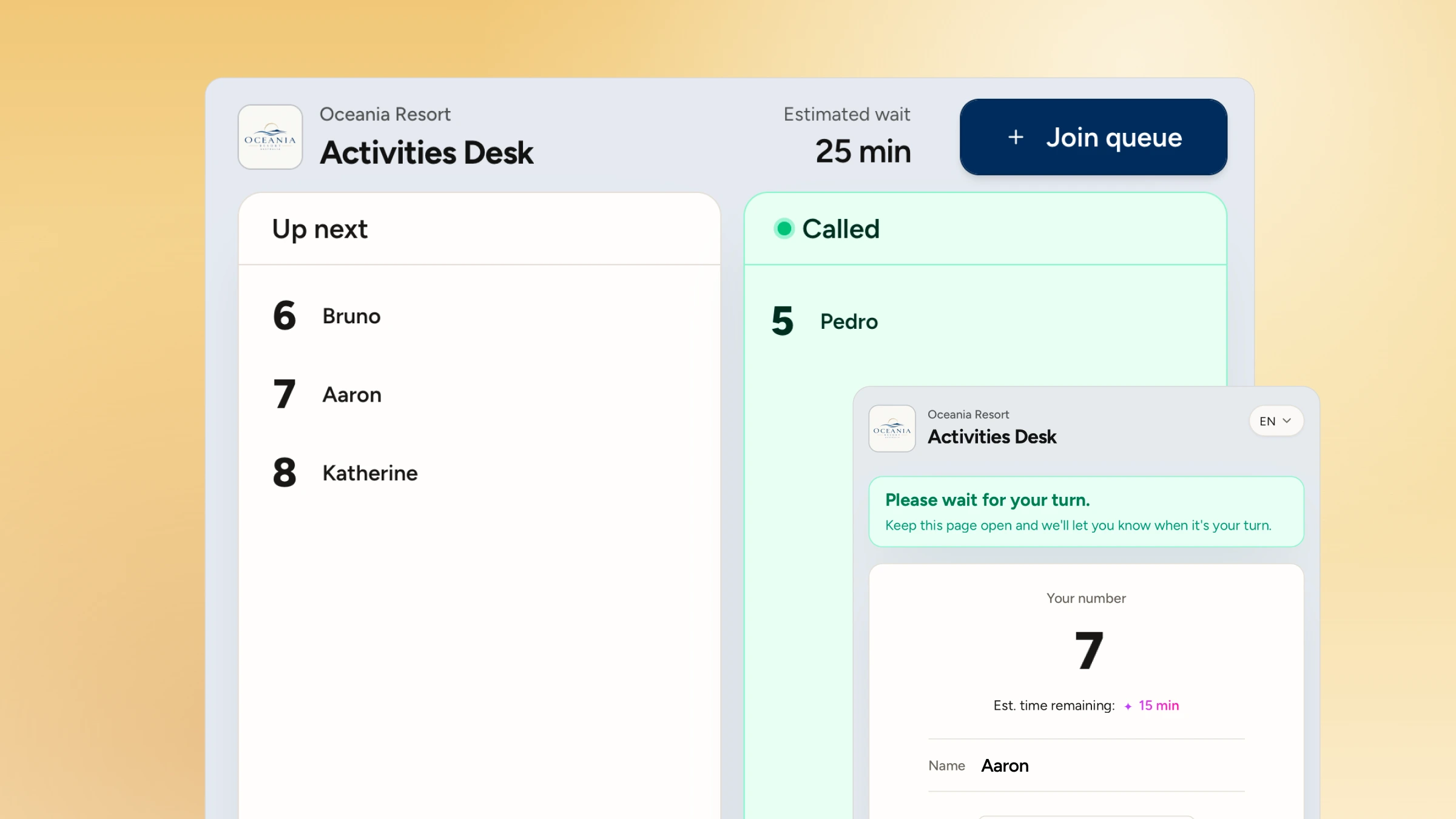
How can hotel guests join the breakfast queue from their room?
Hotel guests can join the breakfast queue from their room by scanning a QR code or tapping a link, then following their place in the phone's browser without downloading an app. The aim is to let guests decide when to come down before they leave the room.
Places to put the QR code or link:
- A card on the desk or bedside table, next to the breakfast hours
- The TV welcome screen, if your system allows custom content
- The key card sleeve handed over at check-in
- Inside the lift and at the lobby entrance to the restaurant
- The pre-arrival or check-in message, so the link is already on the guest's phone
Keep the form short. Room number, party size and an optional note for a high chair or accessibility need cover most hotels. In WaitQ the room number is a custom field, so you can name it, make it required and see it on every entry. Hotels that want room data to flow from their property management system (PMS) can set that up through a custom integration.
Plan a route for guests who don't use their phone. A tablet at the restaurant entrance running kiosk check-in covers walk-ups, and staff can add a guest by room number in a couple of taps.
How do you call guests down when a table is free?
Call guests one table ahead of when you expect it to clear, so the time it takes to reach the restaurant overlaps with the time it takes to reset the table. A guest on the fifth floor may need five minutes, and a guest already in the lobby needs one.
With table management, staff see free and occupied tables on the floor plan and match each waiting party to a table that fits. One tap sends the notification.
Hotel guest flow systems like WaitQ sends that update by push notifications, text message (SMS & WhatsApp) and email, and guests choose their channel when they join. Push notifications work on Android and iPhone without an app download, and on iPhone the guest's place in the queue also appears as a Live Activity on the lock screen. SMS and WhatsApp credits are capped by plan, while push and email don't use them, so push is a sensible default for in-house guests. Push also matters for international guests without a local number.
Most hotels move the guest down once and then remove them, and the rule should appear on the check-in page. See more wording options for SMS waitlist templates.
Who runs the breakfast queue when there's no host at the door?
Without a dedicated host, the person who clears and resets tables usually sends the notifications, since they know first when a table is free. A supervisor can watch the full queue on a tablet or phone and step in when it grows.
Three things make a no-host setup work:
- A sign at the entrance with the QR code and a line such as "Scan to join the breakfast queue. We'll message you when your table is ready."
- A public display facing the entrance, showing room numbers or first names as they're called. Hide names if your privacy policy requires it.
- One owner per shift, so two staff members don't call the same table twice.
Room-number check-in is the exception. If you need to confirm who has breakfast included, someone has to be at the door for the busiest 30 to 45 minutes.
How should hotels handle residents, outside diners and groups?
Hotels should decide the priority rules before the season starts and make them visible to staff and guests. The cases that come up most:
- Residents and outside diners. If the breakfast room is open to non-residents, decide whether residents get priority. Separate queues for each make the rule visible and keep the estimates honest.
- Half-board and packages. Use a custom field to mark the package, so staff can see it at the door without checking the PMS.
- Tour and conference groups. Import the group onto a guest list or book them into fixed slots, so a coach group of 40 doesn't land in the live queue at 7:30.
- Late risers near closing time. Pause the queue at a set time before breakfast ends and show the cutoff on the check-in page.
What changes on your busiest breakfast mornings?
Your busiest mornings usually line up with check-out days, weekends, conference schedules and coach departures, and each one needs a small change to the normal setup.
- Open overflow seating, such as a terrace or a second dining room, as its own zone on the floor plan.
- Move groups into fixed slots the evening before.
- Put a staff member at the entrance for the first 30 minutes of the peak, even on a no-host setup.
- Send the queue link in the evening message to guests checking out the next day, since they tend to come down at the same time.
What WaitQ does at your property
WaitQ can be used as the queue, booking and guest list layer for not only your breakfast room, but also activities, spa or front desk.
At breakfast specifically, WaitQ handles:
- Joining: a live queue, time slots or a room-number guest list, joined by QR code, kiosk or staff entry, with no app for guests to download.
- Seating: a floor plan showing free tables, so queued and booked guests share the same tables.
- Calling guests down: notifications by push notifications, text message (SMS & WhatsApp) and email, with the room number on every entry.
- Reporting: analytics on joins, waits and peak times for each morning.
WaitQ doesn't validate meal plans in your PMS, post charges to a room or control card access. Room data can reach WaitQ through a custom integration on the Business plan, and Odoo POS users can sync their floor plans and tables.
Every plan includes unlimited visits, queues and bookings, so even a full house will change your bill.
See how WaitQ works for hotels
Which breakfast metrics should you check after the first week?
Check peak queue sizes, average wait times, walk-aways and slot no-shows are some of the essential analytics to look at. Together they show whether your setup matches the real shape of your mornings.
Going deep into numbers by the hour show exactly when the room fills, which tells you when to open overflow seating or add a second person on the floor. Slot no-shows show whether guests are booking times they don't use.
Running breakfast without a crowd at the door
A breakfast queue forms because demand compresses into a short window and the room has a fixed number of tables. A live queue, time slots and a room-number list each move the waiting somewhere else, and the right choice depends on how predictable your mornings are and whether you need to track breakfast by room.
WaitQ runs all three from one account, with room numbers on every entry and guests notified on their preferred channel. It sits beside your PMS and won't validate meal plans or post charges. Hotels that need breakfast entitlement enforced at a card reader will need a PMS meal-control add-on for that part. For everything else, you can test it on a real breakfast service with a free 7-day trial and compare plans on the pricing page.
Frequently Asked Questions
What time is hotel breakfast busiest?
Usually a 60 to 90 minute window. It tends to start later on weekends and at leisure hotels than on weekdays at business hotels. Count joins or covers in 15-minute intervals for a week to find your own peak.
Should a hotel use breakfast time slots or a queue?
Use time slots when demand is predictable or seating is limited. Use a live queue when guests wake up at different times. Busy hotels often run both, with booked guests keeping their slot.
How do you stop queues at the buffet stations?
Queues at the stations come from the layout. Spread coffee and eggs across separate stations, add a second coffee point and keep a one-way route. A table queue helps by limiting how many guests are in the room at once.
Can hotel guests join the breakfast queue from their room?
Yes. They scan a QR code in the room or open a link, enter their room number and party size, and follow their place in the browser.
How do hotels check breakfast entitlement by room number?
They use a list of rooms with breakfast included, kept on paper, in the PMS or on a digital guest list at the door. A digital list lets staff search by room number and tick off each room as it arrives.
How much does a breakfast queue system cost for a hotel?
WaitQ plans start at $27/month billed annually, with unlimited visits, queues and bookings. Push notifications and email don't use credits, and each plan includes a capped number of SMS and WhatsApp credits.
