

The table timeline shows when each table is in use across a selected day. Use it to understand upcoming placements and existing occupancy before making a seating decision.
1. Open Table timeline
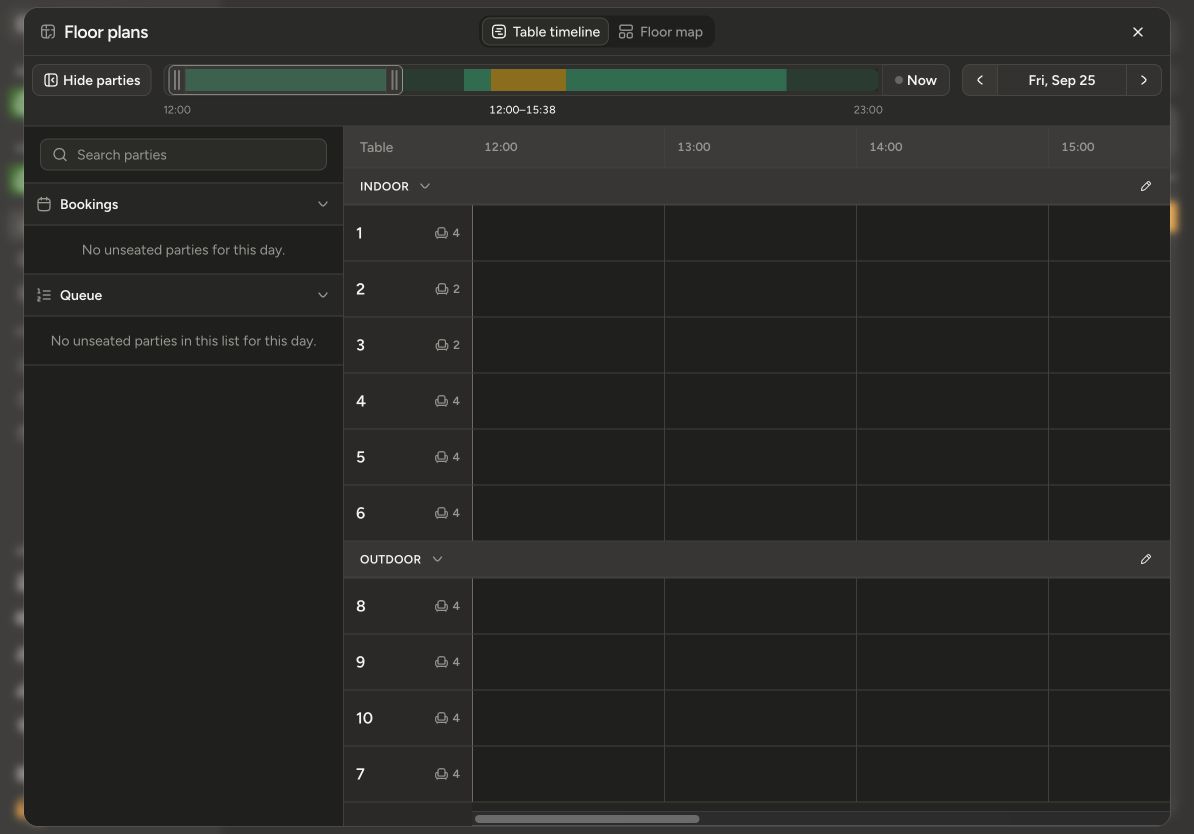
Open your location and click Floor plans, then choose Table timeline. Tables are grouped under collapsible zone headings. You can collapse the parties sidebar to give the timeline more room.
Each row represents a table, with its name and seating capacity on the left. Times run across the top. Scroll horizontally to inspect later hours.
2. Choose the date and inspect a period
Use the previous and next arrows beside the date to move one day at a time, or click the date to pick another day from the calendar. Today in the calendar returns you to the current day and time. Use the visible-time-range control at the top to move or resize the period shown in the timeline.
Read the text on each block as well as its colour. Blocks may show a suggested party placement, a reservation, seated guests, or manual occupancy. Select a block to inspect the details available for that item.
A Suggested placement represents expected table use. It is different from a confirmed assignment or a party already seated, and can change as availability is recalculated.
3. Review conflicts before taking action
Check whether the required table is free for the relevant period and has enough seats. For a combination, check every member table.
Select a block to see the recorded party, status, and period. For changing occupancy, follow How to manage table availability.
4. Adjust a reservation or service period
When you have editing permission, eligible reservation, queue-service, and manual blocks have handles at their edges. Drag an edge to adjust the period. Integration-controlled blocks and read-only zones cannot be edited this way.
For a reserved booking, changing the period changes the reservation itself. Review Previous time and New time in Reschedule reservation?, then choose Save and alert, Save without alert, or Cancel. Check the saved reservation and its table availability afterwards.
For a guest service that is running longer than expected, extend its eligible block to update the service period. See How to manage table availability.
5. Return to live seating
Click Now to return to the current service. Switch to Floor map if you want to choose tables by their position, then select the party and confirm its table assignment.
Seating actions require the live view. When browsing another time, the availability shown belongs to that selected time and should not be used as proof that a table is free right now.
Does an empty space guarantee a suitable table?
Check the party size, the complete required period, and the list's allowed tables too. Timeline space alone does not tell you whether a table or combination meets all those conditions.
Continue with How to assign and change tables or How to choose which zones and tables a list can use.