

6 best queue management software for small businesses (2026)
We evaluated 9 queue management systems across five criteria: pricing transparency, customer check-in friction, notification channels, setup time, and multi-location support. This guide covers the tools that matter for small businesses such as retail shops, restaurants, beauty salons, barbershops, hotels, and more


What do small businesses actually need for queue management?
Small businesses don't need enterprise software to manage queues. It's easy to fall in the trap of going for extra complexity, but most businesses simply need a tool that doesn't require new hardware to buy and maintain, lets customers join without downloading an app and that doesn't turn into a bigger bill without warning.
Here is an overview of the top queue management systems:
Compare the top 6 digital queuing tools at a glance
| Tool | Starting price | Visit caps | Notifications | Highlights |
| WaitQ | $27/mo | None on any plan | SMS, WhatsApp, email | Flat pricing that doesn't change with volume, plus appointments / bookings alongside walk-ins |
| Waitwhile | Free / $29/mo | Yes, by plan (50 to 10,000 visits/mo) | SMS, email | Native integrations if you already use Mailchimp or Salesforce |
| Waitlist Me | ~$28/mo | Tiered by notification volume | SMS, email | Long track record in the restaurant vertical |
| Waitly | $49/mo | Yes, hard cap (1,000–3,000 parties/mo) | SMS, email | Simple interface if your team already runs on iPhone |
| NextMe | Free / $49.99/mo | Free tier capped at 100 parties/mo | SMS, email | Usable free tier for very low volume |
| Waitwell | $29/mo | Not published | SMS (100 credits included); WhatsApp not confirmed | Priced close to WaitQ, with service/category icons and a service-locator map |
Pricing and caps change often. Check each provider's live pricing page before you commit, and confirm what happens to notifications once you hit a cap.
The hidden cost: what a low headline price can turn into
A cheap-looking entry plan is only cheap if you stay under its cap. Many tools price low at the top of their pricing page and then attach a monthly visit or party limit that a busy small business clears without noticing, often mid-quarter during a seasonal rush. When that happens, either the system stops flowing or you're pushed to the next tier automatically.
The math to run before choosing: take your busiest week, multiply your average daily walk-ins by seven, and check that number against the plan's stated cap, not its advertised starting price. Research on retail wait times found that more than two-thirds of consumers will leave a physical line before their turn comes up, so the businesses most likely to hit a plan's cap are exactly the ones that can least afford a broken flow at that exact moment.
See what your walk-aways cost you 💸
Most businesses lose 10-20% of potential revenue to walk-outs. See your number.
The 6 top queue management software options for SMBs
WaitQ
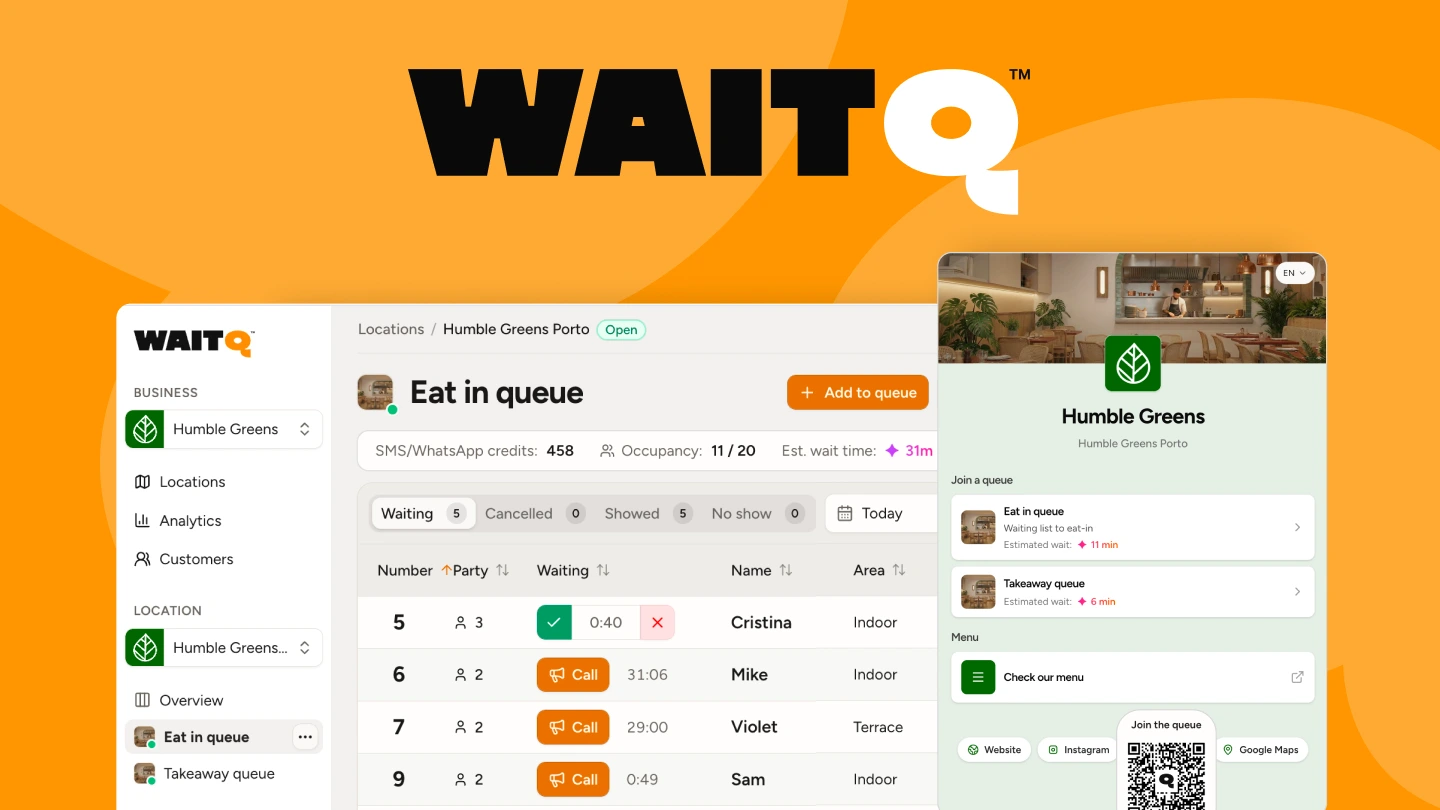
WaitQ is a solid option for walk-in heavy businesses that don't want to think about visit volume. Customers scan a QR code, join the queue or a pickup order from their own phone, and get notified by push notification, SMS, WhatsApp or email when it's their turn, with no app download on either side. Every plan includes unlimited customer visits and queues, so a busy weekend doesn't change what you pay.
The same view can handle queues, pickup orders, and appointment scheduling side by side, so front-of-house staff aren't switching between tools. The check-in page carries your logo and branding. Plans start at $27/mo, and additional locations are a flat add-on rather than a full pricing tier jump.
Beyond the day-to-day queue, WaitQ keeps a history of returning visitors across locations and analytics cover wait times, turnout, and peak periods on a real dashboard, which gives a small business visibility into staffing patterns.
Waitwhile
Waitwhile also combines walk-in queue management with appointment scheduling in one platform, which suits businesses that handle both. The free plan covers very light volume, and paid plans scale by visit count, from roughly 2,500 up to 10,000 visits per month depending on tier. It has native integrations with Mailchimp and Salesforce, which matters if a business already runs its marketing or CRM through one of those tools.
There's no WhatsApp notification option, which is a real gap in markets where WhatsApp open rates run higher than SMS. Because pricing scales with visit count rather than a flat fee, a small business with an unusually busy month can move into a higher tier automatically.
Waitlist Me
Waitlist Me has one of the longer track records in the restaurant space and a straightforward setup that most staff can learn in a single shift. Pricing is tiered by monthly notification volume rather than by location, so cost scales with how often you actually text or email customers rather than how many storefronts you run.
It doesn't offer WhatsApp, and heavier notification volume moves you up a tier, which is worth mapping against your own text and email habits before committing. For a single-location restaurant with modest notification volume, the entry tier can work well. However, the calculation changes for a business running several locations or one that leans on frequent updates to keep customers informed.
Waitly
Waitly targets restaurants and similar walk-in businesses with a flat monthly fee, but that fee comes with a hard party cap. Cross it, and SMS notifications stop working until the next billing cycle, which means the exact night a restaurant needs notifications most is the night they can go quiet. The staff-side app is iOS only, which is a real constraint if your team uses a mix of devices or Android.
Two tiers are available, priced by monthly party volume rather than location count, so a single busy location can hit the cap faster than a multi-location business spreading the same volume across several sites.
NextMe
NextMe has a usable free tier for very low volume, capped at 100 parties a month, which makes it a reasonable way to trial the basic workflow before spending anything. Paid plans start around $49.99/mo and appear to lift that cap, but analytics are locked to the top tier, so a small business on a lower plan won't get visibility into wait times or peak patterns.
There's also no WhatsApp support on any plan. The free tier's cap is tight enough that most walk-in businesses outgrow it within the first busy month, so it's better suited to testing the setup than running a live location long term.
Waitwell
Waitwell prices at $29/mo for a single location, one queue, and 100 SMS credits, with a $55/mo Basic tier above that. A recent update added service and category icons, a service-locator map.
Visit caps and WhatsApp support aren't clearly published, so confirm both directly. For a single-location business that mainly needs SMS and a clean check-in flow, it's a good option.
What to keep in mind when choosing the right software
The most important factor in queue management software is reliability. You want software that updates seamlessly and it doesn't turn into an unexpected huge bill the moment a Saturday gets real busy.
Three things are worth checking against your own numbers.
- How many people you check in on your busiest day?
- How you plan to notify them, if at all?
- How many locations you are running in the next year?
How to choose the right queue management software, by business type
- Restaurants and cafes: prioritize a tool that separates walk-ins from pickup orders and reservations in one view, since most restaurants run all three during peak hours.
- Barbershops and salons: look for staff-assignment support, so clients can book or be routed to a specific stylist or barber, not just join a generic line.
- Hotels: WhatsApp matters more here than anywhere else, since international guests may see their SMS deliverability affected.
- Retail: a public display (TV or tablet) that shows live queue position reduces the "how much longer" questions at the counter more than any other single feature.
- Multi-location businesses: check whether additional locations are a flat add-on or a full new subscription tier.
The takeaway
All the tools on this list can run a queue. The real differences show on what's beyond that. What notification channels are supported? What happens once volume picks up and there are caps in place? Match a tool to your actual busy-day numbers first, then compare setup and interface. Also keep in mind what you want to get out of a tool in terms of insights and data analytics in order to improve operations over time.
If you want to consider a tool with flat pricing and unlimited visits, try WaitQ's free 7-day trial.
Frequently Asked Questions
How much does queue management software cost for a small business?
Most small-business plans fall between $25 and $60 per month for a single location, before add-ons like extra locations or notification credits. Enterprise-focused platforms start much higher and usually require a sales call.
Is there a free queue management system for small businesses?
Yes. Some tools like WaitQ offer a free tier, but they cap monthly visits low enough that most small businesses outgrow them within the first busy month. Treat a free plan as a way to test the workflow, not a long-term fit. Once you've matched a tool to your volume and notification needs, most of these offer a free trial, so the fastest way to know if it fits is to run it during one real shift before deciding.
Do I need special hardware to run queue management software?
No. The tools on this list run in a browser on a phone, tablet, or laptop you already own. Hardware is only necessary if you specifically want a dedicated kiosk or ticket printer, which most small businesses don't need.
What's the difference between a waitlist app and a queue management system?
The terms overlap heavily in practice. A waitlist app usually refers specifically to managing a digital list of waiting customers, while queue management software is a broader term that can include analytics, and multi-location features on top of the basic list.
Which queue management software support WhatsApp notifications?
WaitQ is one of the few tools supporting WhatsApp on top of SMS and email. In markets where WhatsApp adoption is high, that gap is worth checking, since open rates there typically beat SMS.
